
Open-Meteo Climate & Ensemble MCP. Model long-term regional climate scenarios with IPCC data.
 Gemini
 Works with every AI agent you already use
…and any MCP-compatible client









Just plug in your AI agents and start using Vinkius.
Open-Meteo Climate & Ensemble delivers IPCC-grade climate simulations and probabilistic forecasting directly to your AI client. It runs multi-model ensemble forecasts, tracks long-term temperature trajectories across specific regions, and projects precipitation under various SSP emission scenarios (2015–2100).
This is the data backbone for quantifying systemic environmental risk in ESG reporting or infrastructure planning.
What your AI agents can do
Get climate projection
Runs CMIP6 models to estimate climate change projections, detailing temperature and precipitation for 2015–2100.
Get climate temperature trend
Calculates the long-term trajectory of average temperatures for a specified geographical area.
Get ensemble forecast
Creates probabilistic forecasts by aggregating data from multiple weather models to quantify uncertainty in immediate climate predictions.
Runs CMIP6 models to predict temperature and precipitation for a given location between 2015 and 2100.
Generates probabilistic forecasts by running multiple weather models together, defining the range of possible outcomes.
Determines and outputs a long-term trajectory analysis of average temperatures for any specified geographic region.
Ask AI about this MCP
Supported MCP Clients
Gemini Waiting for input…
Open-Meteo Climate & Ensemble: 3 Tools for Climate Modeling
Analyze complex climate data by calling specific tools to get long-term projections, temperature trends, and probabilistic ensemble forecasts.
019d75e7get climate projection
Runs CMIP6 models to estimate climate change projections, detailing temperature and precipitation for 2015–2100.
019d75e7get climate temperature trend
Calculates the long-term trajectory of average temperatures for a specified geographical area.
019d75e7get ensemble forecast
Creates probabilistic forecasts by aggregating data from multiple weather models to quantify uncertainty in immediate climate predictions.
Choose How to Get Started
Build a custom MCP for your own tools, or connect a ready-made integration from our catalog.
Build Your Own
Turn any API into an MCP. Import a spec, define Agent Skills, or deploy with MCPFusion.
- Import from OpenAPI, Swagger, or YAML specs
- Create Agent Skills with progressive disclosure
- Deploy to edge with MCPFusion framework
- Built in DLP, auth, and compliance on every call
- Real time usage dashboard and cost metering
- Publish to catalog or keep private
Make Your AI Do More
Start with Open-Meteo Climate & Ensemble, then connect any of our 4,700+ other servers whenever your AI needs more. One click, no limits.
- Use this MCP plus 4,700+ others, all in one place
- Add new capabilities to your AI anytime you want
- Every connection is secured and compliant automatically
- Track usage and costs across all your servers
- Works with Claude, ChatGPT, Cursor, and more
- New servers added to the catalog every week
What you can do with this MCP connector
Open-Meteo Climate & Ensemble gives your AI client direct access to IPCC-grade climate simulations and probabilistic forecasting data. You run multi-model ensemble forecasts, track long-term temperature trajectories across specific regions, and project precipitation under varied Shared Socioeconomic Pathway (SSP) emission scenarios (2015–2100). This is the core data set you need for quantifying systemic environmental risk in ESG reporting or planning infrastructure.**
Projecting Long-Term Climate Scenarios: You use get_climate_projection to run CMIP6 models. This tool estimates climate change projections, giving you detailed temperature and precipitation forecasts spanning from 2015 through 2100. It lets you assess risk under defined SSP emission scenarios, predicting how the environment changes over decades based on different paths of global emissions.
You can analyze both temperature shifts and rainfall patterns simultaneously for specific locations.
Calculating Multi-Model Uncertainty Ranges: To understand the range of possible outcomes, you use get_ensemble_forecast. This tool generates probabilistic forecasts by aggregating data from multiple distinct weather models. It doesn't give you one number; it gives you a range, which quantifies uncertainty across immediate climate predictions. When single-model outputs aren't enough for risk assessment—and they usually aren't—the ensemble approach defines the full spectrum of potential outcomes.
Analyzing Historical Temperature Trends: You run get_climate_temperature_trend to determine a long-term trajectory analysis of average temperatures. This function calculates how average temperatures change over time for any specified geographic region, allowing you to track climate shifts against established historical norms. It gives you the decades-long view needed to spot clear warming or cooling trends.
How You Use the Data: The server structures this data so your agent gets context, not just isolated numbers. You can compare current conditions directly against projected ranges derived from CMIP6 models. You'll evaluate the full spread of predictions when comparing results across the ensemble forecasts. This mechanism is essential when you're advising stakeholders who need to know not just what will happen—a specific temperature or rain amount—but precisely how certain that prediction is based on multiple scientific models.
The combination of get_climate_projection and get_ensemble_forecast lets your agent model the risk space, providing a much richer picture than any single dataset could offer.
How Open-Meteo Climate & Ensemble MCP Works
- 1 Define the parameters: Tell your AI client which location, time frame (e.g., 2050), and scenario type (e.g., SSP5-8.5) are needed.
- 2 Invoke a specific tool: Your agent calls
get_climate_projection,get_ensemble_forecast, orget_climate_temperature_trendwith the required inputs. - 3 Receive structured data: The server returns quantitative results, including projected averages and confidence ranges, which your AI client uses to formulate an analysis.
The bottom line is that you get scientifically rigorous climate predictions and uncertainty quantification without having to manually run complex model simulations.
Who Is Open-Meteo Climate & Ensemble MCP For?
ESG analysts, insurance actuaries, policymakers, and real estate developers. These are people who need data spanning decades—not just quarterly reports. They're the ones staring at a development site map and asking, 'What does this land look like in 2070?'
Uses get_climate_projection to model carbon risk by assessing how future temperature shifts impact a portfolio's compliance standing.
Runs get_ensemble_forecast on coastal areas to quantify the probability of extreme weather events and adjust policy pricing accordingly.
Compares current data against projected temperature trends using get_climate_temperature_trend to build long-term client risk reports.
What Changes When You Connect
- Quantify risk using multi-model ensembles. Running
get_ensemble_forecastdoesn't give you a single number; it gives you the range of possibilities, which is what actuaries actually need for proper risk pricing. - Assess long-term asset viability. Use
get_climate_projectionto determine if property development plans withstand projected temperature and precipitation changes by 2100. - Track historical context instantly. Instead of manual research, calling
get_climate_temperature_trendgives you a clear decades-long view of localized warming patterns for any city. - Support mandatory ESG reporting. The server provides the foundational data needed to model climate impact across entire supply chains and portfolios.
- Handle complex variables. You don't have to juggle multiple academic sources; the MCP framework routes the CMIP6 models directly so your agent can synthesize the findings immediately.
Real-World Use Cases
Determining coastal development risk
A developer needs to know if a proposed resort site is viable by 2075. They ask their agent to run get_climate_projection for the area, focusing on sea-level rise and temperature thresholds under high-emission scenarios (SSP5-8.5). The resulting data informs whether they need to redesign the entire infrastructure or if the risk is manageable.
Assessing investment portfolio climate exposure
An ESG analyst needs to quantify risk for a collection of assets across three continents. They use get_climate_temperature_trend on each location, comparing the rate of warming against local regulatory thresholds to build an overall corporate sustainability score.
Planning emergency response logistics
A disaster relief organization needs a quick picture of potential flooding. They run get_ensemble_forecast for the region, using the probabilistic range (e.g., 4-12mm) to plan for worst-case rainfall, rather than just relying on median estimates.
Benchmarking regional climate change
A policy researcher wants to compare how quickly two cities are warming. They run get_climate_temperature_trend for both locations and feed the difference into their agent, allowing them to write a comparative paper on differential warming rates.
The Tradeoffs
Treating climate data as simple weather forecasts
Asking only for today's forecast using an ensemble model. This confuses immediate, short-term variability with multi-century trend analysis.
→
Remember the difference: use get_ensemble_forecast when you need high-confidence uncertainty on a localized event (e.g., next week’s rain). If you're planning for 20 years out, run get_climate_projection instead.
Ignoring model scenarios
Accepting only the 'best-case' or 'average' projection without considering high-risk outcomes. This blinds you to worst-case planning.
→
Always check multiple pathways. Use get_climate_projection and explicitly request analysis under the highest emission scenario (e.g., SSP5-8.5) to model maximum potential risk.
Over-relying on a single tool
Using only get_climate_projection for 2100 data and ignoring the rate of change. The endpoint is useless if you don't know how fast you get there.
→
Combine tools. Use get_climate_temperature_trend first to establish the baseline warming rate, then use get_climate_projection for the 2100 numbers. This provides a full context.
When It Fits, When It Doesn't
Use this server if your project requires data that spans decades and involves quantifying systemic environmental risk—think insurance pricing, infrastructure planning, or national policy development. You need to know not just if change will happen, but the probable range of outcomes (uncertainty quantification) across different emission pathways.
Don't use it if you only need a single-month forecast for local gardening tips; those are better handled by specialized weather APIs. Also, don't run these tools without understanding the core difference: get_ensemble_forecast is for immediate risk (months/years); get_climate_temperature_trend is for long-term rate of change (decades); and get_climate_projection is for multi-century scenario modeling. If you only need one, your analysis will be incomplete.
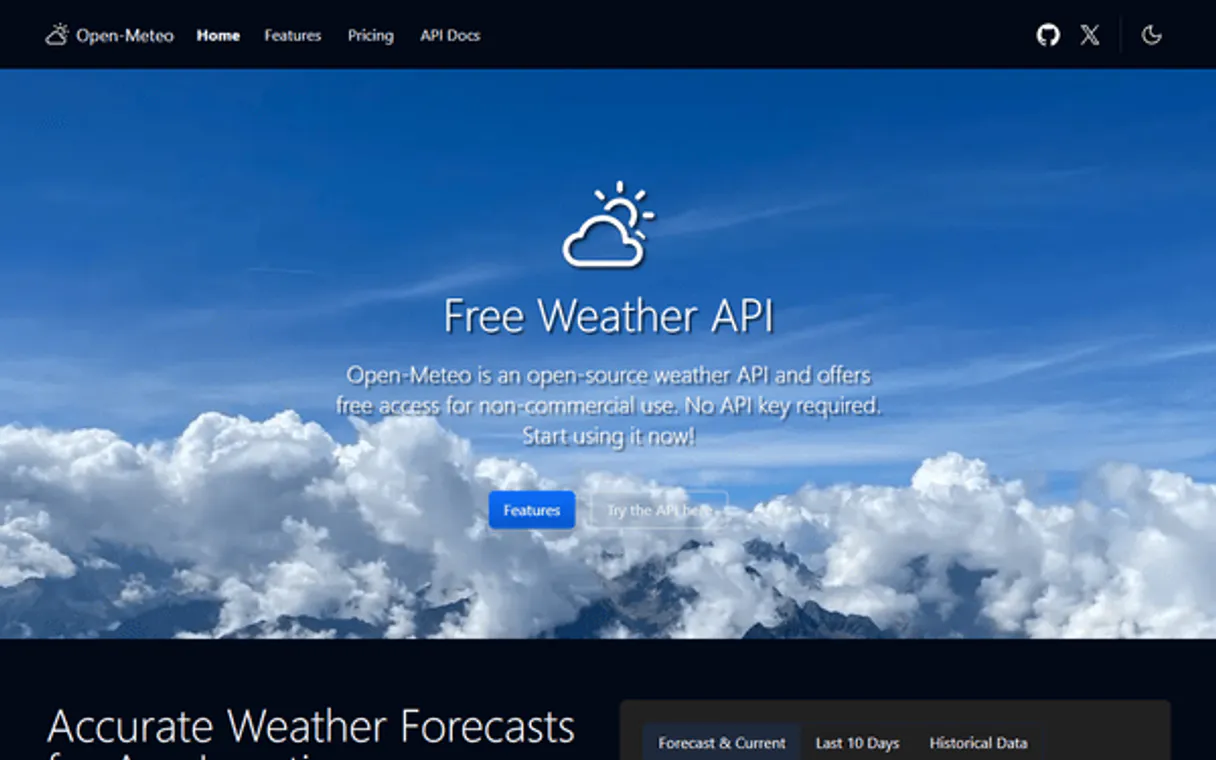
Independent Platform Disclaimer: Vinkius is an independent platform and is not affiliated with, endorsed by, sponsored by, verified by, or otherwise authorized by Open-Meteo. All third-party trademarks, logos, and brand names are the property of their respective owners. Their use on this website is strictly for informational purposes to identify service compatibility and interoperability.
VINKIUS INFRASTRUCTURE
Cloud Hosted
Managed infra
V8 Isolated
Sandboxed per request
Zero-Trust Proxy
No stored credentials
DLP Enforced
Policy on every call
GDPR Compliant
EU data residency
Token Compression
~60% cost reduction
Works with Claude, ChatGPT, Cursor, and more
The Model Context Protocol standardizes how applications expose capabilities to LLMs. Instead of operating in isolation, your AI gains direct access to external platforms, live data, and real-world actions through secure, standardized connections.
This server provides 3 capabilities that interface natively with Claude, ChatGPT, Cursor, and any MCP client. No middleware. No custom integration required.
Available Capabilities
Forecasting climate risk used to mean hiring a dozen PhDs and waiting three months for the report.
Today, if you needed a long-term temperature outlook for your client's property, you'd spend weeks gathering reports from disparate scientific sources. You'd manually cross-reference multiple datasets—some focused on precipitation, others on temperature—and then try to reconcile them into one coherent narrative. It was slow, prone to version conflicts, and always left the risk quantification fuzzy.
With Open-Meteo Climate & Ensemble MCP Server, you ask your agent for the projections directly. The server executes CMIP6 models and delivers structured data via `get_climate_projection`. You get a full set of scenarios (e.g., SSP2-4.5 vs SSP5-8.5) instantly, allowing you to build an immediate, defensible risk profile.
Open-Meteo Climate & Ensemble MCP Server: Model long-term climate scenarios.
Before this server, assessing regional uncertainty meant running separate models for rain and heat. You had to treat them as separate variables in a spreadsheet. This manual process often forced you to choose an 'average' number, which hides the true risk—the variability between models.
Now, by calling `get_ensemble_forecast`, your agent aggregates six or more distinct weather model predictions into one output. You don't just get a median; you get the full probability range and consensus level. That uncertainty quantification is everything.
Common Questions About Open-Meteo Climate & Ensemble MCP
How do I use Open-Meteo Climate & Ensemble MCP Server to compare multiple risk scenarios? +
Use get_climate_projection and specify the different SSP emission pathways (e.g., SSP1-2.6 vs SSP5-8.5). This allows your agent to run side-by-side comparisons of temperature and precipitation under vastly different future policy assumptions.
What is the difference between `get_climate_projection` and `get_climate_temperature_trend`? +
The trend tool calculates a straight line showing how temperatures have changed over decades in the past. The projection tool uses complex climate models to estimate where those trends will go under specific future emission scenarios.
Does `get_ensemble_forecast` cover long-term changes? +
No, that's a key distinction. get_ensemble_forecast is for short-to-medium term probabilistic weather analysis (days/weeks). For long-term climate shifts (decades), use the projection tools.
Can I get projections for different locations using Open-Meteo Climate & Ensemble MCP Server? +
Yes. Each tool accepts geographic coordinates and location names, letting you run simultaneous, comparative risk assessments across multiple regions in a single workflow.
What specific emission scenarios can I model using the `get_climate_projection` tool? +
The tool supports multiple Shared Socioeconomic Pathways (SSP) and Representative Concentration Pathways (RCP). You specify the desired SSP code in your request to narrow down the climate risk analysis.
How does `get_ensemble_forecast` help quantify prediction uncertainty? +
It runs data from six or more separate weather models simultaneously. The output provides a minimum, maximum, and median for metrics like temperature, giving you a clear range of potential outcomes.
What specific metrics does `get_climate_temperature_trend` return? +
This tool returns time-series data showing projected average temperatures across decades. The results include the absolute value and the calculated change (+X°C) compared to the baseline period.
Are there usage limits when calling `get_climate_projection` repeatedly? +
Yes, standard marketplace rate limits apply. You can check your current quota on the Vinkius dashboard. For high-volume ESG reporting, we recommend reviewing enterprise connection options.
Which climate models are used? +
Climate projections use CMIP6 models including EC-Earth3P-HR, MRI-AGCM3, and more. Ensemble forecasts combine 6+ operational weather models (ECMWF, GFS, ICON, etc.) for probabilistic uncertainty analysis.
Use it with your favorite AI tools
Connect this server to Cursor, Claude, VS Code, and more.
More in this category

NASA Open Data
Universal space intelligence — access NASA APOD, Mars photos, and NEO feed via AI.

arXiv
Search 2.5M+ scientific preprints across physics, computer science, mathematics, biology, economics, and more — with full abstracts, author lists, and direct PDF download links.
Farmonaut
Access satellite agriculture data via Farmonaut — monitor crop health with NDVI, weather, soil moisture, crop advisory, and deforestation alerts from any AI agent.
You might also like

Met Museum
Explore the Metropolitan Museum of Art's collection—search for artworks, list departments, and retrieve detailed object metadata and images.

Bridge Data Output
Access standardized real estate data via the Bridge API — browse MLS listings, property details, and agent info directly from any AI agent.

Akeneo PIM
Product Information Management orchestration — manage products, attributes, and categories via AI.