
Oppo Game Open Platform MCP. Validate logins, track payments, and manage player data.
 Gemini
 Works with every AI agent you already use
…and any MCP-compatible client









Just plug in your AI agents and start using Vinkius.
Validate user sessions, query payments, and report player data for Oppo games. This MCP provides 8 tools to manage game distribution backend tasks directly from your AI agent.
You can check if a user is logged in using `validate_login`, find the status of any payment with `query_order`, or send high scores via `report_game_data`.
It's your single source for Oppo gaming logistics.
What your AI agents can do
Get oppo app status
Checks the live operational status of the Oppo Game Center application.
Get oppo server time
Retrieves the current, accurate server time from the Oppo platform.
Get user info
Gets basic profile data for an identified Oppo user ID.
The agent validates a user's login session using an Oppo SDK token, confirming if the credentials are legitimate before proceeding with any data calls.
You can check the real-time status of any payment order by submitting the transaction ID to determine success or failure.
The agent submits player achievements, high scores, and level data directly to the Oppo Game Center for official tracking.
Your AI client fetches basic profile information for a specific Oppo user ID.
You update or report critical character data, including names, levels, and server assignments.
The agent confirms the current application status and synchronizes the system clock against the Oppo platform time.
Ask AI about this MCP
Supported MCP Clients
Gemini Waiting for input…
Oppo Game Open Platform: 8 Tools for Gaming Backends
These tools let your AI agent perform critical backend tasks like checking payment status, validating user sessions, and reporting player activity directly to the Oppo platform.
019d8468get oppo app status
Checks the live operational status of the Oppo Game Center application.
019d8468get oppo server time
Retrieves the current, accurate server time from the Oppo platform.
019d8468get user info
Gets basic profile data for an identified Oppo user ID.
019d8468list sku details
Queries a list of all configured in-app purchase items (SKUs) available to the game.
019d8468query order
Checks and reports the current status of any specific Oppo payment transaction ID.
019d8468report game data
Submits player scores, progress metrics, and achievements to the official Oppo platform records.
019d8468report role info
Sends updated character role data, like names and levels, to the tracking system for record keeping.
019d8468validate login
Verifies if a user's login session is active and legitimate using their Oppo SDK token.
Choose How to Get Started
Build a custom MCP for your own tools, or connect a ready-made integration from our catalog.
Build Your Own
Turn any API into an MCP. Import a spec, define Agent Skills, or deploy with MCPFusion.
- Import from OpenAPI, Swagger, or YAML specs
- Create Agent Skills with progressive disclosure
- Deploy to edge with MCPFusion framework
- Built in DLP, auth, and compliance on every call
- Real time usage dashboard and cost metering
- Publish to catalog or keep private
Make Your AI Do More
Start with Oppo Game Open Platform, then connect any of our 4,700+ other servers whenever your AI needs more. One click, no limits.
- Use this MCP plus 4,700+ others, all in one place
- Add new capabilities to your AI anytime you want
- Every connection is secured and compliant automatically
- Track usage and costs across all your servers
- Works with Claude, ChatGPT, Cursor, and more
- New servers added to the catalog every week
What you can do with this MCP connector
Oppo Game Open Platform MCP
This service gives your AI client direct command over the backend logistics for anything running on the Oppo Game Open Platform. You're not just reading data; you're managing core server functions—user authentication, payment records, and player progress reports. It’s everything you need to run a tight ship without ever touching a console.
User Identity & Session Management
You gotta know who you’re talking to before you let them do anything else. You'll use validate_login first; that verifies if the user's login session is active and legit using their Oppo SDK token. Once that passes, you can grab basic profile details for any specific player with get_user_info. If you need to know what in-app items they’ve bought or what’s available for purchase, run list_sku_details to query all the configured SKUs.
Tracking Progress and Roles
Keeping track of player activity is huge. You'll use report_game_data to submit anything from high scores and achievements to complex progress metrics directly into the official Oppo records. If you need to update a character’s status—like their name, level, or server assignment—you call report_role_info. It keeps your entire roster accurate in the system.
Payments and System Health
When money's involved, you gotta be airtight. Use query_order to check any specific payment transaction ID; it spits out the real-time status so you know if the sale went through or if something broke. For general platform health checks, run get_oppo_app_status to confirm the live operational state of the Oppo Game Center app.
You can also sync up your clock by running get_oppo_server_time, which pulls the accurate server time from the platform.
How It Works in Practice
Think of it like this: Your agent handles a new user login attempt. First, you check credentials with validate_login. If that passes, your agent grabs their profile data using get_user_info. Next, when they play and hit a high score, the system sends the data to report_game_data for official tracking. If they buy a new skin, you confirm the payment status right away with query_order.
Meanwhile, if an admin needs to update their character's rank or level, they just use report_role_info. You get all that crucial backend control—authentication, financial records, and player data reporting—all through these eight tools. It's your single stop for Oppo gaming logistics.
How Oppo Game Open Platform MCP Works
- 1 First, subscribe to this server on Vinkius and get your AppID/AppKey from the Oppo Developer Console.
- 2 Next, pass those credentials into the MCP fields. Your agent initializes the connection layer using these keys.
- 3 Finally, you call a tool like
validate_login. The service uses the stored keys to communicate with the live Oppo platform and returns the structured result.
The bottom line is: You give us your credentials, and we handle all the back-and-forth with the Oppo platform for you.
Who Is Oppo Game Open Platform MCP For?
This server targets backend engineers who hate manual API calls. It's essential for live operations teams needing to monitor player integrity or payment systems, and mobile developers managing complex authentication flows. If your game relies on Oppo's distribution channel, you need this.
Integrates the platform into central dashboards, using tools like get_oppo_app_status to check system health and list_sku_details for catalog validation.
Monitors player ranking integrity after a major update. They use query_order to reconcile failed transactions or report_role_info to fix character data.
Needs reliable login verification for new users, calling validate_login every time a user starts a session. They also use it to check the server clock with get_oppo_server_time.
What Changes When You Connect
- Stop guessing about user status. Use
validate_loginto confirm a session token is live before letting the user proceed. This cuts down on failed transactions at the start of a game. - Never manually check payment records again. Calling
query_ordergives you immediate, programmatic access to transaction success or failure, which is key for virtual item fulfillment. - Keep your game data accurate. When a player levels up or scores high, use
report_game_data. This tool ensures the official Oppo platform sees the progress immediately. - Manage user identity centrally. Instead of just getting basic info, use
get_user_infoto pull a clean profile snapshot for immediate backend processing. - Fixing data errors is fast. If player roles are wrong, you don't need an admin portal; call
report_role_infodirectly and send the correct record.
Real-World Use Cases
Handling a Failed Purchase
A user claims they paid for a gem bundle but it never showed up. Instead of emailing support, your agent runs query_order with the transaction ID. The result shows 'Success,' and your agent can immediately trigger the virtual item delivery logic.
New User Onboarding
A new user logs in. Your agent first calls validate_login to confirm their SSOID is active. If successful, it then uses get_user_info to pull the initial profile data needed for the game lobby.
End-of-Season Ranking Dump
The season ends and scores need aggregating. Your agent iterates through all top players, calling report_game_data for each one to submit their final high score to the Oppo platform center.
System Time Drift Fix
The game server clock drifts slightly from the official Oppo time. Your agent quickly calls get_oppo_server_time to pull the correct timestamp, ensuring all transaction logging is accurate and synchronized.
The Tradeoffs
Assuming user data exists
Trying to run report_game_data immediately after a login without checking if the session is valid first.
→
Always check authentication first. Run validate_login with the token. Only proceed to report progress or roles after you confirm the session is legitimate.
Ignoring payment status
Assuming a player who attempts a purchase automatically gets items, even if the transaction failed on Oppo’s side.
→
Always call query_order with the specific order ID. This checks the real-time status and prevents fulfilling unconfirmed payments.
Using generic user lookups
Trying to find a player using only an email address, which isn't supported by Oppo’s native system.
→
You must use the official SSOID or token. Start with get_user_info and pass the verified ID obtained from validate_login.
When It Fits, When It Doesn't
Use this server if your core business logic depends on Oppo's specific backend services: authentication, payment gateways, and player data reporting within their ecosystem. This is non-negotiable for Oppo games.
Don't use it if you just need general user management (use a dedicated Identity Provider) or if you are integrating with a different game platform entirely. If you only need to check the time, get_oppo_server_time works, but most of its power comes from pairing it with transaction logging.
Think: Does this process require knowing Oppo's specific AppID and payment flow? Yes -> Use this server. No -> Look elsewhere.
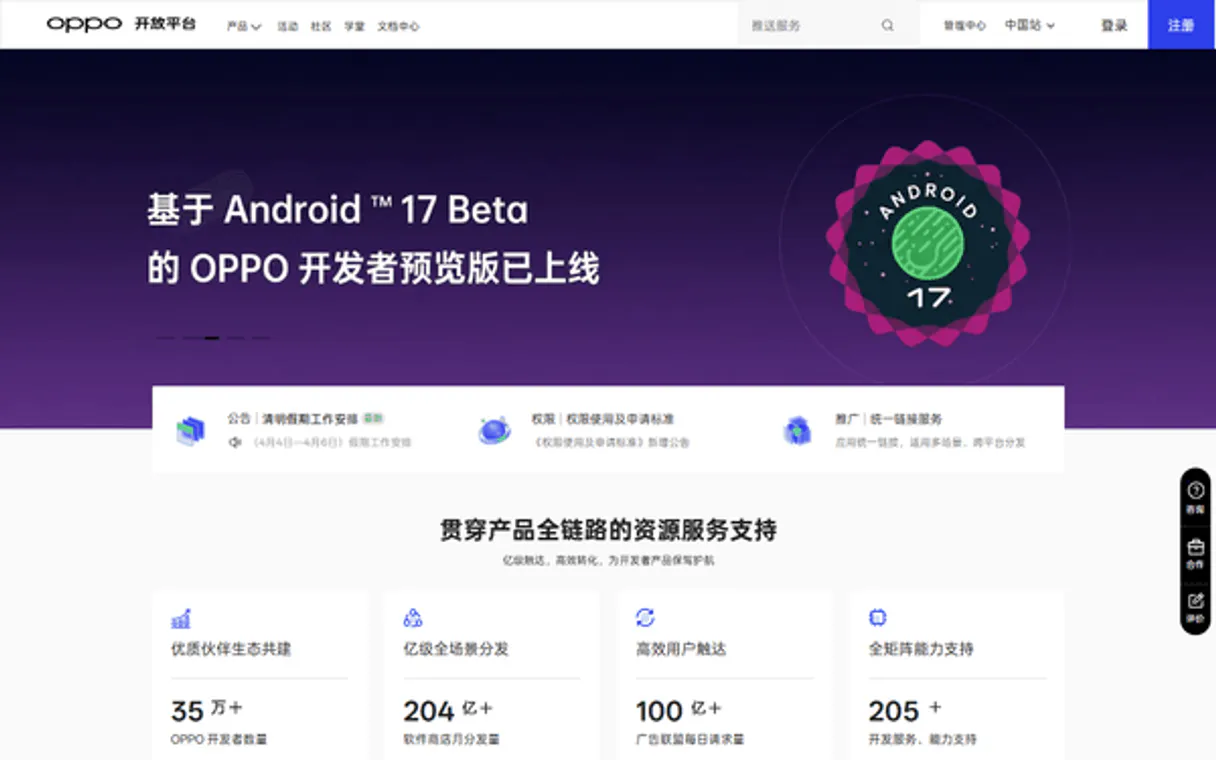
Independent Platform Disclaimer: Vinkius is an independent platform and is not affiliated with, endorsed by, sponsored by, verified by, or otherwise authorized by Oppo Game. All third-party trademarks, logos, and brand names are the property of their respective owners. Their use on this website is strictly for informational purposes to identify service compatibility and interoperability.
VINKIUS INFRASTRUCTURE
Cloud Hosted
Managed infra
V8 Isolated
Sandboxed per request
Zero-Trust Proxy
No stored credentials
DLP Enforced
Policy on every call
GDPR Compliant
EU data residency
Token Compression
~60% cost reduction
Works with Claude, ChatGPT, Cursor, and more
The Model Context Protocol standardizes how applications expose capabilities to LLMs. Instead of operating in isolation, your AI gains direct access to external platforms, live data, and real-world actions through secure, standardized connections.
This server provides 8 capabilities that interface natively with Claude, ChatGPT, Cursor, and any MCP client. No middleware. No custom integration required.
Available Capabilities
Dealing with fragmented payment status checks is a headache.
Today, processing a paid item means jumping between three places: the game UI, your internal database, and then logging into the Oppo portal to check if the transaction cleared. You're copy-pasting IDs, waiting for confirmation emails, and manually reconciling discrepancies.
With this MCP server, you pass the order ID directly to `query_order`. The system instantly confirms the status—Success or Failure—and gives you the exact details needed to fulfill the item in your backend code. No logging into a portal required.
The `validate_login` tool streamlines user access.
Before, every time a user connected, you had to run multiple checks: Is the token valid? Does the SSOID map to an active account? Did they exceed their usage limits?
Now, one call to `validate_login` handles all that. It returns a simple pass/fail result and confirms the user's ID. You write your code knowing the session is clean before you ever start running business logic.
Common Questions About Oppo Game Open Platform MCP
How do I check if an Oppo payment was successful using query_order? +
Call query_order and pass the specific transaction ID. The response provides a clear status (e.g., 'Success' or 'Pending') and confirms if the funds were transferred for that amount.
Do I need to use validate_login before running other tools? +
Yes, it is best practice. Always call validate_login first. It confirms the session integrity and gives you a verified SSOID, which should then be used for subsequent calls like get_user_info.
Can I use report_game_data to update player names? +
No. Use report_game_data only for scores and progress metrics. To change a character's name or level, you must call the dedicated report_role_info tool.
What is the best way to get basic user details? +
First, run validate_login to ensure the session works. Then, use get_user_info, passing the resulting verified SSOID to pull their profile data.
If my application is having issues, how do I check the health using get_oppo_app_status? +
Run get_oppo_app_status to confirm your integration point. This tool checks if the core Oppo Game Center services are active and reachable. It's essential for debugging connectivity issues before running any data reporting or login validation.
What specific parameters does report_role_info need for accurate player tracking? +
The report_role_info tool requires the unique user ID, the role name (e.g., 'Warrior'), and the current level number. Sending an incomplete payload will fail validation because it can't track character progress properly.
Why should I use get_oppo_server_time instead of my local clock? +
You must use get_oppo_server_time to ensure transaction timestamps are accurate. Relying on your client's system time can cause sync errors, especially when reconciling payments or ranking data against the central Oppo platform records.
How do I verify that a specific item is available by using list_sku_details? +
You use list_sku_details and filter by the Item ID or SKU name. The tool returns all configured items, allowing you to confirm existence and see current pricing without needing to query an external catalog.
How do I validate an Oppo login token from my backend? +
Use the validate_login tool with the token and ssoid provided by the Oppo SDK. The agent will connect to the Oppo verification server and confirm if the session is legitimate.
Can I automatically query the status of an Oppo transaction? +
Yes! Use the query_order tool with your unique CP Order ID. Your agent will retrieve the payment status, amount, and internal order metadata directly from the Oppo gateway.
How do I list the configured virtual goods (SKUs) for my app? +
Use the list_sku_details tool. Your agent will return all in-app purchase items configured in your Oppo Developer Console, including prices and product names.
Use it with your favorite AI tools
Connect this server to Cursor, Claude, VS Code, and more.
More in this category

Manage your LinkedIn presence — audit organizations, posts, and profile via AI.
OceanBase
Enterprise distributed relational database — manage clusters, tenants, and databases via AI.
Pushbullet
Send files, links, and notifications between your phone and computer instantly with universal copy-paste across all devices.
You might also like

Daftra
Equip your AI agent to manage your ERP, accounting, and client relations directly via the Daftra API.

Zentitle2
Manage software licenses and entitlements with a cloud platform that handles activation, metering, and feature gating for ISVs.

Everbridge Critical Management
Equip your AI agent to manage critical notifications, track incidents, and monitor contacts via the Everbridge API.