
Paperform MCP. Manage submissions and webhooks directly from your chat.
 Gemini
 Works with every AI agent you already use
…and any MCP-compatible client









Just plug in your AI agents and start using Vinkius.
Paperform manages online forms and submissions directly from your AI agent. You can list, retrieve configurations, and track all form data without leaving your chat client.
Use this server to manage webhooks for integration or analyze specific submission details using natural conversation.
What your AI agents can do
Create webhook
Sets up an automatic data push (a webhook) from any form when it receives a new submission.
Get account info
Retrieves basic authentication details about the Paperform account linked to the server.
Get form
Pulls all specific settings and structure data for one particular form.
Gets a list of every form you have created in the Paperform account.
Retrieves specific configuration details for one selected form ID.
Pulls a list of all submissions that happened for a given form over time.
Retrieves the full, granular data set from one specific submission record.
Creates or lists webhooks to automatically send form data to external systems.
Lists organizational elements like custom domains and folders used across your forms.
Ask AI about this MCP
Supported MCP Clients
Gemini Waiting for input…
Paperform MCP Server: 10 Tools for Form & Submission Ops
These ten tools allow your AI agent to interact with every aspect of your Paperform account—from listing forms to managing complex webhooks.
019d75eecreate webhook
Sets up an automatic data push (a webhook) from any form when it receives a new submission.
019d75eeget account info
Retrieves basic authentication details about the Paperform account linked to the server.
019d75eeget form
Pulls all specific settings and structure data for one particular form.
019d75eeget submission
Retrieves every piece of information submitted by a user in a single instance.
019d75eelist custom domains
Lists all custom domain names that are configured to point to Paperform forms.
019d75eelist folders
Shows a directory of all the folders used to organize your different form types.
019d75eelist forms
Gives you an inventory list of every single form currently active in the account.
019d75eelist submissions
Pulls a summary list of all submissions that occurred for a specific form ID.
019d75eelist tags
Lists every tag used across your forms, helping you see how data is categorized.
019d75eelist webhooks
Provides a list of all webhooks that have been configured for a specific form.
Choose How to Get Started
Build a custom MCP for your own tools, or connect a ready-made integration from our catalog.
Build Your Own
Turn any API into an MCP. Import a spec, define Agent Skills, or deploy with MCPFusion.
- Import from OpenAPI, Swagger, or YAML specs
- Create Agent Skills with progressive disclosure
- Deploy to edge with MCPFusion framework
- Built in DLP, auth, and compliance on every call
- Real time usage dashboard and cost metering
- Publish to catalog or keep private
Make Your AI Do More
Start with Paperform, then connect any of our 4,700+ other servers whenever your AI needs more. One click, no limits.
- Use this MCP plus 4,700+ others, all in one place
- Add new capabilities to your AI anytime you want
- Every connection is secured and compliant automatically
- Track usage and costs across all your servers
- Works with Claude, ChatGPT, Cursor, and more
- New servers added to the catalog every week
What you can do with this MCP connector
This server gives your AI agent full control over everything Paperform does. You can manage all your forms and track every submission without ever leaving your chat window. It’s how you finally get a complete picture of your data collection workflows.
Managing Your Forms Library
You gotta know what forms you've got running, right? Use the list_forms tool to pull an inventory list of every single form currently active in your Paperform account. If you need specific structural details on just one of those forms—say, checking out its fields or settings—you can call get_form. This pulls all the configuration data for a single selected form ID.
Beyond just listing them, you can audit your entire setup's structure. The list_custom_domains tool shows every custom domain name pointing to Paperform forms, so you know exactly where people are submitting data from. Need help organizing? Use list_folders to see the directory of all folders used across different form types in your account.
You can also run list_tags to pull a list of every tag used across your forms; this helps you verify how data is being categorized company-wide.
Tracking Submissions and Data Audits
When it comes to submissions, you want the full story. First, call list_submissions. This gives you a summary list, showing all the form submissions that happened for a specific form ID over time—you get a quick count and date range of activity. If you need the deep dive, use get_submission to retrieve every single piece of information submitted by a user in one instance.
It pulls the full, granular data set for that record.
Automation and Connectivity
You don't want to manually copy-paste data into your CRM or Slack, do you? The webhook tools handle that automatically. Use list_webhooks to see a list of all webhooks already configured for a specific form. When it’s time to hook up a new service, run create_webhook. This sets up an automatic data push—a webhook—from the moment any form receives a new submission, sending that raw data directly to another system you specify.
Account Overview and Setup
Finally, for general account oversight, the get_account_info tool retrieves basic authentication details about your linked Paperform account. This lets your agent verify connection status or pull fundamental account metrics when you need them.
How Paperform MCP Works
- 1 Subscribe to the server and enter your Paperform Access Token (from API settings).
- 2 Tell your AI client what you need—for example, 'List all my product feedback forms' or 'Show me submissions for form XYZ'.
- 3 The agent runs the necessary tools (
list_formsorlist_submissions) and gives you the data back in plain text.
The bottom line is that your AI client talks directly to Paperform, so you never have to leave the chat window to check form status or pull data.
Who Is Paperform MCP For?
This is for Ops Engineers and Marketing Managers who get frustrated having to jump between the Paperform dashboard, a spreadsheet, and a CRM just to verify a simple workflow. If you spend time copying submission counts or testing webhook endpoints manually, this server saves you clicks.
Uses list_forms to audit which forms are active and runs checks using get_form to verify if the necessary fields (like email) are present before a campaign launch.
Requests detailed responses for specific groups of users by calling list_submissions followed by fetching data with get_submission, allowing them to analyze trends without exporting CSV files.
Tests integration points using create_webhook and list_webhooks to ensure form submissions correctly trigger actions in other services, like a staging database.
What Changes When You Connect
- Stop exporting data. Instead of manually downloading CSVs, you can ask the agent to run
list_submissionsorget_submission, pulling detailed form responses right into your conversation for instant analysis. - Automate integrations without touching Zapier's UI. Use
create_webhookandlist_webhooksto test and set up data pushes to CRMs or internal APIs directly through the chat interface. - Get a full view of your asset library instantly. Run
list_formsto see every survey you own, and useget_formto check its specific settings—all in one prompt. - Clear out data clutter by seeing exactly how things are organized. Running
list_foldersorlist_tagsgives you a quick audit of your form structure without navigating multiple menus. - Connect this server to any AI client (Claude, Cursor, etc.) and handle all your form administration—from checking account info (
get_account_info) to auditing custom domains (list_custom_domains). - Audit data flow paths. You can check which forms are pointed at custom domains using
list_custom_domains, ensuring that every public-facing link is correctly configured.
Real-World Use Cases
Auditing a New Campaign Setup
A Marketing Ops Specialist needs to know if the new 'Beta User Feedback' form is ready for launch. Instead of clicking through settings, they ask their agent to run list_forms and then use get_form on the specific ID. The agent confirms the correct fields are present and that no critical webhooks are missing.
Analyzing a Spike in Submissions
After running an ad campaign, a Customer Researcher needs to know what users complained about. They use their agent to run list_submissions for the 'Product Feedback' form, identifying 50 submissions. They then request the full details of three specific records using get_submission to quickly analyze the pain points.
Debugging a Broken Integration
A DevOps Engineer notices that new lead data isn't hitting Salesforce. They ask their agent to run list_webhooks for the 'Contact Us' form, verify the webhook URL is correct, and then use create_webhook to re-test the connection point.
Verifying Account Scope
A System Admin needs to make sure all departmental forms are correctly categorized. They prompt their agent to run list_tags across the whole account, confirming that 'Q3 2024' and 'HR Policy' tags exist and are available for use.
The Tradeoffs
Trying to find a form by remembering keywords
Clicking through the dashboard, trying to remember if the form was in the 'Marketing' folder or under the 'Product' domain.
→
Don't guess. Use list_forms to get an inventory of everything, then use get_form on the specific ID for details.
Checking webhook status manually in a UI
Logging into the Paperform settings and clicking through multiple tabs just to see if the integration endpoint is active.
→
Ask your agent to run list_webhooks for that form. It gives you an immediate, text-based list of every configured webhook.
Assuming all forms are in one place
Thinking a new campaign form must be under the default 'General' folder.
→
First run list_folders to see your available organizational containers, and then use get_form on the specific ID to confirm its location.
When It Fits, When It Doesn't
Use this server if you manage forms and data flows within Paperform and need an AI agent to talk directly to that data. This is ideal for auditing configurations (list_tags, get_account_info), testing integrations (create_webhook, list_webhooks), or pulling specific records (get_submission).
Don't use this if you just need general help with a marketing concept (use a general LLM) or if your form data lives in a completely separate system (you’ll need an integration tool like Zapier, not just the MCP client).
If you are building a complex workflow that involves payment processing or user authentication outside of Paperform, this server is only part of the puzzle; treat it as one highly specialized service endpoint.

Independent Platform Disclaimer: Vinkius is an independent platform and is not affiliated with, endorsed by, sponsored by, verified by, or otherwise authorized by Paperform. All third-party trademarks, logos, and brand names are the property of their respective owners. Their use on this website is strictly for informational purposes to identify service compatibility and interoperability.
VINKIUS INFRASTRUCTURE
Cloud Hosted
Managed infra
V8 Isolated
Sandboxed per request
Zero-Trust Proxy
No stored credentials
DLP Enforced
Policy on every call
GDPR Compliant
EU data residency
Token Compression
~60% cost reduction
Works with Claude, ChatGPT, Cursor, and more
The Model Context Protocol standardizes how applications expose capabilities to LLMs. Instead of operating in isolation, your AI gains direct access to external platforms, live data, and real-world actions through secure, standardized connections.
This server provides 10 capabilities that interface natively with Claude, ChatGPT, Cursor, and any MCP client. No middleware. No custom integration required.
Available Capabilities
Checking form submission counts and webhooks shouldn't require logging into three different dashboards.
Today, verifying basic data flow takes time. You have to jump from the main dashboard to check if a form is live. Then you might open another tab to manually confirm which integrations are hooked up, and finally, if you need specific data, you copy it into a spreadsheet for analysis.
With this MCP server, your agent does all that work in one go. You ask: 'What's the status of the contact form?' The agent runs `list_forms` and then checks associated webhooks using `list_webhooks`. It gives you a text summary right there.
Paperform MCP Server: Track Form Data & Webhooks
The manual steps that vanish are the repetitive checks: confirming custom domains with `list_custom_domains`, checking if a form ID is correct, and then manually viewing submissions. These tasks were once tedious clicks.
Now, you state your goal—'Show me all product feedback from last month.' The agent coordinates multiple calls (`list_forms` -> `list_submissions` -> `get_submission`) and delivers the analyzed data structure immediately.
Common Questions About Paperform MCP
How do I list all my forms using Paperform MCP Server? +
Run list_forms. This tool will give you an inventory list of every form currently active in your account so you know what IDs to work with.
What is the difference between `list_submissions` and `get_submission`? +
list_submissions gives you a summary count (e.g., 50 submissions happened). get_submission pulls all the actual data from one specific submission record.
How do I check which webhooks are active for a form? +
Use list_webhooks. You just need to specify the form ID, and the agent returns a list of every webhook configured for it.
Can Paperform MCP Server help me find custom domains? +
Yes. The list_custom_domains tool shows all domain names that point to your forms, helping you audit your public URLs.
What information do I pass when calling the `get_account_info` tool? +
You need a valid Paperform Access Token to run get_account_info. This token authenticates your agent and gives it read access to your core account data.
How do I check the available tags across my forms using `list_tags`? +
The list_tags tool pulls a directory of every tag used in your account. Use this list to enforce consistent categorization when setting up new forms or analyzing data.
What details do I provide when running the `get_form` tool? +
You must supply the unique ID for the form you want details on. This returns the full configuration, including field types and validation rules, so your agent knows exactly what data to expect.
What parameters are required when I use `create_webhook`? +
You need two things: the specific Form ID and the external URL endpoint. Providing these allows the agent to set up a functional webhook that routes submitted data elsewhere.
How do I find my Paperform Access Token? +
In your Paperform account, go to Account Settings > API. There you can create and manage your API access tokens.
Can I see individual form responses? +
Yes! Use the list_submissions tool to see a list of responses for a specific form, and get_submission to retrieve the full data for a particular entry.
Does this support webhook management? +
Absolutely. You can use the list_webhooks and create_webhook tools to monitor and configure integrations for any of your forms.
Use it with your favorite AI tools
Connect this server to Cursor, Claude, VS Code, and more.
More in this category

Sellsy
Equip your AI agent with full read access to your Sellsy CRM to audit deals, generate invoices overviews, and prospect natively.
Freightview
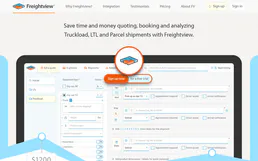
Automate LTL freight quoting, track shipments, and manage carriers via AI agents with Freightview.
Productive
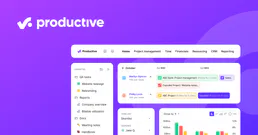
Manage your entire agency workflow via Productive — fetch budgets, analyze time entries, track deals, and monitor project health directly from any AI agent.
You might also like

LA Metro
Access Los Angeles Metro data via API — track buses and rail in real-time, check arrivals, plan rail trips, and monitor service alerts from any AI agent.

Innform
Manage learners, courses, and results via Innform LMS API.

Moonscan (Moonbeam Network Explorer)
Access Moonbeam blockchain data via Moonscan — check GLMR balances, track transactions, and inspect smart contracts directly from any AI agent.