
Payload CMS MCP. Programmatically write and patch content records.
 Gemini
 Works with every AI agent you already use
…and any MCP-compatible client









Just plug in your AI agents and start using Vinkius.
Payload CMS MCP Server gives your AI client direct, secure access to manage structured content and database records inside Payload CMS.
You can read collections, patch specific documents with raw JSON data, retrieve site-wide configuration singletons, or even wipe old records—all without touching the admin UI.
What your AI agents can do
Create cms document
Writes a new JSON Payload document record into your CMS collection.
Get single document
Inspects and retrieves deep, specific records from the content collections.
Get singleton global
Extracts properties that drive site-wide global configuration settings.
Write new JSON Payload rows into any designated collection.
Modify specific document blocks or fields within a record using its unique ID.
Permanently remove entire documents from target collections.
Scan and pull structured metadata for all defined document arrays within the CMS.
Retrieve configuration data stored in singletons, like site-wide parameters or API keys.
Filter and search document collections using advanced criteria (e.g., status='draft' and author=5).
Ask AI about this MCP
Supported MCP Clients
Gemini Waiting for input…
Payload CMS MCP Server: 10 Tools for Content Ops
Access all tools here to programmatically create, read, patch, and delete documents across your Payload CMS collections.
019d75f0create cms document
Writes a new JSON Payload document record into your CMS collection.
019d75f0get single document
Inspects and retrieves deep, specific records from the content collections.
019d75f0get singleton global
Extracts properties that drive site-wide global configuration settings.
019d75f0list collection documents
Lists all defined content collections and pulls metadata about the documents within them.
019d75f0list payload users
Retrieves a list of active user accounts managed by the CMS administration panel.
019d75f0patch cms document
Modifies an existing document record using its ID and a new JSON payload.
019d75f0search collection where
Runs complex queries against collections to find documents matching specific criteria (e.g., status='archived').
019d75f0update singleton global
Sends automated updates or validation checks for global site settings.
019d75f0verify token identity
Checks and reports the structured rules defining the identity of the current authenticated user.
019d75f0wipe cms document
Irreversibly deletes a specified document record from its collection.
Choose How to Get Started
Build a custom MCP for your own tools, or connect a ready-made integration from our catalog.
Build Your Own
Turn any API into an MCP. Import a spec, define Agent Skills, or deploy with MCPFusion.
- Import from OpenAPI, Swagger, or YAML specs
- Create Agent Skills with progressive disclosure
- Deploy to edge with MCPFusion framework
- Built in DLP, auth, and compliance on every call
- Real time usage dashboard and cost metering
- Publish to catalog or keep private
Make Your AI Do More
Start with Payload CMS, then connect any of our 4,700+ other servers whenever your AI needs more. One click, no limits.
- Use this MCP plus 4,700+ others, all in one place
- Add new capabilities to your AI anytime you want
- Every connection is secured and compliant automatically
- Track usage and costs across all your servers
- Works with Claude, ChatGPT, Cursor, and more
- New servers added to the catalog every week
What you can do with this MCP connector
This server gives your AI client direct, secure access to Payload CMS's data layer. You bypass the standard admin UI and treat the whole system like another database endpoint for structured content management. When you use this setup, your agent can perform deep data operations that normally take several clicks in a browser.
For managing actual content documents, you’ve got full CRUD capability. If you need to write something new, the create_cms_document tool lets your agent drop a brand-new JSON Payload document record into any designated collection. To modify existing stuff, use patch_cms_document; this tool requires the specific document ID and takes raw JSON payload data so it can update just the fields you specify without touching anything else.
If the content needs to vanish, wipe_cms_document permanently deletes a specified document record from its collection—it’s irreversible.
When reading data, your options are deep. You can use get_single_document to inspect and pull super specific records out of the collections. For broad reads, you've got two tools: first, list_collection_documents scans all defined content collections and pulls back metadata for every document array in the CMS. Second, if you need to dig into a collection using complex rules—say, finding all documents where the status is 'archived' or the author ID matches five—you run search_collection_where.
For global system settings that drive the whole site, use get_singleton_global to pull configuration data like API keys or site-wide parameters. If those global settings need a tweak, update_singleton_global sends automated updates and runs validation checks for those crucial site configs.
Beyond content management, your agent can handle user accounts and security checks. You can run list_payload_users to pull a list of active admin user accounts managed by the CMS panel. For identity verification, the verify_token_identity tool checks and reports the structured rules defining who's logged in right now. This setup lets your agent read, write, patch, or delete structured content records programmatically, giving you complete control over data ops without ever touching a front-end screen.
How Payload CMS MCP Works
- 1 1. Subscribe to the server instance on Vinkius.
- 2 2. Supply your Payload Base URL and required Private API Token parameters.
- 3 3. Your AI client uses the available tools (like
create_cms_documentorlist_collection_documents) to execute read/write operations against your headless CMS.
The bottom line is, it lets your AI agent run native API calls against your CMS data structure like a built-in function.
Who Is Payload CMS MCP For?
Backend developers who spend too much time writing boilerplate code to interact with content APIs. Content engineers needing reliable ways to bulk update or patch schema data across multiple collections. Any technical architect building systems that need structured, programmatic access to CMS source of truth.
Uses patch_cms_document and create_cms_document to inject new data or update records directly into the database without needing a dedicated microservice layer.
Employs list_collection_documents and search_collection_where to audit content across multiple collections, ensuring all required metadata fields are populated before deployment.
Calls get_singleton_global to validate global configuration flags and ensure the entire application stack is pointing to correct, current settings.
What Changes When You Connect
- Full Content Audit: Use
list_collection_documentsto immediately map every document type in your site. You don't have to guess which collections exist—the agent just lists them out for you. - Precise Data Patching: Need to change one field on 50 documents? Instead of looping through the UI, use
patch_cms_documentand supply a targeted JSON payload for bulk updates. It’s surgical. - System Status Checks: Use
get_singleton_globalto pull mission-critical site settings (like API keys or default slugs). This validates your entire system state before running any code. - Advanced Filtering: Forget basic search bars. With
search_collection_where, you can filter by complex criteria like 'status=draft AND date > 2023' to pull exactly the content you need for a specific workflow. - User Management Visibility: The
list_payload_userstool gives your agent access to active admin accounts, allowing secure checks on who has permission to do what.
Real-World Use Cases
Migrating Draft Content
A content team needs to take 30 articles from a staging environment and mark them 'published' in the live CMS. Instead of manually changing status flags one by one, they run an agent that uses search_collection_where (filtering for 'status=draft') followed by multiple calls to patch_cms_document, updating only the necessary field.
API Validation on Launch
A dev team is launching a new feature that depends on a specific global setting (e.g., 'enable_new_checkout'). Before committing, they run get_singleton_global. If the output doesn't confirm the required boolean value, the deployment fails early, preventing site breakage.
Cleaning Up Old Content
The marketing team needs to purge all blog posts older than two years that were never assigned a category. They use list_collection_documents to confirm the 'posts' collection exists, then run an agent using search_collection_where (filtering by date) and finally call wipe_cms_document on the resulting IDs.
Updating Schema Defaults
The system architect finds that all new blog posts are missing a required 'seo_keywords' field. They use patch_cms_document to run a global update across all documents, injecting the default JSON structure into the missing fields.
The Tradeoffs
Assuming Read Access Is Enough
A dev tries to change a document's status by just reading it with get_single_document and assuming they can write the new state later. They hit a permission error because they never executed an explicit write tool.
→
You must use patch_cms_document or create_cms_document. Reading data only shows you what is. Patching changes what will be.
Trying to delete content without ID
A user tries to wipe a document just by specifying its slug, like 'homepage-v2'. The CMS API requires the internal primary key (ID) for deletion.
→
First, use search_collection_where or get_single_document to retrieve the specific ID. Then, pass that exact ID into wipe_cms_document. Never guess the ID.
Ignoring Global Settings Changes
The site owner changes a critical setting (e.g., 'site_domain') but doesn't update their build script, causing the app to point to the wrong location.
→
Always run get_singleton_global early in your workflow. This forces the agent to validate that the single source of truth for global config is correct before proceeding.
When It Fits, When It Doesn't
Use this MCP server if you need to treat Payload CMS like a database—meaning you are building programmatic workflows that must read, write, or modify structured data (JSON) based on business logic. You're automating content pipelines, handling migrations, or running validation scripts.
Don't use it if all you want is to look at the CMS interface manually, or if your only need is simple viewing of a few records—the native UI handles that fine. If you just need to read basic metadata from an API endpoint without complex querying or patching, another general-purpose data connector might be enough.
Crucially, if you are changing data, use patch_cms_document. If you are creating new content, use create_cms_document. Never confuse the two.
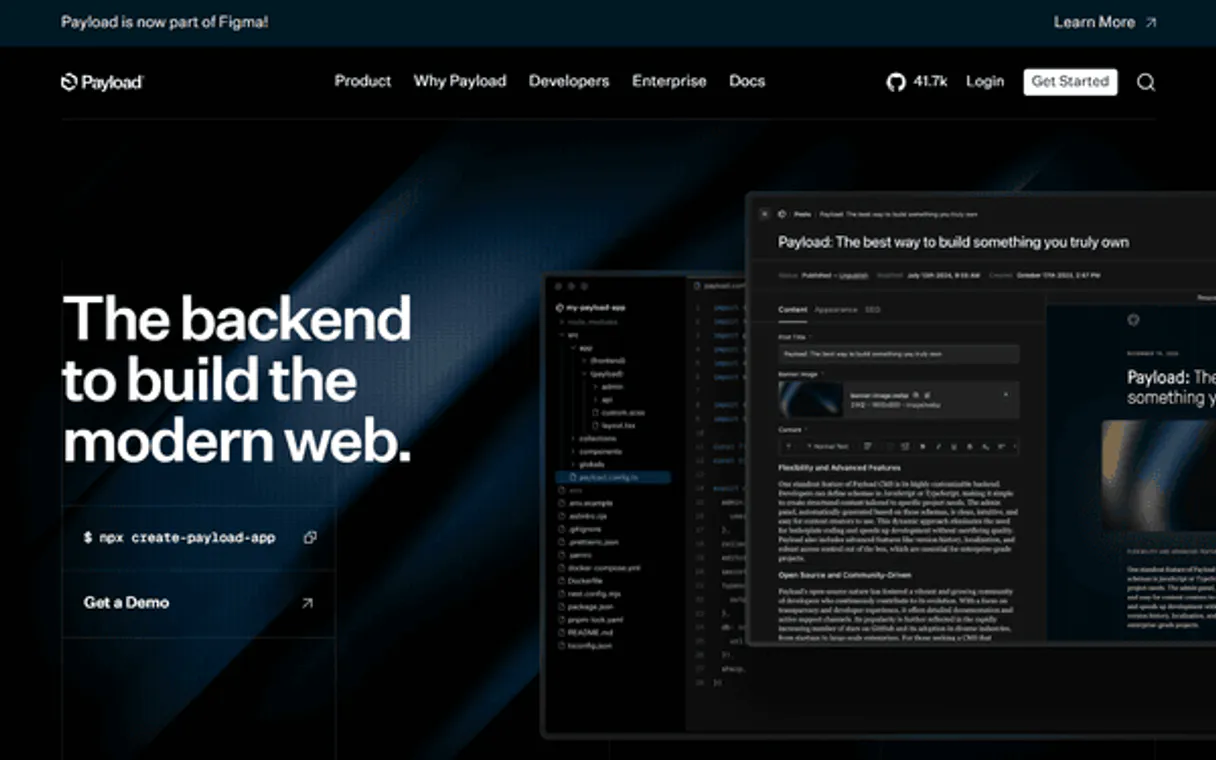
Independent Platform Disclaimer: Vinkius is an independent platform and is not affiliated with, endorsed by, sponsored by, verified by, or otherwise authorized by Payload CMS. All third-party trademarks, logos, and brand names are the property of their respective owners. Their use on this website is strictly for informational purposes to identify service compatibility and interoperability.
VINKIUS INFRASTRUCTURE
Cloud Hosted
Managed infra
V8 Isolated
Sandboxed per request
Zero-Trust Proxy
No stored credentials
DLP Enforced
Policy on every call
GDPR Compliant
EU data residency
Token Compression
~60% cost reduction
Works with Claude, ChatGPT, Cursor, and more
The Model Context Protocol standardizes how applications expose capabilities to LLMs. Instead of operating in isolation, your AI gains direct access to external platforms, live data, and real-world actions through secure, standardized connections.
This server provides 10 capabilities that interface natively with Claude, ChatGPT, Cursor, and any MCP client. No middleware. No custom integration required.
Available Capabilities
The biggest time sink is getting data out of the CMS UI and into your code.
Right now, if a dev needs to check 50 documents for a specific field value or bulk update them, they're stuck in the Payload admin panel. This means logging in, clicking through collections, manually filtering records, copying IDs, and then writing custom API calls just to handle the mutations. It’s slow, error-prone, and requires dozens of context switches.
With this MCP Server, your agent bypasses all those clicks. You simply tell it: 'Find all posts where status is pending.' The agent executes `search_collection_where`, returns a list of IDs, and then uses `patch_cms_document` on the entire batch. It moves from tedious manual labor to one command.
Payload CMS MCP Server: Write structured data changes directly.
Before this, updating a single site-wide variable or making sure all new documents included the correct metadata required logging into the 'Settings' section and manually patching JSON blocks. This wasn't scalable; every change felt like an operational emergency.
Now, you call `get_singleton_global` to read the current config, write your logic against it, and then use `update_singleton_global` to commit the change programmatically. You’re treating global settings like any other piece of data—reliable, repeatable, and fully automatable.
Common Questions About Payload CMS MCP
How do I update a document using the Payload CMS MCP Server? +
You use patch_cms_document. This tool requires you to supply the specific Document ID and the new JSON payload. It's designed for making targeted, non-destructive changes.
Can I list all available collections with list_collection_documents? +
Yes. list_collection_documents scans your CMS schema and reports every defined collection name, allowing you to know exactly what data types are accessible for reading or writing.
What is the difference between getting a single document and searching with search_collection_where? +
Use get_single_document when you know the exact ID of one record. Use search_collection_where when you need to filter records based on complex criteria (e.g., author ID, date range, or status) across many documents.
Is wipe_cms_document irreversible? +
Yes. This tool permanently deletes the document record from the CMS and cannot be recovered through the API. Use it only when you are absolutely certain the data needs to be purged.
What information does `verify_token_identity` return about my current user? +
It enumerates explicitly attached structured rules defining the current user. The output details identity tracking bounds and associated permissions, letting you confirm exactly what roles your agent has access to.
When I use `get_single_document`, how deep can it inspect internal arrays? +
It provides deep inspection of internal arrays mitigating specific Row mappings. You get structured data, allowing you to examine complex JSON content within the document payload without needing multiple queries.
Does the Payload CMS MCP Server impose rate limits on calls using `list_collection_documents`? +
The server handles typical API load spikes. For sustained high volume, we recommend implementing exponential backoff in your client code to manage request flow gracefully.
For Payload CMS, what connection parameters are needed to run any document manipulation tool? +
You must provide the explicitly hosted Payload Base URL and a valid Private API Token. These credentials authorize your agent to interact with the CMS REST API endpoints.
Does this work with both MongoDB and Postgres implementations of Payload? +
Yes. The API agent interacts securely via Payload's standard abstracted REST endpoints. It remains explicitly agnostic of the underlying physical persistence arrays (Mongo/Postgres), resolving logically normalized JSON payloads.
Can I query deeply nested values explicitly utilizing where limits? +
Absolutely. The search_collection_where capability leverages Payload's native query parser strings. You can send explicit nested filters like title[equals]=Hello limiting extraction loops flawlessly.
What format do I need to send to patch or create a new CMS item? +
To command dynamic creations, pass the explicit stringified JSON properties directly mapping your specific Collection's local fields setup. The node forwards this strict data limit logically causing a DB insert over Payload endpoints.
Use it with your favorite AI tools
Connect this server to Cursor, Claude, VS Code, and more.
More in this category
PostHog Alternative
Manage product analytics and feature flags via PostHog — query events, inspect cohorts, toggle flags and create annotations from any AI agent.
Builder
Automate Builder.io headless CMS workflows — generate content blocks, update models, and orchestrate visual components directly from any AI agent.

Medusa (Headless E-commerce Engine)
Manage headless commerce via MedusaJS — search products, track orders, and audit customer data.
You might also like

Egnyte
Store and govern enterprise content with intelligent file management, access controls, and compliance monitoring across teams.

Bynder
Empower your asset strategy via Bynder — list media banks, filter collections, and retrieve digital download links with your AI agent.

Semrush
Grant your AI agent access to Semrush's massive SEO database to analyze competitor backlink profiles, track domain ranks, and research profitable keywords contextually.