
Lanhu MCP. Audit designs, track feedback, and list project assets.
 Gemini
 Works with every AI agent you already use
…and any MCP-compatible client









Just plug in your AI agents and start using Vinkius.
Lanhu is a product design collaboration platform. Connect it to your AI client to manage design assets, project handoffs, and team feedback.
Your agent can list projects, get file metadata, audit layers, and browse team comments—all from a natural conversation. Stop clicking through multiple web views just to understand the project status or find a specific component version.
What your AI agents can do
Get board
Gets the detailed information for a specific project board.
Get comments
Retrieves all comments and discussions attached to a design file.
Get file
Gets the metadata and details for a specific design file.
You can ask the agent to list all available projects (list_team_projects) or list all teams (list_teams) within your Lanhu workspace.
The agent gets high-level information about a specific project (get_project) or a design file (get_file), including its metadata and general status.
You can list the specific layer and node structures inside a design file using list_layers.
The agent retrieves all comments and discussions associated with a design file (get_comments) or board (get_board).
You can list and get details for project boards (list_boards, get_board) to see project milestones and organization.
The agent lists all members in a team (list_members) or lists the files belonging to a project (list_project_files).
Ask AI about this MCP
Supported MCP Clients
Gemini Waiting for input…
Lanhu MCP Server: 10 Tools for Design Assets
Use these tools to list, audit, and retrieve metadata for design files, projects, and team members within the Lanhu platform.
019d8451get board
Gets the detailed information for a specific project board.
019d8451get comments
Retrieves all comments and discussions attached to a design file.
019d8451get file
Gets the metadata and details for a specific design file.
019d8451get project
Gets the overall details for a specific project.
019d8451list boards
Lists all project boards available in the workspace.
019d8451list layers
Lists the specific layers and node structures within a design file.
019d8451list members
Lists all team members associated with a specific team.
019d8451list project files
Lists all design files (Sketch, Figma, XD, etc.) within a defined project.
019d8451list team projects
Lists all projects that the team is currently involved with.
019d8451list teams
Lists every team available within your Lanhu workspace.
Choose How to Get Started
Build a custom MCP for your own tools, or connect a ready-made integration from our catalog.
Build Your Own
Turn any API into an MCP. Import a spec, define Agent Skills, or deploy with MCPFusion.
- Import from OpenAPI, Swagger, or YAML specs
- Create Agent Skills with progressive disclosure
- Deploy to edge with MCPFusion framework
- Built in DLP, auth, and compliance on every call
- Real time usage dashboard and cost metering
- Publish to catalog or keep private
Make Your AI Do More
Start with Lanhu, then connect any of our 4,700+ other servers whenever your AI needs more. One click, no limits.
- Use this MCP plus 4,700+ others, all in one place
- Add new capabilities to your AI anytime you want
- Every connection is secured and compliant automatically
- Track usage and costs across all your servers
- Works with Claude, ChatGPT, Cursor, and more
- New servers added to the catalog every week
What you can do with this MCP connector
Lanhu MCP Server - Manage Design Files with AI
Forget clicking through a million web views just to figure out where a component version is or what the status is. Hook up your AI client, and it handles the whole design workflow using natural conversation. Your agent can pull everything you need about projects, files, and teams—no clicking required.
Project and Team Overview
- You can ask your agent to list every team available in your Lanhu workspace using
list_teams, or list all projects the team is involved with usinglist_team_projects. From there, it can list all project boards available in the workspace withlist_boards. When you need high-level details, your agent gets the overall project information withget_projector gets the full details for a specific board usingget_board. - You can also see every file tied to a specific project by calling
list_project_files. To manage who's on the team, it lists all members for a team usinglist_members.
File and Design Auditing
- Your agent gets the metadata and full details for any specific design file by calling
get_file. You can also pull the detailed information for a specific project board usingget_board. - Need to see what's inside a file?
list_layerslists the specific layers and node structures within a design file. You can also get all the comments and discussions attached to a design file usingget_comments, or pull the discussions tied to a specific board withget_comments.
Workflow Management
- To keep track of who's doing what, your agent lists every team available in your Lanhu workspace using
list_teamsand then lists all members associated with a team usinglist_members. - When you need to check a project's scope, your agent can list all projects the team is involved with using
list_team_projectsor list all project boards usinglist_boardsto see project milestones and organization.
How Lanhu MCP Works
- 1 Subscribe to the Lanhu MCP Server and provide your Lanhu Access Token.
- 2 Prompt your AI client with a request (e.g., 'Show me the layers for the homepage file').
- 3 The agent executes the necessary tool calls (e.g.,
list_layers) and returns the structured data in a readable format.
The bottom line is you talk to your agent, and it handles the complex API calls to pull design data for you.
Who Is Lanhu MCP For?
Product Designers who manage large design systems, Frontend Developers needing design specs for implementation, and Product Managers who track cross-functional progress. If your job requires understanding design handoffs across multiple files and teams, this is for you.
Uses the agent to automate asset organization, list available files, and retrieve layer metadata without opening the design application.
Uses the agent to pull design file info and layer structures directly into their development workspace for immediate implementation reference.
Uses the agent to track design progress across multiple projects by consolidating board status and team feedback from a single chat interface.
What Changes When You Connect
- Audit Designs: Stop guessing what's in a file. Use
list_layersto get the exact structure of a design file, including all named layers and node groupings. - Track Feedback: Don't miss a critical comment. Use
get_commentsto pull all discussions and team feedback attached to a file or board, consolidating communication instantly. - See Projects: Quickly understand the scope of work. Run
list_team_projectsto see every project the team is currently assigned to, narrowing your search immediately. - Manage Assets: Need to know what files exist?
list_project_fileslists all design assets (Figma, Sketch, XD) within a project, keeping your assets organized and visible. - View Team Structure: Use
list_teamsandlist_membersto map out who's on which team, making it easy to assign tasks and understand participation. - Get Project Overview: Use
get_projectto pull core project details, giving you a single source of truth on project status without clicking through multiple dashboards.
Real-World Use Cases
Need to check team contribution to a new feature.
A Product Manager needs to know if three different team members have contributed files to the 'Checkout V2' project. Instead of checking three different folders, they ask their agent to run list_project_files and then cross-reference the owners listed in list_members against the results. They get a clean report showing who owns which asset.
Debugging a broken design component.
A Frontend Developer notices a component looks wrong. They ask their agent to run get_file and list_layers on the component's design file. The agent returns the full layer structure, letting the developer know immediately if the 'Header' group or 'Footer' group is missing or malformed.
Catching up on design feedback after a meeting.
A Product Designer missed a key meeting. They ask their agent to run get_comments on the 'Payment Flow' board. The agent lists the four most recent discussions, including specific feedback about button spacing and color contrast, so the designer knows exactly what to fix.
Starting a new feature handoff.
A Design Ops specialist needs to know the entire scope of the new 'Admin Dashboard' project. They use list_team_projects to confirm the project exists, then use get_project to get the scope, and finally use list_boards to see the key milestones.
The Tradeoffs
Blindly listing everything.
Asking the agent to 'show me everything about the project.' This vague request results in a wall of text listing every file, every comment, and every team member, making the actual answer impossible to find.
→
Start by narrowing the scope. Use list_team_projects to identify the project ID, then get_project to get the core details, and finally list_project_files to see the assets.
Forgetting the file context.
Asking the agent for 'the latest feedback.' This lacks specificity and results in the agent querying the wrong file, giving irrelevant comments about an old version.
→
Always provide the file name or ID first. Run get_comments using the specific file name (e.g., 'checkout-v1') to pull only the relevant, recent discussions.
Ignoring the hierarchy.
Trying to list layers without knowing the file. The agent fails because it doesn't know which asset you're talking about.
→
First, use list_project_files to identify the correct file name. Then, run list_layers and pass that file name to ensure the layer audit is accurate.
When It Fits, When It Doesn't
Use this server if your job requires constant switching between design files, project dashboards, and team communication logs. You need to treat design assets like data: list them, audit their structure, and track metadata.
Don't use this if you simply need to view a project on the web interface. This server is for automation. If you just need to know who is in the team, list_members is enough. If you only need to see the project name, list_team_projects works. If you need the full context—the files, the layers, the comments, and the board status—you need the combination of these tools. If the underlying data model is too unstable (i.e., files are moved manually without updating ownership), the results might be unreliable.
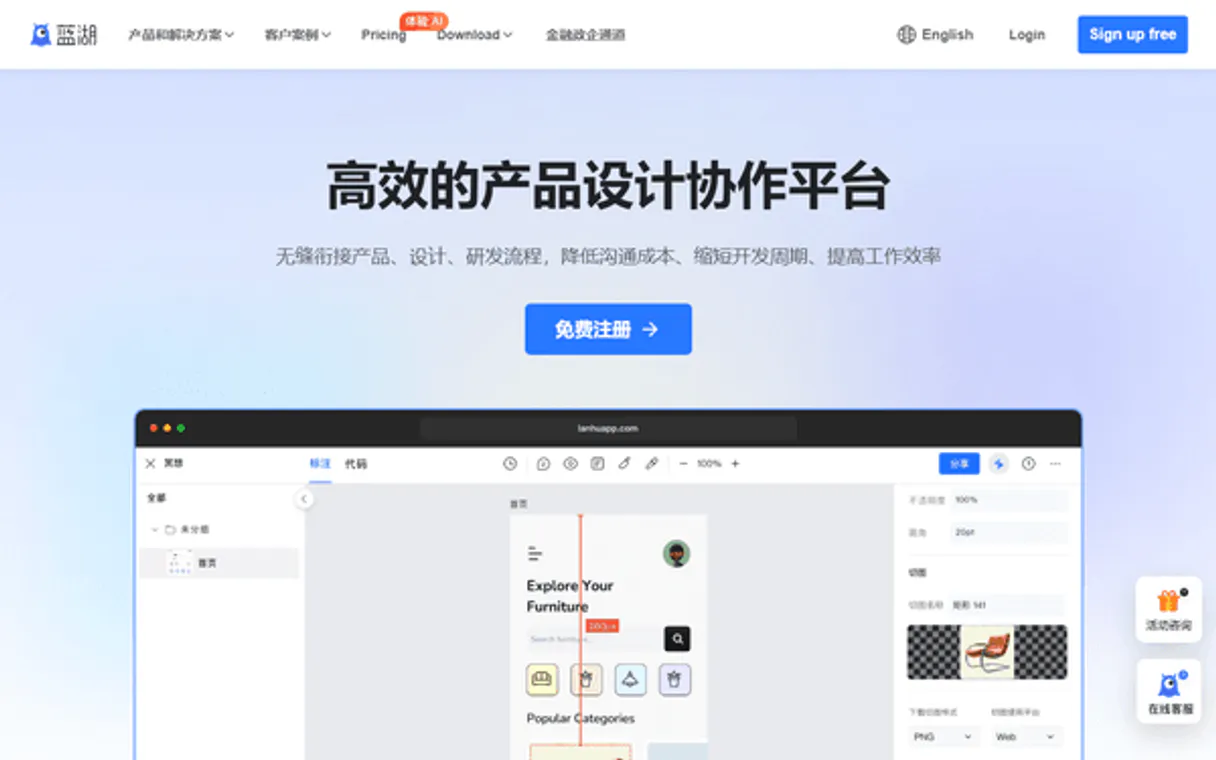
Independent Platform Disclaimer: Vinkius is an independent platform and is not affiliated with, endorsed by, sponsored by, verified by, or otherwise authorized by Lanhu. All third-party trademarks, logos, and brand names are the property of their respective owners. Their use on this website is strictly for informational purposes to identify service compatibility and interoperability.
VINKIUS INFRASTRUCTURE
Cloud Hosted
Managed infra
V8 Isolated
Sandboxed per request
Zero-Trust Proxy
No stored credentials
DLP Enforced
Policy on every call
GDPR Compliant
EU data residency
Token Compression
~60% cost reduction
Works with Claude, ChatGPT, Cursor, and more
The Model Context Protocol standardizes how applications expose capabilities to LLMs. Instead of operating in isolation, your AI gains direct access to external platforms, live data, and real-world actions through secure, standardized connections.
This server provides 10 capabilities that interface natively with Claude, ChatGPT, Cursor, and any MCP client. No middleware. No custom integration required.
Available Capabilities
Sifting through design platforms feels like juggling a dozen tabs.
Today, checking a project status means jumping between the main dashboard, the file directory, the comment thread, and the team roster. You have to manually open the 'Files' tab, then find the right asset, then scroll up to read the comments, and finally check the 'Board' tab for milestones. It's a click-heavy, context-switching nightmare.
With Lanhu's MCP Server, you just ask your agent. 'What's the status of the payment flow?' The agent runs the necessary tools, checks `get_project` for milestones, runs `get_comments` for feedback, and compiles the answer into a single chat response. You get the answer, not a dozen links.
Lanhu MCP Server: Access design assets and team data.
Manual coordination means copying file names, pasting them into a search, manually listing layers in a separate tab, and then switching over to read comments. It's slow, error-prone, and you'll inevitably miss a critical piece of feedback.
This server centralizes that data. You can run `list_project_files` to find the asset, then `list_layers` to audit its structure, and immediately `get_comments` for the discussion. The whole process happens in one conversation. It's a massive time save.
Common Questions About Lanhu MCP
How do I find all the design files in a project using the Lanhu MCP Server? +
Use the list_project_files tool. This command pulls a list of all design assets—whether they are in Figma, Sketch, or XD—that belong to the specified project.
Can I get the layer structure of a design file with the Lanhu MCP Server? +
Yes, run list_layers. You must provide the file name or ID to ensure the agent audits the correct design file and returns its full layer and node structure.
What tool do I use to see team assignments and members in Lanhu? +
Use list_members. This tool lists all team members associated with a specific team, helping you understand who is responsible for which part of the project.
How do I check the latest discussion feedback on a design board? +
Run get_comments. This tool retrieves all comments and discussions tied to a specific file or board, giving you the most recent team feedback.
Which tool helps me map out all the projects the team is working on? +
Use list_team_projects. It provides a list of all projects the current team is involved in, helping you scope the overall work scope.
How do I use the `list_team_projects` tool to see what projects a whole team is involved in? +
The list_team_projects tool pulls together all projects assigned to your selected team. It's useful for quickly auditing project scope and making sure no team is missing a key initiative.
What tool should I use to get detailed information about a specific design file, like its metadata? +
Use get_file to retrieve detailed metadata for any design file. This gives you information beyond just the name, helping you understand the file's structure and versioning.
If I need to see all the teams available, which tool do I call? Is it `list_teams`? +
You call list_teams to get a complete directory of every team within your Lanhu workspace. This is the first step if you need to check team members or projects across different groups.
How do I find my Lanhu Access Token? +
Log in to Lanhu, go to [User Settings] → [Access Token], and generate a new token. Copy it immediately as it won't be shown again.
Can I read design layer information through the agent? +
Yes. Use the list_layers tool with the design file ID. This allows your agent to retrieve the layer structure and design nodes for that specific file.
Does Lanhu support team-based organization? +
Yes. You can list all your teams using the list_teams tool and then explore projects and members specifically for each team using their IDs.
Use it with your favorite AI tools
Connect this server to Cursor, Claude, VS Code, and more.
More in this category

Lorem Ipsum Generator
Generate deterministic placeholder text by words, sentences, or paragraphs. When an AI writes filler text, it varies wildly every time — this engine delivers consistent, predictable lorem ipsum.

Webflow Alternative
Manage Webflow sites, CMS collections, pages, and assets directly from your AI agent.

Geometry Calculator
Compute exact Euclidean distances, 2D areas, and 3D volumes completely local. A zero-latency geometry engine for autonomous AI agents.
You might also like

Backblaze B2
Manage Backblaze B2 Cloud Storage via AI — control buckets, file versions, objects, and access rules autonomously.
LandTech
Research land ownership, planning applications, and property development opportunities with geospatial intelligence tools.

Calendly Alternative
Manage meetings and scheduling via Calendly — list event types, track scheduled events, inspect invitees and manage webhooks from any AI agent.