
Pipedrive Activities MCP. Manage all your sales engagements from the chat window.
 Gemini
 Works with every AI agent you already use
…and any MCP-compatible client









Just plug in your AI agents and start using Vinkius.
Pipedrive Activities manages every recorded interaction in your sales pipeline. It lets you schedule, track, list, or mark complete any activity—calls, meetings, tasks, emails, and deadlines—directly through conversation.
Stop juggling tabs; manage deal history end-to-end.
What your AI agents can do
Pd activity types
Lists every activity type available in Pipedrive, including default types (call, meeting) and custom ones set up by your team.
Pd create activity
Schedules a new sales activity—a call, task, email follow-up, etc.—and links it to deals or contacts.
Pd deal activities
Retrieves all activities (calls, meetings, tasks) linked specifically to one deal ID for a complete history check.
The agent schedules an activity (call, task, meeting, etc.) and links it to a specific deal, contact, or organization.
Retrieves all scheduled, pending, and completed activities associated with one specific deal ID.
Lists multiple activities across the account, filtering by type (e.g., only overdue tasks) or completion status.
Marks a specific activity as done or reschedules it with new dates and subjects.
Pulls all metadata—notes, duration, type, and links—for one single activity record using its ID.
Ask AI about this MCP
Supported MCP Clients
Gemini Waiting for input…
Pipedrive Activities MCP Server: 8 Tools for Deal Tracking
Use these eight tools to read, write, and manage every scheduled interaction within your Pipedrive sales pipeline.
019d75f3pd activity types
Lists every activity type available in Pipedrive, including default types (call, meeting) and custom ones set up by your team.
019d75f3pd create activity
Schedules a new sales activity—a call, task, email follow-up, etc.—and links it to deals or contacts.
019d75f3pd deal activities
Retrieves all activities (calls, meetings, tasks) linked specifically to one deal ID for a complete history check.
019d75f3pd delete activity
Permanently removes an activity from the record. Use this only if you are certain the audit trail doesn't need it.
019d75f3pd get activity
Gets complete details for one specific activity by its ID, including notes and linked records.
019d75f3pd list activities
Lists multiple activities across the account, letting you filter by due date, type, or completion status (pending/done).
019d75f3pd mark activity done
Changes a specific activity's status to completed. The record stays in history but gets removed from the active task queue.
019d75f3pd update activity
Reschedules an existing activity, changing its due date or subject without deleting it entirely.
Choose How to Get Started
Build a custom MCP for your own tools, or connect a ready-made integration from our catalog.
Build Your Own
Turn any API into an MCP. Import a spec, define Agent Skills, or deploy with MCPFusion.
- Import from OpenAPI, Swagger, or YAML specs
- Create Agent Skills with progressive disclosure
- Deploy to edge with MCPFusion framework
- Built in DLP, auth, and compliance on every call
- Real time usage dashboard and cost metering
- Publish to catalog or keep private
Make Your AI Do More
Start with Pipedrive Activities, then connect any of our 4,700+ other servers whenever your AI needs more. One click, no limits.
- Use this MCP plus 4,700+ others, all in one place
- Add new capabilities to your AI anytime you want
- Every connection is secured and compliant automatically
- Track usage and costs across all your servers
- Works with Claude, ChatGPT, Cursor, and more
- New servers added to the catalog every week
What you can do with this MCP connector
You know how much time you waste jumping between Pipedrive, your calendar, and your task manager? This server fixes that. It gives your AI client full control over every single interaction in your sales pipeline—calls, meetings, tasks, emails, whatever it is. You don't have to juggle tabs anymore; you just talk to your agent and manage deal history end-to-end.
Scheduling New Interactions
You can use pd_create_activity to schedule anything you need—a call, a meeting, or an email follow-up. You simply tell the agent which activity type you want, what it's for (the subject), and when it needs to happen. Crucially, you link it right away to a specific deal, contact, or organization record so everything stays connected.
If you don't know what types of activities Pipedrive supports—like if your team set up custom follow-ups—you can run pd_activity_types first. This lists every available activity type, letting you pick the right thing to schedule.
Reviewing Deal History and Tasks
Need to see everything that’s happened with a specific deal? Use pd_deal_activities. You feed it one deal ID, and it spits out all recorded activities—every call, meeting, and task associated with that single record. It's your complete history check. If you need to know what the details are for just one piece of work, run pd_get_activity using its unique activity ID.
This pulls up all the metadata: notes, duration, type, and which records it links to.
If you want a broader view—say, 'Show me everything I need to do this week'—you can use pd_list_activities. You don't have to look at everything; you filter. You tell it to list multiple activities across the entire account and specify filters like due date range, type (e.g., only tasks), or completion status (pending vs. done).
Updating Statuses and Records
Sometimes things change. If a meeting gets pushed back, you don't delete the original record; you just update it. Run pd_update_activity to reschedule an existing activity, changing its due date or tweaking the subject without losing any historical data. You can also mark work as finished using pd_mark_activity_done. This changes that specific activity’s status to completed.
The record stays in history for audit purposes but gets removed from your active task queue.
For cleanup, if you are 100% sure the audit trail doesn't need a particular interaction anymore, you can use pd_delete_activity. This permanently removes an activity from the deal record. It’s a serious tool, so only pull this trigger when you know what you're doing.
This means your agent handles all that complex CRM data retrieval and modification—the scheduling, checking history, marking things done, and rescheduling everything—so you just talk to it.
How Pipedrive Activities MCP Works
- 1 First, tell your agent what you need to do. For instance: 'List all overdue tasks for Acme Corp.'
- 2 The agent calls the appropriate tool (like
pd_list_activities) and uses any required identifiers (e.g., Deal ID, organization name) to pull the data. - 3 You get back a structured list or detailed summary of activities, which your agent then presents in plain text.
The bottom line is: it lets you manage Pipedrive's activity log by speaking naturally to your AI client, without needing to know API calls or navigate the CRM interface.
Who Is Pipedrive Activities MCP For?
Anyone who spends time in a CRM and hates context switching. This is for sales reps who need to manage their pipeline on the fly, SDRs generating leads and tasks instantly, and Sales Managers needing an instant overview of deal health without pulling up reports.
Uses the agent to schedule a follow-up call right after a client conversation or marks a task as done immediately.
Creates multiple leads, contacts, and initial activities for new accounts quickly from scratch in a chat.
Asks the agent to list all pending activities across several deals to see who's behind on follow-ups.
What Changes When You Connect
- Stop manually checking deal timelines. Use
pd_list_activitiesto pull a filtered view of every pending meeting, task, and call across multiple deals instantly. - Need to update an old follow-up? Instead of recreating it, use
pd_update_activityto reschedule or rename the existing record, keeping your history clean. - When a deal moves forward, schedule the next step immediately. Run
pd_create_activityto book that follow-up call right away and link it correctly. - Finished a call? Don't forget to log it. Use
pd_mark_activity_doneso the task clears your queue but remains visible in the deal's history. - Get the full picture on one opportunity by running
pd_deal_activities, which consolidates all past and future interactions tied to a single deal ID.
Real-World Use Cases
Client just left; need next steps defined.
The SDR needs to document the meeting immediately. They ask their agent: 'Schedule a follow-up call for Friday at 10 AM.' The agent uses pd_create_activity, setting the type, date, and linking it directly to the correct deal.
Manager needs to audit stalled deals.
The Sales Manager asks: 'Show me all pending tasks for contacts linked to Acme Corp.' The agent uses pd_list_activities, filtering by status and organization, giving an immediate overview of where the team is falling behind.
Finding out what happened last week.
A user asks: 'What were all the meetings we had for this deal in May?' The agent runs pd_deal_activities, pulling a concise history of calls and meetings that took place, allowing the user to review engagement quickly.
Rescheduling an internal task.
The assigned rep realizes they can't make today's meeting. They tell the agent: 'Change my task for Acme Corp from 2 PM to tomorrow morning.' The agent uses pd_update_activity to change the date and time without losing any notes or details.
The Tradeoffs
Thinking a deletion is always correct.
The user deletes an activity using pd_delete_activity because it looks messy in the history view. They can't find the original meeting notes later.
→
Never use pd_delete_activity. If you want to remove it from your daily checklist, run pd_mark_activity_done. This keeps the record intact for auditing purposes.
Trying to list everything at once.
The user asks: 'Show me every activity I've ever done.' The agent tries to pull thousands of records, causing a massive time-out or overwhelming data dump.
→
Always scope your request. Use pd_list_activities and specify the filter—like 'pending activities for deals closed this quarter,' or only look at 'tasks due next week.'
Updating things without context.
The user says: 'Change the subject to 'New Plan.' The agent doesn't know which deal or activity they mean, failing the update and wasting time.
→
Always refer to the specific item. To reschedule, you must specify the Deal ID and the existing Subject/Type so the agent can use pd_update_activity correctly.
When It Fits, When It Doesn't
Use this MCP Server if your primary need is tracking the chronological history of interactions—the 'who, what, when' of a sales deal. You need to schedule tasks or review past calls and meetings for accountability.
Don't use it if you are trying to analyze massive datasets (use separate reporting tools) or if your goal is simply general data cleanup outside the defined activity flow. If you only want to read a list of all deals, stick to the core Pipedrive deal tools; this server focuses exclusively on the interaction log itself. Always remember that pd_list_activities gives you the overview, while pd_get_activity gives you the deep dive into one item.
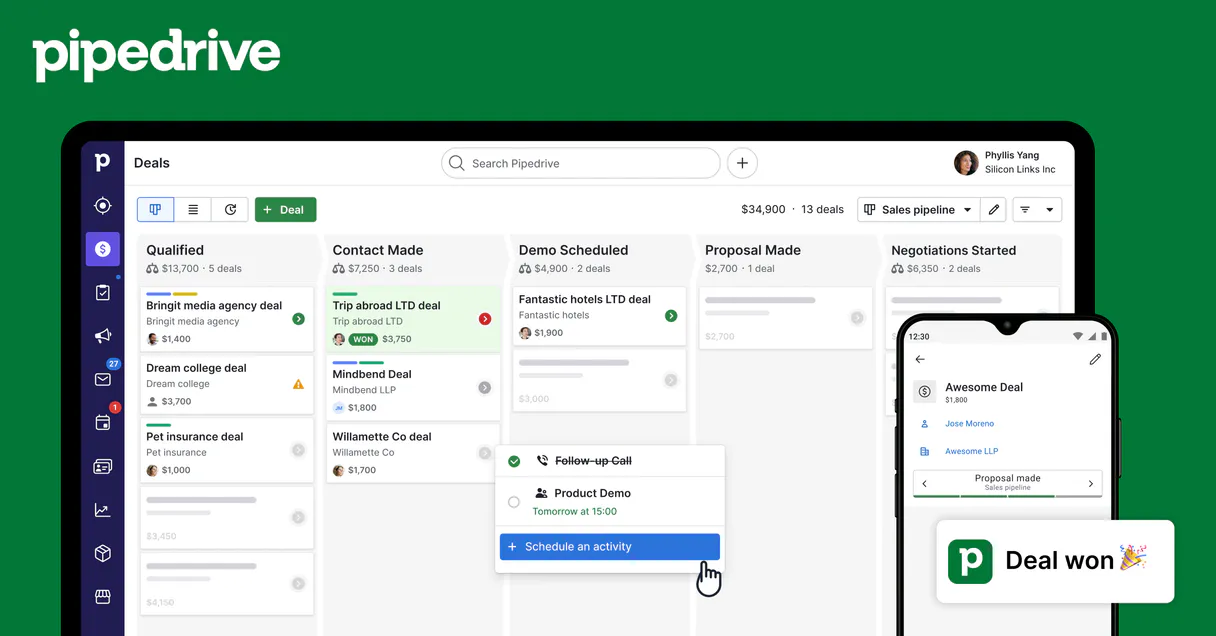
Independent Platform Disclaimer: Vinkius is an independent platform and is not affiliated with, endorsed by, sponsored by, verified by, or otherwise authorized by Pipedrive. All third-party trademarks, logos, and brand names are the property of their respective owners. Their use on this website is strictly for informational purposes to identify service compatibility and interoperability.
VINKIUS INFRASTRUCTURE
Cloud Hosted
Managed infra
V8 Isolated
Sandboxed per request
Zero-Trust Proxy
No stored credentials
DLP Enforced
Policy on every call
GDPR Compliant
EU data residency
Token Compression
~60% cost reduction
Works with Claude, ChatGPT, Cursor, and more
The Model Context Protocol standardizes how applications expose capabilities to LLMs. Instead of operating in isolation, your AI gains direct access to external platforms, live data, and real-world actions through secure, standardized connections.
This server provides 8 capabilities that interface natively with Claude, ChatGPT, Cursor, and any MCP client. No middleware. No custom integration required.
Available Capabilities
Juggling CRM Tabs to Track Deals is Exhausting.
Right now, tracking deal momentum means clicking from the main Deal view to the Activity log. You check the history tab, see a list of old calls and tasks, then click into each one just to confirm who was supposed to do what next. If you need to reschedule something or create a new follow-up, you have to leave the chat, open Pipedrive, find the right deal ID, and manually schedule it.
With this MCP server, that whole process vanishes. Tell your agent: 'We need a task scheduled for Friday regarding Acme Corp.' You get instant confirmation, the activity is logged correctly, and you never left your conversation thread.
Pipedrive Activities MCP Server: Manage Deal History via Chat.
Manual steps that vanish include cross-referencing dates across multiple views and the constant copy/pasting of deal IDs into separate scheduling modules. You don't have to jump between a task list, an email log, and the main calendar view just to get a status update.
It’s about keeping your conversation flow intact while getting perfect CRM precision. Your AI client handles the API calls; you just tell it what needs doing.
Common Questions About Pipedrive Activities MCP
How do I check if an activity was completed using pd_list_activities? +
You filter results by the completion status. Use 'done' or 'false' to separate tasks that are pending from those you marked as finished. This is key for knowing what needs attention.
What is the difference between pd_deal_activities and pd_list_activities? +
The difference is scope: pd_deal_activities only shows history for one specific deal ID. pd_list_activities lets you view many activities across multiple deals or accounts at once.
Should I use pd_delete_activity instead of marking it done? +
No, don't delete. Use pd_mark_activity_done. Deletion removes the audit trail entirely. Marking it done keeps the record in history while clearing it from your active task queue.
How do I reschedule an activity using pd_update_activity? +
You must provide the original activity's ID, and then specify the new due date or time. You can also change the subject matter if needed; it updates all fields in one go.
When I use pd_create_activity, how do I make sure the new activity links to a specific person or organization? +
You must pass the relevant IDs when calling pd_create_activity. The tool requires explicit linkages (deal ID, person ID, etc.) to ensure the activity shows up in the correct context within Pipedrive.
What is the purpose of running pd_activity_types before creating an activity? +
It lists every configured activity type—including default types and any custom ones your team added. This is crucial because you need to reference a valid, existing type when using pd_create_activity.
If I use pd_get_activity, does it provide all the necessary details about a single activity? +
Yes, pd_get_activity provides comprehensive data for one specific ID. It returns everything: subject, type, dates/times, duration, notes, and which records (deal/person/org) it's linked to.
Does pd_deal_activities allow me to see the activity history across multiple deals? +
No, pd_deal_activities is scoped to a single deal ID at a time. If you need histories for several deals, you'll have to call the tool once for each specific Deal ID.
What Pipedrive data can I access? +
Deals, Persons, Organizations, Activities, Notes, and Pipelines. All data respects your Pipedrive permissions.
Can I create and update records? +
Yes! Create and update deals, contacts, activities, and notes — all through natural conversation.
How does authentication work? +
Uses your personal Pipedrive API token. Find it in Settings > Personal preferences > API. No OAuth flow needed.
Use it with your favorite AI tools
Connect this server to Cursor, Claude, VS Code, and more.
More in this category
Pipedrive Admin & Settings
Manage Pipedrive users, sales goals, files, webhooks, currencies, and custom deal fields through natural conversation.
Pipedrive Contacts
Search, create, and manage Pipedrive persons and organizations — full contact lifecycle management through natural conversation.
Pipedrive Products
Manage your product catalog, attach products to deals, and track recurring revenue subscriptions in Pipedrive.
You might also like
Product Hunt
Discover the latest tech products, submit your startup launch, and engage with early adopters on the leading product discovery platform.
PagePixels
Capture website screenshots and generate visual previews programmatically with an API that handles rendering at any resolution.
USDA FoodData Central
Access the gold standard in nutrition data — 300,000+ foods with scientific-grade nutrient profiles from the U.S. Department of Agriculture.