
Podio MCP. Manage your entire Podio structure through chat.
 Gemini
 Works with every AI agent you already use
…and any MCP-compatible client









Just plug in your AI agents and start using Vinkius.
Podio Workspace & Task API MCP Server manages all your data operations within Podio. Use it to list organizations, inspect apps, retrieve specific items and tasks by ID, filter large sets of records, or create new content directly from chat.
It lets your AI agent manage complex business workflows without leaving your client interface.
What your AI agents can do
Add item
Adds a brand new record (item) to a specified Podio app.
Create task
Creates and logs a new task within the Podio system for tracking work.
Filter items
Queries records across an app using complex filters; this tool only reads data, it doesn't change anything.
Lists all organizations and spaces your account has access to, giving you a complete view of your workspace.
Retrieves metadata for a specific Podio application, letting you know what fields and structures are available within it.
You can fetch the full contents of a single item using get_item, or create entirely new items into any configured Podio app.
Queries records across multiple apps based on complex criteria (e.g., 'Show me all tasks assigned to Bob that are due next week'). This uses filter_items and only reads data.
Creates, retrieves, and updates task records so your team stays accountable right from the chat interface.
Ask AI about this MCP
Supported MCP Clients
Gemini Waiting for input…
Podio Workspace & Task API: 8 Tools for Workflow Ops
These eight tools allow your AI agent to perform every core function in Podio—from reading specific records to managing the entire workspace hierarchy.
019e5d48add item
Adds a brand new record (item) to a specified Podio app.
019e5d48create task
Creates and logs a new task within the Podio system for tracking work.
019e5d48filter items
Queries records across an app using complex filters; this tool only reads data, it doesn't change anything.
019e5d48get app
Retrieves the configuration and details for one specific Podio application.
019e5d48get item
Fetches all field data for a single, known item ID within an app.
019e5d48get organizations
Lists all the organizations and spaces you have access to in your workspace.
019e5d48get space
Gets detailed information about a specific Podio space using its unique ID.
019e5d48get task
Retrieves the current details and status of one specific task ID.
Choose How to Get Started
Build a custom MCP for your own tools, or connect a ready-made integration from our catalog.
Build Your Own
Turn any API into an MCP. Import a spec, define Agent Skills, or deploy with MCPFusion.
- Import from OpenAPI, Swagger, or YAML specs
- Create Agent Skills with progressive disclosure
- Deploy to edge with MCPFusion framework
- Built in DLP, auth, and compliance on every call
- Real time usage dashboard and cost metering
- Publish to catalog or keep private
Make Your AI Do More
Start with Podio (Citrix Podio Workspace & Task API), then connect any of our 4,700+ other servers whenever your AI needs more. One click, no limits.
- Use this MCP plus 4,700+ others, all in one place
- Add new capabilities to your AI anytime you want
- Every connection is secured and compliant automatically
- Track usage and costs across all your servers
- Works with Claude, ChatGPT, Cursor, and more
- New servers added to the catalog every week
What you can do with this MCP connector
This Podio MCP Server gives your AI agent full access to run complex business processes across your workspace—organizations, spaces, apps, items, and tasks. It lets you manage data operations without leaving your chat client.
Mapping Your Workspace Structure
To start, you'll need to map out where everything lives. You can use get_organizations to list every organization and space you have access to across the entire Podio environment. Once you know which general area you're in, you retrieve specific details on a workspace using get_space, fetching detailed information about any unique ID.
Inspecting and Managing Apps
You can check out how an app is configured with get_app. This tool pulls the metadata for a single Podio application, showing you exactly what fields and structures are available inside.
Handling Data Records (Items)
When it comes to actual data records—the 'items'—you have three ways to handle them. If you know the ID of an item, get_item fetches all its field data for you. You don't wanna guess; this gives you the full contents. If you need a new record created, add_item lets your agent drop a brand-new item into any configured Podio app.
Need to look at tons of records? Use filter_items. This tool queries records across an entire app using complex criteria—you can ask for something specific like 'Show me all tasks assigned to Bob that are due next week.' Just remember, this function only reads data; it won't change anything in the system.
Managing Workflows and Tasks
Keeping people accountable is key. You manage actions using task tools. create_task allows your agent to generate and log a new task right into the Podio system for tracking work. To check on that work later, you use get_task, which pulls up all current details and the status of one specific task ID.
This setup lets your AI client keep track of assignments and due dates from a simple chat command.
Essentially, this server gives your agent direct control: it can see the whole structure, read every item or task, filter massive sets of data, and then create new content right where you are working.
How Podio MCP Works
- 1 Subscribe to this server and input your Podio Access Token.
- 2 Your AI client recognizes the available tools (e.g.,
get_organizations,filter_items). - 3 You ask a natural language question, and your agent translates it into a sequence of tool calls using the required parameters.
The bottom line is: your AI agent talks to Podio directly, executing API actions as if you were logged in and clicking through every page.
Who Is Podio MCP For?
This tool is for the Ops Manager who gets tired of copying IDs from one dashboard into another. It’s for Project Leads who need to manage tasks without switching apps. And it's for Developers who want to test complex data filtering against a real, live workspace schema.
Runs reports on business processes by combining filter_items and get_organizations to pull records across multiple apps.
Keeps project timelines moving by using create_task and checking status via get_task, all from the chat interface.
Inspects Podio app schemas (get_app) or tests data retrieval logic by querying records with get_item before writing production code.
What Changes When You Connect
- Centralized Data Access: Don't jump between tabs. Use
get_organizationsto list all available spaces, then useget_spaceto get details—all in one conversation thread. This saves hours of manual navigation. - Targeted Filtering: Instead of building complex filters inside the Podio UI, ask your agent to run
filter_items. You can specify exactly what you need (e.g., 'All items where Status=Pending and Owner=John') and get a clean list back. - Instant Record Creation: Need to log data? Use
add_itemto create new records immediately, specifying all the necessary fields without needing to open the app first. It's fast and structured. - Task Accountability: Keep track of project deliverables by running
create_task. You can set due dates and assign owners instantly. Then, useget_taskanytime to check who owns it and its current status. - Workflow Visibility: When you need to know the full context—like checking what fields an app has before writing a script—run
get_app. It shows you the schema without needing developer access. - Contextual Discovery: You can start broad by listing organizations (
get_organizations), then narrow down to spaces (get_space) and finally get data on specific items or tasks, building context naturally.
Real-World Use Cases
Finding a list of all active projects
A Project Lead needs an overview. They ask their agent to use get_organizations first. The agent returns the available structures, allowing the lead to select specific areas and then run filter_items on those spaces to pull out only items marked 'Active' from all relevant apps.
Logging a new client meeting summary
An Ops Manager attends a call. Instead of logging into Podio, navigating the correct app, and filling out fields manually, they prompt their agent: 'Add an item to the Client Leads app with details X, Y, and Z.' The agent executes add_item using the precise schema.
Checking if a critical task is assigned
A manager needs status updates. They ask: 'What's the status of the Q3 budget review for Sarah?' The agent runs get_task with the specific ID, instantly returning assignment details and priority level without needing to click into the project board.
Mapping out a new department structure
A developer needs to know what Podio structures exist. They prompt: 'List all organizations I can see.' The agent runs get_organizations, providing the top-level view necessary for them to start building an integration that respects the hierarchy.
The Tradeoffs
Assuming one tool does everything
A user asks, 'Show me all tasks and items in Project X.' They might only call get_item or get_task, but the AI will fail because they missed the scope.
→
You have to use a sequence. First, narrow down with get_space (if you know the ID), then run filter_items or filter_tasks against that space's context to get both item and task data.
Over-relying on IDs
The user knows they need a record but only remembers the name, not the ID. They waste time trying to pass names into get_item.
→
Don't call get_item right away. Use filter_items first with the criteria (e.g., 'Item Name equals Widget Prototype') to get the correct ID. Then, use that ID in get_item for full details.
Attempting bulk updates
The user tries to tell the agent, 'Change all items in this app.' The system will reject it because no tool exists for mass edits.
→
This server is read/write only via explicit commands. To change data, you must first use filter_items to locate records, and then follow up with a separate process or custom script layer.
When It Fits, When It Doesn't
Use this MCP Server if your core business logic revolves around managing structured data within Podio—things like client profiles (items), project milestones (tasks), or team workspaces (spaces). This is ideal for Ops teams and PMOs. Don't use it if you need to analyze unstructured documents, process raw PDFs, or manage external databases (like a generic SQL endpoint). For those cases, an alternative database connector will work better. If your goal is purely data retrieval without knowing the specific Podio structure, start with get_organizations to map out your environment first.

Independent Platform Disclaimer: Vinkius is an independent platform and is not affiliated with, endorsed by, sponsored by, verified by, or otherwise authorized by Podio. All third-party trademarks, logos, and brand names are the property of their respective owners. Their use on this website is strictly for informational purposes to identify service compatibility and interoperability.
VINKIUS INFRASTRUCTURE
Cloud Hosted
Managed infra
V8 Isolated
Sandboxed per request
Zero-Trust Proxy
No stored credentials
DLP Enforced
Policy on every call
GDPR Compliant
EU data residency
Token Compression
~60% cost reduction
Works with Claude, ChatGPT, Cursor, and more
The Model Context Protocol standardizes how applications expose capabilities to LLMs. Instead of operating in isolation, your AI gains direct access to external platforms, live data, and real-world actions through secure, standardized connections.
This server provides 8 capabilities that interface natively with Claude, ChatGPT, Cursor, and any MCP client. No middleware. No custom integration required.
Available Capabilities
Manually navigating complex workspaces feels like spending all day in dashboard hell.
Right now, finding what you need means clicking through tabs, jumping between 'Spaces' and 'Apps,' manually copying IDs from one screen to the next, and hoping you didn't miss a section. You end up with context switching fatigue just trying to get a simple report.
With this MCP Server, that whole process disappears. Instead of clicks, you talk to your agent. You tell it, 'Get me all items in the Marketing app where Status is Draft.' The agent runs `filter_items` and hands you the data—no tabs, no copy-pasting required.
Podio (Citrix Podio Workspace & Task API) MCP Server: Manage your entire Podio structure through chat.
Before this server, updating a record or tracking a task meant logging into Podio and finding the right spot. If you were off-call, that work stopped until you could get back to the specific dashboard.
Now, you can manage it all from your chat window. You run `create_task` for an immediate action item or use `add_item` to log data instantly. The system treats Podio like a natural extension of your conversation.
Common Questions About Podio MCP
How do I check all the spaces and organizations in my Podio account? +
Run get_organizations. This tool lists every organization and space you have access to, giving you a clear map of your entire workspace structure.
What is the difference between get_item and filter_items in Podio? +
get_item fetches all details for one item when you know its specific ID. filter_items, however, queries many items across an app based on criteria (like date or owner), giving you a list of candidates.
How do I create a new record using the add_item tool? +
You must specify the target Podio App ID and provide all required fields when calling add_item. The agent will prompt you for these parameters to ensure data integrity.
Can I get a list of all available tasks in my workspace? +
Not directly. You must use get_organizations or get_space first to identify the context, and then run specific filters against items/tasks using filter_items.
I'm setting up a workflow; what should I check first if I use `get_organizations`? +
You must confirm your Podio Access Token has the necessary read permissions for all target organizations. If tokens expire or lack scope, any tool call, including get_organizations, will return an authorization error. Always validate token scopes before running complex operations.
When I use `filter_items`, can I specify which fields to return to avoid transferring excessive data? +
Yes, the underlying API allows you to narrow the payload by requesting specific field names in your filter parameters. This significantly reduces bandwidth usage and improves the speed of large item lookups via filter_items.
Before calling `add_item`, how do I use `get_app` to check the required schema for a Podio app? +
Use get_app first; it retrieves the full structure, including all available fields and their data types. This output is essential because you must match the field names and formats when calling add_item to prevent creation errors.
What happens if I try to run `get_item` with a Podio Item ID that doesn't exist? +
The tool returns a specific 404 Not Found error code. You can build logic around this expected failure state, allowing your agent to prompt the user for a corrected ID rather than failing the entire workflow.
Can I add new data to my Podio apps using this server? +
Yes! Use the add_item tool. You can specify the app_id and provide a JSON object of fields to create new records instantly.
How do I search for specific items within an app? +
The filter_items tool allows you to perform complex queries. You can filter by tags, field values, or metadata to narrow down your results within a specific app_id.
Can I assign tasks to specific users? +
Absolutely. When using create_task, you can provide an array of user IDs in the responsible field to assign the task to the right team members.
Use it with your favorite AI tools
Connect this server to Cursor, Claude, VS Code, and more.
More in this category
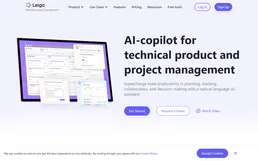
Leiga
Manage agile projects with AI-assisted sprint planning, task prioritization, and team workload balancing that adapts in real time.
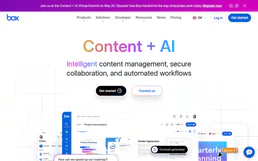
Box
Store, share, and collaborate on files securely with enterprise-grade cloud content management and governance controls.

Fellow
Run better meetings with collaborative agendas, action item tracking, and AI-generated summaries that keep teams accountable.
You might also like
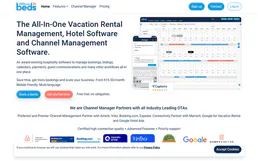
Beds24
Manage properties, bookings, rooms, calendar, availability, and pricing for your Beds24 channel manager through natural conversation.

TrackingTime
Track how your team spends time across projects and clients with timesheets, reports, and budgeting tools that keep work profitable.
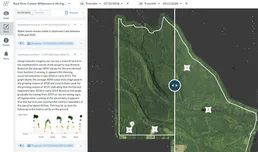
Upstream Lens
Monitor upstream oil and gas operations with production data analytics, well performance tracking, and field reporting tools.