
Portkey MCP. Stop guessing your LLM costs and usage.
 Gemini
 Works with every AI agent you already use
…and any MCP-compatible client









Just plug in your AI agents and start using Vinkius.
Portkey helps you manage and audit all your LLM calls in one place. It lets agents monitor costs, track usage across different providers, and enforce budget rules instantly.
Instead of jumping between OpenAI dashboards, Anthropic consoles, and cost reports, Portkey centralizes everything. You can ask it to find out who spent too much or export logs for compliance review.
What your AI agents can do
Create policy
Sets up a new budget or usage limit for AI gateway access on specific projects or user groups.
Delete policy
Removes an existing cost or usage policy when a project is finished and no longer needs guardrails.
Export logs
Generates a downloadable, filterable log file for compliance reviews or offline cost analysis of AI activity.
You create, review, and delete budget guardrails using tools like create_policy and list_policies, ensuring no team exceeds its allotted spending or token cap.
The agent lists all virtual keys (get_virtual_keys), showing exactly which provider key is being used, how much it's consumed, and what limits are in place.
You pull recent log data using list_logs, getting timestamps, model names, token usage, latency metrics, and the associated cost for every single call.
The system exports detailed log files (export_logs) filtered by date range or model, generating structured data ready for compliance checks.
You can list and review all active gateway configurations (list_configs) to check how requests are being routed—like retry rules or fallbacks.
Ask AI about this MCP
Supported MCP Clients
Gemini Waiting for input…
Portkey MCP Server: 10 Tools for AI Governance
Manage, audit, and control every aspect of your LLM stack using these ten specialized tools. Track costs, enforce budgets, and export detailed logs with simple agent commands.
019d75f8create policy
Sets up a new budget or usage limit for AI gateway access on specific projects or user groups.
019d75f8delete policy
Removes an existing cost or usage policy when a project is finished and no longer needs guardrails.
019d75f8export logs
Generates a downloadable, filterable log file for compliance reviews or offline cost analysis of AI activity.
019d75f8get log details
Pulls deep information about one specific gateway log entry when you need to debug a failed LLM interaction.
019d75f8get virtual keys
Lists all virtual API keys used by the system, detailing their associated provider, usage limits, and current consumption status.
019d75f8list configs
Retrieves a list of all active gateway configurations, allowing you to audit how LLM requests are currently being routed or handled.
019d75f8list logs
Gets a paginated summary of recent AI calls, showing IDs, timestamps, token usage, latency, and the final cost code.
019d75f8list models
Checks which LLM models are currently supported by your gateway, including their provider (e.g., OpenAI) and capabilities (chat, embeddings).
019d75f8list policies
Lists all active budget rules and usage policies, showing the name, current consumption rate, and affected users.
019d75f8submit feedback
Records user feedback (like/dislike) against a specific AI response log to help train or monitor model quality.
Choose How to Get Started
Build a custom MCP for your own tools, or connect a ready-made integration from our catalog.
Build Your Own
Turn any API into an MCP. Import a spec, define Agent Skills, or deploy with MCPFusion.
- Import from OpenAPI, Swagger, or YAML specs
- Create Agent Skills with progressive disclosure
- Deploy to edge with MCPFusion framework
- Built in DLP, auth, and compliance on every call
- Real time usage dashboard and cost metering
- Publish to catalog or keep private
Make Your AI Do More
Start with Portkey, then connect any of our 4,700+ other servers whenever your AI needs more. One click, no limits.
- Use this MCP plus 4,700+ others, all in one place
- Add new capabilities to your AI anytime you want
- Every connection is secured and compliant automatically
- Track usage and costs across all your servers
- Works with Claude, ChatGPT, Cursor, and more
- New servers added to the catalog every week
What you can do with this MCP connector
Listen up. You run an AI stack; you don't just connect it—you put it through the Portkey gateway first. That’s your central control point for every token spent and every dollar billed across all your models. Forget jumping between OpenAI dashboards, Anthropic consoles, or whatever billing report gives you a headache.
Your agent handles everything here.
Cost Guardrails and Policy Management
You gotta make sure nobody blows the budget, right? You set up guardrails using create_policy to enforce specific usage limits or hard spending caps for entire projects or user groups. If someone starts chewing through tokens too fast, that policy stops them dead in their tracks.
If a project wraps up and those guardrails aren't needed anymore, you use delete_policy to clean up the system. You can review every active budget rule or usage ceiling with list_policies, seeing exactly who’s hit what consumption rate and which projects are affected by current limits.
Tracking Usage and Performance Logs
When things go sideways, you need data, not guesses. The agent pulls a summary of recent AI calls using list_logs. This gives you IDs, timestamps, how many tokens were used, the latency number, and the cost code for every single interaction.
Need to debug one specific failure? You don't waste time sifting through thousands of entries; you just pull deep info on that exact gateway log entry using get_log_details. For compliance or a big-picture review, you generate detailed, filterable log files with export_logs, letting you narrow down activity by date range or model type.
You can also submit user feedback—a simple like or dislike recorded via submit_feedback against any specific response log to track and improve your model quality.
Auditing the System Infrastructure
You gotta know what’s running under the hood, too. To see which LLM models are actually available through your gateway, you run list_models; this tells you if it's chat-enabled or just for embeddings, and what provider handles it.
When you need to audit how requests are being routed—like checking retry rules or fallbacks—you list all active gateway configurations using list_configs. For the money side of things, you check out which virtual API keys are in use via get_virtual_keys, seeing exactly what provider key is running, its limits, and how much it's consumed.
Policy Management Details
To get a complete picture of your system’s financial exposure, the agent also lets you list all defined policies using list_policies. This shows you the name, the current consumption rate against the cap, and which users are tied to that rule. You can manage these rules by setting them up with create_policy or removing them completely with delete_policy.
How Portkey MCP Works
- 1 First, your agent connects using the Portkey API key. You don't touch any dashboards.
- 2 Next, you tell your agent what to check—like 'Show me all policies for Marketing.'
- 3 Finally, the agent calls the specific tool (e.g.,
list_policies) and returns a clean, actionable summary.
The bottom line is that natural language commands replace clicking through ten different vendor dashboards to manage LLM usage.
Who Is Portkey MCP For?
This is for the Ops Engineer who's tired of spending weekends clicking through multiple cloud provider consoles just to find out why the bill is $50k. It targets anyone responsible for keeping AI costs contained and compliant.
Uses list_models to check which LLMs are routable, and then uses get_virtual_keys to map those models to specific provider credentials.
Runs reports by calling export_logs or checking budgets via list_policies to prove cost adherence for the quarter.
Uses create_policy and delete_policy to enforce mandatory spending limits across different internal teams, ensuring compliance before a single token is used.
What Changes When You Connect
- Total Visibility: Use
list_logsto see a consolidated feed of every call—latency, tokens, cost, status code. You don't have to check 5 different provider dashboards to know what happened. - Cost Guardrails: Set and review budgets instantly. If the Marketing team overspends, your agent can enforce it using
create_policy, saving you from unexpected bills. - Compliance Ready: When auditors ask for proof of usage, run
export_logs. You get structured data (JSON) that's ready to submit, not just a screen capture. - Key Management Audit: Never worry about forgotten keys again. Run
get_virtual_keysto see every active API key and its remaining quota at a glance. - Performance Debugging: If an LLM call is slow or failing, use
list_logsthen grab the ID and runget_log_details. You instantly get the stack trace or error code.
Real-World Use Cases
The unexpected cost spike
A team runs a new feature, and suddenly the bill jumps 30%. Instead of panicking and calling Ops, your agent checks list_logs to pinpoint the exact model and user responsible. Then, it uses create_policy to cap that spending immediately.
The quarterly compliance audit
Compliance needs a full log of all LLM interactions from Q2. The agent runs export_logs, filtering by date and user ID, creating a single, auditable JSON file instantly. Done in minutes, not days.
Debugging a failed feature rollout
A key workflow fails randomly. You use list_logs to find the approximate time of failure. Then you feed that ID into get_log_details. The output tells you if it was a rate limit error or a bad configuration, saving hours of guesswork.
Onboarding a new department
The Sales team needs access but shouldn't spend more than $1k/month. Your agent uses create_policy to apply that budget limit specifically to the virtual keys associated with their project, keeping costs controlled from day one.
The Tradeoffs
Checking logs manually
You open the OpenAI dashboard for usage, then switch to Google AI Studio for cost data. You spend 15 minutes cross-referencing timestamps and totals across multiple vendor sites.
→
Just ask your agent to run list_logs. It pulls all that data—OpenAI, Anthropic, etc.—into one stream so you can see everything side-by-side.
Ignoring policies
A developer pushes a high-volume endpoint change without realizing the current budget limit is already set. The system starts spending money until someone notices.
→
First, check list_policies to see the current guardrails. Then, if needed, use get_virtual_keys to ensure the new service is covered by a policy.
Only checking model names
You only verify that your list of models (list_models) still includes GPT-4. You miss that the key used for it has hit its usage limit.
→
Run get_virtual_keys immediately after running list_models. This confirms not just what you can use, but if you actually can afford to use it.
When It Fits, When It Doesn't
Use this MCP Server if your primary job is governance: controlling cost, meeting compliance requirements, or auditing usage across multiple LLM providers. You need a single source of truth for logging and policies.
Don't use it if you simply need to write code or test an endpoint that doesn't involve multi-provider management; those tools are overkill. If your only goal is to build a simple, isolated agent using just one model (e.g., local GPT), then standard SDK logging might be enough. But the second you touch another vendor or worry about budgets, Portkey becomes mandatory.
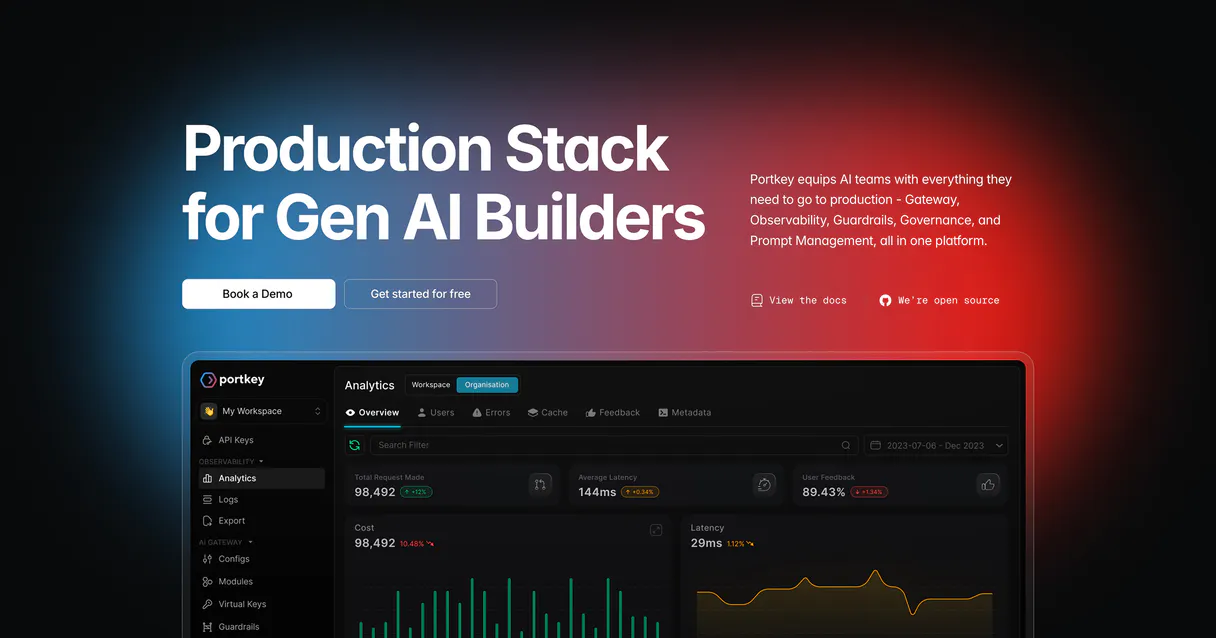
Independent Platform Disclaimer: Vinkius is an independent platform and is not affiliated with, endorsed by, sponsored by, verified by, or otherwise authorized by Portkey. All third-party trademarks, logos, and brand names are the property of their respective owners. Their use on this website is strictly for informational purposes to identify service compatibility and interoperability.
VINKIUS INFRASTRUCTURE
Cloud Hosted
Managed infra
V8 Isolated
Sandboxed per request
Zero-Trust Proxy
No stored credentials
DLP Enforced
Policy on every call
GDPR Compliant
EU data residency
Token Compression
~60% cost reduction
Works with Claude, ChatGPT, Cursor, and more
The Model Context Protocol standardizes how applications expose capabilities to LLMs. Instead of operating in isolation, your AI gains direct access to external platforms, live data, and real-world actions through secure, standardized connections.
This server provides 10 capabilities that interface natively with Claude, ChatGPT, Cursor, and any MCP client. No middleware. No custom integration required.
Available Capabilities
Managing LLM costs shouldn't feel like detective work.
Right now, managing an AI stack means logging into ten different portals. You check the OpenAI dashboard for token usage; you switch to Anthropic’s console to see latency metrics; then you jump to your cloud provider's billing page just to estimate how much that cost spike was. It's a tedious cycle of tab-switching and copy-pasting numbers.
With Portkey, you simply tell your agent what you need—like 'Show me all usage over $50 this week.' The system runs `list_logs` and surfaces the exact data you need. You get immediate answers without leaving the chat window.
Portkey MCP Server: Centralized LLM Governance
The manual process of auditing keys involves running separate reports for every provider, manually checking limits against current usage. It's slow and prone to human error.
Now, you ask your agent to run `get_virtual_keys`. It pulls everything together—the key name, the provider, the limit, and the exact amount used. You know where you stand on every single API credential.
Common Questions About Portkey MCP
How do I use create_policy with Portkey? +
You tell your agent to create a policy, specifying the budget limit (USD or tokens) and which virtual keys or users should be restricted. It returns the full details of the new guardrail.
Can I check all my LLM usage with list_logs? +
Yes. list_logs retrieves a summary of recent calls from all connected models. You get the log ID, timestamp, token count, latency, and cost code for each entry.
What is the best tool to check model support? +
Use list_models. This checks which LLM names are currently routable through Portkey and what endpoints (like chat or embeddings) they support right now.
How do I audit API key usage with get_virtual_keys? +
The agent runs get_virtual_keys. This lists every virtual key, showing its underlying provider, current usage against the limit, and what policies are attached.
Do I need to use export_logs for compliance? +
If you need an official record—something that needs to be filed or analyzed offline—yes. export_logs generates a structured, downloadable log file (like JSON) ready for audit.
When an LLM call fails, how can I use get_log_details to debug the issue? +
It provides deep visibility into a single log entry. You input the specific Log ID and retrieve the full request/response payload, including detailed error codes or latency bottlenecks.
What does list_configs show me about LLM routing reliability? +
This tool displays current gateway configurations. You can review active retry policies, fallback models, and cache settings that determine how requests are routed when a primary model fails or slows down.
How do I use submit_feedback to improve model quality? +
You must provide the specific Log ID along with your rating (LIKE/DISLIKE). This action collects data points that help refine and measure user satisfaction for future model training cycles.
Which LLM providers does Portkey support? +
Portkey supports 1,600+ LLMs including OpenAI, Anthropic, Google, Mistral, Azure OpenAI, AWS Bedrock, Cohere, Hugging Face, and many more. Use the list_models tool to see the full catalog available via your gateway.
How does Portkey help control AI costs? +
Portkey provides granular visibility into token usage, latency, and costs per model, team, or virtual key. You can create budget policies with hard limits to prevent runaway spending. The gateway also supports caching to reduce duplicate calls and fallbacks to cheaper models when appropriate.
Can I track feedback on AI responses? +
Yes! Portkey allows you to submit Like/Dislike feedback for any logged LLM call. This data helps improve model selection, evaluate agent performance, and build RLHF datasets for fine-tuning.
Use it with your favorite AI tools
Connect this server to Cursor, Claude, VS Code, and more.
More in this category

Supabase Vector
Connect your AI to Supabase Vector. Execute pgvector semantic searches, manage embeddings, and run relational database queries directly from your terminal.

AI21 Studio
Unlock AI21's Jamba models and language tools for summarizing, paraphrasing, and grammar correction natively.

CodeRabbit
Manage AI-powered code reviews via CodeRabbit — list users, track PR review metrics, audit admin actions, and control seat assignments from any AI agent.
You might also like

Pexels Alternative
Search and retrieve high-quality royalty-free photos and videos from Pexels directly within your AI agent.
Open-Meteo Weather Forecast
Give your AI agent live weather intelligence: 16-day forecasts, current conditions, and hourly breakdowns for any GPS coordinate on Earth — zero API keys required.

Impact.com
Manage partnership campaigns, ads, and affiliate payouts via Impact.com API.