
Postmark MCP. Diagnose bounces, send templates, check delivery stats—all from chat.
 Gemini
 Works with every AI agent you already use
…and any MCP-compatible client









Just plug in your AI agents and start using Vinkius.
Postmark MCP Server lets your AI client manage all outbound communication tasks in one chat session. Send emails using pre-built templates, retrieve raw SMTP logs for bounce failures, track delivery statistics across massive volumes, and list spam complaints—all without opening a dashboard.
What your AI agents can do
Delete template
Removes a specified email template from your Postmark account.
Get bounce logs
Retrieves the raw SMTP logs for a specific failed bounce event, detailing rejection codes.
Get delivery stats
Pulls current operational metrics, such as open rates and total bytes sent, across your server history.
Send plain text or HTML emails using either general content via send_email or structured templates via send_with_template.
Retrieves raw SMTP logs (get_bounce_logs) and lists recent bounces (list_bounces) to diagnose the exact technical cause of a failed message.
Gathers comprehensive operational data, including open rates and total bytes sent, using get_delivery_stats.
Lists recent spam complaints (list_spam_complaints) and manages your assets by listing or deleting templates (list_templates, delete_template).
Reads current server settings with get_server_config or updates the sender name using update_server_config.
Ask AI about this MCP
Supported MCP Clients
Gemini Waiting for input…
Postmark MCP Server: 10 Tools for Email Management
Use these ten tools to programmatically send, monitor, and debug every aspect of your transactional email flow through your AI client.
019d75f8delete template
Removes a specified email template from your Postmark account.
019d75f8get bounce logs
Retrieves the raw SMTP logs for a specific failed bounce event, detailing rejection codes.
019d75f8get delivery stats
Pulls current operational metrics, such as open rates and total bytes sent, across your server history.
019d75f8get server config
Displays the active configuration details for your Postmark server instance.
019d75f8list bounces
Lists a summary of recent email bounces, allowing you to count and categorize failed deliveries.
019d75f8list spam complaints
Retrieves a record of recent spam complaints against your sending domain.
019d75f8list templates
Shows a full list of all active email templates stored on the server.
019d75f8send email
Sends a basic, non-templated HTML or plain text message immediately.
019d75f8send with template
Sends an email using a specific template ID, ensuring consistent formatting and required variables are populated.
019d75f8update server config
Changes the configured sender name or other core server details.
Choose How to Get Started
Build a custom MCP for your own tools, or connect a ready-made integration from our catalog.
Build Your Own
Turn any API into an MCP. Import a spec, define Agent Skills, or deploy with MCPFusion.
- Import from OpenAPI, Swagger, or YAML specs
- Create Agent Skills with progressive disclosure
- Deploy to edge with MCPFusion framework
- Built in DLP, auth, and compliance on every call
- Real time usage dashboard and cost metering
- Publish to catalog or keep private
Make Your AI Do More
Start with Postmark, then connect any of our 4,700+ other servers whenever your AI needs more. One click, no limits.
- Use this MCP plus 4,700+ others, all in one place
- Add new capabilities to your AI anytime you want
- Every connection is secured and compliant automatically
- Track usage and costs across all your servers
- Works with Claude, ChatGPT, Cursor, and more
- New servers added to the catalog every week
What you can do with this MCP connector
Your AI client handles every outbound comms task, so you don't gotta open a dashboard or copy-paste anything. This server gives your agent direct access to Postmark—you can send emails, debug bounce failures down to the SMTP level, track total delivery metrics, and even manage all your templates, all from one chat session.
Dispatching Emails
When you need to blast out messages, your AI client uses dedicated tools. If it's a quick shot in the dark—like a simple plain text or basic HTML notice—it hits send_email. But if you gotta send something structured that needs to look right every time (think password resets or invoices), you use send_with_template with a specific template ID.
This guarantees consistent formatting and makes sure all the necessary variables get populated correctly.
Diagnosing Failures & Bounces
If an email bounces, you don't just wanna know that it bounced; you wanna know why. The client first runs list_bounces to give a summary count and category of recent failures. If that summary isn't enough, the agent pulls the raw data using get_bounce_logs. This gives you the full SMTP log for that specific failure event, letting you pinpoint rejection codes—whether it was a DNS timeout or something else dirty.
You can also check out your spam risk by running list_spam_complaints to see what people are complaining about against your sending domain.
Monitoring Sending Health
Need to know if your mailing efforts are working? The agent pulls operational data with get_delivery_stats. This single call gives you comprehensive metrics, like open rates and the total bytes sent across your server history. You can also check out the core setup anytime by running get_server_config to display the active configuration details for your Postmark instance.
Managing Templates & Settings
Your AI client lets you manage system assets without touching a settings page. Want to see what templates you have? Use list_templates. Need to clean house and delete an old template? You run delete_template with the ID. If you gotta change core details, like updating the sender name or other server specifics, you use update_server_config.
All these tools keep your outbound communication workflow contained right here in the chat.
Quick Reference of What It Does
- Send Messages: You can send plain text/HTML using
send_email, or guarantee structure withsend_with_template. - Check Bounces: Get a quick count via
list_bounces, then drill down to the raw rejection codes usingget_bounce_logs. - Track Success: Pull operational metrics like open rates and total bytes sent by running
get_delivery_stats. - Audit Spam & Assets: See recent complaints with
list_spam_complaints, list existing templates withlist_templates, or remove old ones usingdelete_template. - Control Settings: Read your current setup details with
get_server_config, and change core settings like the sender name by runningupdate_server_config.
How Postmark MCP Works
- 1 Subscribe to this server and provide your Postmark Server Token.
- 2 Reference the required action in your chat (e.g., 'Check bounces for yesterday').
- 3 The AI client executes the necessary tool calls (
list_bounces,get_bounce_logs) and returns a plain-language summary of the data.
The bottom line is, you get immediate, actionable insights into your email program's health without leaving your chat interface.
Who Is Postmark MCP For?
This server targets anyone whose job requires high-volume, reliable transactional messaging. If you're a support engineer tired of manual dashboard checks, or a backend developer needing to diagnose failure codes quickly, this is for you. You need the data, not the clicks.
Investigates hard bounces by running list_bounces and then pulling detailed SMTP traces using get_bounce_logs to tell a customer exactly why their email failed.
Needs to quickly validate or modify server parameters, like updating the sender name with update_server_config, or deleting old templates via delete_template during deployment.
Effortlessly triggers and reads metrics for test messages by sending specific payloads using send_with_template to confirm delivery paths.
What Changes When You Connect
- Stop manually cross-referencing dashboards. When an email fails, simply ask your agent to run
get_bounce_logsand it delivers the raw SMTP trace directly, telling you if the issue is a DNS timeout or a user error. - Maintain brand consistency effortlessly. Use
send_with_templateto dispatch messages that pull from pre-approved layouts, guaranteeing every email looks right without needing manual HTML edits. - Stay ahead of spam filters by monitoring complaints. Running
list_spam_complaintsgives you a direct count and list of recent flags, helping pinpoint content issues before they cause major delivery dips. - Track volume and performance metrics instantly. The
get_delivery_statstool pulls operational data like open rates and physical bytes sent, giving you high-level health checks without leaving your workflow. - Manage system assets on the fly. Need to clean up? Use
list_templatesfollowed bydelete_templateto purge outdated layouts when migrating services.
Real-World Use Cases
Handling a Hard Bounce Report
A support agent gets a ticket: 'My invoice email bounced.' Instead of asking the user for a UUID and searching through logs, the agent runs list_bounces to narrow down the date, then executes get_bounce_logs. The AI reads the resulting SMTP code (e.g., 550 User Unknown) and tells the support team exactly that the recipient's inbox doesn't exist.
Running a QA Test Cycle
A QA tester needs to verify five different email flows. They first run list_templates to get all available IDs, then loop through them using send_with_template for each one to ensure the correct variables populate and that delivery metrics are recorded via get_delivery_stats.
Pre-deployment Audit
A backend engineer is about to launch a new service. They first run list_spam_complaints to check for any existing reputation issues, then use get_server_config to verify the current sender name, and finally update it using update_server_config before going live.
Debugging Mass Failure
The system reports a 10% drop in delivery. The agent runs list_bounces, notices a cluster of failures from a specific domain, and immediately uses get_bounce_logs to pinpoint the failure reason—a clear rate limit hit by an upstream MTA.
The Tradeoffs
Copy-pasting IDs and Traces
A junior engineer sees a bounce error in a dashboard, copies the UUID, and pastes it into a chat window, hoping the model understands what to do with it.
→
Don't paste raw data. Just ask the agent: 'Find out why this email bounced.' The AI handles the complex retrieval by running get_bounce_logs for you, making the process conversational.
Guessing Template Status
A developer assumes an old template is gone because it's not in use and deletes it manually without checking if other systems rely on its ID.
→
Always run list_templates first. This gives you a definitive inventory of every active layout, ensuring you don't accidentally break downstream processes before calling delete_template.
Ignoring Server Changes
The system sends emails but the sender name looks wrong or outdated because nobody updated the server settings after a domain change.
→
Before sending anything critical, run get_server_config to check the current sender details. If they're incorrect, use update_server_config immediately.
When It Fits, When It Doesn't
Use this server if your messaging is highly transactional and requires immediate technical diagnostics (e.g., password resets, invoices, alerts). You need to know why a message failed, not just that it failed. If your primary goal is general marketing content or static newsletters that don't rely on dynamic templates, you might be better off using an email marketing service API directly. However, if those campaigns still fail and you need deep visibility into the SMTP errors—like checking get_bounce_logs—then this server adds essential diagnostic capability to your stack.

Independent Platform Disclaimer: Vinkius is an independent platform and is not affiliated with, endorsed by, sponsored by, verified by, or otherwise authorized by Postmark. All third-party trademarks, logos, and brand names are the property of their respective owners. Their use on this website is strictly for informational purposes to identify service compatibility and interoperability.
VINKIUS INFRASTRUCTURE
Cloud Hosted
Managed infra
V8 Isolated
Sandboxed per request
Zero-Trust Proxy
No stored credentials
DLP Enforced
Policy on every call
GDPR Compliant
EU data residency
Token Compression
~60% cost reduction
Works with Claude, ChatGPT, Cursor, and more
The Model Context Protocol standardizes how applications expose capabilities to LLMs. Instead of operating in isolation, your AI gains direct access to external platforms, live data, and real-world actions through secure, standardized connections.
This server provides 10 capabilities that interface natively with Claude, ChatGPT, Cursor, and any MCP client. No middleware. No custom integration required.
Available Capabilities
Dashboard Overload: The Pain of Manual Email Audits
Today, figuring out why an email didn't arrive is a multi-step process. You log into the Postmark dashboard, search for the message ID, find the bounce event, copy a UUID, and then navigate to the logs section just to see the raw SMTP error code (like 5xx or 550). This involves constant switching between tabs and copy-pasting data.
With the Postmark MCP Server, you simply ask your agent: 'What's wrong with these bounces?' The AI handles the entire sequence. It runs `list_bounces`, pulls the relevant logs via `get_bounce_logs`, and returns a clear explanation of the failure reason—all in one conversational reply.
Postmark MCP Server: Sending Emails with Confidence
Manually, sending an email requires knowing if you should use plain text or a template ID, and if the variables are correct. You have to remember which layout is current and whether it's active enough to be used.
Now, your agent manages that complexity. By invoking `send_with_template`, you guarantee that the right format is used with the necessary data fields filled in, giving you confidence that your message hits the target exactly as intended.
Common Questions About Postmark MCP
How do I check bounce history using list_bounces? +
You ask the agent to run list_bounces. It pulls a summary of recent failures, letting you count how many bounces occurred and giving you enough context (like domain names) to know where to look next.
What is the best way to send emails with send_with_template? +
To use it, you must provide the specific template ID. The agent handles the rest by dispatching the email and populating all necessary variables using that single tool call.
Can I check spam complaints with list_spam_complaints? +
Yes. Running list_spam_complaints retrieves a record of recent flags against your sending domain, giving you immediate visibility into reputation risks.
How do I get the raw error codes using get_bounce_logs? +
You must provide the specific UUID of the bounce. The agent then runs get_bounce_logs and delivers the full, technical SMTP trace, which is key for debugging.
How do I check overall delivery performance using get_delivery_stats? +
The get_delivery_stats tool provides a real-time overview of your server's health. It pulls metrics like total bytes sent, open rates, and volume statistics for the reporting period.
What is the best practice for removing old email templates using delete_template? +
First, use list_templates to get all existing template IDs. Then, invoke delete_template with the specific ID of any layout you want permanently removed from your server.
When should I use send_email instead of sending through a template? +
Use send_email when you need to dispatch simple plain text or basic HTML content without requiring complex variable mapping. It's for quick, non-templated messages.
How do I verify my account details and webhook setup using get_server_config? +
get_server_config pulls all current server settings, letting you see things like active webhooks or configured domain names. It’s a quick check before making changes.
Can the AI send emails dynamically using my existing templates? +
Yes. Using send_with_template, you merely tell the AI the template ID and the JSON parameters (Template Model). It perfectly injects the data into your Postmark layouts.
Is it possible to debug a complex email bounce natively inside Claude? +
Absolutely. First command list_bounces to find failing message UUIDs. Then ask the agent to run get_bounce_logs on that UUID—it will interpret the pure SMTP error code for you naturally.
Which Postmark token should I use? +
This MCP server uses the Postmark Server Token. Each Server in Postmark functions as an isolated environment (e.g. Production Server vs Staging Server).
Use it with your favorite AI tools
Connect this server to Cursor, Claude, VS Code, and more.
More in this category

Sendbird
Manage Sendbird chat infrastructure — orchestrate users, channels, and moderation directly from your AI agent.
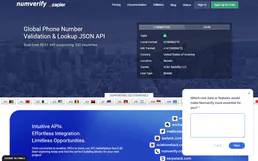
NumVerify
Validate and audit phone numbers — identify carriers and locations via AI.

MRPLN
Plan manufacturing resources with production scheduling, material requirements, and capacity planning for growing factories.
You might also like

Google Books
Search and explore millions of books on Google Books — find titles, authors, reviews, previews and full text from any AI agent.
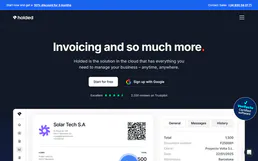
Holded
Automate business management via Holded — manage invoices, contacts, and projects directly from any AI agent.
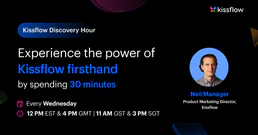
Kissflow
Build low-code workflows, process apps, and case management solutions that digitize operations without heavy IT involvement.