
Holded MCP. Manage every invoice, contact, and project from chat.
 Gemini
 Works with every AI agent you already use
…and any MCP-compatible client









Just plug in your AI agents and start using Vinkius.
Holded MCP Server lets you manage your entire business—invoices, contacts, and projects—directly from your AI agent. Instead of clicking through complex ERP menus, you talk to your data.
Your agent handles tasks like listing overdue invoices, updating product stock, or pulling a client's full profile in plain conversation.
What your AI agents can do
Get api profile
Gets basic info about the authenticated Holded account.
Get contact details
Retrieves the full profile details for a single contact ID.
Get invoice details
Shows all line items and status for a specific invoice ID.
Retrieves general information about the authenticated Holded account.
Retrieves the full details for a specific client, supplier, or lead contact.
Gets detailed data for a single, specific invoice.
Retrieves the full details for a single product or service item.
Retrieves the configuration and current status of a specific project.
Retrieves a list of every task across all active and past projects.
Generates a list of all contacts in the system, including clients, suppliers, and leads.
Ask AI about this MCP
Supported MCP Clients
Gemini Waiting for input…
Holded MCP Server: 11 Tools for Business Operations
These tools let your AI agent interact with every major function in Holded, from billing to inventory, allowing you to manage your business data using natural conversation.
019d75b1get api profile
Gets basic info about the authenticated Holded account.
019d75b1get contact details
Retrieves the full profile details for a single contact ID.
019d75b1get invoice details
Shows all line items and status for a specific invoice ID.
019d75b1get product details
Gets the detailed info for a single product or service ID.
019d75b1get project details
Retrieves the status and configuration of one project ID.
019d75b1list all tasks
Lists every task across all projects in the system.
019d75b1list contacts
Lists all contacts (clients, suppliers, leads) to get IDs for other tools.
019d75b1list invoices
Lists all invoices in your account to find IDs for specific documents.
019d75b1list products
Lists every product and service available in your inventory.
019d75b1list projects
Lists all active and past projects for overview.
019d75b1update product stock
Changes the stock count for a specific product using a JSON body.
Choose How to Get Started
Build a custom MCP for your own tools, or connect a ready-made integration from our catalog.
Build Your Own
Turn any API into an MCP. Import a spec, define Agent Skills, or deploy with MCPFusion.
- Import from OpenAPI, Swagger, or YAML specs
- Create Agent Skills with progressive disclosure
- Deploy to edge with MCPFusion framework
- Built in DLP, auth, and compliance on every call
- Real time usage dashboard and cost metering
- Publish to catalog or keep private
Make Your AI Do More
Start with Holded, then connect any of our 4,700+ other servers whenever your AI needs more. One click, no limits.
- Use this MCP plus 4,700+ others, all in one place
- Add new capabilities to your AI anytime you want
- Every connection is secured and compliant automatically
- Track usage and costs across all your servers
- Works with Claude, ChatGPT, Cursor, and more
- New servers added to the catalog every week
What you can do with this MCP connector
Your AI agent gives you full control over your entire business—invoices, contacts, and projects—without you having to click through complicated menus. You just talk to your data. You'll use this server to manage your business directly through conversation. You can get basic info about the authenticated Holded account using get_api_profile.
To work with contacts, you first list all contacts using list_contacts, then you can get the full profile details for any single contact ID using get_contact_details. You can get detailed data for a specific invoice ID using get_invoice_details and you'll use list_invoices to see all your invoices. For products, you can list every item using list_products and you can change the stock count for a product using update_product_stock.
You'll use get_product_details to get the full details for a single product or service ID. When it comes to projects, you can list all active and past projects using list_projects, and you can get the configuration and current status of one project ID using get_project_details. You can get a list of every task across all projects using list_all_tasks.
These tools let you manage everything from your inventory to your client list and your project timelines.
How Holded MCP Works
- 1 Subscribe to the server and input your Holded API Key.
- 2 Your AI client sends a request (e.g., 'Show me the invoice for Acme Corp').
- 3 The Holded MCP Server executes the necessary tools (
list_contactsthenget_invoice_details) and returns the structured data to the client.
The bottom line is that your AI client speaks to Holded using structured tools, giving you direct access to all your core business data without touching the ERP UI.
Who Is Holded MCP For?
Business owners, project managers, and operations leads who spend too much time clicking between separate systems (CRM, accounting, inventory). This is for the person who needs a real-time, unified view of their business without logging into three different dashboards.
Checks invoice statuses and company performance data instantly. Needs to know if a major client is overdue without manual reporting.
Monitors project tasks and lifecycles across multiple teams. Needs to see if a deadline is missed by checking list_all_tasks.
Maintains real-time inventory levels and client contact data. Needs to update stock or check a contact's full history from one place.
What Changes When You Connect
- See a client's entire history with
get_contact_details. You pull up a single contact and instantly see every invoice they've paid or owe, all in one conversation. - Stop manually checking project statuses. Use
list_all_tasksandlist_projectsto get a full overview of project bottlenecks and deadlines across all teams. - Update inventory levels instantly. Instead of logging into the inventory module, you just tell your agent to use
update_product_stockand the change happens. - Get billing status fast. Use
list_invoicesto see all documents. Then, runget_invoice_detailson the pending ones to know exactly what's wrong. - Keep a high-level view of operations. The server lets you pull general account data or check product catalogs using
list_productswithout needing a specific ID. - Connect all data points. You can chain tools—like finding a contact via
list_contactsthen getting their invoices withlist_invoices—to answer complex questions in one go.
Real-World Use Cases
Client needs an overdue invoice report.
The owner needs to know which clients are late. They ask their agent to run list_invoices. The agent filters the results and tells the owner exactly which accounts are past due and how much they owe. The problem is solved in a chat window.
Project Manager needs to scope a new project.
A PM needs to see what resources are available. They run list_products to see available services, then use get_project_details to check if a similar project already exists, saving hours of manual cross-referencing.
Ops Lead needs to correct inventory count.
Inventory went out of sync. The ops lead uses list_products to find the item ID, then uses update_product_stock to set the correct quantity, completing the update without ever leaving the chat.
Sales needs to onboard a new client.
The sales rep finds a lead's ID using list_contacts. Then, they use get_contact_details to pull the full history, which they use to kick off the onboarding process, ensuring no required data is missed.
The Tradeoffs
Copy/Pasting data IDs.
A user finds a contact ID in one tab, copies it, switches to the invoicing tab, and pastes it into the search bar. This is slow and breaks if the system changes.
→
Just ask your agent. Tell it, 'Get me the invoice details for the client who signed the contract last month.' The agent runs list_contacts and get_invoice_details in sequence, handling all the IDs for you.
Asking for everything at once.
A user types, 'Show me everything about Acme Corp, their invoices, and their project status.' This floods the agent and can lead to an incomplete or confusing response.
→
Break it down. First, ask 'What are Acme Corp's recent invoices?' This runs list_invoices and get_invoice_details. Then, ask 'What projects are related to Acme Corp?'
Trying to guess the right tool.
A user tries to use a generic search function that only returns text and requires them to manually correlate the data with another sheet.
→
Use the specific tools. If you need a contact's history, use get_contact_details. If you need a list of all invoices, use list_invoices. The tool names guide you.
When It Fits, When It Doesn't
Use this server if your core pain point is connecting disparate business data. You need to ask complex questions that require cross-referencing data across accounting (invoices, products), CRM (contacts, leads), and operations (projects, tasks). You should use it when you need to know the state of the business (e.g., 'Who owes us money and what projects are stalled?').
Don't use this if you only need to view one piece of data (like just a contact list) and don't want to talk to an agent. If you only need to list contacts, you can run list_contacts directly. If you only need to update a single stock count, you can use update_product_stock alone. But if you need to combine data, use the full MCP server.
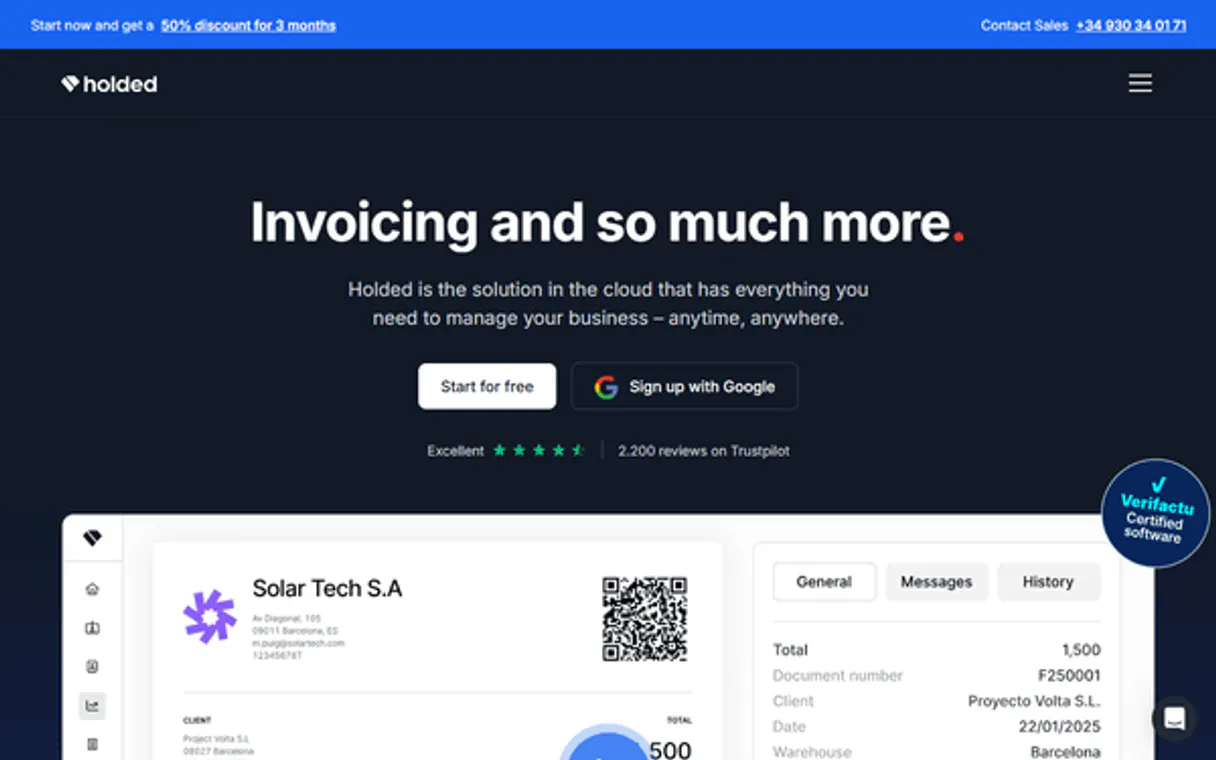
Independent Platform Disclaimer: Vinkius is an independent platform and is not affiliated with, endorsed by, sponsored by, verified by, or otherwise authorized by Holded. All third-party trademarks, logos, and brand names are the property of their respective owners. Their use on this website is strictly for informational purposes to identify service compatibility and interoperability.
VINKIUS INFRASTRUCTURE
Cloud Hosted
Managed infra
V8 Isolated
Sandboxed per request
Zero-Trust Proxy
No stored credentials
DLP Enforced
Policy on every call
GDPR Compliant
EU data residency
Token Compression
~60% cost reduction
Works with Claude, ChatGPT, Cursor, and more
The Model Context Protocol standardizes how applications expose capabilities to LLMs. Instead of operating in isolation, your AI gains direct access to external platforms, live data, and real-world actions through secure, standardized connections.
This server provides 11 capabilities that interface natively with Claude, ChatGPT, Cursor, and any MCP client. No middleware. No custom integration required.
Available Capabilities
Tired of switching tabs just to get a basic business report?
Today, getting a full picture of a client costs time. You open the CRM to find the contact ID. Then you switch to the invoicing module and manually search for the invoices using that ID. After that, you jump to the project dashboard to see if there are any related tasks. It's three separate screens and at least three copy-pastes.
With the Holded MCP Server, you just ask your agent: 'What's the status of Acme Corp?' Your AI client runs `list_contacts` to find the ID, then runs `list_invoices` and `get_contact_details` in the background. It gives you a single, unified answer, period.
Holded MCP Server: Update Inventory and Project Status
Manual inventory updates are a nightmare. You have to log in, navigate the product catalog, find the specific SKU, manually change the quantity, and hit save. This is slow, and people forget to save changes.
Now, you tell your agent, 'Set the stock level for the Wireless Mouse to 45 units.' The agent runs `update_product_stock` with the correct JSON body, and the inventory count changes immediately. It's direct, safe, and instant.
Common Questions About Holded MCP
How do I find a contact's history using the get_contact_details tool? +
You must first run list_contacts to get the correct contact ID. Once you have that ID, pass it to get_contact_details to retrieve the full profile and history.
Can I list all invoices and get their details using list_invoices and get_invoice_details? +
Yes. Use list_invoices first to see a summary of all documents and find the IDs. Then, use get_invoice_details with the specific ID to see all the line items.
Do I need to list_products before running get_product_details? +
No. You only need the specific product ID. get_product_details works on its own, but running list_products first is useful if you don't know the ID.
How do I use the update_product_stock tool? +
You need to provide the product ID, the warehouse ID, and the new quantity. The tool requires these details in a JSON string body.
What is the difference between list_contacts and get_contact_details? +
Use list_contacts to get a list of all people and companies. Use get_contact_details when you know the name or ID and want the full, detailed profile.
How do I find active projects and what tasks are associated with them using list_projects and get_project_details? +
You first use list_projects to get all active and past projects. Then, you pass a specific project ID to get_project_details to view its configuration and status.
If I use list_contacts, how do I get the necessary ID to then run get_contact_details? +
The list_contacts tool returns a list of contact IDs (client, supplier, lead). You must use one of these IDs as the required parameter when calling get_contact_details.
Is there a way to list all invoices and then find the contact associated with them? +
The list_invoices tool gives you a list of all invoices. You must use the invoice ID found there to get details, but you'll need to cross-reference the contact ID yourself.
How do I find my Holded API Key? +
Log in to your Holded account, click on the Settings icon (top right), go to Developers, and you will find your unique API Key listed there. You can create multiple keys for different integrations.
What document types are supported in the invoicing tools? +
This integration currently focuses on the invoice document type. For other types like sales orders or purchase orders, you can use the generic list_invoices logic if they are mapped under the same module in your instance.
Can I update stock levels through this integration? +
Yes! Use the update_product_stock tool. You must provide the product ID and a JSON string containing the warehouse ID and the new quantity to update your inventory.
Is the integration secure for ERP data? +
Absolutely. The integration uses official Holded API keys in the request header over HTTPS. Your credentials and business data are encrypted and stored securely within the Vinkius Cloud infrastructure.
Use it with your favorite AI tools
Connect this server to Cursor, Claude, VS Code, and more.
More in this category
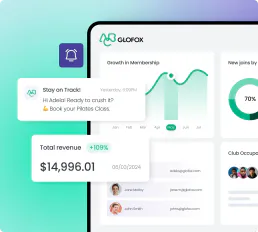
Glofox
Manage members, classes, trainers, bookings, and purchases for your Glofox-powered gym or fitness studio through natural conversation.
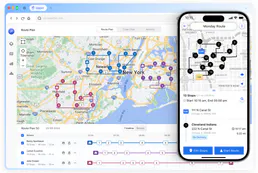
Upper Route Planner
Plan delivery routes for multiple drivers with optimization algorithms that minimize drive time and maximize daily stops.

Chuanyun
Enterprise workflow automation and digital engine — manage business objects, forms, and approval history via AI.
You might also like

Ghost
Publish and monetize your content with a modern headless CMS built for newsletters, memberships, and independent creators.

Helpwise
Collaborate on customer emails, SMS, and WhatsApp messages in shared team inboxes with assignment and automation rules.

Gmelius
Turn Gmail into a collaborative workspace with shared inboxes, email delegation, and workflow automation for teams.