
Pumble MCP. Manage channels, history, and users from your chat interface.
 Gemini
 Works with every AI agent you already use
…and any MCP-compatible client









Just plug in your AI agents and start using Vinkius.
Pumble MCP Server lets your AI client read channel history, create new channels, and manage team communication directly within Pumble.
Use it to list users, grab detailed profiles, send messages, or update announcements without opening the app. It brings powerful, structured automation right into your existing chat hub.
What your AI agents can do
Chat add reaction
Adds a specific emoji reaction to any message in the chat.
Chat delete message
Deletes an entire message from a Pumble channel. Remember, this action is irreversible.
Chat history messages
Retrieves the recent messages and conversation thread history for a specified channel.
List all public and private channels in the workspace, and fetch detailed metadata for specific channels.
Pull recent messages from any channel to analyze past discussions or summarize topics.
Post new content, update typos in existing posts, or delete old announcements within a thread.
Instantly provision brand new discussion channels or pull detailed user profiles for accurate tagging.
Add emoji reactions directly to a message without sending a full reply.
Ask AI about this MCP
Supported MCP Clients
Gemini Waiting for input…
Pumble MCP Server: 10 Tools for Comm Ops
Use these ten tools to perform any common communication task in Pumble—from listing all channels to updating single messages and fetching user profiles.
019d75fachat add reaction
Adds a specific emoji reaction to any message in the chat.
019d75fachat delete message
Deletes an entire message from a Pumble channel. Remember, this action is irreversible.
019d75fachat history messages
Retrieves the recent messages and conversation thread history for a specified channel.
019d75fachat post message
Sends a new message to a specific Pumble channel, requiring both the channel ID and message text.
019d75fachat update message
Changes the content of an existing message that was already posted in the chat.
019d75facreate chat channel
Creates a brand new communication channel, specifying its name and whether it should be private or public.
019d75faget channel info
Fetches detailed metadata about one specific Pumble channel using its unique ID.
019d75faget user info
Retrieves a detailed profile, including email and time zone, for a single user.
019d75falist all channels
Lists every public and private channel available across the entire Pumble workspace.
019d75falist workspace users
Provides a complete list of all users currently signed up in the Pumble workspace.
Choose How to Get Started
Build a custom MCP for your own tools, or connect a ready-made integration from our catalog.
Build Your Own
Turn any API into an MCP. Import a spec, define Agent Skills, or deploy with MCPFusion.
- Import from OpenAPI, Swagger, or YAML specs
- Create Agent Skills with progressive disclosure
- Deploy to edge with MCPFusion framework
- Built in DLP, auth, and compliance on every call
- Real time usage dashboard and cost metering
- Publish to catalog or keep private
Make Your AI Do More
Start with Pumble, then connect any of our 4,700+ other servers whenever your AI needs more. One click, no limits.
- Use this MCP plus 4,700+ others, all in one place
- Add new capabilities to your AI anytime you want
- Every connection is secured and compliant automatically
- Track usage and costs across all your servers
- Works with Claude, ChatGPT, Cursor, and more
- New servers added to the catalog every week
What you can do with this MCP connector
Pumble MCP Server - Manage Channels & Messages
Your AI client uses this server to manage Pumble communication directly. You don't gotta open up the app; you just tell your agent what needs doing.
Channel Structure and Discovery
You can map out your whole workspace right from your terminal. To see everything going on, call list_all_channels to get a list of every public and private channel available across the entire Pumble setup. If you need details on just one specific place, use get_channel_info, passing in the unique ID to fetch all the metadata about that single chat room.
Need a new place for discussion? You'll call create_chat_channel and provide both the desired name and whether it should be public or private. This instantly provisions brand new channels into your workspace structure.
Core Messaging Operations
Managing messages is where this server shines. To analyze what happened last week, you use chat_history_messages; just give it a channel ID, and your agent pulls the entire recent message thread history for review or summarization.
Need to send something new? You'll call chat_post_message with both the target channel ID and the text of the message. If someone messes up a typo in an announcement you already posted, don't worry; use chat_update_message, feeding it the original post ID and the corrected content to overwrite what was there.
If a message is old news or just straight-up wrong, your agent can delete it using chat_delete_message. Remember that action is permanent. You also don't gotta type out a whole reply just to acknowledge something; you call chat_add_reaction, specifying the target message ID and the exact emoji reaction you want attached.
User Directory Management
You can get full visibility into who's in your workspace. To pull a complete roster of every person signed up, use list_workspace_users. For deeper vetting, call get_user_info, passing a single user ID to grab their detailed profile, including things like their email address and time zone settings.
How Pumble MCP Works
- 1 First, you subscribe to the server and generate your Pumble API Key.
- 2 Next, you authorize that key with your AI client (Claude, Cursor, etc.) through Vinkius.
- 3 Finally, you run a command—for instance,
chat_history_messages—and your agent executes the action using your connected workspace data.
The bottom line is: You use your agent's natural language interface to trigger specific Pumble API calls, and the AI client handles the connection details.
Who Is Pumble MCP For?
Operations Leads need this. They spend time manually creating channels for new projects and broadcasting announcements across multiple teams. Community Managers need it when they have to scan hundreds of threads to answer common questions or organize scattered discussions. Engineering Teams use it when they need their agent to automatically post status updates or bug reports into the right channel.
Creates new project channels and broadcasts identical messages across multiple workspaces instantly.
Scans channels for recurring topics, organizes messy discussions, and replies to common FAQs using the agent.
Retrieves channel history via chat_history_messages to pull quotes or summarize threads before writing documentation.
What Changes When You Connect
- You can get a full picture of the workspace by using
list_all_channels, which immediately tells you every public and private channel available—no manual browsing needed. This is crucial for initial setup or auditing. - Stop hunting down user emails. Running
list_workspace_usersprovides comprehensive profiles, including time zones and email addresses, so your agent can tag people accurately the first time. - Need to update a typo in an announcement? Use
chat_update_message. Instead of manually re-posting corrected text, you just tell your AI client to fix the message, and it handles the edit. - You don't have to open the Pumble app. By running
chat_history_messages, your agent pulls the conversation thread straight into Claude or Cursor, letting you analyze discussions without context switching. - Creating new spaces is instant. Running
create_chat_channelallows you to provision a whole project channel—public or private—with one command, saving minutes of setup time.
Real-World Use Cases
The Launch Prep Cleanup
A Community Manager notices several old announcement threads with typos. They prompt their agent: 'Run chat_history_messages on #general, then use chat_update_message to fix the date in every post from last week.' The agent retrieves the history and updates all necessary messages automatically.
Onboarding a New Team
An Ops Lead needs to set up a new project. They tell their agent: 'Use create_chat_channel for 'Project Phoenix' (private) and then run list_workspace_users so I can invite the right people.' The agent creates the channel and gives them the full user roster.
Post-Meeting Follow Up
An Engineering team member needs to document a quick decision. They ask their agent: 'Check get_channel_info for #dev-updates, then use chat_post_message with the summary.' The agent pulls all channel context and posts the final notes instantly.
Auditing User Access
A system admin needs to verify who has access. They run list_all_channels first, then use get_channel_info on key channels to confirm permissions and metadata without digging through settings.
The Tradeoffs
Trying to guess the channel list
Opening Pumble manually and clicking into dozens of folders, hoping you see all relevant conversations.
→
Don't browse. Use list_all_channels first. This gives your agent a complete map of every possible location in the workspace so it knows where to look.
Manually retyping old info
Copying text from one channel, pasting it into another, and manually editing any necessary details.
→
Use chat_history_messages to pull the original content, then use chat_post_message with the clean data. Your agent handles the context transfer.
Forgetting who's in the group
Asking a teammate about someone by name but realizing you don't know their current email or role.
→
Run list_workspace_users to get every profile. Then use get_user_info on specific users when you need precise details like time zones.
When It Fits, When It Doesn't
Use this server if your core bottleneck is communication action—you need to read, write, modify, or create content inside Pumble. This set of tools excels at CRUD operations for messages and channels (e.g., chat_post_message, create_chat_channel). Don't use it if you just need to manage files outside of chat, like pulling attachments into a database—you'll need a different data-handling tool. If your goal is simply viewing user lists without interacting with channels, the basic Pumble client might suffice, but this server gives you the crucial ability to act on that list (e.g., using get_user_info for tagging).
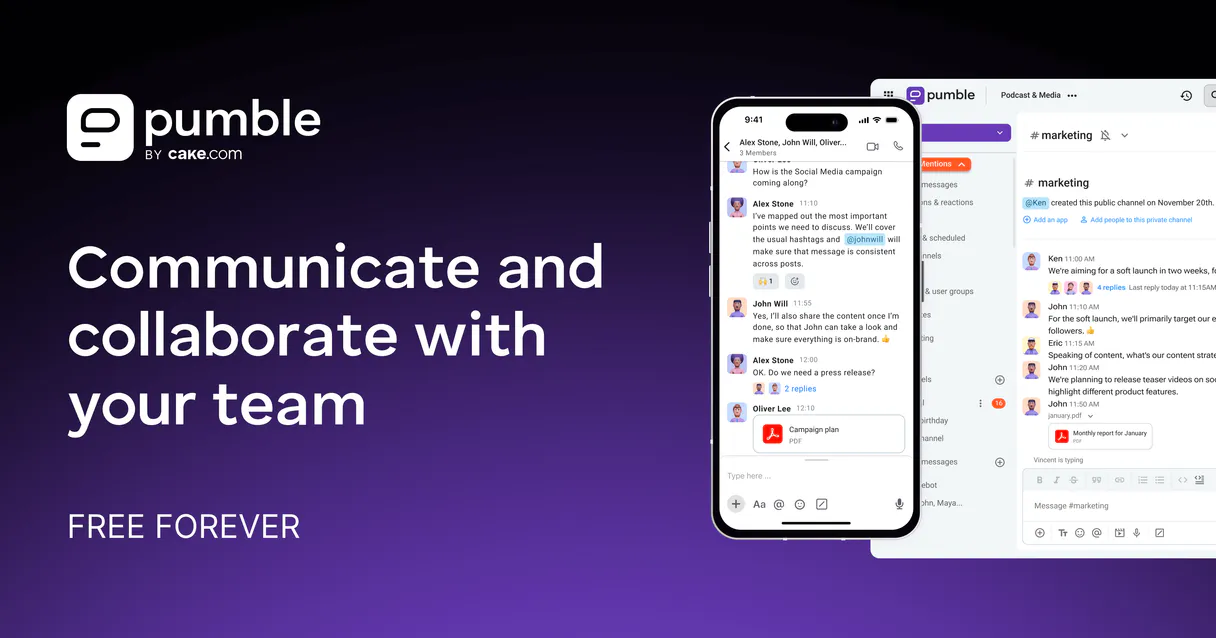
Independent Platform Disclaimer: Vinkius is an independent platform and is not affiliated with, endorsed by, sponsored by, verified by, or otherwise authorized by Pumble. All third-party trademarks, logos, and brand names are the property of their respective owners. Their use on this website is strictly for informational purposes to identify service compatibility and interoperability.
VINKIUS INFRASTRUCTURE
Cloud Hosted
Managed infra
V8 Isolated
Sandboxed per request
Zero-Trust Proxy
No stored credentials
DLP Enforced
Policy on every call
GDPR Compliant
EU data residency
Token Compression
~60% cost reduction
Works with Claude, ChatGPT, Cursor, and more
The Model Context Protocol standardizes how applications expose capabilities to LLMs. Instead of operating in isolation, your AI gains direct access to external platforms, live data, and real-world actions through secure, standardized connections.
This server provides 10 capabilities that interface natively with Claude, ChatGPT, Cursor, and any MCP client. No middleware. No custom integration required.
Available Capabilities
Tracking team conversations shouldn't mean opening ten different chat tabs.
Today, if you need to summarize a decision made in the #dev-updates channel last week, your process is slow. You open Pumble, click on the channel, scroll up hundreds of messages, copy chunks of text that mention 'deployment,' and then paste it into your notes or Jira ticket. This takes five minutes just to gather context.
With this MCP server, you tell your agent: 'Get me the key decisions from #dev-updates last week.' The agent runs `chat_history_messages`, pulls the raw data, filters out the noise, and hands you a clean summary instantly. You get context without the scrolling.
Pumble MCP Server: Manage messages and channels directly from your AI client.
Before this server, if an announcement was posted with a typo or an outdated link, you had to manually draft a reply like, 'FYI, the correct date is X.' You’d then have to copy that message and paste it into the thread.
Now, your agent runs `chat_update_message`. It finds the original post and updates the content directly in the chat. The correction appears as an edit—clean, professional, and done without you ever leaving your AI client.
Common Questions About Pumble MCP
Can I use `list_all_channels` to see if a channel exists? +
Yes. Running list_all_channels gives you an inventory of every public and private channel. This lets your agent confirm the structure before trying to interact with any specific space.
Is `chat_delete_message` permanent? +
Yes, this action is irreversible. When you call chat_delete_message, the message is gone from Pumble and cannot be recovered through the agent or otherwise.
What information does `get_user_info` retrieve? +
get_user_info pulls detailed profile data for a single user. This includes their email address, time zone, and other necessary details for accurate team tagging.
How do I make a new channel with `create_chat_channel`? +
You simply specify the desired name and whether you want it public or private when calling create_chat_channel. The agent handles the rest of the setup process.
Can I edit a message using `chat_update_message`? +
Yes. This tool lets your agent find an existing post and update its text content. It's perfect for correcting typos or adding crucial follow-up details to an announcement.
What steps do I take before running `chat_post_message`? +
You must first subscribe to the server and generate a Pumble API Key within the application. Your AI agent uses this key for authorization, so ensure you pass it to your client when connecting.
How does `list_workspace_users` differ from using `get_user_info`? +
list_workspace_users gives you a full roster of every user in the workspace. You then pass an ID retrieved from that list to get_user_info if you need detailed data on one specific person.
Can I filter my message history using `chat_history_messages`? +
The tool pulls recent messages by default. For advanced filtering, like specifying a date range, check the latest documentation for supported parameters in your AI client’s API wrapper.
How do I securely obtain my API Key? +
Installation in Pumble is unique. In your workspace, click + Add apps in the left sidebar, find the API addon, and install it. After doing so, go to any chat input box in Pumble and type /api-keys generate. A private, ephemeral message will appear containing your secret token. Paste that token here.
Can my AI automatically reply to unread issues? +
Yes. You can instruct your agent to regularly fetch messages from a specific channel (chat_history_messages). The agent can evaluate questions, generate answers based on your knowledge base, and then use chat_post_message to post the solution back to the team instantly.
Is it possible for the AI to react with emojis? +
Absolutely. It uses the chat_add_reaction functionality. A common use case is having the agent process a batch of tickets reported in Pumble, and instruct it to leave a '✅' checkmark reaction on the original message to signify that work is complete.
What happens if a bot message has a typo? +
Unlike standard webhooks, this integration provides full bidirectional control. If your AI posted something incorrect, simply ask it to update its previous message. It will fetch its message ID and push a new payload using the chat_update_message tool instantly without leaving double messages.
Use it with your favorite AI tools
Connect this server to Cursor, Claude, VS Code, and more.
More in this category
MeetingPulse
Interactive audience engagement via MeetingPulse — track polls, Q&As, and meeting analytics.

MediaSilo
Video collaboration and asset management via MediaSilo — manage projects, assets, and Quicklinks.

Slack
Automate Slack messaging — send messages, search conversations, list channels and users directly from any AI agent.
You might also like

Gordian Software (Airline Ancillaries API)
Search and book airline ancillaries like seats, bags, and lounge access directly through Gordian Software's API.

CountryStateCity
Access global geographic data — list countries, states, and cities with ISO codes and metadata directly from any AI agent.

Wistia
Manage video assets, projects, and engagement analytics on Wistia — the leading video marketing platform for business.