
Quantive (Gtmhub) MCP. Track Objectives, Key Results, and Team Goals in Chat.
 Gemini
 Works with every AI agent you already use
…and any MCP-compatible client









Just plug in your AI agents and start using Vinkius.
Quantive (Gtmhub) connects your strategic OKR platform to any AI agent. Manage company objectives, track key results, and pull team structures right from a chat window or IDE.
You can list all goals (`list_objectives`), check progress on metrics (`get_key_result`), and even update values directly via conversation.
What your AI agents can do
Get key result
Retrieves the detailed information for a single, specified key result metric.
Get my profile
Gets profile data for the user currently logged into your Quantive account.
Get objective
Retrieves full details on a specific strategic objective (OKR).
Retrieve a full list of active goals across your organization using list_objectives.
Pull deep information on one goal when you know its ID by calling get_objective.
Change a key performance metric's current value and update the overall progress using update_key_result.
Pull user profiles and organizational groups to understand who is involved in goal attainment using list_users or list_teams.
Get a list of specific action items (list_tasks) that must be completed to hit an OKR target.
Ask AI about this MCP
Supported MCP Clients
Gemini Waiting for input…
Quantive (Gtmhub): 10 Tools for OKR Management
Use these tools to interact with your Quantive account: list goals, check progress on key results, update metrics, and map team structures through natural conversation.
019d75acget key result
Retrieves the detailed information for a single, specified key result metric.
019d75acget my profile
Gets profile data for the user currently logged into your Quantive account.
019d75acget objective
Retrieves full details on a specific strategic objective (OKR).
019d75aclist key results
Lists every key result metric currently tracked in your Quantive account.
019d75aclist objectives
Generates a list of all active and historical OKR objectives across the platform.
019d75aclist sessions
Shows all planning sessions or timeframes (e.g., Q1, Annual) used to group your goals.
019d75aclist tasks
Fetches a list of tasks that are directly associated with specific OKRs.
019d75aclist teams
Retrieves the full directory of organizational teams within your account structure.
019d75aclist users
Provides a list of user profiles available in the Quantive system.
019d75acupdate key result
Changes and records a new current value for an existing key result metric.
Choose How to Get Started
Build a custom MCP for your own tools, or connect a ready-made integration from our catalog.
Build Your Own
Turn any API into an MCP. Import a spec, define Agent Skills, or deploy with MCPFusion.
- Import from OpenAPI, Swagger, or YAML specs
- Create Agent Skills with progressive disclosure
- Deploy to edge with MCPFusion framework
- Built in DLP, auth, and compliance on every call
- Real time usage dashboard and cost metering
- Publish to catalog or keep private
Make Your AI Do More
Start with Quantive (Gtmhub), then connect any of our 4,700+ other servers whenever your AI needs more. One click, no limits.
- Use this MCP plus 4,700+ others, all in one place
- Add new capabilities to your AI anytime you want
- Every connection is secured and compliant automatically
- Track usage and costs across all your servers
- Works with Claude, ChatGPT, Cursor, and more
- New servers added to the catalog every week
What you can do with this MCP connector
Look, forget those clunky dashboards that just show you numbers and nothing else. Quantive connects your whole strategic planning system—the stuff where you track goals for the company—right to your AI agent. You manage corporate objectives, track key performance metrics, and pull team structures directly from a chat window or IDE.
It's about getting action done without leaving your workflow.
When it comes to setting up your OKRs (Objectives and Key Results), you can start by calling list_objectives to pull a list of every active or historical goal across the organization. Need deep details on just one? Use get_objective. This lets you retrieve all the full specifics for any single strategic objective you're working on.
The metrics side is where it gets real. You can run list_key_results to see every key result metric tracked in Quantive. Want to know exactly how much progress was made on one specific number? Call get_key_result. And the best part? If a number changes, you don't gotta log into another portal; you just tell your agent to change it using update_key_result, and it records the new value for that key metric.
To keep everyone aligned on when they’re hitting these goals, you can use list_sessions to show all the planning timeframes—you know, Q1 or Annual cycles. Meanwhile, if your agent needs to know who's talking to it right now, get_my_profile pulls up the current user's details. You also get access to a full directory of organizational groups by using list_teams, and you can pull individual profile lists for everyone in the system via list_users.
It’ll give you a clear picture of who owns what.
When it comes to execution, there are two things: tasks and goals. You can get specific action items that need to be completed by running list_tasks, which shows all the small steps tied directly to an OKR. If you're trying to figure out where a goal came from or who's involved in achieving it, you can also look up the user profiles using list_users and group structures with list_teams.
You can even check what kind of goals are available by calling list_key_results, which gives you an overview of every measurable target tracked.
It’s simple. Your agent handles all this talking to Quantive so you don't have to copy-paste data between six different apps. It reads the objectives, tracks the metrics, maps out who's doing the work, and updates those numbers—all from your chat window.
How Quantive (Gtmhub) MCP Works
- 1 Subscribe to the Quantive MCP Server and enter your API Token. You'll also select your Data Center (US or EU).
- 2 Your AI client connects, allowing it to see all 10 available tools in the Quantive system.
- 3 You ask your agent a question—like 'What is our retention goal?'—and the agent runs the necessary tools (
list_objectives,get_key_result) to give you a real-time answer.
The bottom line is, your AI client talks directly to Quantive's database, letting you manage complex business goals using simple conversation prompts.
Who Is Quantive (Gtmhub) MCP For?
This is for Product Leaders and Ops Managers who spend too much time clicking through separate dashboards just to figure out if the company hit its quarterly targets. If your job involves translating high-level strategy into actionable status reports, this saves you hours of manual data gathering.
Uses list_objectives and list_key_results to maintain a single source of truth on company goals across different planning sessions.
Checks if development tasks are actually linked to the core objectives by using list_tasks alongside get_objective.
Collects progress updates from multiple teams and individuals in one chat, calling list_users and then querying specific metrics with get_key_result.
What Changes When You Connect
- Real-time Goal Visibility: Forget hunting through spreadsheets. Use
list_objectivesto get an immediate overview of the company's top strategic priorities right when you ask for them. - Instant Progress Updates: Need to know where a metric stands? Calling
get_key_resultpulls precise data, letting your agent tell you the current attainment percentage in seconds. - Keep Data Current: Don't wait for weekly reports. Use
update_key_resultthrough conversation to record progress immediately after a meeting or project milestone hits. - Map Out Accountability: The tools allow you to list teams (
list_teams) and users (list_users), so you always know which department is responsible for hitting which OKR. - Connect Strategy to Work: By listing tasks via
list_tasks, your agent shows the clear path from a high-level objective down to the specific items that need actual execution.
Real-World Use Cases
The QBR Prep Nightmare
A Product Leader needs to prepare for the quarterly business review. Instead of logging into Quantive, pulling a team list, then running multiple reports, they ask their agent: 'Give me all active objectives and who owns them.' The agent runs list_objectives and list_teams, delivering a structured summary that shows ownership right away.
Updating Metrics Mid-Sprint
An Operations Manager just finished coordinating a major client rollout. They need to update the 'Customer Adoption Rate' key result immediately. Instead of navigating to the dashboard, they prompt their agent: 'Update KR 593021 to 85.' The agent runs update_key_result and confirms the change instantly.
Understanding Scope Creep
A Strategy Officer suspects a team is working on tasks that don't align with current goals. They ask: 'Show me all open tasks related to Objective Alpha.' The agent runs list_tasks and cross-references them against the objectives you retrieve using get_objective, flagging misalignment.
Onboarding New Leads
A new employee needs to understand their role's impact. They ask, 'What are our top 3 goals and who reports to the Growth team?' The agent runs list_objectives and then uses list_teams, giving them an immediate understanding of where they fit into the company strategy.
The Tradeoffs
Manual Data Collection
The PM spends three hours gathering status updates from Slack, Jira, and email chains just to build a single slide on 'Current OKR Status.'
→
Don't copy-paste. Just ask your agent: 'What is the current progress for our market share objective?' The agent runs list_objectives and pulls the live status from get_key_result.
Ignoring Goal Dependencies
The team updates a single metric without knowing which objectives or teams rely on that data. They update it in isolation.
→
Before updating, ask the agent: 'Which objectives are dependent on Key Result ID 123?' The system runs get_objective and alerts you to all related goals.
Missing Context
A developer needs a user's role but has to search the internal HR database separately from the project management tool.
→
Ask your agent: 'What is Jane Doe's current role in relation to the Mobile App launch?' The agent runs list_users and provides instant context.
When It Fits, When It Doesn't
Use this server if your primary workflow revolves around measurable, structured corporate goals (OKRs). If you need to check progress on a specific key result or list all objectives across timeframes (list_sessions), this is for you. Don't use it if your goal is simply general knowledge retrieval—if you just want to chat about ideas without tracking them, other generic LLM tools work fine. Also, don't rely on it to manage raw documents; use a document storage tool for that. This server lives in the 'metrics and strategy' domain only.
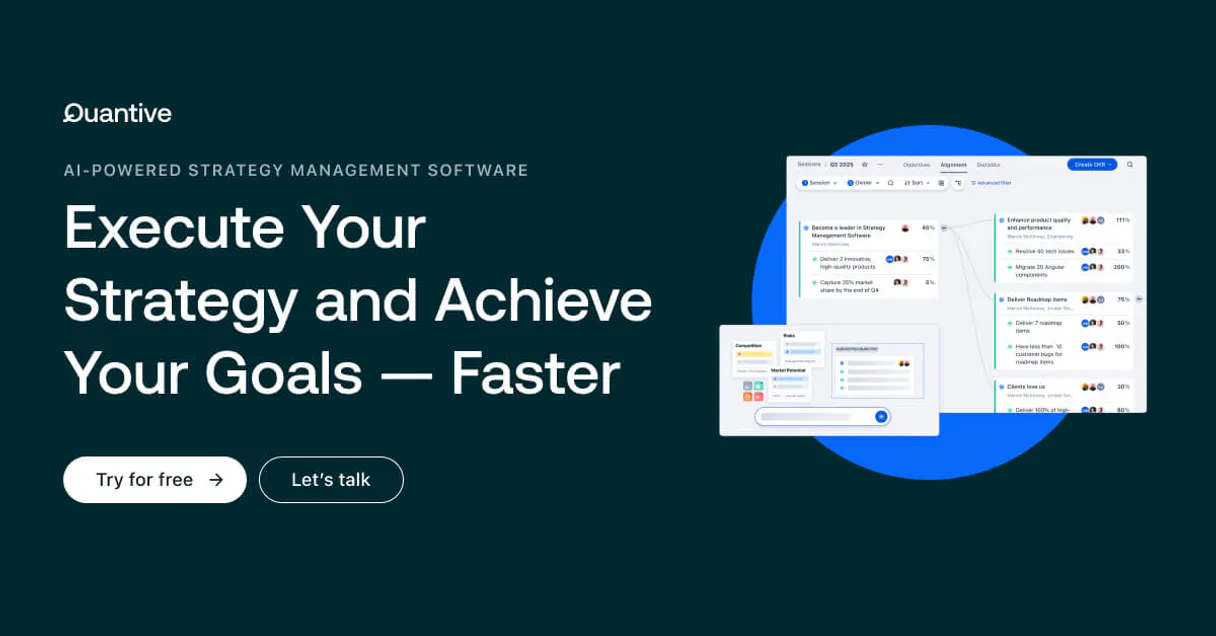
Independent Platform Disclaimer: Vinkius is an independent platform and is not affiliated with, endorsed by, sponsored by, verified by, or otherwise authorized by Quantive. All third-party trademarks, logos, and brand names are the property of their respective owners. Their use on this website is strictly for informational purposes to identify service compatibility and interoperability.
VINKIUS INFRASTRUCTURE
Cloud Hosted
Managed infra
V8 Isolated
Sandboxed per request
Zero-Trust Proxy
No stored credentials
DLP Enforced
Policy on every call
GDPR Compliant
EU data residency
Token Compression
~60% cost reduction
Works with Claude, ChatGPT, Cursor, and more
The Model Context Protocol standardizes how applications expose capabilities to LLMs. Instead of operating in isolation, your AI gains direct access to external platforms, live data, and real-world actions through secure, standardized connections.
This server provides 10 capabilities that interface natively with Claude, ChatGPT, Cursor, and any MCP client. No middleware. No custom integration required.
Available Capabilities
Gathering organizational status is a tedious mess of dashboards and spreadsheets.
Today, checking company alignment means jumping between Quantive, Jira, Slack, and PowerPoint. You pull the team list here, check the objective there, and manually cross-reference which tasks belong to which goal. It's slow, it’s error-prone, and it costs you hours every week.
With this MCP server, your AI agent handles the coordination. You ask a plain question like 'What are our Q2 goals?' The agent runs `list_objectives` and `list_sessions`, giving you a single, definitive list of targets without you opening a single dashboard.
Update Key Results with Quantive (Gtmhub) MCP Server
Manually updating metrics means finding the right ID, navigating to the correct record, and clicking 'Save.' If you forget a step or use the wrong value, your entire team's progress report is instantly inaccurate. The risk of stale data is constant.
Now, just tell your agent what changed. You prompt it: 'Update key result 593021 to 75.' It runs `update_key_result` and commits the change directly. The metric is live, accurate, and instantly reflected in all downstream reports.
Common Questions About Quantive (Gtmhub) MCP
How do I generate an API token in Quantive? +
Log in to your Quantive account, navigate to Setup > Configuration > API tokens, and click 'Generate token'. You'll need to select a user for the token's permissions.
Which data center should I select? +
Check your browser URL when logged in. If it says app.us.quantive.com, select US. If it says app.eu.quantive.com, select EU.
Can I update the progress of my Key Results through this integration? +
Yes! Use the update_key_result tool to set the current numeric value of any KR, and Quantive will automatically calculate the attainment percentage.
Does this integration support multiple sessions? +
Yes. You can list all active and past sessions using list_sessions, allowing you to query OKRs from different timeframes as needed.
How do I use the `list_objectives` tool to check our current strategic goals? +
It retrieves a list of all active OKR objectives in your account. You get a summary—including status and title—for every main goal. This lets you quickly verify where the entire team is focused this quarter.
How do I use the `list_tasks` tool to connect our OKRs to actual work? +
This lists all tasks that are currently linked to specific objectives. Instead of just tracking high-level goals, you see the concrete action items needed to achieve them. It’s how you bridge strategy and execution.
How do I use the `list_teams` tool to understand which groups drive our OKRs? +
It returns a roster of all organizational teams in Quantive. You can then identify which department is responsible for specific metrics or goals. This helps map strategic ownership across your organization.
How do I use the `get_my_profile` tool to verify my current user permissions? +
This pulls specific details about your authenticated Quantive profile. It confirms your role and access levels within the system. Use it when you need to verify who can update key results or view sensitive data.
Use it with your favorite AI tools
Connect this server to Cursor, Claude, VS Code, and more.
More in this category

BasicOps
Centralize team communication with task management, document sharing, and project tracking designed for small business clarity.

Jinshuju / 金数据
Powerful online form and data collection platform — manage forms, entries, and webhooks via AI.
Airbrake
Catch application errors in real time, track performance bottlenecks, and keep your codebase healthy with proactive monitoring.
You might also like

Weights & Biases
Track experiments, monitor ML runs, and manage artifacts on WandB — the developer platform for AI.

SITA Airport Reference API
Query global airport infrastructure data — IATA codes, terminals, gates, and reference metadata via AI.

BambooHR Alternative
Human Resources management platform — organize employee data, track time off, and audit HR workflows via AI.