
NavAPI MCP. Audit Ports, Calculate Routes, Track Traffic.
 Gemini
 Works with every AI agent you already use
…and any MCP-compatible client









Just plug in your AI agents and start using Vinkius.
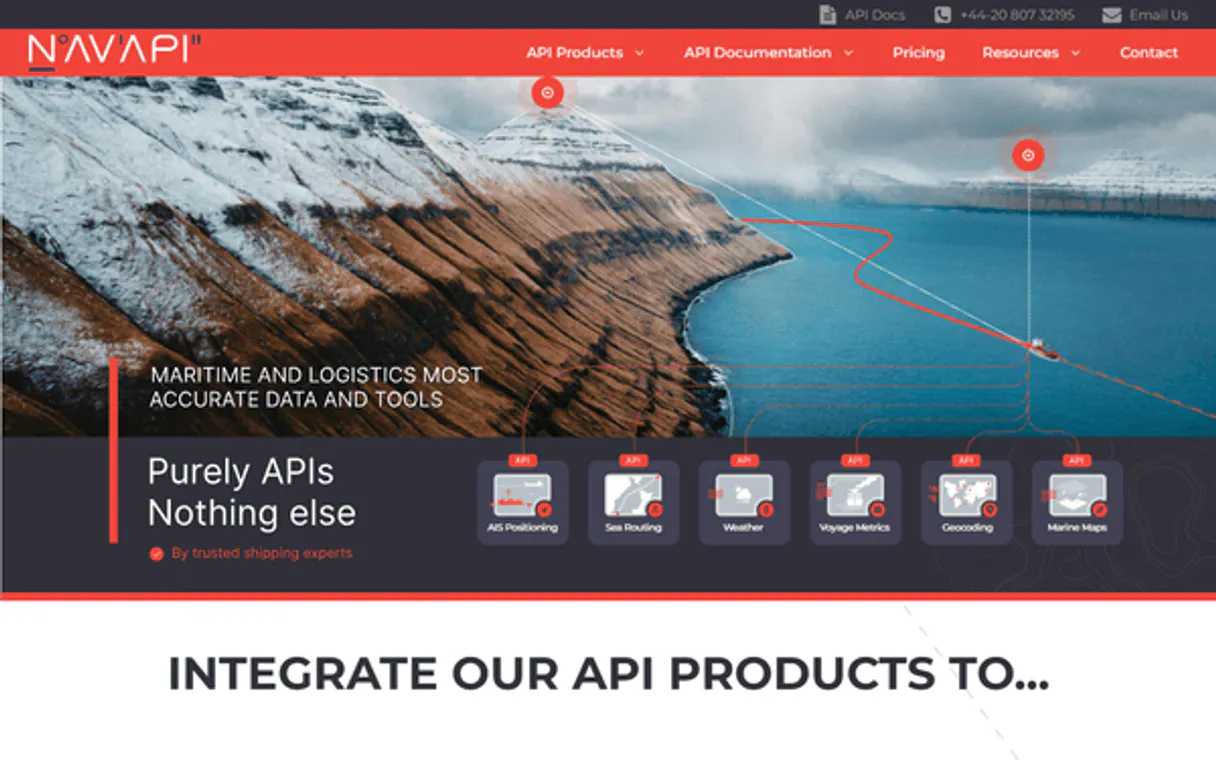
NavAPI MCP Server manages global maritime navigation data. Your AI agent uses this server to audit ports, calculate nautical distances between any two locations, and pull real-time vessel traffic statistics for specific harbors.
It's built for logistics professionals who need precise, up-to-date shipping intelligence without opening a single technical portal.
What your AI agents can do
Check api status
Verifies if the entire NavAPI service is currently operational and responding to requests.
Get nautical ports
Lists global maritime ports, optionally filtering the results by a specific country.
Get port distance
Calculates the nautical distance between two defined ports using their IDs or coordinates.
Retrieves detailed metadata for maritime ports worldwide, allowing filtering by country.
Determines the sea distance between any two specified port coordinates or IDs.
Pulls current statistics on vessels at a specific harbor, noting vessel types and counts.
Searches for defined maritime paths and connections between two or more ports.
Lists all nautical charts available for a specific geographic region, aiding compliance checks.
Confirms that the entire NavAPI server is operational and ready to accept requests.
Ask AI about this MCP
Supported MCP Clients
Gemini Waiting for input…
NavAPI MCP Server: 6 Tools for Logistics Data
Analyze port lists, calculate real-world maritime distances, and track current vessel movement using all six specialized tools.
019d845dcheck api status
Verifies if the entire NavAPI service is currently operational and responding to requests.
019d845dget nautical ports
Lists global maritime ports, optionally filtering the results by a specific country.
019d845dget port distance
Calculates the nautical distance between two defined ports using their IDs or coordinates.
019d845dget port vessel traffic
Retrieves current vessel traffic statistics and counts for a specific, named port.
019d845dlist nautical charts
Lists the required nautical charts available for planning navigation within a specified geographic area.
019d845dsearch maritime routes
Searches and outlines potential shipping routes connecting two or more defined ports.
Choose How to Get Started
Build a custom MCP for your own tools, or connect a ready-made integration from our catalog.
Build Your Own
Turn any API into an MCP. Import a spec, define Agent Skills, or deploy with MCPFusion.
- Import from OpenAPI, Swagger, or YAML specs
- Create Agent Skills with progressive disclosure
- Deploy to edge with MCPFusion framework
- Built in DLP, auth, and compliance on every call
- Real time usage dashboard and cost metering
- Publish to catalog or keep private
Make Your AI Do More
Start with NavAPI, then connect any of our 4,700+ other servers whenever your AI needs more. One click, no limits.
- Use this MCP plus 4,700+ others, all in one place
- Add new capabilities to your AI anytime you want
- Every connection is secured and compliant automatically
- Track usage and costs across all your servers
- Works with Claude, ChatGPT, Cursor, and more
- New servers added to the catalog every week
What you can do with this MCP connector
You connect this server to your agent when you need serious maritime logistics data. Forget opening a dozen different external portals; your AI client handles all the heavy lifting right here. This is built for people who actually run shipping and port operations, needing fast, precise intelligence without having to talk API JSON to your tech team.
The core tools let your agent function like a global nautical consultant. You'll use these capabilities:
Validating the Connection
- You can check service status instantly using
check_api_status. This confirms if the entire NavAPI server is online and ready to process any requests, so you never waste time trying to run queries against a downed endpoint.
Locating Ports Worldwide
- To find global ports, your agent runs
get_nautical_ports, which pulls detailed metadata for every maritime port in the world. You can refine this search by specifying a country code, limiting your results right away so you only see relevant locations.
Calculating Sea Distance Between Ports
- If you need to know how far apart two ports are,
get_port_distancecalculates that nautical distance for you. It accepts either the specific Port IDs or the precise coordinates of both starting and ending points, giving you the exact sea mileage between them.
Tracking Real-Time Harbor Activity
- To get a current snapshot of what's happening at a single harbor, your agent uses
get_port_vessel_traffic. This tool retrieves real-time statistics on vessels currently docked or passing through that named port. It tracks vessel types and provides counts so you know the current industry distribution immediately.
Planning Complex Shipping Routes
- When you need a full itinerary, your agent executes
search_maritime_routes. This function searches for potential shipping paths, outlining connections between two or more defined ports into one cohesive set of routes. It's what you use when planning multi-stop transoceanic hauls.
Listing Required Navigation Charts
- Before any route is finalized, you need to check the local rules and maps.
list_nautical_chartshelps with that; it lists every required nautical chart available for a specific geographic area. This function is key for compliance checks, ensuring your crew has access to all the necessary navigational diagrams.
Your agent handles calling these functions using natural language commands—you don't have to write code. Whether you need port metadata, distance measurements, real-time traffic counts, or a full multi-port route outline, it processes everything in one conversation thread.
How NavAPI MCP Works
- 1 Subscribe to this server on Vinkius and provide your API key.
- 2 Tell your AI client what you need (e.g., 'What's the distance between Shanghai and Rotterdam?').
- 3 The agent runs
get_port_distanceusing NavAPI, returning the precise nautical measurement.
The bottom line is that your AI client executes complex, multi-step maritime queries in a single chat session.
Who Is NavAPI MCP For?
Logistics Analysts who can't afford delays waiting for manual data feeds. Trade Researchers needing to verify shipping lanes and port regulations quickly. Ship Operators who need instant distance checks or traffic updates before dispatching vessels.
Uses get_port_vessel_traffic to monitor congestion patterns at major hubs, informing resource allocation.
Calls search_maritime_routes and get_nautical_ports repeatedly to audit regional trade flows for compliance reports.
Runs get_port_distance on the fly, comparing planned routes against real-world nautical metrics before departure.
What Changes When You Connect
- Pinpoint exact distances instantly. Stop relying on estimates;
get_port_distancecalculates the true nautical miles between any two ports for precise planning. - Get real-time traffic visibility using
get_port_vessel_traffic. You immediately see if a port is congested or clear, which changes your entire operational timeline. - Streamline data gathering with one chat. Instead of jumping between portals to check locations and routes, let the agent handle everything by chaining calls like
get_nautical_portsthensearch_maritime_routes. - Ensure compliance upfront. Use
list_nautical_chartsto verify that the necessary navigational charts exist for a given area before you plan any movement. - Build robust workflows around status checks. Always run
check_api_statusfirst. This prevents your agent from wasting time on tools that are down or failing.
Real-World Use Cases
Planning a new cross-ocean route
A trade researcher needs to plan a path from Singapore to Rotterdam. They ask the agent, and it first uses get_nautical_ports to confirm port IDs, then calls search_maritime_routes, finally using get_port_distance to give them the total route length.
Investigating unexpected congestion
A ship operator hears about delays in Shanghai. They ask their agent for traffic data, and the agent immediately runs get_port_vessel_traffic. The result shows 250+ vessels, confirming severe backlogs.
Auditing a regional port cluster
A logistics analyst needs to check several ports in Vietnam. They use get_nautical_ports with the country filter, then loop through the results using get_port_distance for each pair to map out all local connections.
Verifying operational readiness
Before a major deployment, an ops lead needs confirmation that the data sources are current. They start by running check_api_status, and if successful, they move on to checking chart availability using list_nautical_charts.
The Tradeoffs
Assuming all ports have the same data
A user asks for a route between two points but forgets that the agent needs specific port IDs, not just city names.
→
First, run get_nautical_ports to find the required ID for both locations. Then, use the precise IDs in your search_maritime_routes call.
Ignoring service health
Telling the agent to calculate a route when the underlying API server is temporarily offline or degraded.
→
Always start by running check_api_status. If it fails, don't proceed with any other tools.
Trying to estimate distance manually
A user tries to calculate nautical miles using rough coordinates from an old map or spreadsheet.
→
Use get_port_distance. It calculates the true distance between two specific ports based on live data.
When It Fits, When It Doesn't
Use this server if your job requires complex, multi-step maritime analysis: calculating distances, tracking vessel density, or planning routes spanning multiple points. You need to move beyond simple lookups and actually audit logistics flow.
Don't use it if you just need basic information—like finding the nearest port name without a specific distance calculation (use a general mapping API for that). If your only goal is checking current news headlines about shipping, this server adds no value. This tool shines when your workflow requires chaining functions: defining ports with get_nautical_ports, measuring links with get_port_distance, and then building the whole path with search_maritime_routes.
Independent Platform Disclaimer: Vinkius is an independent platform and is not affiliated with, endorsed by, sponsored by, verified by, or otherwise authorized by NavAPI. All third-party trademarks, logos, and brand names are the property of their respective owners. Their use on this website is strictly for informational purposes to identify service compatibility and interoperability.
VINKIUS INFRASTRUCTURE
Cloud Hosted
Managed infra
V8 Isolated
Sandboxed per request
Zero-Trust Proxy
No stored credentials
DLP Enforced
Policy on every call
GDPR Compliant
EU data residency
Token Compression
~60% cost reduction
Works with Claude, ChatGPT, Cursor, and more
The Model Context Protocol standardizes how applications expose capabilities to LLMs. Instead of operating in isolation, your AI gains direct access to external platforms, live data, and real-world actions through secure, standardized connections.
This server provides 6 capabilities that interface natively with Claude, ChatGPT, Cursor, and any MCP client. No middleware. No custom integration required.
Available Capabilities
Manual maritime auditing is a time sink.
Right now, figuring out a route requires hopping through multiple systems: checking one portal for port IDs, another for distance calculators, and yet a third to see if the necessary charts are available. You spend hours copying coordinates into spreadsheets, cross-referencing data points, and manually verifying every single leg of the journey.
With NavAPI MCP Server, your agent handles that entire sequence in one chat window. It checks port availability via `get_nautical_ports`, calculates distance with `get_port_distance`, and gives you a comprehensive audit report instantly.
NavAPI: Search for maritime routes
Before, planning required manually defining the endpoints and hoping the connection existed. You'd run multiple queries just to confirm feasibility—checking ports, then checking chart availability, and only after that, running a route calculation.
Now, you simply ask your agent for the optimal path. It coordinates `search_maritime_routes`, incorporating checks like required charts (`list_nautical_charts`) and real-time traffic data into one single answer.
Common Questions About NavAPI MCP
How do I use get_port_distance with NavAPI? +
You must provide the IDs or coordinates for two specific ports. The tool calculates the precise nautical distance between them, eliminating guesswork.
What is the best way to check vessel traffic using get_port_vessel_traffic? +
Simply ask your agent about a port's current activity. It runs get_port_vessel_traffic and gives you statistics, including the count of container ships or bulk carriers present.
Can I use get_nautical_ports to find all ports in Europe? +
Yes. You tell your agent to run get_nautical_ports and specify 'Europe' as the country filter, giving you a list of available port metadata.
What should I do before searching for routes with search_maritime_routes? +
Always check the status first. Run check_api_status to confirm the server is running. Then, use the ports found via get_nautical_ports as inputs for your route search.
Does NavAPI help with finding charts using list_nautical_charts? +
Yes. This tool lists which specific nautical charts are available for a given area, helping you verify compliance before planning navigation in that region.
When using `get_nautical_ports`, how should I handle my API key? +
You pass your unique API key as an environment variable in your AI client configuration. Vinkius manages the connection securely, so you never have to hardcode the key into your workflow. This keeps your credentials safe while letting your agent access all port data.
If I get unexpected results, how do I use `check_api_status`? +
Run the check_api_status tool first to confirm the server is fully operational before calling any other function. This step immediately tells you if the issue lies with NavAPI's service status or if it’s an error in your agent setup.
What structured data does `get_port_distance` provide? +
It returns a standardized JSON object that specifies the calculated distance in nautical miles (NM) and often includes the associated primary route identifier. Your agent can parse this structure directly for immediate calculations.
How do I find my NavAPI Key? +
Log in to your NavAPI dashboard, and you will find your API Key under the 'API Settings' or 'My Keys' section. Copy and paste it below.
Does it calculate real-world nautical distances? +
Yes. The get_port_distance tool calculates the distance in nautical miles (NM) between two ports using established maritime routes.
Can the agent show vessel counts at ports? +
Yes. The get_port_vessel_traffic tool provides real-time statistics on the number of vessels currently identified at a specific port.
Use it with your favorite AI tools
Connect this server to Cursor, Claude, VS Code, and more.
More in this category

Apex Legends
Track Apex Legends player stats, match history, leaderboards, and server status directly from your AI agent.

Kelley Blue Book Valuation
Get vehicle valuations and market data via Kelley Blue Book — search cars, get trade-in values, and fair market pricing.

API-Football
Comprehensive football data platform — get live scores, standings, and player stats via AI.
You might also like

Urlbox
Render website screenshots — audit high-fidelity visual content via AI.
IBGE Censo & SIDRA — Dados Censitários
Access Brazil's official census and statistical data: GDP, population, employment, inflation (IPCA), agricultural production, and thousands of SIDRA aggregate tables — the backbone of Brazilian economic intelligence.

The Cat
Access the world's largest collection of cat images, search by breed, and manage your favorites or votes directly from your AI agent.