
Shoplazza / 店匠 MCP. Manage global inventory, orders, and customers via chat.
 Gemini
 Works with every AI agent you already use
…and any MCP-compatible client









Just plug in your AI agents and start using Vinkius.
Shoplazza / 店匠 connects your AI agent directly to your global e-commerce backend. It lets you manage products, check real-time inventory, track complex orders, and review customer records—all through natural conversation.
Stop logging into the admin panel; let your agent handle core retail operations for international brands.
What your AI agents can do
Get customer
Retrieves specific details about an individual customer profile.
Get inventory levels
Returns the current stock count for a specified product or set of products.
Get order
Pulls all detailed information associated with a single order ID.
Retrieves a complete list of items currently listed in the Shoplazza store.
Pulls real-time inventory counts for specific product IDs or categories.
Gets comprehensive data on a single order, including payment confirmation and shipping details.
Retrieves specific customer profile information and a list of their past purchases.
Lists available curated groups or categories of products within the store.
Ask AI about this MCP
Supported MCP Clients
Gemini Waiting for input…
Shoplazza / 店匠: 10 Tools for E-commerce Data
These ten tools let your AI agent handle every core function of running a global online store, from listing products to tracking complex order fulfillment.
019d847fget customer
Retrieves specific details about an individual customer profile.
019d847fget inventory levels
Returns the current stock count for a specified product or set of products.
019d847fget order
Pulls all detailed information associated with a single order ID.
019d847fget product
Gets the full metadata and details for one specific product item.
019d847fget shop info
Retrieves general, high-level information about the overall Shoplazza store configuration.
019d847flist collections
Lists all available curated product collections or groupings in the shop.
019d847flist customers
Provides a list of customer accounts registered with the Shoplazza platform.
019d847flist orders
Lists multiple recent order IDs and summary data for quick review.
019d847flist products
Returns a list of all products available in the store, including basic metadata.
019d847flist webhooks
Retrieves a list of configured webhooks used for external system integrations.
Choose How to Get Started
Build a custom MCP for your own tools, or connect a ready-made integration from our catalog.
Build Your Own
Turn any API into an MCP. Import a spec, define Agent Skills, or deploy with MCPFusion.
- Import from OpenAPI, Swagger, or YAML specs
- Create Agent Skills with progressive disclosure
- Deploy to edge with MCPFusion framework
- Built in DLP, auth, and compliance on every call
- Real time usage dashboard and cost metering
- Publish to catalog or keep private
Make Your AI Do More
Start with Shoplazza / 店匠, then connect any of our 4,700+ other servers whenever your AI needs more. One click, no limits.
- Use this MCP plus 4,700+ others, all in one place
- Add new capabilities to your AI anytime you want
- Every connection is secured and compliant automatically
- Track usage and costs across all your servers
- Works with Claude, ChatGPT, Cursor, and more
- New servers added to the catalog every week
What you can do with this MCP connector
Shoplazza / 店匠 connects your agent directly to your global e-commerce backend. You don't have to log into the admin panel or click through menus; your AI client handles core retail operations for international brands.
This server gives your agent direct access to your store's data, letting you manage products, check stock counts, track complex orders, and review customer records—all just by talking to it. It’s built to run the day-to-day hustle of running a global shop.
Catalog Management and Discovery:
You can get a list of every single product item currently for sale using list_products. Need to know how your items are grouped? Use list_collections to see all available curated groupings or categories. If you want the full technical rundown on one specific SKU, call get_product; this pulls all the metadata and details for that single item.
Stock and Inventory:
Checking if you've got enough stock is critical. The get_inventory_levels tool returns the current count of items for a product or a set of products. This gives real-time inventory status, so you always know what you can sell. You don't have to guess; your agent checks the live numbers.
Order Fulfillment and History:
Want to know what happened with an order? Use list_orders to pull a quick list of multiple recent order IDs and their summary data, letting you see where everything stands at a glance. To dive deep into one specific transaction, run get_order. This retrieves all the detailed information linked to a single order ID, including payment confirmations, shipping details, and fulfillment status.
Customer Records:
When a customer calls or asks about an issue, you need their history. You can pull basic account details for multiple people using list_customers, but if you need specific data on one individual, use get_customer to retrieve all their profile details. If you want to see what that customer bought before, the same get_customer tool provides a list of their past purchases.
Store Operations and Diagnostics:
The server handles more than just sales data. You can check general store health by calling get_shop_info, which pulls high-level information about your overall Shoplazza configuration. If you need to verify external connections, use list_webhooks to pull a list of all configured webhooks used for system integrations.
These tools ensure everything outside the main platform is talking correctly.
It's simple: instead of writing API calls or logging into dashboards, you just tell your agent what you need—whether it’s listing product collections via list_collections, verifying stock levels with get_inventory_levels, pulling a full order status using get_order, finding a customer’s purchase history via get_customer, or seeing the complete list of available goods through list_products.
Your agent handles the data retrieval, letting you focus on running the damn business.
How Shoplazza / 店匠 MCP Works
- 1 Subscribe to this server and provide your Shoplazza Shop Domain and Admin API Access Token.
- 2 Connect your preferred AI client (Claude, Cursor, etc.) to the MCP endpoint.
- 3 Ask a natural language query. Your agent then uses the appropriate tools (
get_order,list_products, etc.) to pull data from Shoplazza.
The bottom line is: you talk to your AI client, and it handles all the API calls to get the specific retail data you need.
Who Is Shoplazza / 店匠 MCP For?
E-commerce operations managers who are tired of switching between dashboards. Inventory specialists who need quick stock audits across multiple regions. Business analysts needing live, structured sales data for forecasting. This is built for the person whose job involves moving retail information from one screen to another.
Uses this tool to check if a large promotion requires updating product metadata across different collections.
Routinely uses get_order and list_orders to confirm payments and verify shipping status for multiple shipments daily.
Runs queries using list_products and get_product data, then pipes the results into a spreadsheet for quarterly sales analysis.
What Changes When You Connect
- Real-time stock checks: Use
get_inventory_levelsto instantly confirm if an item is available, avoiding sales that result in backorders. This eliminates manual database lookups for current counts. - Full order audit trail: Pull complete records using
get_orderandlist_orders. You get the payment status, shipping details, and items purchased—all without navigating through multiple checkout pages. - Targeted product data: Need to know if 'Boots' are on sale? Use
get_productto retrieve specific metadata points like pricing tiers or collection IDs for targeted reporting. - Customer history access: The
get_customertool lets you pull up a customer's full profile and purchase history, giving your agent the context needed to answer complex service questions. - Bulk listing management: Use
list_productsandlist_collectionstogether. You can quickly audit all active items or see which curated groups of products exist in the store.
Real-World Use Cases
Auditing a large shipment
A logistics coordinator needs to know if 15 specific items were successfully shipped. Instead of manually checking 15 different order IDs, they ask their agent: 'Show me the status for orders O-400 through O-414.' The agent runs list_orders first, then calls get_order repeatedly to confirm all necessary tracking and payment data is present.
Investigating a low stock warning
An e-commerce manager notices the sales dashboard flagged 'Jacket' as low. They ask their agent: 'Check inventory for Jacket and list any collections it belongs to.' The agent uses get_inventory_levels and then list_collections, providing both the current stock count and where they need to update product visibility.
Investigating a repeat customer query
A support agent receives a question about past returns. They ask their agent: 'What did this user buy last year?' The agent uses list_customers to identify the ID, then calls get_customer to retrieve the purchase history, allowing the agent to answer with specific dates and items.
Reviewing store setup for integration
A developer needs to confirm if a new warehouse system can process orders. They ask their agent: 'What webhooks are currently set up?' The agent executes list_webhooks and provides the exact endpoints, saving hours of manual configuration checking.
The Tradeoffs
Querying all data in one go
Asking: 'Tell me everything about products, orders, customers, and inventory.' This vague request forces the agent to guess or fail because no single tool covers that breadth of data.
→
Break it down. Start with list_products to get a list of IDs. Then use those specific product IDs in get_inventory_levels. Finally, if you need sales context, call list_orders next.
Assuming data relationships
Asking: 'Show me the stock for that customer.' The agent fails because inventory levels require a product ID, not just a customer name.
→
Always map your inputs. First, use get_customer to get the user's IDs. Then, if you want their purchase history, call list_orders. Never skip the lookup step.
Bypassing list tools
Trying to find a specific product by name without knowing its collection or listing ID. The agent can't search freely.
→
Use list_collections first. This gives you the structure of your store. Then, use list_products filtered by that collection to narrow down the item list before calling get_product.
When It Fits, When It Doesn't
You should use Shoplazza / 店匠 if your job involves managing data across multiple e-commerce functions (inventory, sales, customers) and you need structured data delivered instantly via conversation. The tool set is perfect for deep auditing: using list_products + get_product, or list_orders + get_order. Don't use this if your task is simple content creation, like writing a product description (you'd just use general AI). Also, don't rely on it to manage complex accounting; while it tracks payments via orders, it doesn't replace dedicated financial ledger tools. If you only need basic contact info for a user and nothing else, get_customer is sufficient and faster than pulling an entire order history.

Independent Platform Disclaimer: Vinkius is an independent platform and is not affiliated with, endorsed by, sponsored by, verified by, or otherwise authorized by Shoplazza / 店匠. All third-party trademarks, logos, and brand names are the property of their respective owners. Their use on this website is strictly for informational purposes to identify service compatibility and interoperability.
VINKIUS INFRASTRUCTURE
Cloud Hosted
Managed infra
V8 Isolated
Sandboxed per request
Zero-Trust Proxy
No stored credentials
DLP Enforced
Policy on every call
GDPR Compliant
EU data residency
Token Compression
~60% cost reduction
Works with Claude, ChatGPT, Cursor, and more
The Model Context Protocol standardizes how applications expose capabilities to LLMs. Instead of operating in isolation, your AI gains direct access to external platforms, live data, and real-world actions through secure, standardized connections.
This server provides 10 capabilities that interface natively with Claude, ChatGPT, Cursor, and any MCP client. No middleware. No custom integration required.
Available Capabilities
Managing global retail data usually means switching between five different dashboards.
Think about it. To check stock, you open the inventory dashboard. To see if a customer paid, you switch to the orders panel. If you need product details for an ad campaign, you jump over to the catalog manager. It's constant clicking: copy ID from one tab and paste it into another.
With this MCP server, your agent does all that work behind the scenes. You just ask: 'What's the stock level on item XYZ?' The agent runs `get_inventory_levels` and gives you a direct answer—no dashboard hopping required.
Shoplazza / 店匠 MCP Server gets your live order status instantly.
You used to have to copy an order ID, paste it into the fulfillment portal, and wait for the page to load just to confirm if payment was processed or if shipping labels were generated. That takes time, especially when you're handling ten orders at once.
Now, your agent runs `get_order` using that ID. It pulls all the required statuses—payment confirmed, shipped, tracking number attached—and summarizes it in plain language. You get the answer immediately.
Common Questions About Shoplazza / 店匠 MCP
How do I check stock for a specific item using the get_inventory_levels tool? +
You give the agent the product ID, and it runs get_inventory_levels. It returns the current available units. This is fast because it only targets one piece of data.
Can I list all my products using the list_products tool? +
Yes, running list_products gives you a general roster of everything sold in your store. If you need more details—like specific dimensions or weight—you'll have to use get_product next.
What is the difference between list_orders and get_order? +
list_orders provides a summary of many recent orders (IDs, total value). Use get_order when you need the deep, specific details for just one single order ID.
How do I find out what collections my products belong to? +
You start by calling list_collections. This shows all available groupings. Then you can use that collection name when running other product-related queries.
What credentials are needed to use the get_customer tool? +
You need your Shoplazza Shop Domain and an Admin API Access Token. These credentials ensure your agent can access protected customer data, keeping your global sales information secure.
If I run into issues with get_order, how does the system handle incomplete or erroneous records? +
The tool returns a structured JSON object detailing the specific error or missing field instead of failing. This lets your agent read the discrepancy and prompt you for necessary follow-up actions.
What are the rate limits when using list_orders repeatedly? +
The server manages throttling to keep things stable, typically allowing multiple queries per minute. If you exceed this limit, your AI client will receive a clear error code and wait before retrying.
What specific data does the list_webhooks tool provide about my store? +
It lists every configured webhook endpoint URL and details the event types it tracks (like 'order created' or 'product updated'). Use this to audit your current system integrations.
How do I find my Shoplazza Access Token? +
Log in to the Shoplazza Partner Platform, create an application, and follow the OAuth 2.0 flow to obtain your Admin API Access Token.
What is the 'shop_domain' format? +
Your shop domain should be the full URL of your Shoplazza admin instance, typically in the format: your-store.myshoplazza.com.
Can I check inventory for specific items? +
Yes. Use the get_inventory_levels tool. You can optionally provide a comma-separated list of inventory_item_ids to retrieve the stock levels for those specific items.
Use it with your favorite AI tools
Connect this server to Cursor, Claude, VS Code, and more.
More in this category

Nuvemshop
Manage your Nuvemshop e-commerce via API — list products, orders, customers, coupons, and webhooks directly from any AI agent.

TaxJar
Calculate, collect, and remit sales tax automatically across every US state and jurisdiction with real-time rate accuracy.

Squarespace
Equip your AI with read-only superpowers over your Squarespace platform. Scan transactions, track orders, and audit inventory effortlessly.
You might also like
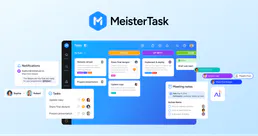
MeisterTask
Organize team tasks with visual Kanban boards, recurring workflows, and integrations that connect to your favorite tools.

UniProt
Search 250M+ protein sequences with functional annotations, gene names, subcellular locations, and amino acid data from the world's most comprehensive protein knowledge base.

Climatiq Carbon Calculations
Calculate carbon footprints via Climatiq — search thousands of emission factors and estimate emissions for any activity.