
SmartHR MCP. Query full employee records and payroll history instantly.
 Gemini
 Works with every AI agent you already use
…and any MCP-compatible client









Just plug in your AI agents and start using Vinkius.
SmartHR connects your AI client directly to internal HR data. Query employee rosters, department structures, payroll history, and contract details—all from a single chat window.
You can use it to check an employee's job role via `list_positions`, see who reports to whom using `list_departments`, or audit their compensation records with `list_payrolls`.
It gives your AI agent access to the full human capital database.
What your AI agents can do
Get crew details
Pulls all specific data points for a single, named employee.
List crew dependents
Provides a list of dependents registered to one particular employee.
List crews
Lists every active employee in the company roster.
Retrieves lists of employee payroll records, allowing you to track salary data over time.
Lists all internal departments and job positions, revealing the company's hierarchy at a glance.
Retrieves targeted details for any single employee using their unique ID.
Lists registered dependents associated with a specific crew member's account.
Retrieves a list of all physical business establishments or company branch offices.
Ask AI about this MCP
Supported MCP Clients
Gemini Waiting for input…
SmartHR MCP Server: 8 Tools for HR Data Management
These tools let your agent read every part of your internal SmartHR database—from job roles to payroll records—and assemble the answer you need.
019d7609get crew details
Pulls all specific data points for a single, named employee.
019d7609list crew dependents
Provides a list of dependents registered to one particular employee.
019d7609list crews
Lists every active employee in the company roster.
019d7609list departments
Generates a list of all organizational departments within the company.
019d7609list employment types
Retrieves a catalog of recognized employment types (e.g., Full-Time, Contractor).
019d7609list establishments
Lists all physical office locations or business branches the company operates.
019d7609list payrolls
Gets a list of records containing employee compensation and payroll history.
019d7609list positions
Lists every formal job role or position available in the company structure.
Choose How to Get Started
Build a custom MCP for your own tools, or connect a ready-made integration from our catalog.
Build Your Own
Turn any API into an MCP. Import a spec, define Agent Skills, or deploy with MCPFusion.
- Import from OpenAPI, Swagger, or YAML specs
- Create Agent Skills with progressive disclosure
- Deploy to edge with MCPFusion framework
- Built in DLP, auth, and compliance on every call
- Real time usage dashboard and cost metering
- Publish to catalog or keep private
Make Your AI Do More
Start with SmartHR, then connect any of our 4,700+ other servers whenever your AI needs more. One click, no limits.
- Use this MCP plus 4,700+ others, all in one place
- Add new capabilities to your AI anytime you want
- Every connection is secured and compliant automatically
- Track usage and costs across all your servers
- Works with Claude, ChatGPT, Cursor, and more
- New servers added to the catalog every week
What you can do with this MCP connector
You're connecting your AI client directly to the company's full HR database. This isn't just another directory; it's a live feed into your human capital records, letting your agent pull data on employee rosters, department structures, payroll history, and contract details—all from one chat window.
Forget switching tabs or digging through old spreadsheets to find basic staff info. Your AI agent reads the internal system records directly when you ask it something in natural language. It's immediate access to everything about your people.
When you need an overview of who works here, you'll use list_crews to pull a complete list of every active employee on the roster. You can then narrow that focus down by checking the official structure using list_departments for all established organizational units or list_positions to see every formal job role available in the company.
It also lets you check what kind of employment is recognized across the board using list_employment_types, giving you a catalog of everything from Full-Time status to Contractor agreements.
For deeper dives, you've got tools that let you pull specific records. If you need all the granular data for one person, call get_crew_details with their unique ID; it pulls every single data point recorded about them. You can also track down who belongs to whom using list_departments, or check out where the company operates by running list_establishments, which lists every physical office location and branch.
If you need to know who relies on that employee, run list_crew_dependents against their account to get a list of registered dependents.
When it comes to money, your audit tools are solid. You'll use list_payrolls to pull records detailing an employee's full compensation and payroll history. This lets you track salary changes and pay periods over time. It’s essential for auditing who got paid what and when.
Basically, the server gives your agent access to everything—from mapping out the entire company hierarchy by checking departments and positions, to pulling a specific employee's full profile or running an audit on their compensation history. You don't have to guess where to start; you just ask for it.
How SmartHR MCP Works
- 1 Subscribe to the SmartHR server and provide your SmartHR Access Token and Subdomain.
- 2 Connect your preferred AI client (Claude, Cursor, etc.) to this MCP Server endpoint.
- 3 Use natural language prompts to query complex HR data. The agent translates the request into specific tool calls (e.g.,
list_payrolls) and returns the synthesized result.
The bottom line is: your AI client handles all the database lookups, so you don't have to click through 15 different HR tabs.
Who Is SmartHR MCP For?
This is for anyone who gets annoyed by clicking through multiple internal dashboards just to answer a simple question. It targets HR Managers who need quick audits, Department Leads needing team rosters, and Security Teams that must verify employee locations.
Auditing payroll accounts or checking an employee's listed dependents via a chat command. You use list_payrolls to review compensation data.
Requesting the agent to fetch a current list of active job positions and associated team members using list_positions.
Checking office locations or verifying active employee sublists by calling physical tools like list_establishments.
What Changes When You Connect
- Audit compensation history with
list_payrolls. Instead of running separate reports, ask your agent to audit active or historical payroll ledgers in natural language. - Map out the entire company structure. Use
list_departmentscombined withlist_positionsto understand not just what departments exist, but what roles are housed inside them. - Get a full employee profile instantly. Calling
get_crew_detailsgives you comprehensive data points without needing to click into 5 separate tabs. - Know your team's size and makeup. Running
list_crewsgives you the total roster, while cross-referencing withlist_positionstells you where the bottlenecks are in staffing. - Verify physical presence. Use
list_establishmentsto confirm all registered office locations, which is crucial for security audits or remote work planning.
Real-World Use Cases
Onboarding a New Employee
A manager needs to build a full profile for a new hire. Instead of manually checking the department chart, then finding their job role, and finally recording dependents, they ask the agent: 'Give me the complete record for [Employee ID].' The agent uses get_crew_details and list_crew_dependents to assemble everything in one go.
Compliance Audit Check
The compliance team needs to ensure all contractors are listed correctly. They prompt the agent: 'List every employee who is not Full-Time.' The agent automatically cross-references list_crews against list_employment_types, saving hours of manual filtering.
Department Head Reporting
A department head needs to know how many people are in the 'Engineering' department and what roles they fill. They ask for a count, and the agent uses list_departments combined with list_positions to generate an accurate headcount breakdown.
Payroll Reconciliation
An HR admin spots discrepancies in last quarter's paychecks. They tell the agent: 'Show me all payroll records for Q3 2024 and list the associated positions.' The agent runs list_payrolls and links it immediately to list_positions for quick reconciliation.
The Tradeoffs
Treating tools as separate APIs
A developer calls list_crews first, gets a list of 500 IDs. Then they write code that loops through those 500 IDs and makes a separate API call for each one to get details—a massive rate limit waste.
→ Don't loop. Tell the agent what you need. Ask: 'Give me the department, position, and payroll status for all employees.' The agent handles the multi-step orchestration internally.
Over-relying on manual UI navigation
A user opens the SmartHR platform in their browser. They click 'Employees,' then filter by 'Department,' and finally search for a specific ID, spending 4 minutes just to get one record.
→
Just open your AI client and ask: 'What is Yuto Tanaka's job role and department?' The agent handles the filtering and retrieval using get_crew_details.
Assuming data consistency
A user asks for a payroll audit, but forgets to specify the time frame. They get a massive dump of records that is useless because it includes both active hires and people who left three years ago.
→ Always include constraints in your prompt. Specify dates or status: 'List all payrolls for employees marked as Active between Q1 2024 and Q3 2024.'
When It Fits, When It Doesn't
Use this server if you need to connect disparate, siloed HR data points (like combining a physical office location with an employee's payroll history) into one coherent answer. You should use it when your query requires cross-referencing more than two different datasets or tools.
Don't use it if all you need is basic CRUD operation on a single field, like simply listing all department names—a dedicated simple list endpoint might be cleaner. However, if that list needs to be validated against job roles (list_positions) and payroll status (list_payrolls), this server handles the orchestration for you. The key boundary: If your question requires understanding the relationship between data points (e.g., 'Which department has the most full-time employees in the Tokyo office?'), you need this tool.

Independent Platform Disclaimer: Vinkius is an independent platform and is not affiliated with, endorsed by, sponsored by, verified by, or otherwise authorized by SmartHR. All third-party trademarks, logos, and brand names are the property of their respective owners. Their use on this website is strictly for informational purposes to identify service compatibility and interoperability.
VINKIUS INFRASTRUCTURE
Cloud Hosted
Managed infra
V8 Isolated
Sandboxed per request
Zero-Trust Proxy
No stored credentials
DLP Enforced
Policy on every call
GDPR Compliant
EU data residency
Token Compression
~60% cost reduction
Works with Claude, ChatGPT, Cursor, and more
The Model Context Protocol standardizes how applications expose capabilities to LLMs. Instead of operating in isolation, your AI gains direct access to external platforms, live data, and real-world actions through secure, standardized connections.
This server provides 8 capabilities that interface natively with Claude, ChatGPT, Cursor, and any MCP client. No middleware. No custom integration required.
Available Capabilities
Pulling an employee's profile shouldn't require navigating five different tabs.
Today, getting a complete picture of one person means logging into the main dashboard. Then, you click 'Departments' to see where they sit. You open another tab for 'Payroll' to check their pay grade. If you need dependents, it’s a third link. It's copy-paste hell, and every time you switch tabs, you risk losing context or missing data.
With this MCP server, that process disappears. Your AI agent runs the necessary tools—like `get_crew_details`, `list_departments`, and `list_payrolls`—in the background. You just ask: 'What's everything I need to know about them?' And you get a single, synthesized answer.
SmartHR MCP Server gets payroll and roster data into your chat.
Before this server, auditing compensation meant pulling reports from the payroll system and manually matching those employees against the active roster in a separate HR tool. It was tedious, prone to human error, and always delayed by IT support waiting for two systems to talk to each other.
Now you query it directly. You ask about salary changes or job status, and the agent uses `list_payrolls` and `list_positions` simultaneously. The answer is immediate because it's querying the source data, not just a cached report.
Common Questions About SmartHR MCP
How do I check an employee’s full details using get_crew_details? +
You provide the unique crew ID and ask for the details. The agent runs get_crew_details on that specific ID, giving you their name, department, employment type, and contact info all in one response.
Can I find out which office locations are registered with list_establishments? +
Yes. Just ask the agent to run list_establishments. It provides a clean list of every official business location code and name, so you know where the company has physical presence.
Is my payroll data secure when using list_payrolls? +
The server handles all interactions through your authorized SmartHR Access Token. The list_payrolls tool retrieves secured records, and the agent only presents the requested information to you.
How do I find out what job roles are available using list_positions? +
Ask the agent to run list_positions. It returns a clean list of all defined job titles, which helps you understand your company's full organizational capacity.
What data does the `list_crew_dependents` tool provide for an employee? +
It returns a list including the dependent's name, relationship to the primary worker, and their unique enrollment ID. This lets you verify exactly who is covered under the main employment record.
What happens if my SmartHR Access Token fails when I try to run `list_crews`? +
The system will return an authentication error code immediately. You must check that your token hasn't expired and that the associated subdomain is correct for data access.
If I query a department ID using `list_departments` that doesn't exist, what response do I get? +
The server sends back a clear 'Not Found' status. This tells you the department ID is invalid, prompting you to check your input or use natural language queries instead.
How does running `list_employment_types` help me audit employee records? +
It gives you a definitive list of all recognized employment statuses. This prevents data errors when cross-referencing payroll records or determining eligibility for benefits.
Is it safe to expose my company's payrolls to the AI? +
Yes. This connector runs entirely on your local machine or trusted enclave natively. No employee data, payload information or generated queries are routed to our servers—your API interactions occur directly from your environment straight to SmartHR's endpoints.
Can the agent calculate average payroll over time automatically? +
Absolutely. Just prompt your agent: 'List all payrolls from Q2, and display the average distribution'. The agent will call the list_payrolls endpoint, retrieve the raw figures, do the mathematical operation independently in context, and present you a very clear table or markdown summary.
How do I look up which internal department an employee works for? +
You don't need to specify the exact tool. You can simply ask: 'What department is crew member [Name] in?'. Your AI will automatically use the list_crews tool and cross reference the results with list_departments to formulate a correct response.
Use it with your favorite AI tools
Connect this server to Cursor, Claude, VS Code, and more.
More in this category

Salary.com API
Access salary benchmarks — audit compensation and jobs via AI.
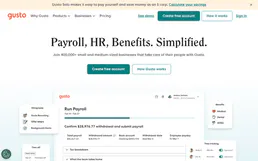
Gusto
Manage employees, run payroll, view benefits and time-off policies — HR automation for AI agents.
Lattice
Retrieve HR employees, goals, feedback, and reviews directly from Lattice.
You might also like
Pixazo 3D
Generate production-quality 3D models via Pixazo — convert images and text to 3D assets with Hunyuan, Hyper3D, Tripo, and Trellis from any AI agent.
7digital
Search music catalog — find artists, albums, tracks with previews and purchase options worldwide.

J&T Express Malaysia
Orchestrate J&T Express Malaysia logistics — track parcels, manage orders, and calculate shipping directly from any AI agent.