
Style3D MCP. Manage the full lifecycle: Fabrics → Garments → Renders.
 Gemini
 Works with every AI agent you already use
…and any MCP-compatible client









Just plug in your AI agents and start using Vinkius.
Style3D connects your AI agent directly to a full digital fashion pipeline. You manage 3D assets, browse entire garment libraries, check material properties (like fabric simulation data), and trigger high-quality cloud renders—all through natural conversation.
It handles every step from project planning to visualization without you leaving the chat.
What your AI agents can do
Get fabric
Retrieves detailed specifications for a single fabric ID.
Get garment
Pulls specific details about one garment, including its current project association.
Get project
Gets all metadata for a single 3D design project by ID.
Retrieves metadata for all 3D design projects, letting you audit project status and asset ownership.
Accesses the fabric database to get detailed specifications and physical simulation properties of any textile.
Retrieves specific details about a garment, including its assigned fabrics, size runs, and status within a project.
Lists all 3D asset files associated with a given project ID for review or retrieval.
Triggers the cloud rendering service to generate high-quality, final images of selected garments.
Ask AI about this MCP
Supported MCP Clients
Gemini Waiting for input…
Style3D MCP Server: 9 Tools for Digital Fashion Workflow
Use these tools to query specific data points—like fabric specs or project IDs—and execute complex actions, such as triggering high-quality renders.
019d8486get fabric
Retrieves detailed specifications for a single fabric ID.
019d8486get garment
Pulls specific details about one garment, including its current project association.
019d8486get project
Gets all metadata for a single 3D design project by ID.
019d8486list assets
Lists every available 3D asset file associated with a given project.
019d8486list fabrics
Retrieves an inventory of all fabrics currently in the system's database.
019d8486list garments
Lists every garment within a specific project or collection.
019d8486list projects
Retrieves an overview of all 3D design projects maintained in the system.
019d8486list styles
Lists available saved style presets and configuration groups for designers to reference.
019d8486render garment
Sends a request to generate a final, high-resolution visualization of a specific garment.
Choose How to Get Started
Build a custom MCP for your own tools, or connect a ready-made integration from our catalog.
Build Your Own
Turn any API into an MCP. Import a spec, define Agent Skills, or deploy with MCPFusion.
- Import from OpenAPI, Swagger, or YAML specs
- Create Agent Skills with progressive disclosure
- Deploy to edge with MCPFusion framework
- Built in DLP, auth, and compliance on every call
- Real time usage dashboard and cost metering
- Publish to catalog or keep private
Make Your AI Do More
Start with Style3D, then connect any of our 4,700+ other servers whenever your AI needs more. One click, no limits.
- Use this MCP plus 4,700+ others, all in one place
- Add new capabilities to your AI anytime you want
- Every connection is secured and compliant automatically
- Track usage and costs across all your servers
- Works with Claude, ChatGPT, Cursor, and more
- New servers added to the catalog every week
What you can do with this MCP connector
Style3D connects your AI agent directly to a full digital fashion pipeline. You manage 3D assets, check material properties, browse entire garment libraries, and trigger high-quality cloud renders—all through natural conversation with your client.
You're not juggling PLM software, asset trackers, and rendering engines anymore. Your agent uses specific tools like list_projects or get_fabric to pull up all the necessary data (metadata, material specs, 3D file info) and execute complex tasks. It handles everything from planning a collection to generating final visualizations without you leaving the chat.
Managing Projects and Scope
You start by getting an overview of every design project using list_projects, which shows all maintained 3D designs in the system. You can then pull specific metadata for any single project with get_project. These tools let you audit project status, track asset ownership, and understand what's associated with a given ID.
Inventorying Materials and Styles
Need to check the fabrics? Use list_fabrics to get an inventory of every textile in the database. For deep details on any single material, call get_fabric; this returns detailed specifications and physical simulation properties for that fabric ID.
The server also keeps track of design presets. You can use list_styles to reference available saved style configurations, ensuring consistency across your lines.
Browsing Garments and Assets
You can list every garment within a specific project or collection using list_garments. To get all the nuts and bolts on one piece, call get_garment; this pulls up details including its assigned fabrics, size runs, and current status within your active projects. The system knows exactly which 3D asset files are tied to a given job; you can review them using list_assets with a specific project ID.
Generating Visualizations
When the design is locked down, it's time for renders. You trigger the cloud rendering service to generate high-quality final images of selected garments by running the render_garment tool. This sends the request and delivers the completed visualization directly through your agent chat.
How Style3D MCP Works
- 1 Subscribe to the Style3D server and get your Enterprise API key from Style3D.
- 2 Input the API credentials into your preferred AI client (Claude, Cursor, etc.).
- 3 Ask a natural language question, like "What fabrics are available for Project Zenith?" The agent selects and runs
list_fabrics.
The bottom line is that you use conversation to run complex design tasks that usually require multiple apps and manual data entry.
Who Is Style3D MCP For?
Fashion designers who get bogged down switching between PLM software, asset libraries, and rendering tools. Technical designers who need precise material properties without opening a separate database viewer. Production managers who just want one place to check if a project is stalled or needs a render job.
Checks garment libraries and triggers renders instantly. Needs to iterate on designs fast, asking the agent for variations or visual checks.
Queries fabric details using get_fabric to confirm weave structure or physical simulation parameters before committing a material choice.
Tracks project status and asset readiness by calling list_projects and checking if all necessary assets are accounted for.
What Changes When You Connect
- Centralized Project Status: Use
list_projectsto get a high-level overview of every active design project. You don't need to log into multiple PLM dashboards just to see if all assets are finalized. - Deep Material Inspection: Instead of guessing, run
get_fabricto check precise physical simulation properties. This is crucial for technical designers who know that fabric weight matters as much as color. - One-Shot Visualization: Trigger renders with
render_garment. You don't have to export a model and upload it elsewhere; you just ask the agent, and it handles the cloud processing. - Guided Asset Discovery: If you're unsure which assets belong where, use
list_assetsafter specifying the project ID. It pulls up every 3D file associated with that collection. - Comprehensive Lookups: You can list all available items (
list_garments,list_fabrics) and then drill down on one specific item using its unique ID (get_garment).
Real-World Use Cases
Checking Material Compatibility
A technical designer needs to see if a new, heavy-weight fabric works with an existing garment silhouette. They ask the agent: 'What are the properties of Fabric X, and does it work for the Autumn Blazer?' The agent runs get_fabric first, then cross-references that data against the blazer's profile using get_garment, giving a single pass/fail answer.
Audit an Entire Collection
A production manager needs to verify if all 12 garments in the 'Spring Collection' are ready for final photography. They prompt: 'List all assets and check the render status for Spring Collection.' The agent runs list_garments then list_assets, compiling a comprehensive readiness report.
Drafting a New Style Line
A designer has finished Project Beta and needs to visualize the final pieces. They prompt: 'Render the silk blouse using the linen fabric.' The agent uses get_garment to confirm the asset ID, then calls render_garment, delivering the final visual output directly.
Finding Design Limitations
A new designer is stuck on a style choice. They ask: 'What are our established design constraints?' The agent runs list_styles and provides access to saved, pre-vetted configuration presets, stopping them from wasting time on non-approved designs.
The Tradeoffs
Manual ID Searching
Having to manually open the project dashboard, scroll through dozens of files, find a specific SKU (e.g., 'Linen Trouser v3'), and copy its ID just to check its details.
→
Instead, ask your agent: 'What are the details for the Linen Trouser in Project Beta?' The system runs get_garment directly using natural language context, eliminating manual lookups.
Sequential Data Fetching
First querying all fabrics with list_fabrics, then opening a second tab to run get_project to see which project uses that fabric, and finally running a third call.
→ Ask the agent: 'Show me all garments in Project Alpha that use any material listed in the Spring Collection.' The server handles the complex cross-referencing logic for you.
Over-relying on One View
Only looking at list_garments and thinking they know everything. You miss out on critical metadata about rendering readiness or assigned assets.
→
Always cross-reference by asking: 'For the Cotton Dress, what are its current assets and render status?' This forces the agent to use both get_garment and list_assets.
When It Fits, When It Doesn't
Use this server if your workflow requires deep interconnection between distinct creative phases—specifically, when checking a material (Fabric) must inform the details of an item (Garment), which then needs to be tracked within a Project. You need the ability to generate final outputs like renders based on live asset data.
Don't use this if you only need basic CRUD operations against one isolated database, or if your primary goal is general CRM/marketing tasks. For example, if you just need to send an email or manage customer accounts, a messaging or sales tool will work better. This server handles the design lifecycle; it doesn't handle billing or shipping.
If you are unsure, try combining tools. Ask: 'List all projects and check which ones have assets needing renders.' That single prompt guides the agent to use list_projects, then call list_assets and finally initiate render_garment checks.
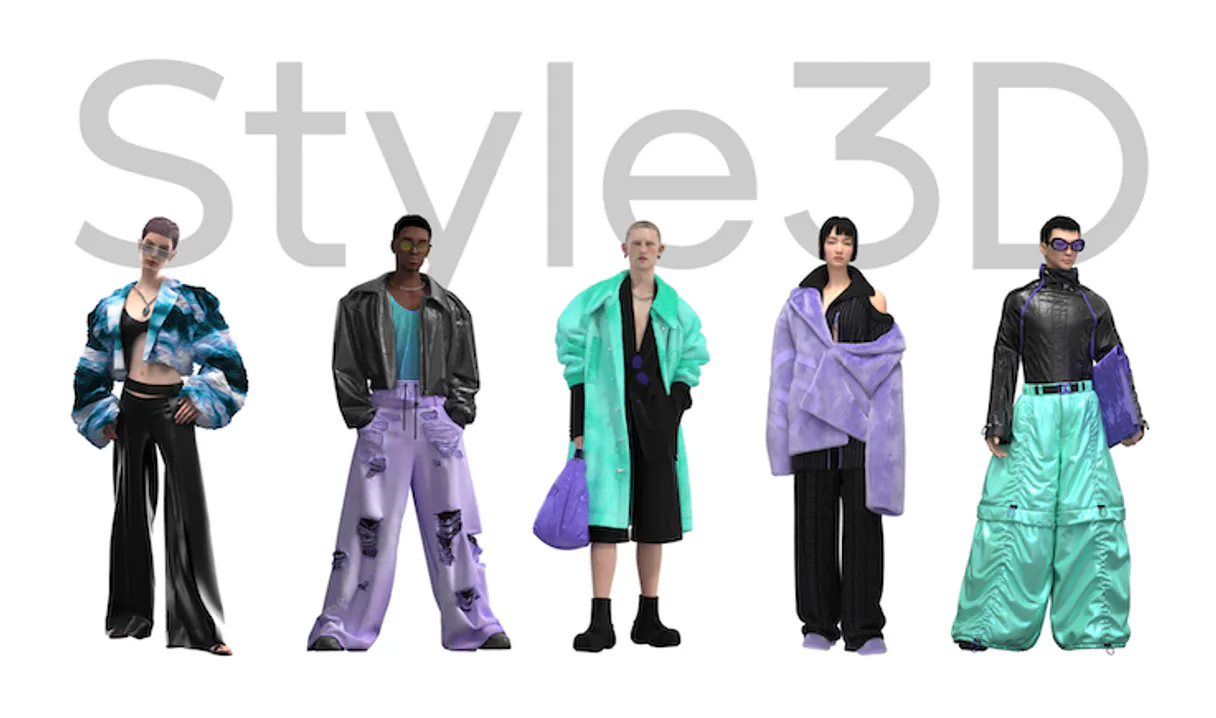
Independent Platform Disclaimer: Vinkius is an independent platform and is not affiliated with, endorsed by, sponsored by, verified by, or otherwise authorized by Style3D. All third-party trademarks, logos, and brand names are the property of their respective owners. Their use on this website is strictly for informational purposes to identify service compatibility and interoperability.
VINKIUS INFRASTRUCTURE
Cloud Hosted
Managed infra
V8 Isolated
Sandboxed per request
Zero-Trust Proxy
No stored credentials
DLP Enforced
Policy on every call
GDPR Compliant
EU data residency
Token Compression
~60% cost reduction
Works with Claude, ChatGPT, Cursor, and more
The Model Context Protocol standardizes how applications expose capabilities to LLMs. Instead of operating in isolation, your AI gains direct access to external platforms, live data, and real-world actions through secure, standardized connections.
This server provides 9 capabilities that interface natively with Claude, ChatGPT, Cursor, and any MCP client. No middleware. No custom integration required.
Available Capabilities
Manually checking asset readiness shouldn't require jumping between three different software tabs.
Today, to check if a new garment is ready for final review, you have to do a multi-step dance. You start in the Project Management system to find the main project ID. Then, you switch over to the Garment Library using that ID to get the SKU. Finally, you open the Asset Tracker and manually search for the corresponding 3D file ID. Any mistake—a wrong click, an old ID—and your whole workflow stalls.
With this MCP server, you just tell your agent: 'Check if the Spring Blazer is ready.' It runs `get_garment` to pull the SKU, checks it against `list_assets`, and verifies its render status. You get a definitive answer in one prompt. The clicks are gone.
Using Style3D with `render_garment` delivers finished visuals from chat.
The old process for getting a visualization was brutal: You'd get the best 3D model export, upload it to a separate rendering service (like KeyShot or an internal renderer), wait hours, and then download massive image files. It was siloed, slow, and required specialized technical know-how just to see a final picture.
Now, you ask for it via the agent: 'Render the finished garment.' The server runs `render_garment`, manages the cloud queue, and returns the high-quality visualization directly into your chat interface. It's instant feedback on complex work.
Common Questions About Style3D MCP
How do I find out what fabrics are available using list_fabrics? +
You ask the agent to run list_fabrics. This gives you a full inventory, including unique fabric IDs and basic details. You then use get_fabric with a specific ID if you need deep specs like weave count or simulation properties.
Can I check project status using get_project? +
Yes. Use get_project by providing the unique Project ID. This returns all metadata—asset counts, owner IDs, and last modification dates—allowing you to audit its current state in one go.
How do I see every garment in a project? list_garments? +
Simply ask the agent to run list_garments and provide the Project ID. It returns a clean list of all garments, letting you quickly identify items that might need rendering or updates.
Do I have to switch tools to render an item? render_garment? +
No. You ask the agent to run render_garment and specify the garment. The server handles the API call, cloud queue management, and status updates for you—all within your chat interface.
What if I only know the style name? list_styles? +
Use list_styles to see all saved presets. You can then reference a Style ID when asking the agent to check assets or render, ensuring consistency across your collection.
How do I use list_assets to see all 3D files and metadata within a specific project? +
It returns a comprehensive list of every file associated with the project. This includes asset names, their current revision number, and whether they are ready for rendering.
What happens if I use get_fabric but provide an inactive or non-existent fabric ID? +
The tool returns a specific error code detailing the invalid request. You must verify that the Fabric ID is active and properly linked to your project before querying.
When I call get_garment, what key technical specifications should I expect in the output? +
You receive detailed metadata for the garment, including assigned fabric IDs, fit notes, construction measurements, and its current status within the design pipeline.
Can I trigger garment renders directly? +
Yes! The render_garment tool lets you trigger high-quality cloud renders for any garment in your library. Results are returned as downloadable image URLs.
Use it with your favorite AI tools
Connect this server to Cursor, Claude, VS Code, and more.
More in this category

Pexels Alternative
Search and retrieve high-quality royalty-free photos and videos from Pexels directly within your AI agent.

Abyssale
Automated creative production — generate dynamic images, banners, and personalized visuals via AI.

Photoroom
Remove backgrounds, retouch product photos, and generate studio-quality images with AI editing tools built for e-commerce.
You might also like
Halo Security
Automate attack surface management via Halo Security — monitor assets, scans, and vulnerabilities directly from any AI agent.

Mobile Action
All-in-one app marketing intelligence via Mobile Action — track ASO, keywords, and ad creatives directly from your AI agent.

Steam
Access game data, player profiles, and community content from the world largest PC gaming platform and digital storefront.