
Halo Security MCP. Assess your attack surface from conversation.
 Gemini
 Works with every AI agent you already use
…and any MCP-compatible client









Just plug in your AI agents and start using Vinkius.
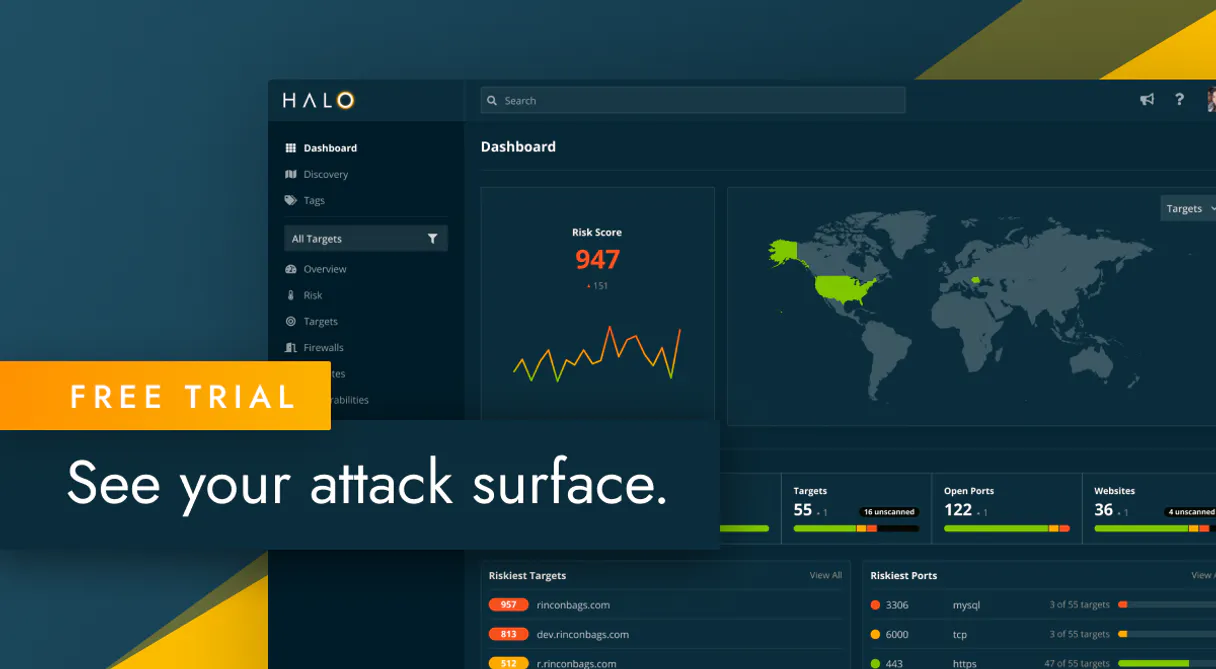
Halo Security. Automate attack surface management and vulnerability assessment from any AI agent. This server lets your agent list assets, check open ports, find expired certificates, and trigger scans across your entire network perimeter.
It turns manual, multi-dashboard security audits into natural conversation with a dedicated security analyst.
What your AI agents can do
Add target
Adds a specific domain, IP, or application to the list of monitored security targets.
Get issue
Pulls detailed information for one specific security finding or vulnerability.
Get security risk
Retrieves the overall security risk score and tracks historical risk trends for the organization.
Add new targets (IPs, domains, apps) to your security scope or list all existing monitored assets using add_target and list_targets.
List all discovered security issues (list_issues) or get deep details on a single finding using get_issue.
List all open ports (list_open_ports), check for expiring SSL/TLS certificates (list_certificates), and find detected technologies (list_technologies).
Start new security assessments (trigger_scan) and review the history of all past scans (list_scans).
Get a holistic view of your security risk score and track how your overall security posture changes over time using get_security_risk.
List DNS records (list_dns_records) and identify all open ports across defined targets.
Ask AI about this MCP
Supported MCP Clients
Gemini Waiting for input…
Halo Security MCP Server: 11 Tools for Threat Monitoring
Use these 11 tools to define scope, enumerate open ports, check for vulnerabilities, and track security risk across your entire infrastructure.
019d75adadd target
Adds a specific domain, IP, or application to the list of monitored security targets.
019d75adget issue
Pulls detailed information for one specific security finding or vulnerability.
019d75adget security risk
Retrieves the overall security risk score and tracks historical risk trends for the organization.
019d75adlist certificates
Lists all SSL/TLS certificates associated with monitored targets and reports their status (e.g., expiration).
019d75adlist dns records
Retrieves all DNS records found for the targets currently being monitored.
019d75adlist issues
Lists all current security vulnerabilities and discovered issues across the entire defined scope.
019d75adlist open ports
Shows a list of all open network ports discovered on the monitored assets.
019d75adlist scans
Provides the history and status of all previously run security assessments.
019d75adlist targets
Lists every domain, IP, or application that is currently defined as a monitored asset.
019d75adlist technologies
Identifies and lists all detected software and libraries running on the monitored targets.
019d75adtrigger scan
Starts a brand new, on-demand security scan for a specified target.
Choose How to Get Started
Build a custom MCP for your own tools, or connect a ready-made integration from our catalog.
Build Your Own
Turn any API into an MCP. Import a spec, define Agent Skills, or deploy with MCPFusion.
- Import from OpenAPI, Swagger, or YAML specs
- Create Agent Skills with progressive disclosure
- Deploy to edge with MCPFusion framework
- Built in DLP, auth, and compliance on every call
- Real time usage dashboard and cost metering
- Publish to catalog or keep private
Make Your AI Do More
Start with Halo Security, then connect any of our 4,700+ other servers whenever your AI needs more. One click, no limits.
- Use this MCP plus 4,700+ others, all in one place
- Add new capabilities to your AI anytime you want
- Every connection is secured and compliant automatically
- Track usage and costs across all your servers
- Works with Claude, ChatGPT, Cursor, and more
- New servers added to the catalog every week
What you can do with this MCP connector
Halo Security MCP Server lets your agent manage your attack surface and run vulnerability assessments right through conversation. You don't have to export reports anymore; you just ask your agent questions, and it pulls the data straight from Halo Security. You can treat your AI client like a dedicated security analyst.
Define and Expand Assets: You use add_target to add a specific domain, IP, or application to your monitored list. You can see every asset you're tracking with list_targets.
Examine Vulnerabilities: You can pull a list of all current security issues using list_issues, or you can get the deep details on one specific finding with get_issue.
Assess Infrastructure Details: You check all open network ports with list_open_ports, and you can list all SSL/TLS certificates associated with your targets using list_certificates to check their expiration status. You also find detected software and libraries running on your assets using list_technologies.
Map Network Data: You pull all DNS records found for your targets with list_dns_records.
Run and Track Scans: You start a new, on-demand security scan for a target using trigger_scan, and you can review the history and status of all past assessments with list_scans.
Gauge Overall Risk: You get a holistic view of your security risk score and track how your overall security posture changes over time using get_security_risk.
How Halo Security MCP Works
- 1 Subscribe to the Halo Security server and enter your API Key.
- 2 Your AI agent uses the tools to define the scope by calling
list_targetsoradd_target. - 3 The agent then executes checks—like
list_open_portsorlist_issues—and presents the findings directly in the chat.
The bottom line is you manage security posture by asking the AI agent questions, rather than navigating dashboards and exporting CSVs.
Who Is Halo Security MCP For?
Security Engineers, DevSecOps Teams, and CISOs. This is for anyone who needs to move faster than a manual audit. If you spend time clicking through dashboards just to compile a risk report, this server saves your afternoon.
Uses the agent to instantly list asset lists (list_targets) and pull vulnerability details (get_issue) during a rapid triage.
Automates the process of triggering scans (trigger_scan) and monitoring security issues in real-time across multiple development environments.
Maintains a high-level overview of the organization's attack surface and tracks risk scores (get_security_risk) without needing technical deep dives.
What Changes When You Connect
- Stop manually exporting reports. When you ask the agent to
list_issues, it gathers and presents all vulnerabilities immediately. You don't waste time cross-referencing CSVs. - Define your scope instantly. Use
list_targetsto see what's monitored, oradd_targetto pull in a new domain or IP without changing any dashboard settings. - See your risk score change in real time. Running
get_security_riskgives you the current score and tracks trends, letting you prove risk reduction to management. - Get full infrastructure visibility. You can run
list_open_portsandlist_certificatesto instantly check for exposed services or expiring SSL keys across all assets. - Automate remediation checks. The agent handles the whole cycle: list targets, then
list_technologiesto see outdated libraries, and finallyget_issuefor details. - Manage the entire lifecycle. You can review past attempts with
list_scansand thentrigger_scana new assessment, all without leaving the chat interface.
Real-World Use Cases
Initial Scope Definition
The new team lead needs to know what assets are currently under surveillance. Instead of logging into the dashboard and clicking 'View All Assets,' they simply ask the agent to run list_targets. The agent returns a clean list of all domains and IPs, defining the perimeter immediately.
Urgent Vulnerability Triage
A critical vulnerability is reported on a known IP. The security engineer doesn't know the full impact. They ask the agent to run get_issue and list_technologies on that IP. The agent immediately identifies the specific outdated library and its severity, allowing the fix to start right away.
Compliance Audit Prep
The CISO needs proof of continuous monitoring. They ask the agent to run get_security_risk and list_certificates. The agent shows the current risk score and flags all SSL certificates that expire within the next 30 days, providing actionable data for the compliance report.
Checking for Blind Spots
Before launching a new service, the DevSecOps team wants to ensure no ports are exposed. They tell the agent to run list_open_ports and list_dns_records against the new service's domain. The agent confirms the exact ports and associated DNS records, closing potential blind spots.
The Tradeoffs
Over-relying on Dashboard Filters
Opening the Halo Security dashboard, then manually applying filters for 'High Severity' issues, then exporting the results to Excel, and finally trying to correlate the data with a separate 'Open Ports' report.
→
Instead, ask the agent to list_issues and list_open_ports together. The agent handles the filtering and correlation, presenting the merged findings in one chat response. This cuts the manual data handling time to zero.
Running Scans in Silos
Manually triggering a scan for Target A, waiting an hour, then separately checking the status via a dashboard, and finally running a different check for Target B, making the overall assessment fragmented.
→
Start by calling list_targets to confirm scope. Then, tell the agent to trigger_scan for all targets in one go. The agent manages the queue and allows you to check status using list_scans.
Ignoring the Full Attack Picture
Only checking for vulnerabilities using list_issues but forgetting to check if the target is exposed via an open port or an outdated certificate.
→
Always build scope first. Use list_targets, then run list_open_ports and list_certificates. This ensures you check the attack surface (ports/certs) before diving into the findings (list_issues).
When It Fits, When It Doesn't
Use this server if your primary bottleneck is synthesizing security data from multiple sources. This is for analysts who need to quickly correlate: What is the risk score (get_security_risk)? What is exposed (list_open_ports, list_certificates)? And what is broken (list_issues)?
Don't use this if you just need a single piece of data, like a list of domains. In that case, list_targets is enough. If you need to check compliance against a specific external standard (like PCI DSS), you'll need a dedicated compliance tool, not just this server. This tool is for operational assessment, not policy enforcement.
Independent Platform Disclaimer: Vinkius is an independent platform and is not affiliated with, endorsed by, sponsored by, verified by, or otherwise authorized by Halo Security. All third-party trademarks, logos, and brand names are the property of their respective owners. Their use on this website is strictly for informational purposes to identify service compatibility and interoperability.
VINKIUS INFRASTRUCTURE
Cloud Hosted
Managed infra
V8 Isolated
Sandboxed per request
Zero-Trust Proxy
No stored credentials
DLP Enforced
Policy on every call
GDPR Compliant
EU data residency
Token Compression
~60% cost reduction
Works with Claude, ChatGPT, Cursor, and more
The Model Context Protocol standardizes how applications expose capabilities to LLMs. Instead of operating in isolation, your AI gains direct access to external platforms, live data, and real-world actions through secure, standardized connections.
This server provides 11 capabilities that interface natively with Claude, ChatGPT, Cursor, and any MCP client. No middleware. No custom integration required.
Available Capabilities
Gathering a complete security picture is a nightmare of tabs and filters.
Today, checking your security posture means opening five different dashboards. You click on 'Assets,' copy the list. You open 'Vulnerabilities,' filter by 'High Severity,' and copy those IDs. Then you have to switch tabs to check 'Open Ports' to see if those vulnerable assets are actually exposed on the internet. You spend half your morning just copying and pasting data.
With the Halo Security MCP Server, you just talk to your agent. You say, 'Show me all high-severity issues and the open ports for these assets.' The agent runs `list_issues` and `list_open_ports` and gives you a single, correlated answer. It’s done.
Halo Security MCP Server: See your full network state.
Forget manually checking certificate expiry dates or running discovery scans. The agent can run `list_certificates` to check expiry dates and `list_technologies` to identify running software—all in one flow. This used to take an hour of manual investigation.
Now you get the full picture instantly. The agent connects the dots between the asset, the exposed port, the outdated technology, and the risk score. It’s that simple.
Common Questions About Halo Security MCP
How do I find all vulnerabilities using the `list_issues` tool? +
Use list_issues to pull a comprehensive list of all current security findings. This tool shows vulnerabilities across your entire defined scope, giving you a single source of truth for remediation efforts.
Can I check for expired SSL certificates using `list_certificates`? +
Yes, list_certificates checks all monitored targets for SSL/TLS certificates and reports their current status, making it easy to spot which ones are expiring soon.
Does `list_targets` only show domains? +
No, list_targets lists all monitored assets, including domains, IPs, and applications, ensuring you account for every part of your defined security perimeter.
How do I run a new scan using `trigger_scan`? +
You initiate a new security assessment by calling trigger_scan, specifying the target ID. The agent successfully requests the scan and provides instructions on how to check the progress using list_scans.
What is the difference between `list_issues` and `get_issue`? +
Use list_issues to get an overview of every vulnerability found. Use get_issue when you need the granular, deep details about one specific finding, like the CVE ID or remediation steps.
How can I see the history of security scans using the `list_scans` tool? +
The list_scans tool retrieves a record of all past security assessments. You can filter this history by date range or target ID to track when scans ran and their initial status.
What information does `list_open_ports` provide about my assets? +
The list_open_ports tool gives you a comprehensive list of all discovered open ports across your targets. It specifies the port number and the associated protocol (TCP/UDP) for each entry.
If I need to find out what technologies are running on a target, should I use `list_technologies`? +
Yes, list_technologies is the tool for that. It lists detected software, frameworks, and libraries running on your assets. This helps you understand the full attack surface.
How do I find my Halo Security API Key? +
Log in to your Halo Security account, navigate to Account Settings and then to the API section. You will be able to generate and copy your unique API key from there.
Can I trigger a new scan through this integration? +
Yes! Use the trigger_scan tool by providing the unique target ID of the asset you want to assess. Halo Security will initiate the scan immediately.
How are security issues categorized? +
Issues are categorized by their severity (e.g., Critical, High, Medium, Low) and type (e.g., Vulnerability, Information, SSL Issue). You can use list_issues to see all findings.
Is it possible to add new domains to monitor? +
Yes, the add_target tool allows you to add new domains or IP addresses to your security perimeter directly from the AI agent.
Use it with your favorite AI tools
Connect this server to Cursor, Claude, VS Code, and more.
More in this category

Pocket Network (Decentralized RPC Nodes API)
Access decentralized RPC nodes via Pocket Network — query accounts, blocks, nodes, and relay requests to multiple blockchains.
Baota Panel / 宝塔面板 API
Leading server management panel in China — manage websites, databases, and system resources via AI.

KeyCDN (Content Delivery Network)
Manage edge caching via KeyCDN — purge zones and URLs, manage pull zones, and monitor traffic bandwidth.
You might also like
EZO Asset Intelligence
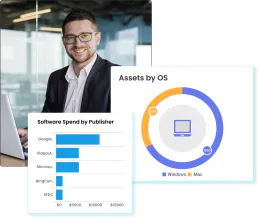
Equip your AI agent to manage fixed assets, track inventory, and monitor checkouts via the EZO.io (EZOfficeInventory) API.
Spellbook Legal AI
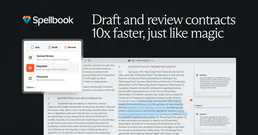
AI-powered contract drafting and review — analyze contracts, draft clauses, detect risks, and compare against 2,000+ market precedents via Spellbook.
Mercury
Bank smarter for your startup with FDIC-insured accounts, treasury management, and business banking built for tech companies.