
Sumo Logic MCP. Run complex log searches, don't click through dashboards.
 Gemini
 Works with every AI agent you already use
…and any MCP-compatible client









Just plug in your AI agents and start using Vinkius.
Sumo Logic connects your AI client to a massive log analytics platform, letting you run complex queries and track system events via natural conversation.
You can initiate deep searches (`create_search_job`), monitor data collection pipelines, check account billing details, or audit user access without ever opening a dashboard.
It's full-scale observability in one API call.
What your AI agents can do
Create search job
Starts a new job to query logs by requiring a query string, start time, and end time.
Get account billing
Pulls the current billing metrics and usage data for the account.
Get collector details
Retrieves specific configuration details for one designated log collector.
Start a complex query job against historical logs and retrieve the resulting incident data.
List all configured telemetry sources to check which systems are successfully feeding log data into Sumo Logic.
Retrieve lists of active users and security roles to verify who has permission to view specific types of logs or perform actions.
Pull current usage metrics and billing data to keep tabs on operational costs.
List configured external endpoints to verify where system alerts are being sent (e.g., Slack, PagerDuty).
Ask AI about this MCP
Supported MCP Clients
Gemini Waiting for input…
Sumo Logic MCP Server: 9 Tools for Observability
These tools let your agent query logs, check billing status, manage collectors, and audit user permissions—all from a single API interface.
019d760ecreate search job
Starts a new job to query logs by requiring a query string, start time, and end time.
019d760eget account billing
Pulls the current billing metrics and usage data for the account.
019d760eget collector details
Retrieves specific configuration details for one designated log collector.
019d760eget search results
Fetches the final set of logs after a search job has completed successfully.
019d760eget search status
Checks and reports on the progress status of an existing log search job ID.
019d760elist account roles
Returns a list of all security roles defined within the account for access control management.
019d760elist account users
Lists every registered user currently associated with the Sumo Logic account.
019d760elist active webhooks
Retrieves a list of all webhooks configured to send out alerts.
019d760elist collectors
Lists every data collector that is currently set up and monitoring the environment.
Choose How to Get Started
Build a custom MCP for your own tools, or connect a ready-made integration from our catalog.
Build Your Own
Turn any API into an MCP. Import a spec, define Agent Skills, or deploy with MCPFusion.
- Import from OpenAPI, Swagger, or YAML specs
- Create Agent Skills with progressive disclosure
- Deploy to edge with MCPFusion framework
- Built in DLP, auth, and compliance on every call
- Real time usage dashboard and cost metering
- Publish to catalog or keep private
Make Your AI Do More
Start with Sumo Logic, then connect any of our 4,700+ other servers whenever your AI needs more. One click, no limits.
- Use this MCP plus 4,700+ others, all in one place
- Add new capabilities to your AI anytime you want
- Every connection is secured and compliant automatically
- Track usage and costs across all your servers
- Works with Claude, ChatGPT, Cursor, and more
- New servers added to the catalog every week
What you can do with this MCP connector
Yo, listen up. This server connects your AI client straight into a massive log analytics platform. You don't gotta mess with dashboards or write complex queries yourself; you just talk to your agent and it does the heavy lifting for you. We’re talking deep-dive observability right through natural conversation.
When you need to dig through historical logs, you start by kicking off a job using create_search_job. You gotta feed it three things: a query string, a start time, and an end time. That gets the ball rolling. Once that search is running, you don't just wait around; you check its progress immediately with get_search_status, feeding in the job ID to see where we are.
When get_search_status tells you it's done, then and only then do you call get_search_results. That pulls down the final set of logs that match your criteria—the actual incident data you need. This cycle lets you run deep searches against historical records without ever opening a web interface.
Need to know what systems are actually talking to us? You can list every single data collector using list_collectors. That tells you which telemetry sources are set up and feeding log data into the system. If you want specifics on one of those setups, you run get_collector_details, giving it a specific collector ID so you know its exact configuration.
It's how you monitor your entire data ingestion pipeline.
Let's talk about security and access. You can get a full rundown of every user account registered in the system with list_account_users. If you need to manage who has permissions, you run list_account_roles to see all the defined security roles available for access control management. Beyond just users, if you're running alerts, you can list all active webhooks using list_active_webhooks, checking exactly where system alerts are getting sent—like Slack or PagerDuty.
For keeping tabs on costs, there’s no guesswork. You pull the current usage metrics and billing data straight up with get_account_billing. It gives you a clean view of your operational costs without leaving your chat window. These tools let you audit user access and roles, manage external alert endpoints, monitor all system feeders, and handle deep log searches—all from one API call.
You're getting full-scale observability, plain and simple.
How Sumo Logic MCP Works
- 1 Enable the Sumo Logic MCP integration module in Vinkius and authenticate using your
SUMO_ACCESS_IDandSUMO_ACCESS_KEY. - 2 Instruct your agent with a natural language request, like: 'Find all 401 errors from the last hour.'
- 3 The agent runs
create_search_job, waits for status updates viaget_search_status, and then usesget_search_resultsto return the final log data.
The bottom line is, your AI client treats the entire log platform like a single API, letting you query complex systems without needing dozens of manual UI clicks.
Who Is Sumo Logic MCP For?
This is for the Site Reliability Engineer who gets pulled into debugging production outages at 2 AM. It's for the SecOps Analyst running compliance audits, and the DevOps engineer sick of jumping between Kibana, Jira, and dedicated monitoring dashboards just to find one error message. You need centralized log visibility and instant query execution.
Checks data ingest loads by running list_collectors and validating webhook configurations using list_active_webhooks to ensure the platform stays up.
Runs deep log searches (create_search_job) to trace suspicious login activity or access control failures, acting independently of web consoles.
Validates operational compliance by checking user roles with list_account_roles and debugging specific incidents using the log search tools.
What Changes When You Connect
- Saves time debugging. Instead of opening five tabs to check logs and billing, your agent runs
create_search_joband aggregates the answer for you. - Maintains security compliance effortlessly. You can instantly audit access using
list_account_usersor check which teams have what permissions vialist_account_roles. - Tracks data pipelines in real-time. Use
list_collectorsto see every source feeding logs, andget_collector_detailsif you suspect a specific pipeline is failing. - Manages alerts without leaving your chat. See where critical notifications are going by running
list_active_webhooks, ensuring no alert gets dropped. - Handles massive data volume efficiently. The search workflow—from
create_search_jobtoget_search_results—is managed asynchronously, so you don't wait for a single dashboard to load.
Real-World Use Cases
Investigating an unauthorized access attempt
A user reports weird activity. You ask your agent to run create_search_job on '401' or 'unauthorized'. The agent tracks the status with get_search_status, and when done, it pulls the exact log details using get_search_results, identifying the IP and time of breach—all without leaving the chat.
Checking if a new sensor is sending data
A team member installs a new logging endpoint. You use your agent to run list_collectors to confirm the source exists, then call get_collector_details to verify its configuration and make sure it's active.
Auditing account usage for cost control
The CFO asks about last month’s spending. You run get_account_billing, instantly pulling the metrics needed to justify cloud spend, rather than waiting for a manual report from an admin.
Onboarding a new team member
You need to know who can access what. Your agent runs list_account_users and then checks the permissions structure using list_account_roles, giving you a complete picture of the account's security posture.
The Tradeoffs
Dashboard hopping
You manually open the logs dashboard, run search A. Then, to check billing, you have to navigate to the 'Billing' tab and enter your credentials again.
→
Keep it in the chat. Tell your agent: 'Check account usage, then run a log search for errors.' The agent uses get_account_billing and create_search_job sequentially, keeping you focused on the answer.
Assuming data flow is manual
You think setting up an alert means manually configuring it in multiple places. You miss a step, and the webhook fails silently.
→
Ask your agent to run list_active_webhooks. It gives you a definitive list of every configured endpoint, so you know exactly where alerts are going.
Waiting for asynchronous results
You trigger a massive query and then sit there staring at a loading spinner until it finally fails or completes.
→
Let the agent manage the wait. It runs create_search_job, polls the status using get_search_status in the background, and only calls get_search_results when the data is confirmed ready.
When It Fits, When It Doesn't
Use this MCP Server if your primary pain point is data retrieval. Specifically, if you need to query massive datasets (logs), check account boundaries (users/roles), or monitor infrastructure health through APIs. If you are debugging an incident, checking compliance logs, or analyzing usage trends, this is the right tool.
Don't use it if all you want is a simple graph showing CPU temperature over time for one machine. For that, a dedicated monitoring dashboard (like Grafana) works better because you need real-time visualization, not just historical log data. This server excels at structured queries and auditing, which are fundamentally different from continuous metric streaming.

Independent Platform Disclaimer: Vinkius is an independent platform and is not affiliated with, endorsed by, sponsored by, verified by, or otherwise authorized by Sumo Logic. All third-party trademarks, logos, and brand names are the property of their respective owners. Their use on this website is strictly for informational purposes to identify service compatibility and interoperability.
VINKIUS INFRASTRUCTURE
Cloud Hosted
Managed infra
V8 Isolated
Sandboxed per request
Zero-Trust Proxy
No stored credentials
DLP Enforced
Policy on every call
GDPR Compliant
EU data residency
Token Compression
~60% cost reduction
Works with Claude, ChatGPT, Cursor, and more
The Model Context Protocol standardizes how applications expose capabilities to LLMs. Instead of operating in isolation, your AI gains direct access to external platforms, live data, and real-world actions through secure, standardized connections.
This server provides 9 capabilities that interface natively with Claude, ChatGPT, Cursor, and any MCP client. No middleware. No custom integration required.
Available Capabilities
Finding the root cause of an outage shouldn't mean clicking through six dashboards.
Today, if a service fails, you start by opening your log dashboard. Then, you realize you need to check user access logs, so you open a second tab and run another query. Next, you jump over to the billing portal just to see if rate limits were hit. You spend 20 minutes copy-pasting IDs and switching context between three different UIs.
With this MCP server, your AI client handles it all in one conversation. Just tell it: 'Figure out why API calls failed last night.' It runs `create_search_job` on the logs, checks the account status with `get_account_billing`, and summarizes everything back to you—no switching tabs required.
Sumo Logic MCP Server: Use list_collectors and get_collector_details.
Manual data ingestion checking means logging into the platform's settings, navigating to 'Data Sources,' and clicking on each collector one by one. If you miss a single source or if the status isn't clear, your investigation is incomplete and prone to failure.
The agent handles this automatically. Running `list_collectors` gives you a clean list of everything connected. You then use `get_collector_details` on demand to verify configurations. The process is systematic, repeatable, and takes seconds.
Common Questions About Sumo Logic MCP
How do I check if my log search job finished using get_search_status? +
You use get_search_status with the Job ID returned by create_search_job. This tool tells you if the query is still running, failed, or ready to be read. It's essential for managing long-running searches.
Can I use list_account_roles to see who can access sensitive logs? +
Yes. list_account_roles shows all defined security roles. By comparing these roles against the necessary permissions, your agent helps you confirm if a user has the right level of access.
What is the best way to check my current spending limits with get_account_billing? +
Just prompt your AI client to run get_account_billing. It pulls up the most recent usage metrics and billing data, giving you an immediate view of where your consumption stands.
Do I need to manually check every web hook with list_active_webhooks? +
No. You simply ask the agent to run list_active_webhooks. It compiles a clean, current list of all external alert endpoints and their statuses for you.
How does `list_collectors` help me verify that a new data source is properly sending logs? +
It lists all configured collectors in your account. You check the status field returned for each collector to confirm it's active and ingesting data. If a collector shows 'inactive' or an error code, you know where to look before running complex searches.
If I run a query using `create_search_job` that has bad syntax, how does the system report the failure? +
The API returns an immediate validation error message detailing the specific syntax issue. It prevents job creation entirely and points to the exact location in your query string where you need to make changes.
When I use `list_account_users`, what details do I get about each user's account status? +
The tool provides more than just names; it gives the primary email, associated internal team, and current operational role for every registered user. This helps you cross-reference who should have access to specific logs.
What's the best way to handle huge datasets when fetching results with `get_search_results`? +
The function processes data in defined chunks, and the response will include pagination markers. You must iterate through these pages using the provided offset or next page token until all records are retrieved.
How does the AI handle asynchronous search jobs properly since large logs take time natively? +
The integration specifically manages this asynchronously. The AI invokes create_search_job effectively obtaining a unique job tracking ID. It autonomously utilizes get_search_status routinely actively safely until the task reports resolution, seamlessly proceeding afterwards intelligently triggering get_search_results natively securely.
Can this integration edit user parameters, manage collectors fundamentally, or delete billing records? +
No, this module functions predominantly securely executing read-only investigations or orchestrating transient analytical read capabilities (creates logically secure temporal jobs). Destructive modifications fundamentally affecting users, collectors realistically securely actively explicitly structurally are avoided completely securely internally naturally globally by architectural design.
Which log sources can the AI query through this integration? +
Any source ingested by your Sumo Logic collectors — application logs, infrastructure metrics, cloud audit trails, and custom HTTP sources. The AI queries them all through the unified search API.
Use it with your favorite AI tools
Connect this server to Cursor, Claude, VS Code, and more.
More in this category
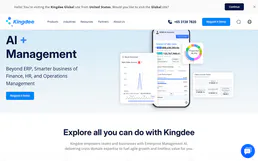
Kingdee / 金蝶
Comprehensive enterprise ERP platform — manage materials, customers, and business flows via AI.

Google Cloud Storage Bucket
This MCP does exactly one thing: it manages files in a single Google Cloud Storage Bucket. That's its only function, and nothing else. Incredible for giving your AI secure file storage.

Azure Service Bus Queue
This MCP does exactly one thing: it pulls and acknowledges messages from a single Azure Service Bus Queue. That's its only function, and nothing else. Incredible for building secure AI workers.
You might also like

Nuclino
Equip your AI agent with full read/write access to your Nuclino workspaces, teams, and items — the unified tool for knowledge, docs, and projects.

Files.com Alternative
Securely manage Files.com storage, users, and permissions. List folders, move files, and automate workflows through natural language.
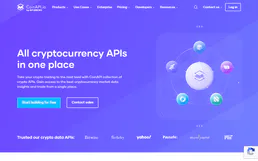
CoinAPI
Unified cryptocurrency data platform — access market data across hundreds of exchanges via AI.