
Pipedrive Mail MCP. Manage deal comms and history in one chat window.
 Gemini
 Works with every AI agent you already use
…and any MCP-compatible client









Just plug in your AI agents and start using Vinkius.
Pipedrive Mail lets your AI agent read, list, and process entire email threads directly linked to deals within Pipedrive CRM.
Instead of switching tabs or copying data into a chat window, you manage all sales communication—notes, contacts, deal status, and message history—all through conversation.
What your AI agents can do
Pd deal mail
Links specific email communications to a deal record in Pipedrive.
Pd get mail messages
Retrieves the body and metadata for multiple individual messages within a thread ID.
Pd get mail thread
Pulls all details, including message sequence and replies, for an entire email conversation thread.
Use pd_list_mail_threads to pull a list of all email threads associated with a specific deal ID.
Pull the complete conversation history, including replies and forwards, for one thread using pd_get_mail_thread.
Fetch a list of individual messages within a given mail thread ID via pd_get_mail_messages.
Use pd_deal_mail to connect specific email records or threads directly to a deal record in the CRM.
Ask AI about this MCP
Supported MCP Clients
Gemini Waiting for input…
Pipedrive Mail MCP Server: 4 Tools for Communication Tracking
Use these four tools to manage every aspect of a sales communication thread—from listing all conversations to retrieving individual messages and linking them directly to deals.
019d75f4pd deal mail
Links specific email communications to a deal record in Pipedrive.
019d75f4pd get mail messages
Retrieves the body and metadata for multiple individual messages within a thread ID.
019d75f4pd get mail thread
Pulls all details, including message sequence and replies, for an entire email conversation thread.
019d75f4pd list mail threads
Returns a list of unique mail threads associated with deals or contacts.
Choose How to Get Started
Build a custom MCP for your own tools, or connect a ready-made integration from our catalog.
Build Your Own
Turn any API into an MCP. Import a spec, define Agent Skills, or deploy with MCPFusion.
- Import from OpenAPI, Swagger, or YAML specs
- Create Agent Skills with progressive disclosure
- Deploy to edge with MCPFusion framework
- Built in DLP, auth, and compliance on every call
- Real time usage dashboard and cost metering
- Publish to catalog or keep private
Make Your AI Do More
Start with Pipedrive Mail, then connect any of our 4,700+ other servers whenever your AI needs more. One click, no limits.
- Use this MCP plus 4,700+ others, all in one place
- Add new capabilities to your AI anytime you want
- Every connection is secured and compliant automatically
- Track usage and costs across all your servers
- Works with Claude, ChatGPT, Cursor, and more
- New servers added to the catalog every week
What you can do with this MCP connector
Listen up. This isn't just another API connection; this is how you stop wasting time clicking between tabs when you’re managing deals in Pipedrive. You connect your AI agent, and it treats all your sales communication—the whole messy thread of emails—as one live context right inside the chat client. You don't have to copy and paste anything anymore.
The entire system revolves around keeping every piece of correspondence linked directly to a specific deal record. It starts with finding what you need. When you want to know what communications exist for a particular opportunity, your agent uses pd_list_mail_threads. This tool pulls a complete list of unique mail threads tied to deals or contacts, giving you an immediate overview of the history without you having to guess which thread is relevant.
Once you've identified the right conversation, pulling its full context is simple. To get all the details—the entire back-and-forth, including replies and forwards—your agent calls pd_get_mail_thread. This single command pulls every bit of information for an entire email conversation thread, giving you the sequence and chronology needed to understand exactly what was said and when.
You've got the full story right there.
If you need granularity, or maybe just want to pull specific data points from that massive thread history, pd_get_mail_messages is your play. This tool retrieves a detailed list of individual messages within a given mail thread ID, fetching both the message body and all relevant metadata for each one. You get more than just text; you're pulling date stamps, sender info, and every other detail that matters.
After your agent pulls all this raw context—the full threads, the individual messages, the list of associated conversations—you need to make sure it sticks to the right record. That’s where pd_deal_mail steps in. You use this tool to connect specific email records or entire communication threads directly back to a deal record inside Pipedrive CRM.
It ensures that when your agent talks about 'the last conversation,' you know exactly which deal we're talking about.
When the AI client runs these tools, it pulls structured data—messages, metadata, dates, and thread IDs—and then presents that raw context back to you in a conversational format. You don't see code; you just see the facts. You can ask follow-up questions immediately based on that history, or prompt an action using the gathered information.
It’s about turning historical data into actionable dialogue.
Imagine this: Instead of opening Pipedrive, finding the deal, clicking 'Activity,' scrolling through emails, copying a key date, and pasting it elsewhere—your agent does all that work for you in one go. You use pd_list_mail_threads to scope out the threads associated with a contact or deal. Then, using pd_get_mail_thread, you pull the complete conversation history.
If you only need the message text and not the thread structure, you can pinpoint it using pd_get_mail_messages. Every time an email is processed, pd_deal_mail makes sure that communication is officially logged against the deal record. This whole process means your AI agent manages all sales communications—the notes, the contacts, the status updates, and the message history—all through conversation.
You stay in your chat client; you never leave it.
The combination of listing threads with pd_list_mail_threads, getting full details with pd_get_mail_thread, fetching specifics with pd_get_mail_messages, and finally linking everything with pd_deal_mail means you're dealing in one central, conversational context. You get the raw data, but your agent gives you the intelligence on top of it.
How Pipedrive Mail MCP Works
- 1 Start by calling
pd_list_mail_threadsto identify which conversation history you need (e.g., 'Show me all threads for Acme Corp'). - 2 Select a thread ID, then call
pd_get_mail_threadorpd_get_mail_messagesto pull the full message content and metadata. - 3 The agent processes this data, presenting it to you in formatted text. You can then ask follow-up questions (e.g., 'What was their pain point mentioned in the last email?').
The bottom line is that your agent establishes a dependency chain: listing threads first, then pulling specific content for analysis.
Who Is Pipedrive Mail MCP For?
Sales Reps and SDRs who are done with context switching. This is for the person whose job requires constant access to granular deal history—the one who hates opening 12 different browser tabs just to piece together a client's timeline. It’s built for speed.
Quickly creating new leads, logging initial contact activities, and finding deal context from recent email threads without leaving the chat.
Managing an active pipeline. They use this to review all communication history (pd_get_mail_thread) before a client call, ensuring they know every detail.
Getting a high-level overview of deal flow and reviewing comms attached to specific deals across the entire team's pipeline.
Building reporting workflows that require structured data pulled from both CRM records and historical email threads for compliance or analysis.
What Changes When You Connect
- Review the full context before talking to a client. By calling
pd_get_mail_thread, your agent pulls every message exchange related to a deal, so you never miss historical details or commitments. - Keep data structured without tabs. You use
pd_list_mail_threadsto see all recent activity for multiple deals at once, giving instant visibility into where the pipeline stands across several accounts. - Build records from conversations. After reviewing emails, you can ask your agent to create a new 'Call' or 'Note' activity using the deal context, logging the interaction immediately.
- Rapidly find key people. You use contact tools (available in the main CRM listing) combined with mail data to quickly identify who was on which thread and what their role is.
- Automate reporting prep. Instead of manually gathering emails for a weekly review, your agent pulls structured deal data and linked comms using
pd_deal_mail, ready for your report.
Real-World Use Cases
The SDR needs context on an old lead.
A new SDR gets a cold call from a prospect, Acme Corp. The agent uses pd_list_mail_threads to find all previous comms for Acme Corp's associated deal. It then calls pd_get_mail_thread and summarizes the key pain points mentioned weeks ago, allowing the SDR to start the conversation with relevant knowledge.
The AE needs a status update on a stalled deal.
An Account Executive reviews 'Deal X' before sending a follow-up. The agent calls pd_get_mail_messages for the last three emails, confirming that the client responded with specific objections about pricing. This detail prevents the AE from making assumptions and ensures the follow-up is targeted.
The Manager needs a full pipeline review.
A Sales Manager asks to see all 'Proposal Made' deals that have had communication in the last 7 days. The agent uses pd_list_mail_threads and filters by stage, giving the manager an immediate overview of activity volume for targeted coaching.
The RevOps needs to audit a deal record.
RevOps wants proof that all client communications are logged. They ask the agent to confirm if the final signed contract email was properly linked using pd_deal_mail and provide the full thread history via pd_get_mail_thread for compliance checks.
The Tradeoffs
Copying data from emails to notes.
Seeing a key detail in an email but then manually copying it into the 'Notes' field inside Pipedrive, which is slow and error-prone. You lose track of where the original source was.
→
Let your agent handle it. After pulling the details using pd_get_mail_thread, prompt the agent to summarize that context and create a note attached directly to the deal record in one go.
Guessing which emails are relevant.
Trying to figure out if a specific email is linked to the right deal without checking first. You waste time searching through unrelated comms, missing the critical link.
→
Always start by using pd_list_mail_threads for the target deal or contact. This guarantees you're only looking at threads relevant to that record.
Treating email data as static.
Thinking that because a thread exists, all information is current. The client might have replied off-platform, leaving the CRM context incomplete.
→
Always confirm the freshest data point by requesting the most recent messages using pd_get_mail_messages for the target time window.
When It Fits, When It Doesn't
Use this MCP Server if your primary pain point is context fragmentation—that is, when critical deal information lives in an email inbox and your sales process lives in a separate CRM. This tool lets you connect the two via conversation.
Don't use it if all your communication tracking happens within one system (e.g., only through structured platform messages). If that’s the case, a simple API connector is enough. You don't need the complexity of email thread management.
If you only need to create records and track deals without needing the historical context of the emails themselves, then the core CRM tools are sufficient. But if you need to know why a deal stalled—because the client objected to pricing mentioned in an email from three weeks ago—you need pd_get_mail_thread.
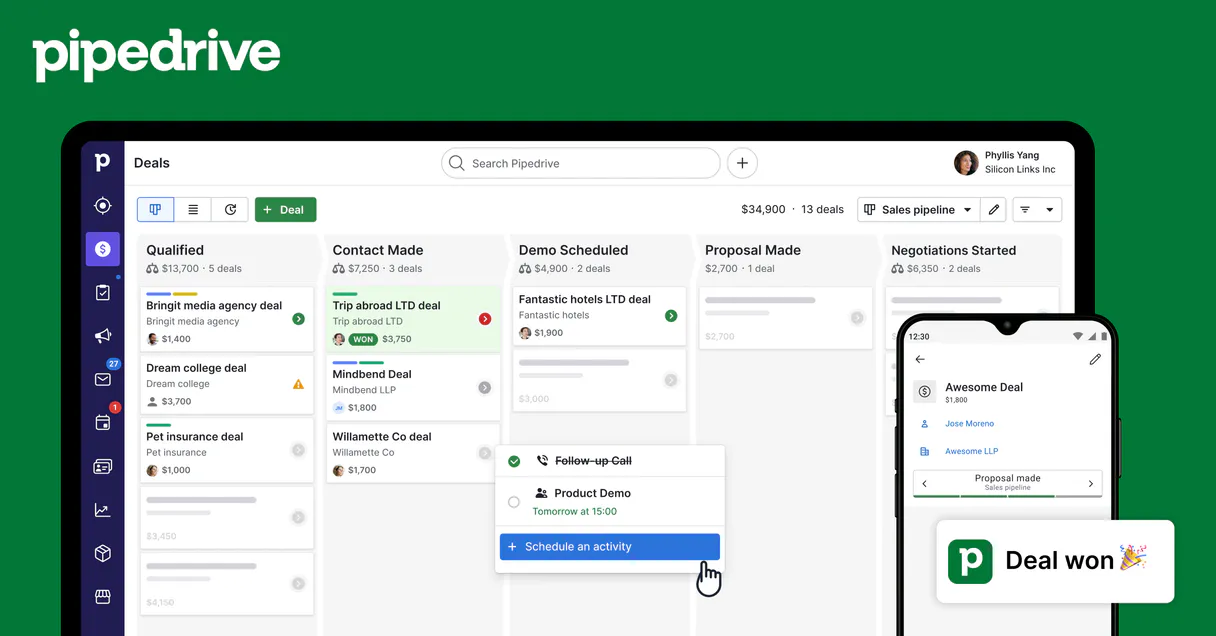
Independent Platform Disclaimer: Vinkius is an independent platform and is not affiliated with, endorsed by, sponsored by, verified by, or otherwise authorized by Pipedrive. All third-party trademarks, logos, and brand names are the property of their respective owners. Their use on this website is strictly for informational purposes to identify service compatibility and interoperability.
VINKIUS INFRASTRUCTURE
Cloud Hosted
Managed infra
V8 Isolated
Sandboxed per request
Zero-Trust Proxy
No stored credentials
DLP Enforced
Policy on every call
GDPR Compliant
EU data residency
Token Compression
~60% cost reduction
Works with Claude, ChatGPT, Cursor, and more
The Model Context Protocol standardizes how applications expose capabilities to LLMs. Instead of operating in isolation, your AI gains direct access to external platforms, live data, and real-world actions through secure, standardized connections.
This server provides 4 capabilities that interface natively with Claude, ChatGPT, Cursor, and any MCP client. No middleware. No custom integration required.
Available Capabilities
Reading through a client's history shouldn't take 15 tabs and 4 copy/pastes.
Right now, to understand a deal's status, you open the CRM. You navigate to 'Deals.' Then, in a separate tab, you open your email client. You search for the client name. You scroll through dozens of threads, copy key dates and objections into a temporary document, and finally paste that summary into your notes field. It’s slow, it's high-friction, and half the time, you miss something.
With Pipedrive Mail MCP Server, your agent does the heavy lifting. You just ask: 'What were their three biggest concerns about Deal X?' The agent executes `pd_get_mail_thread`, pulls all relevant data, synthesizes it, and gives you a clean bulleted list—all in one chat response.
Pipedrive Mail MCP Server: Get the full deal picture instantly.
The manual steps that vanish are searching multiple apps (email, CRM), manually correlating dates and names, and spending time writing up 'recap' emails to yourself. You spend valuable selling time on admin work instead of talking to people.
Now, the data is conversational. It moves from being a siloed record in an inbox to actionable context inside your chat flow. That’s the difference.
Common Questions About Pipedrive Mail MCP
How does pd_list_mail_threads work with deals? +
It lists all unique email threads associated with a deal ID or contact record. This tool gives you the IDs necessary to then pull full conversation details using pd_get_mail_thread.
Can I use pd_deal_mail to update a record? +
No, pd_deal_mail is specifically for linking emails/threads to deals. You'll need separate tools or prompts to actually update the deal status or add notes.
What’s the difference between pd_get_mail_thread and pd_get_mail_messages? +
Use pd_get_mail_thread when you want the full, chronological narrative of the conversation. Use pd_get_mail_messages when you just need a bulleted list of individual messages within that thread.
Does Pipedrive Mail support historical data? +
Yes. The tools are designed to retrieve and process message history, allowing your agent to build context from communications that happened weeks or months ago.
How do I use pd_list_mail_threads to filter results? +
You can pass specific date ranges or deal IDs when calling pd_list_mail_threads. The tool filters the list of threads based on your input parameters, allowing you to narrow down communication history quickly.
What happens if I use pd_get_mail_messages with an invalid thread ID? +
The server returns a specific error code and message detailing the invalid identifier. Your AI client catches this error, so you can easily prompt for correction or try retrieving messages from a different source.
Are there rate limits when I call pd_deal_mail repeatedly? +
Vinkius enforces standard API rate limits to ensure stability. If your agent makes too many calls in a short period, you'll receive a 429 error; simply wait a moment or implement exponential backoff in your workflow.
Does pd_get_mail_thread provide sender and recipient metadata? +
Yes, pd_get_mail_thread returns comprehensive metadata for every participant. You get the full names, email addresses, and internal Pipedrive IDs for both the sender and recipients.
What Pipedrive data can I access? +
Deals, Persons, Organizations, Activities, Notes, and Pipelines. All data respects your Pipedrive permissions.
Can I create and update records? +
Yes! Create and update deals, contacts, activities, and notes — all through natural conversation.
How does authentication work? +
Uses your personal Pipedrive API token. Find it in Settings > Personal preferences > API. No OAuth flow needed.
Use it with your favorite AI tools
Connect this server to Cursor, Claude, VS Code, and more.
More in this category

Slack
Automate Slack messaging — send messages, search conversations, list channels and users directly from any AI agent.
Freshchat
Manage customer conversations, track messages, and oversee agents via AI agents with Freshchat.
Cal.com
Manage your scheduling via Cal.com — track bookings, manage event types, and coordinate meetings directly from any AI agent.
You might also like

Lorem Picsum
Generate placeholder images and retrieve image metadata directly from your AI agent using the Lorem Picsum API.

Zoho Desk
AI-powered helpdesk: manage tickets, contacts, and support workflows via agents.
eSignly Electronic Signature
Equip your AI agent to manage e-signature documents, track templates, and monitor audit trails via the eSignly API.