
TMDb MCP. Find movie and TV show data using one conversation.
 Gemini
 Works with every AI agent you already use
…and any MCP-compatible client









Just plug in your AI agents and start using Vinkius.
The Movie Database (TMDb) MCP Server lets your AI agent search for movies, TV shows, people, and detailed metadata using established industry data.
You can find plot overviews, cast lists, trailers, top-rated content, and even filter results by genre or studio in a single chat session.
What your AI agents can do
Discover movies
Finds movies using advanced filters for genre, year, rating minimums, studios, and keywords.
Find by external id
Looks up a movie, TV show, or person by an external ID like IMDb (e.g., 'tt0137523').
Get genres
Retrieves the complete list of available genre IDs and names for filtering in other tools.
Run discover_movies to find films based on specific genres, release years, minimum ratings, or production studios.
Use find_by_external_id when you only have an IMDb ID (like 'tt0111161') and need the corresponding TMDb entry for other tools.
Get comprehensive metadata, including budget, revenue, runtime, and plot summaries, using get_movie with a specific movie ID.
Pull complete lists of actors (with characters) and film staff (directors, producers, etc.) via the get_movie_credits tool.
Ask for recommendations using get_movie_recommendations, which suggests movies based on a provided title's genre and cast.
Get real-time lists of what's hot right now by calling popular_movies, popular_tv, or trending for movies, shows, or people.
Ask AI about this MCP
Supported MCP Clients
Gemini Waiting for input…
The Movie Database (TMDb) MCP Server: 15 Tools for Media Discovery
Use these tools to search for films, get technical data, find casts, or discover what's popular right now across movies and TV shows.
019d7612discover movies
Finds movies using advanced filters for genre, year, rating minimums, studios, and keywords.
019d7612find by external id
Looks up a movie, TV show, or person by an external ID like IMDb (e.g., 'tt0137523').
019d7612get genres
Retrieves the complete list of available genre IDs and names for filtering in other tools.
019d7612get movie
Gets full metadata—overview, budget, revenue, runtime—for a movie using its specific TMDb ID.
019d7612get movie credits
Retrieves the complete cast list (with characters) and crew details for a given TMDb movie ID.
019d7612get movie recommendations
Suggests similar movies to a reference film, factoring in genre and cast patterns.
019d7612get movie videos
Accesses official trailers, teasers, and clips for a movie ID, providing YouTube links.
019d7612popular movies
Lists currently popular movies globally or by country code.
019d7612popular tv
Lists currently popular TV series and shows, including season and episode counts.
019d7612search movies
Searches for movies by title, keyword, or phrase, optionally filtering by release year.
019d7612search multi
Performs a broad search across movies, TV shows, and people using one general query string.
019d7612search tv
Searches for TV series by title or keyword, optionally filtering by first air date year.
019d7612top rated movies
Lists the highest-rated movies of all time based on user votes.
019d7612top rated tv
Lists the most critically acclaimed TV shows of all time.
019d7612trending
Shows what is currently popular—movies, TV shows, or people—for today or this week.
Choose How to Get Started
Build a custom MCP for your own tools, or connect a ready-made integration from our catalog.
Build Your Own
Turn any API into an MCP. Import a spec, define Agent Skills, or deploy with MCPFusion.
- Import from OpenAPI, Swagger, or YAML specs
- Create Agent Skills with progressive disclosure
- Deploy to edge with MCPFusion framework
- Built in DLP, auth, and compliance on every call
- Real time usage dashboard and cost metering
- Publish to catalog or keep private
Make Your AI Do More
Start with The Movie Database (TMDb), then connect any of our 4,700+ other servers whenever your AI needs more. One click, no limits.
- Use this MCP plus 4,700+ others, all in one place
- Add new capabilities to your AI anytime you want
- Every connection is secured and compliant automatically
- Track usage and costs across all your servers
- Works with Claude, ChatGPT, Cursor, and more
- New servers added to the catalog every week
What you can do with this MCP connector
This MCP Server hooks your AI client up directly to The Movie Database, giving you access to a massive library of movie, TV show, and people metadata. You don't gotta jump between half a dozen sites just to nail down some film facts; your agent handles all that heavy lifting for ya.
When you need to find something fast, your client can run search_multi to search across movies, TV shows, and people using one general query. If you're looking specifically for a title, it runs search_movies for films or search_tv for series, and both of those let you narrow the results by year when needed.
For finding out what's hot right now, you can check what’s trending using the trending tool, which pulls real-time popularity data for movies, TV shows, or people. You also get lists of currently popular films with popular_movies, or a rundown of popular TV series and shows that includes season and episode counts via popular_tv.
If you want to see what's been critically acclaimed over time, call top_rated_movies for the best films ever, or top_rated_tv for the most successful television shows.
If you know a movie or show by an outside ID—like that IMDb code starting with 'tt'—you don't need to search. Just run find_by_external_id, and your agent will grab the corresponding TMDb entry for all other tools. You can also start filtering searches using discover_movies when you know specific criteria, letting you narrow down results by genre, minimum rating, production studio, release year, or keywords.
Need to dig deep into a film? Use get_movie with the TMDb ID to pull all the metadata: the plot overview, budget figures, revenue totals, and total runtime. To map out who played what role, run get_movie_credits, which pulls the full cast list (and specifies their characters) plus every single crew member involved in making the film.
You can also ask for movie recommendations using get_movie_recommendations; it suggests similar films based on a reference title's genre and who starred in it.
To get visual assets, use get_movie_videos to access official trailers, teasers, and clips associated with the film ID, which provides YouTube links. For classification help, you can call get_genres to retrieve the complete list of available genre IDs and names, so you know exactly what filters you're working with.
When you need a broad starting point for filtering, you use discover_movies with advanced controls that let you set minimum ratings, specify studios, or target specific years. These search functions work together to give you tight control over the results. If your query is general and spans multiple types of media—like searching for 'Star Wars' whether it's a movie or a show—you use search_multi to handle the ambiguity in one go.
How TMDb MCP Works
- 1 Subscribe to the server and input your TMDb API Key. You'll need this key for all calls.
- 2 Ask your agent a natural language query (e.g., "What are the top-rated 2024 sci-fi films?").
- 3 The agent runs necessary tools, like
discover_moviesortop_rated_movies, and returns structured data with titles, IDs, and details.
The bottom line is, your AI client talks to TMDb through a single endpoint, giving you instant film knowledge without needing separate apps or database connections.
Who Is TMDb MCP For?
Content creators and media researchers. You're the person who spends hours copying movie names, cross-referencing cast lists across different databases, and manually checking trailers for a project pitch. This server lets you automate that research.
Checks get_movie_credits to build out detailed writer/director bios or uses discover_movies to find niche genres for a review.
Uses get_movie_videos and get_movie together to gather poster images, trailers, and metadata for YouTube essays and explainers.
Calls find_by_external_id repeatedly to convert external IDs (like IMDb) into TMDb IDs before running complex queries like discover_movies.
What Changes When You Connect
- Consolidate Data: Instead of calling multiple search endpoints, use
search_multi. It returns relevant results—movies, shows, or people—all in one structured payload. This saves several API calls. - Deep Metadata Access: Once you find a title using
search_movies, runget_movieto pull the full details: budget, revenue, genre list, and overview. You get the whole file instantly. - Automate Research: When writing about film history, use
find_by_external_id. If your source only has an IMDb ID (like 'tt0111161'), this tool converts it to a working TMDb ID for every other function. - Build Discovery Funnels: Start broad with
popular_moviesortrending, then narrow down. Use the IDs from these lists indiscover_moviesto filter by specific genres or studios (e.g., 'Marvel Studios'). - Instant Visual Assets: Don't manually link trailers. Call
get_movie_videosand get a list of official YouTube links, including the video type (Teaser, Trailer) and resolution. - Structured Casting Info: Never worry about missing roles again.
get_movie_creditsreturns two separate arrays: one for actors/characters and one for crew members (directors/writers). It's clean data.
Real-World Use Cases
Pitching a new project with limited budget
The client needs to find comparable films. They ask: "What are some high-rated, low-budget sci-fi thrillers?" The agent first uses get_genres to get the IDs for 'Sci-Fi' and 'Thriller', then calls discover_movies, setting a minimum vote average (e.g., 7.5) and filtering by genre ID. This returns actionable suggestions they can pitch.
Writing a retrospective on an actor
The client needs to build a bio for an actor like Tom Hanks. They ask: "What are all the movies starring Tom Hanks?" The agent runs search_multi using his name, gets a list of relevant movie IDs, and then loops through those IDs calling get_movie_credits repeatedly to compile a comprehensive filmography.
Quickly finding what's currently trending
The client asks: "What should we talk about on the show tonight?" The agent runs trending(mediaType='all', timeWindow='day'). This immediately provides a list of today's most viewed and talked-about content across movies, TV shows, and people.
Researching franchise lore
The client is researching the Marvel Cinematic Universe. They ask: "Give me all MCU films released by Marvel Studios." The agent uses discover_movies, setting the studio ID (Marvel Studios) and filtering for movies, getting a list of specific titles and their release dates.
The Tradeoffs
Calling search multiple times
User: "Find sci-fi films." Agent: Calls search_movies with 'sci-fi' (fails). Then calls discover_movies with genre ID 878. Then calls popular_movies. Too many calls, too much friction.
→
Start broad using the most flexible tool. If you need a general query, try search_multi first. If you know the criteria (genre/year), use discover_movies. Never run multiple search tools unless necessary.
Forgetting ID conversion
User provides an IMDb ID: 'tt0137523'. The agent tries to pass this directly to get_movie_credits and fails because the tool expects a TMDb integer ID.
→
First, run find_by_external_id(query='tt0137523'). This converts the external IMDb ID into the necessary internal TMDb movie ID. Then, pass that resulting TMDb ID to get_movie_credits.
Over-relying on general search
User: "Best movies of all time." Agent runs search_movies(query='best'). This returns random, unrated results because the query was too vague.
→
When looking for quality, don't just search. Use top_rated_movies or top_rated_tv directly. These tools are designed to pull critically acclaimed lists and give you what you really want.
When It Fits, When It Doesn't
Use this server if your task involves gathering structured, deep metadata about movies or TV shows—like finding cast details, trailers, budgets, or filtering by studio.
Don't use it if:
1. You just need a simple name lookup (use search_multi for broad searches).
2. You are trying to compare movie data with live ticketing information (this server only handles metadata).
3. Your request is about the film's cultural impact or subjective feeling ('Is this film depressing?'). The tools provide facts, not feelings.
If you need to combine filtering and finding—for instance, 'Best Action movies from 2024 rated over 7'—you must use discover_movies. If you have a specific ID already, always run get_movie first. Don't assume the search results are complete.
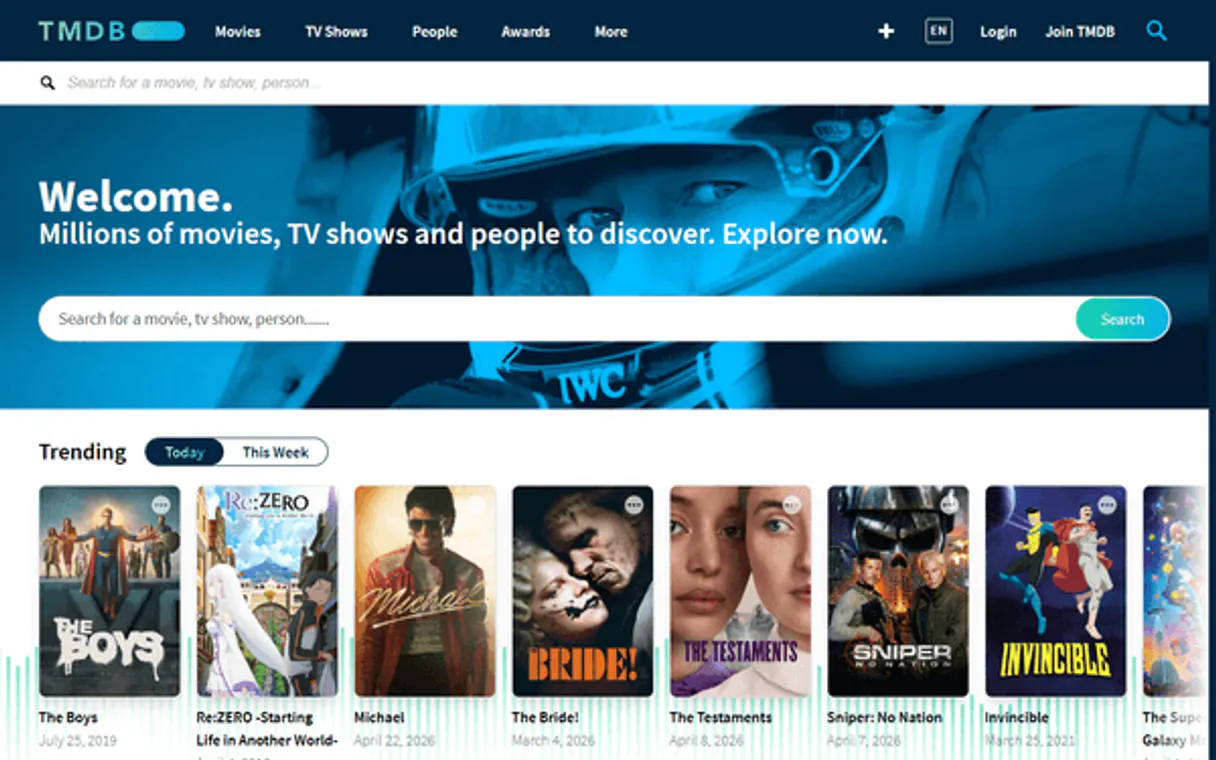
Independent Platform Disclaimer: Vinkius is an independent platform and is not affiliated with, endorsed by, sponsored by, verified by, or otherwise authorized by The Movie Database (TMDb). All third-party trademarks, logos, and brand names are the property of their respective owners. Their use on this website is strictly for informational purposes to identify service compatibility and interoperability.
VINKIUS INFRASTRUCTURE
Cloud Hosted
Managed infra
V8 Isolated
Sandboxed per request
Zero-Trust Proxy
No stored credentials
DLP Enforced
Policy on every call
GDPR Compliant
EU data residency
Token Compression
~60% cost reduction
Works with Claude, ChatGPT, Cursor, and more
The Model Context Protocol standardizes how applications expose capabilities to LLMs. Instead of operating in isolation, your AI gains direct access to external platforms, live data, and real-world actions through secure, standardized connections.
This server provides 15 capabilities that interface natively with Claude, ChatGPT, Cursor, and any MCP client. No middleware. No custom integration required.
Available Capabilities
Manual research means jumping between four different sites just to build one character bio.
Today, if you need a full profile for a film—the cast list, the crew names (director, writer), and the plot summary—you copy-paste from IMDb. Then you go to Wikipedia to check the genre history, and finally, you visit YouTube to find an official trailer. It’s 15 minutes of clicking through four different sites.
With this server, your agent handles it all in one turn. You ask for a film's full profile, and the combined data from `get_movie` and `get_movie_credits` is returned instantly. No copy-pasting required. You get clean, structured JSON.
The Movie Database (TMDb) MCP Server: Find trailers, credits, and metadata.
Before this server, gathering technical details like the budget or revenue meant clicking into a movie's dedicated page on several sites. You had to manually cross-reference these numbers and hope they were updated. It was messy.
Now, calling `get_movie` gives you all that core metadata—budget, revenue, runtime, etc.—in one place. The data is consistent and ready for your script or article.
Common Questions About TMDb MCP
How do I find movies similar to one I already watched and loved? +
Use the get_movie_recommendations tool with the TMDb ID of the movie you loved. TMDb's algorithm analyzes genre, keywords, cast, crew, and user rating patterns to suggest films you're likely to enjoy. For example, if you loved The Dark Knight (ID: 155), the tool will recommend similar superhero and crime thrillers. You can find the TMDb ID by first using search_movies with the title.
Can I filter movies by a specific studio like Warner Bros. or Marvel? +
Yes! Use the discover_movies tool with the with_companies parameter. Studio IDs include: 17 (Warner Bros.), 420 (Marvel Studios), 33 (Universal Pictures), 2 (Walt Disney Pictures), 5 (Columbia Pictures), 12 (New Line Cinema). You can combine with other filters like genre, year, or minimum rating. For example: genre="878" (Sci-Fi), with_companies="420" returns all Marvel sci-fi movies sorted by popularity.
Can I watch trailers directly through this integration? +
The get_movie_videos tool retrieves all official trailers, teasers, and promotional videos for any movie. Each result includes a YouTube video key. You can watch the trailer by visiting https://www.youtube.com/watch?v={key}. The tool returns videos sorted by type (Trailer, Teaser, Behind the Scenes) with resolution and official status information.
How can I find what movies are trending right now? +
Use the trending tool with media_type="movie" and time_window="day" for today's trending movies, or time_window="week" for this week's trends. You can also use media_type="all" to see mixed results (movies, TV shows, and people) or media_type="tv" for trending series. Results include popularity scores, vote averages, and poster images.
Can I convert an IMDb ID to a TMDb entry? +
Yes! Use the find_by_external_id tool with the IMDb ID (e.g., "tt0111161" for The Shawshank Redemption) and external_source="imdb_id". The tool will return the matching TMDb movie, TV show, or person with the TMDb ID, which you can then use with other tools like get_movie, get_movie_credits, or get_movie_videos. This is essential for cross-referencing between IMDb and TMDb databases.
How do I get genre IDs using the `get_genres` tool? +
Run get_genres(type='movie') first. This returns a comprehensive list of every available movie genre and its unique numerical ID. You must use these returned IDs when calling discover_movies to filter results by multiple genres.
What is the purpose of using the `search_multi` tool? +
It queries movies, TV shows, and people profiles all in one search. Use this when your query isn't specific to one media type—for example, searching 'Christopher Nolan' returns his films and his person profile simultaneously.
What ID format does the `get_movie` tool require? +
It requires the integer TMDb movie ID. This number comes from a prior search or list result, not an external identifier like IMDb's 'tt...' code. Always use find_by_external_id if you only have an IMDb ID.
Use it with your favorite AI tools
Connect this server to Cursor, Claude, VS Code, and more.
More in this category

Inoreader
Follow hundreds of news sources and blogs with a powerful RSS reader that filters, organizes, and prioritizes content for you.
Open Library
Manage your book discovery — audit library records, authors, and subjects via AI.

Slite
Manage your Slite knowledge base, notes, and AI insights with AI agents.
You might also like

MoonClerk
Manage recurring payments and customers via MoonClerk — track transactions and view payment forms directly from your AI agent.
NumVerify
Validate and audit phone numbers — identify carriers and locations via AI.

Hugging Face Vision
Connect Hugging Face Vision to any AI agent via MCP.