
TheySaidSo MCP. Pull quotes and wisdom into your AI workflow.
 Gemini
 Works with every AI agent you already use
…and any MCP-compatible client









Just plug in your AI agents and start using Vinkius.
TheySaidSo connects your AI agent to a massive quote database. You can pull the Quote of the Day, search for quotes by author or theme, fetch random inspiration, and list available categories—all without leaving your chat client.
What your AI agents can do
Get quote of the day
Retrieves today's featured quote, which you can optionally filter using a category tag.
Get random quotes
Pulls one or more random quotes from the database. You can limit this selection by author, tag, or desired length.
List qod categories
Lists all available themes and categories that you can use to filter the daily quote.
Gets the single curated quote featured for today, allowing filtering by thematic category.
Lists all content categories (like 'life' or 'art') that can be used to filter the daily quote.
Finds quotes by running deep text searches, filtering results by author name, or enforcing length limits.
Pulls a selection of random quotes and allows you to filter that batch by specific tags or authors.
Ask AI about this MCP
Supported MCP Clients
Gemini Waiting for input…
TheySaidSo MCP Server: 4 Tools for Quote Retrieval
These four tools let you access the entire quote database—from finding today's featured wisdom to running deep searches by author or theme.
019e5d5fget quote of the day
Retrieves today's featured quote, which you can optionally filter using a category tag.
019e5d5fget random quotes
Pulls one or more random quotes from the database. You can limit this selection by author, tag, or desired length.
019e5d5flist qod categories
Lists all available themes and categories that you can use to filter the daily quote.
019e5d5fsearch quotes
Performs a deep search of the entire database using text queries, specific authors, or length constraints.
Choose How to Get Started
Build a custom MCP for your own tools, or connect a ready-made integration from our catalog.
Build Your Own
Turn any API into an MCP. Import a spec, define Agent Skills, or deploy with MCPFusion.
- Import from OpenAPI, Swagger, or YAML specs
- Create Agent Skills with progressive disclosure
- Deploy to edge with MCPFusion framework
- Built in DLP, auth, and compliance on every call
- Real time usage dashboard and cost metering
- Publish to catalog or keep private
Make Your AI Do More
Start with TheySaidSo, then connect any of our 4,700+ other servers whenever your AI needs more. One click, no limits.
- Use this MCP plus 4,700+ others, all in one place
- Add new capabilities to your AI anytime you want
- Every connection is secured and compliant automatically
- Track usage and costs across all your servers
- Works with Claude, ChatGPT, Cursor, and more
- New servers added to the catalog every week
What you can do with this MCP connector
TheySaidSo hooks your AI agent up to a massive quote database. You don't have to leave your chat client; you just run a command and get curated wisdom or context pulled right into the conversation flow.
Getting Today’s Quote:
You use get_quote_of_the_day to retrieve the single featured quote for the current day. If you want that quote focused on a specific topic—say, 'management' or 'inspiration'—you can optionally filter it using a thematic category tag.
Discovering Topics:
Before filtering anything, run list_qod_categories. That tool spits out a list of every available theme and category in the database. This lets you see what tags you can use to narrow down your daily quote selection.
Searching the Database Deeply:
The search_quotes function is how you dig through the whole damn thing. You can run deep searches using specific text phrases that appear anywhere in the quotes. You also control the search by filtering on a single author's name or enforcing limits on the quote’s character length, letting you pinpoint an exact saying without skimming thousands of results.
Pulling Random Inspiration:
You need random ideas? get_random_quotes pulls one or more quotes from the database. You can control that batch by limiting the selection to a specific author's work, filtering by relevant tags, or specifying a minimum and maximum character count for those results.
This server lets you handle multiple quote needs—from finding today’s curated thought to executing complex searches across thousands of records. When you run get_quote_of_the_day, it gives you the featured quote; if you're not sure what categories are available, running list_qod_categories shows you all your options for that daily filter.
If finding today’s curated wisdom isn't enough, and you need to find a specific saying, use search_quotes. You can tell it to look through the entire database using precise text queries. Need quotes from Shakespeare but only those under 20 words? Use search_quotes with both an author filter and a length constraint.
You can even search for phrases that include multiple authors or themes.
When you just need a quick burst of random context, you use get_random_quotes. This tool pulls a selection of quotes; you'll notice you can limit this batch by specifying tags like 'funny' or 'life', or narrow it down to only works from one specific author. It gives you control over the volume—you tell it how many random results you want, and you filter that entire set using multiple criteria.
You don't just get a quote; you get a controlled selection of quotes based on your exact rules.
How TheySaidSo MCP Works
- 1 Subscribe to the TheySaidSo server on Vinkius.
- 2 Provide your API key (if required for high usage) to your AI client.
- 3 Ask your agent a natural language question, specifying which tool it needs to run (e.g., 'What's the quote of the day for life?').
The bottom line is: you ask your agent for wisdom, and it runs the right tool call against the database.
Who Is TheySaidSo MCP For?
Anyone who writes content regularly needs this. Think copywriters stuck on a hook, developers building educational apps, or researchers verifying an obscure quote's origin. If your job involves needing a smart line of text right now, you need this server.
Needs to quickly pull relevant quotes for social media posts or article drafts without manually searching through databases.
Integrates daily motivational features or context-specific wisdom into an application's startup screen using the API calls.
Verifies famous sayings and finds proper attribution by running deep searches across authors and specific phrases.
What Changes When You Connect
- Stops manual searching. Instead of opening a separate quote website, you just ask your agent to run
search_quotesfor an exact phrase, getting the result instantly in chat. - Never get stuck on inspiration again. Use
get_random_quotesto pull multiple quotes based on tags like 'love' or 'success', giving you immediate options for a draft. - Know your limits. Before asking for the daily quote, run
list_qod_categories. This shows you every theme available—you won't accidentally ask for one that doesn't exist. - Contextual depth in seconds. Need a motivational line for an article? Use
get_quote_of_the_dayand filter it by 'management'. It pulls the exact quote, ready to copy. - Better data control means reliable output. You aren't just getting a quote; you are running a specific function (
search_quotes) that respects your criteria for author or character count.
Real-World Use Cases
Drafting a LinkedIn Post
A marketing manager needs a quick, authoritative quote about leadership. Instead of Googling 'best quotes on leadership,' they prompt their agent: 'Give me a daily inspiration quote for the management category.' The agent uses get_quote_of_the_day and returns the perfect caption.
Writing an Academic Article
A student needs to verify an obscure historical saying. They can't rely on general search engines. They use search_quotes, inputting key phrases and narrowing results by specific authors, ensuring the attribution is correct.
Building a Daily App Feature
A developer wants an app that displays random motivation daily. Instead of hardcoding sources, they ask their agent to run get_random_quotes, filtering by 'life' and asking for 3 results. The API handles the batch retrieval.
Curating a Podcast Episode
A podcaster needs material spanning several moods (funny, inspirational, love). They ask their agent to run list_qod_categories first to see options, and then use get_random_quotes multiple times with different tags.
The Tradeoffs
Asking for a quote by name.
Prompting: 'What's a good inspirational quote about success?' This is too vague and might give a generic answer that doesn't match the specific API structure.
→
You need to be specific. First, run list_qod_categories to see if 'inspiration' or 'life' exists. Then, use one of those categories with get_quote_of_the_day.
Assuming general search works.
Asking the agent for a quote that is only vaguely related to a topic, hoping it finds something similar. This wastes tokens and might return an unrelated result.
→
If you need precision, use search_quotes. Specify text queries and constrain by known authors or length limits in your prompt.
Treating random quotes as a search function.
Asking for 'all quotes about success from Steve Jobs.' The agent might run get_random_quotes and just return three unrelated lines, which isn't what you need.
→
For deep author/topic searches, always use the search_quotes tool. It is built for filtering by specific text criteria.
When It Fits, When It Doesn't
Use this server if your primary goal is accessing structured, categorized wisdom (quotes). Don't use it if you need real-time data like stock prices or weather reports—that requires a different kind of API.
* Use get_quote_of_the_day: When you just need one single, curated quote for the day and don't care about depth.
* Use search_quotes: When you know exactly what phrase or author you are looking for and need high precision. This is your deep-dive tool.
* Use get_random_quotes: When you are brainstorming or generating content and want a quick batch of varying ideas to choose from.
* Use list_qod_categories: Always run this first if you plan on filtering by category, so you know the exact tags available. Never assume the categories.

Independent Platform Disclaimer: Vinkius is an independent platform and is not affiliated with, endorsed by, sponsored by, verified by, or otherwise authorized by TheySaidSo. All third-party trademarks, logos, and brand names are the property of their respective owners. Their use on this website is strictly for informational purposes to identify service compatibility and interoperability.
VINKIUS INFRASTRUCTURE
Cloud Hosted
Managed infra
V8 Isolated
Sandboxed per request
Zero-Trust Proxy
No stored credentials
DLP Enforced
Policy on every call
GDPR Compliant
EU data residency
Token Compression
~60% cost reduction
Works with Claude, ChatGPT, Cursor, and more
The Model Context Protocol standardizes how applications expose capabilities to LLMs. Instead of operating in isolation, your AI gains direct access to external platforms, live data, and real-world actions through secure, standardized connections.
This server provides 4 capabilities that interface natively with Claude, ChatGPT, Cursor, and any MCP client. No middleware. No custom integration required.
Available Capabilities
Drafting social media copy shouldn't require jumping between three different tabs.
Right now, when you write an article or a post, finding that perfect line is painful. You open Google, check Pinterest for inspiration, maybe look up famous sayings on Wikipedia. Then you have to copy the quote, figure out who said it, and make sure it actually fits your tone.
With this MCP server, your agent does all of that in one prompt. Instead of manual research, you just ask: 'Give me a motivational quote for my article about leadership.' The agent uses `get_quote_of_the_day`, pulls the text, and hands it back to you instantly.
TheySaidSo MCP Server: Get structured quotes via API calls.
Before this server, if you wanted a quote from a specific author—say, Maya Angelou—you had to rely on general search results that mixed up context and attribution. You'd never know if the result was even correct or complete.
Now, you use `search_quotes`. It forces the agent to check the database against your criteria (author + text). The output is clean, verifiable data. No guesswork.
Common Questions About TheySaidSo MCP
How do I find all possible categories for get_quote_of_the_day? +
You run the list_qod_categories tool first. This returns a list of every available theme, like 'funny,' 'art,' or 'students.' You must use one of those names when calling get_quote_of_the_day.
Is there a difference between getting random quotes and searching quotes? +
Yeah, big difference. get_random_quotes gives you a mix of unrelated lines based on filters (like author or tag). search_quotes, however, performs a precise query for specific text phrases.
Can I use get_quote_of_the_day in a workflow? +
Absolutely. You can ask your agent to run it as the first step in a multi-step task—for example, 'Get the quote of the day and then draft a paragraph around it.' It handles the tool call for you.
What if I want quotes from multiple authors? +
You'll need to use search_quotes or run get_random_quotes multiple times. The random function is better for getting a mix of different voices.
If I hit a rate limit using `search_quotes`, what should my AI client do? +
You need to implement exponential backoff in your agent's code. The server will return a 429 error with specific headers indicating how long to wait before trying again. This prevents repeated failure loops.
How does the data returned by `get_quote_of_the_day` differ based on categories? +
The structure remains consistent, but the content changes dramatically. When you specify a category like 'management', the quote provided reflects themes specific to that field. The system uses your input to filter the daily selection.
When I use `get_random_quotes`, are there limits on how many quotes I can retrieve at once? +
The maximum number of random quotes you get depends on your API plan. For basic usage, we recommend requesting a small batch (1-5) to maintain reliable performance and keep prompts clean.
What are the minimum requirements for calling `search_quotes`? +
You must provide at least one search parameter—either a text query, an author name, or a length constraint. The tool won't execute if no criteria are supplied.
How can I get a specific type of quote for today? +
You can use the get_quote_of_the_day tool and provide a category such as 'inspire', 'management', 'life', or 'funny' to get a curated quote matching that theme.
How do I know which categories are available for the Quote of the Day? +
Simply run the list_qod_categories tool. It will return a complete list of valid categories that you can use to filter your daily quotes.
Is it possible to search for quotes by a specific person? +
Yes! Use the search_quotes tool and provide the author name. You can also combine this with a query string to find specific topics mentioned by that author.
Use it with your favorite AI tools
Connect this server to Cursor, Claude, VS Code, and more.
More in this category

folk
Manage relationships across sales, recruiting, and partnerships with a lightweight CRM that syncs contacts from everywhere.

Airtable
Query databases, manage records, and orchestrate workflows across your connected Airtable bases with full flexibility.

Airtable
Connect your Airtable bases to your AI agent — query records, edit spreadsheets, and build automated workflows naturally via chat.
You might also like

Pointagram
Motivate your sales team with gamified leaderboards, competitions, and rewards that turn KPIs into engaging daily challenges.
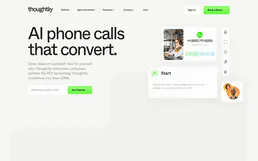
Thoughtly
Deploy AI voice agents to make or receive calls, manage CRM contacts, and access call histories instantly.
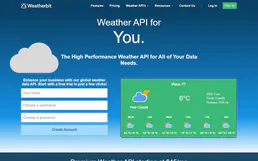
Weatherbit
Get real-time weather, forecasts, historical data, severe alerts and air quality for any location worldwide.