
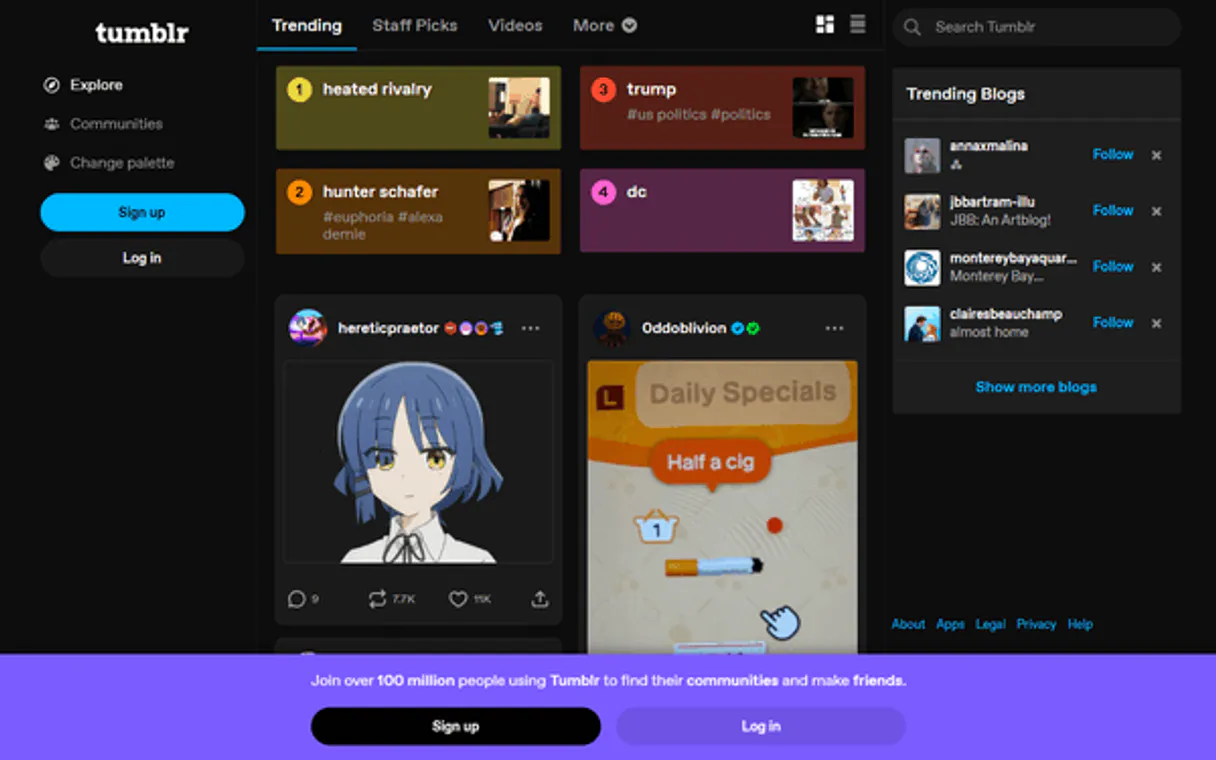
Tumblr MCP. Pull Blog Data & Track Community Trends
 Gemini
 Works with every AI agent you already use
…and any MCP-compatible client









Just plug in your AI agents and start using Vinkius.
Tumblr MCP Server connects your AI client directly to the Tumblr API. Use it to pull structured data about blogs and posts—list all content under a specific tag, check a blog's avatar details, or fetch complete metadata for any individual post.
It’s built for content creators who need to manage social blogging and track trends without clicking through endless feeds.
What your AI agents can do
Get blog avatar
Retrieves the avatar URL for a specified Tumblr blog.
Get blog info
Gets detailed information about an entire Tumblr blog account.
Get post
Fetches all details for a single, specific post ID.
Gets general metadata, including the avatar URL, for any specified Tumblr blog.
Lists and searches for all posts across Tumblr that match a given tag name.
Pulls a list of published posts from one specific blog, letting you filter the results by content type (photo, text, etc.).
Grabs all available data for a single post ID, perfect for detailed analysis.
Retrieves comprehensive information about a specific Tumblr blog account.
Ask AI about this MCP
Supported MCP Clients
OAuth 2.0 Compatible Gemini Waiting for input…
Tumblr MCP Server: 5 Tools for Blogging & Content Discovery
These five tools let your AI client read data from Tumblr. You can retrieve everything from a single post's details to searching the whole platform by tag.
Make your AI actually useful.
Add this MCP to Claude, Cursor, or Windsurf and your AI stops guessing. It gets real tools to look things up, take action, and handle the stuff you keep doing by hand.
Start using Tumblr on Vinkius019dd17aget blog avatar
Retrieves the avatar URL for a specified Tumblr blog.
019dd17aget blog info
Gets detailed information about an entire Tumblr blog account.
019dd17aget post
Fetches all details for a single, specific post ID.
019dd17alist blog posts
Lists multiple published posts from one specified blog, allowing filters by content type.
019dd17alist tagged posts
Searches and lists posts across the platform based on a provided tag name.
Choose How to Get Started
Build a custom MCP for your own tools, or connect a ready-made integration from our catalog.
Build Your Own
Turn any API into an MCP. Import a spec, define Agent Skills, or deploy with MCPFusion.
- Import from OpenAPI, Swagger, or YAML specs
- Create Agent Skills with progressive disclosure
- Deploy to edge with MCPFusion framework
- Built in DLP, auth, and compliance on every call
- Real time usage dashboard and cost metering
- Publish to catalog or keep private
Make Your AI Do More
Start with Tumblr, then connect any of our 4,800+ other servers whenever your AI needs more. One click, no limits.
- Use this MCP plus 4,800+ others, all in one place
- Add new capabilities to your AI anytime you want
- Every connection is secured and compliant automatically
- Track usage and costs across all your servers
- Works with Claude, ChatGPT, Cursor, and more
- New servers added to the catalog every week
Independent Platform Disclaimer: Vinkius is an independent platform and is not affiliated with, endorsed by, sponsored by, verified by, or otherwise authorized by Tumblr. All third-party trademarks, logos, and brand names are the property of their respective owners. Their use on this website is strictly for informational purposes to identify service compatibility and interoperability.
VINKIUS INFRASTRUCTURE
Cloud Hosted
Managed infra
V8 Isolated
Sandboxed per request
Zero-Trust Proxy
No stored credentials
DLP Enforced
Policy on every call
GDPR Compliant
EU data residency
Token Compression
~60% cost reduction
Works with Claude, ChatGPT, Cursor, and more
The Model Context Protocol standardizes how applications expose capabilities to LLMs. Instead of operating in isolation, your AI gains direct access to external platforms, live data, and real-world actions through secure, standardized connections.
This server provides 5 capabilities that interface natively with Claude, ChatGPT, Cursor, and any MCP client. No middleware. No custom integration required.
Tracking content trends used to be a nightmare of clicks and bookmarks.
Before this server, finding out what's genuinely trending was painful. You had to open the Tumblr website, manually check different feed sections, try to find specific tags, and then copy those links into a spreadsheet just to track them. It was slow, tedious, and you always missed something.
Now? Your agent handles it. Just ask it to run `list_tagged_posts` for 'illustration'. Boom. You get clean data right in the chat window with all the posts matching that tag. Done.
The Tumblr MCP Server: Pull structured blog content via tools.
Manually checking a brand's history means visiting their page, clicking 'posts,' remembering to filter by photos vs. text, and then copying individual links for every piece of content you care about. It’s an absolute time sink.
With `list_blog_posts` and the other tools, you skip the UI entirely. You tell your agent which blog you want and what type of post you're looking for—it just gives you a clean list. Seriously, it changes everything.
What you can do with this MCP connector
The Tumblr MCP Server connects your AI client straight into the Tumblr API. It lets you pull structured data about blogs and posts—you can list all content under a specific tag, check an account's avatar details, or fetch complete metadata for any individual post. You use this when you need to manage social blogging activity and track trends without clicking through endless feeds.
Reading Up on Accounts and Profiles
If you wanna know the general scoop on a blog, start with get_blog_info. This tool pulls comprehensive information about an entire Tumblr account. It gives you much more than just a name; it provides detailed metadata that paints a full picture of the profile itself. You can use this to get background context on any specified blog.
When all you need is the visual identity, get_blog_avatar handles that. Just give it the blog's hostname and it'll grab the avatar URL for you. It’s quick work; you don't gotta dig around just to find a profile picture link.
Content Discovery: Searching and Listing Posts
You can pull lists of posts in two main ways: by source or by subject. If you know exactly which blog you wanna check out, list_blog_posts lets you pull multiple published posts from that specific account. It’s smart because it lets you filter those results by content type—whether it's photos, text blocks, quotes, or something else.
This keeps your data clean and targeted.
If you don't know the source but you know what you want to find, use list_tagged_posts. You just drop in a tag name, and this tool searches across the whole platform for every post that matches that keyword. It’s how you track down trends or see what everyone else is posting about right now.
Deep Dive into Specific Content
Sometimes you need more than just a list; you gotta get the full story on one piece of content. get_post fetches all available data for a single, specific post ID. This is perfect when you're doing detailed analysis—you can pull exact content details or check engagement metrics attached to that one item.
So, whether you’re pulling general account metadata with get_blog_info, grabbing the avatar link with get_blog_avatar, listing filtered posts from a single source using list_blog_posts, searching for trends across Tumblr with list_tagged_posts, or digging into every detail of one item with get_post, you've got what you need to manage and analyze your microblogging data directly through your agent.
You never gotta leave the terminal.
019dd17a-69b6-70d3-bc31-8908e6f202e4 
How Tumblr MCP Works
- 1 Subscribe to the server and enter your Tumblr API Consumer Key (you find this in your developer apps).
- 2 Tell your AI client what you need. For example: 'List all photo posts from the blog X' or 'What's trending with #illustration?'
- 3 The agent runs the necessary tool (
list_blog_posts,list_tagged_posts, etc.) and gives you a clean, actionable list of data.
The bottom line is: it lets your AI client talk to Tumblr's backend like it’s a local database query—no messy browser clicking required.
Who Is Tumblr MCP For?
Content managers and digital strategists who spend too much time manually checking blog feeds or copying post links. This is for the social media ops person tired of logging into Tumblr just to pull a list of tags or check if an avatar changed.
Monitors trending hashtags and pulls content suggestions by running list_tagged_posts across multiple communities.
Checks the metadata and avatar of a blog via get_blog_avatar before linking to it, ensuring everything matches brand guidelines.
Retrieves historical post lists using list_blog_posts and then uses get_post on specific IDs to build an engagement report.
What Changes When You Connect
- Stop manually checking blog feeds. You can run
list_tagged_poststo instantly pull all content matching a tag, letting you see what’s trending across Tumblr without searching. - No more guessing if an account is real. Use
get_blog_infoto get the full metadata for any blog and confirm its status before citing it in a report. - Need to analyze post performance? Run
get_poston specific IDs. You get all the raw data—engagement counts, content type, etc.—in one go. - Pulling a curated list of posts is fast.
list_blog_postslets you grab multiple entries from a known blog while filtering by whether they are photos, quotes, or text. - When you need to confirm branding details before publication, just use
get_blog_avatar. It pulls the exact URL for any blog's profile picture.
Real-World Use Cases
Finding inspiration for a new campaign
A marketer needs to see what kind of illustrations are hot right now. Instead of manually clicking through feeds, they ask their agent to run list_tagged_posts with the tag 'illustration'. The agent returns a list of 20 recent examples, giving them immediate source material.
Building a competitive analysis report
A strategist wants to compare three competitors' latest activity. They use list_blog_posts on each competitor’s blog name in one prompt. The agent returns structured lists of the last 15 posts, making side-by-side comparison simple.
Validating a client link
A writer is about to publish an article referencing 'officialtumblr.' Instead of going to Tumblr and checking, they ask their agent to run get_blog_info first. The agent confirms the blog's official status and follower count immediately.
Curating a themed content roundup
A community manager is building a roundup of top tech blogs. They ask their agent to run get_blog_avatar on 10 different names. The agent confirms the profile picture and basic info for every single blog in one batch, saving hours of manual verification.
The Tradeoffs
Trying to find content by just a keyword
Asking the agent: 'Show me posts about dogs.' This is too vague; Tumblr searches are complex, and you'll get junk data.
→
You need tags. Use list_tagged_posts with specific, known tags like '#dogsofinstagram'. That keeps the search tight and focused.
Asking for all user posts without limits
Prompting: 'List every post from this blog.' This will likely hit API rate limits or return an unmanageable, incomplete dump of data.
→
Always use list_blog_posts and specify a type (e.g., photos) or limit the list size in your prompt to keep the response actionable.
Trying to analyze engagement on multiple posts at once
Asking: 'Give me stats for these 5 posts.' The agent can't predict which IDs you want.
→
You must first use list_blog_posts to get a list of post IDs, then feed those specific IDs into the get_post tool.
When It Fits, When It Doesn't
Use this server if your core need is querying structured blog data from Tumblr. Specifically, if you want to search by tag (list_tagged_posts) or pull metadata for multiple accounts (get_blog_info, get_blog_avatar), this is the right tool.
Don't use it if: 1) You need to analyze comments (the API doesn't expose that); 2) Your goal is real-time interaction (it’s a data pull, not a chat bot); or 3) You are managing content on a platform other than Tumblr. In those cases, you'll need an integration for that specific service.
If you only want to check one blog and its latest posts, list_blog_posts is usually enough. If you need the absolute deepest dive into one post—say, analyzing every single piece of embedded data—then you gotta run get_post.
Common Questions About Tumblr MCP
How do I find all posts about 'tech' using the Tumblr MCP Server? +
You use list_tagged_posts. Just tell your agent to run that tool for the tag '#tech'. It will pull all available content matching that specific hashtag across the platform.
Can I check a blog's profile picture with get_blog_avatar? +
Yep. get_blog_avatar takes the blog name and returns the direct URL for their avatar. You don't have to navigate there just to grab the image link.
Which tool do I use if I only want to list posts from one specific blog? +
You need list_blog_posts. It requires you to name the blog and optionally filter by content type (like 'photo' or 'text') so you get exactly what you asked for.
Is there a tool to analyze engagement metrics for a post? +
You use get_post. This tool fetches all the deep data available on a single post, including details needed for basic engagement analysis.
When I use get_blog_info, what kind of metadata can I pull about a blog? +
It retrieves comprehensive details for any Tumblr blog. Beyond just the avatar URL, you get general information like the full name and follower count. This helps gauge the overall size and focus of the community.
What unique identifier does the tool need to use get_post? +
You must provide a specific post ID. Using this ID pulls all content for that single entry—including full text, media links, and detailed engagement metrics—so you don't miss any context.
Do I need to worry about rate limits when running list_tagged_posts? +
Yes, the server respects Tumblr’s API rate limitations. If you try searching for too many tags or run repeated searches quickly, your agent might hit a limit and pause execution.
What credentials are required before I can use list_blog_posts? +
You must supply your Tumblr API Consumer Key during setup. This key authorizes the connection, allowing your AI client to run any of the available tools on behalf of the account.
Can I search for posts matching a specific tag across Tumblr? +
Yes! Use the list_tagged_posts tool and provide your tag. Your agent will retrieve the latest posts from across the platform that use that specific tag.
How do I see the posts from a specific blog like 'officialtumblr'? +
Run the list_blog_posts query with the blog name. You can optionally filter by type (e.g., 'photo' or 'quote') to see only the content you're interested in.
Is it possible to retrieve the avatar URL of a blog via AI? +
Absolutely. Use the get_blog_avatar tool and provide the blog name. You can also specify an optional size to get the image URL that best fits your needs.
Use it with your favorite AI tools
Connect this server to Cursor, Claude, VS Code, and more.