
How to Use Vadoo MCP Server with CrewAI using Vinkius
Give CrewAI instant access to 6 tools to Add Captions, Create Clips, Generate Podcast, and more using Vinkius.
 GDPR Free for Subscribers
Connect your CrewAI agents to Vadoo through Vinkius, pass the Edge URL in the `mcps` parameter and every Vadoo tool is auto-discovered at runtime. No credentials to manage, no infrastructure to maintain.
Ask AI about this MCP Server for CrewAI
The Vadoo MCP Server for CrewAI is a standout in the Marketing Automation category, giving your AI agent 6 tools to work with, ready to go from day one.
Vinkius delivers Streamable HTTP and SSE to any MCP client
 Gemini
from crewai import Agent, Task, Crew
agent = Agent(
role="Vadoo Specialist",
goal="Help users interact with Vadoo effectively",
backstory=(
"You are an expert at leveraging Vadoo tools "
"for automation and data analysis."
),
# Your Vinkius token. get it at cloud.vinkius.com
mcps=["https://edge.vinkius.com/[YOUR_TOKEN_HERE]/mcp"],
)
task = Task(
description=(
"Explore all available tools in Vadoo "
"and summarize their capabilities."
),
agent=agent,
expected_output=(
"A detailed summary of 6 available tools "
"and what they can do."
),
)
crew = Crew(agents=[agent], tasks=[task])
result = crew.kickoff()
print(result)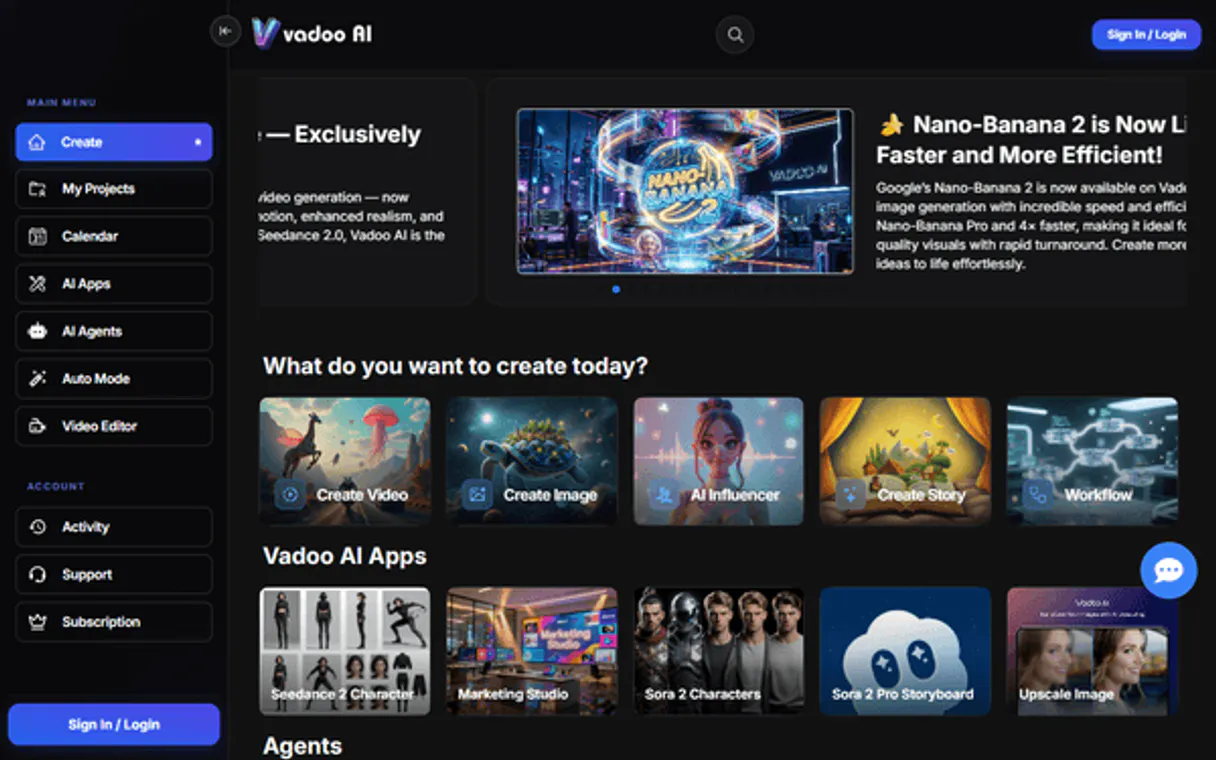
* Every connection is hosted and maintained by Vinkius. We handle the security, updates, and infrastructure so you don't have to write code or manage servers. See our infrastructure
About Vadoo MCP Server
Connect your Vadoo AI account to any AI agent and simplify how you generate, edit, and optimize your video content through natural conversation.
CrewAI does not assign one agent to do everything. It builds teams. When you connect Vadoo through Vinkius, each agent in the crew can call 6 tools with role-based precision: a research agent queries raw data, an analyst agent cross-references findings, a reporting agent compiles actionable output. They share memory. They delegate tasks. They negotiate priorities. The result is not a single-threaded chatbot interaction. It is a coordinated intelligence operation executed at machine speed.
What you can do
- AI Video Generation. Create high-quality videos from simple text prompts or scripts instantly.
- Viral Clip Creation. Extract short, social-media-ready clips from long-form video URLs (like YouTube).
- Automated Captioning. Generate and overlay captions onto your videos to increase engagement and accessibility.
- AI Podcasts. Trigger the creation of conversational 2-person podcasts from any topic or text source.
- Content Library. List all your generated videos and retrieve direct download links and metadata.
The Vadoo MCP Server exposes 6 tools through Vinkius. Connect it to CrewAI in under two minutes. Fully managed, no infrastructure to provision, no vendor lock-in.
6 tools included
Explore every tool Vadoo exposes to CrewAI through Vinkius.
Connect Vadoo to CrewAI via MCP
Follow these steps to connect Vadoo to CrewAI. The setup takes under two minutes and requires no coding or server hosting.
Get your Vinkius Access Token
Install CrewAI
pip install crewaiReplace the token
[YOUR_TOKEN_HERE] with your Vinkius token from cloud.vinkius.comCustomize the agent
role, goal, and backstory to fit your use caseRun the crew
python crew.py. CrewAI auto-discovers 6 tools from VadooWhy Use CrewAI with the Vadoo MCP Server
CrewAI Multi-Agent Orchestration Framework provides unique advantages when paired with Vadoo through the Model Context Protocol.
Multi-agent crews give each role precise access to Vadoo through Vinkius: a research agent queries raw data, an analyst cross-references findings, a reporter compiles actionable output
Native MCP integration: pass the Vinkius Edge URL in the `mcps` parameter. Zero adapter code. Agents discover all 6 tools from Vadoo at crew startup
Shared memory between crew members means Vadoo data from one agent's query through Vinkius is immediately available to the next agent's analysis. No manual state passing
Sequential and hierarchical crew patterns map to real workflows: gather Vadoo data, analyze trends, flag anomalies, generate reports. Each step handled by a specialist agent
Vadoo + CrewAI Use Cases
Practical scenarios where CrewAI combined with the Vadoo MCP Server delivers measurable value.
Automated multi-step research: a reconnaissance agent queries Vadoo for raw data, then a second analyst agent cross-references findings and flags anomalies. all without human handoff
Scheduled intelligence reports: set up a crew that periodically queries Vadoo, analyzes trends over time, and generates executive briefings in markdown or PDF format
Multi-source enrichment pipelines: chain Vadoo tools with other MCP servers in the same crew, letting agents correlate data across multiple providers in a single workflow
Compliance and audit automation: a compliance agent queries Vadoo against predefined policy rules, generates deviation reports, and routes findings to the appropriate team
Example Prompts for Vadoo in CrewAI
Ready-to-use prompts you can give your CrewAI agent to start working with Vadoo immediately.
"List all the AI videos I've generated so far."
"Create viral clips from this YouTube video: https://youtube.com/watch?v=123."
"Generate a vertical AI video about 'The future of remote work'."
Troubleshooting Vadoo MCP Server with CrewAI
Common issues when connecting Vadoo to CrewAI through Vinkius, and how to resolve them.
MCP tools not discovered
Agent not using tools
Timeout errors
Rate limiting or 429 errors
Vadoo + CrewAI FAQ
Common questions about integrating Vadoo MCP Server with CrewAI.
How does CrewAI discover and connect to MCP tools?
tools/list method. This means tools are always fresh and reflect the server's current capabilities. No tool schemas need to be hardcoded.Can different agents in the same crew use different MCP servers?
mcps list, so you can assign specific servers to specific roles. For example, a reconnaissance agent might use a domain intelligence server while an analysis agent uses a vulnerability database server.What happens when an MCP tool call fails during a crew run?
Can CrewAI agents call multiple MCP tools in parallel?
process=Process.parallel, each calling different MCP tools concurrently. This is ideal for workflows where separate data sources need to be queried simultaneously.Can I run CrewAI crews on a schedule (cron)?
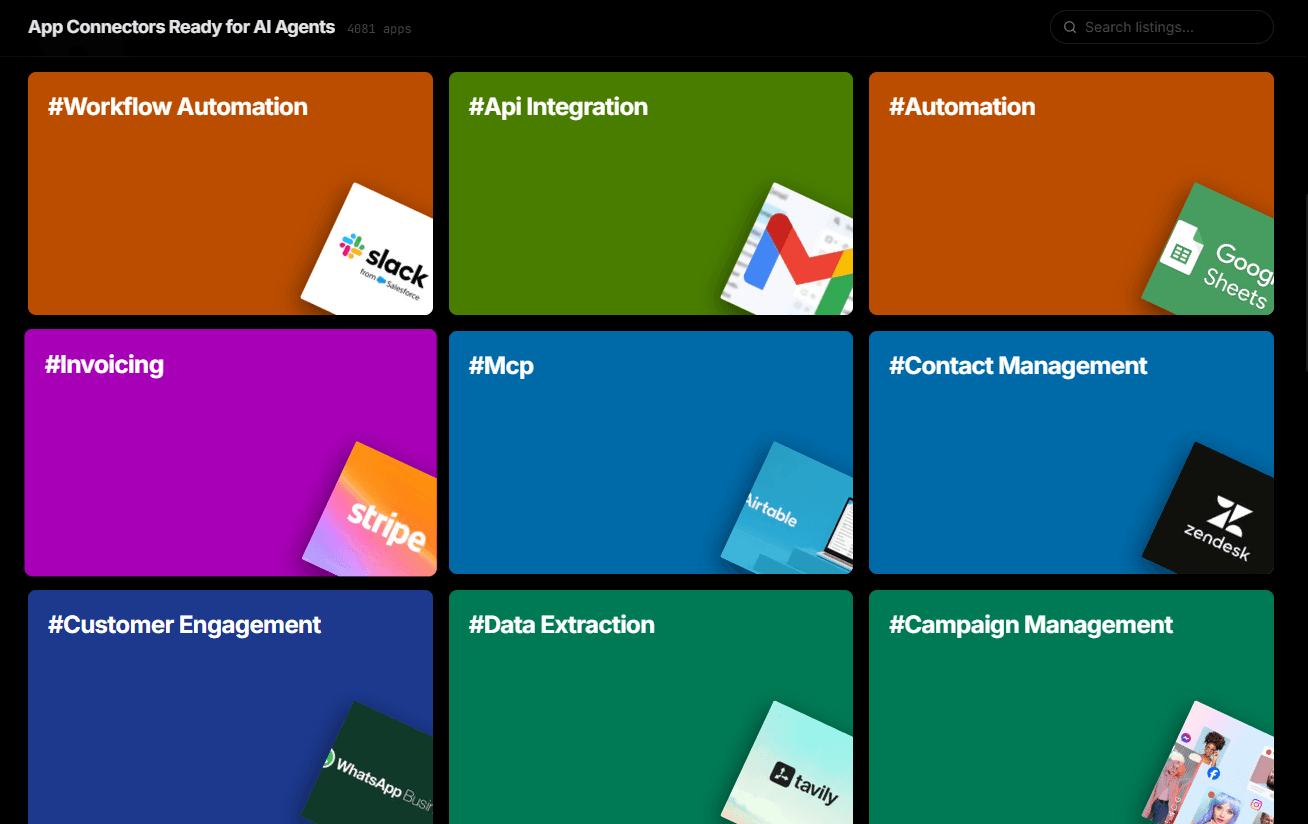
crew.kickoff() method runs synchronously by default, making it straightforward to integrate into existing pipelines.Over 4,000 integrations ready for AI agents
Explore a vast library of pre-built integrations, optimized and ready to deploy.
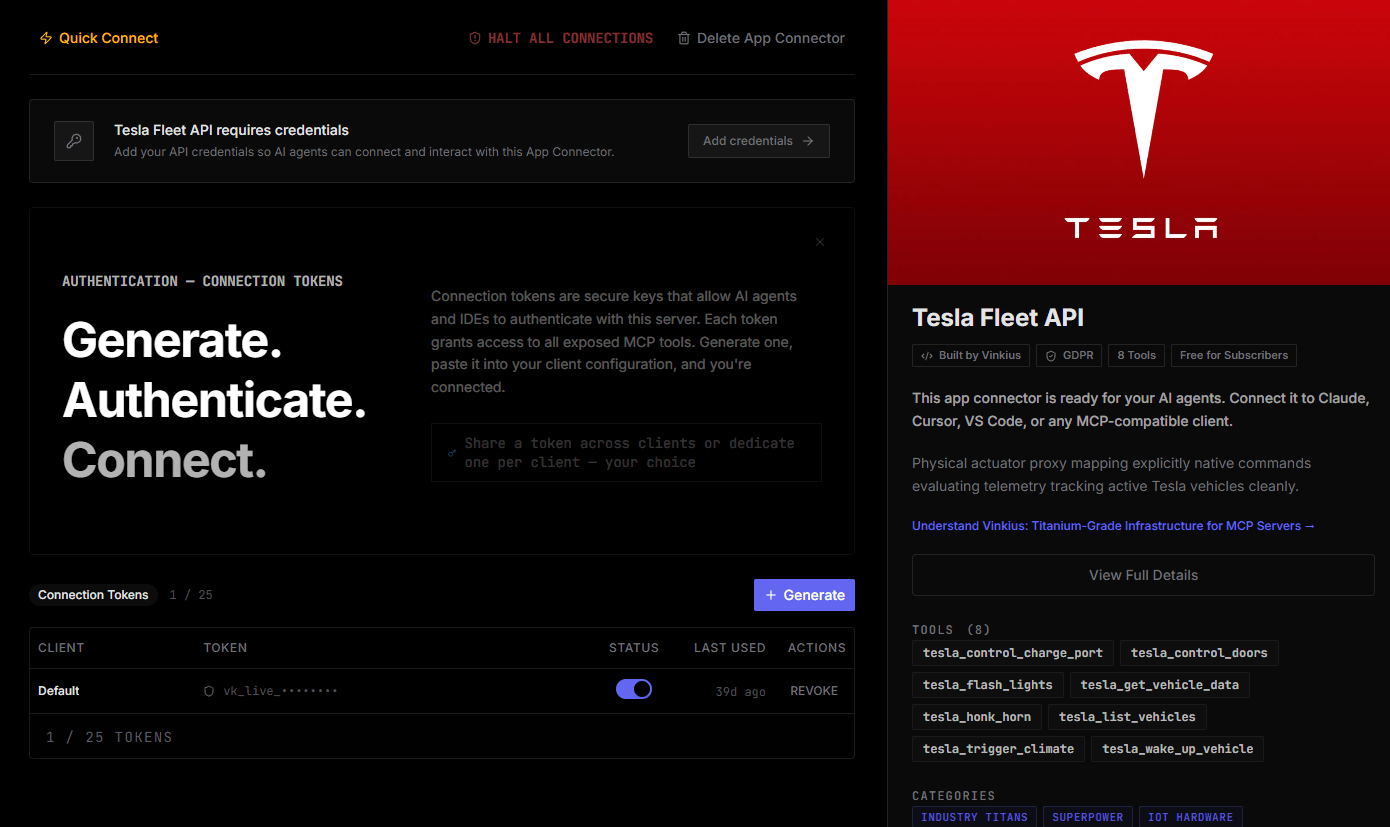
Connect securely in under 30 seconds
Generate tokens to authenticate and link external services in a single step.
Complete visibility into every agent action
Audit live requests, latency, success rates, and active security compliance policies.
Optimize spending and track token ROI
Analyze real-time token consumption and cost metrics detailed by connection.
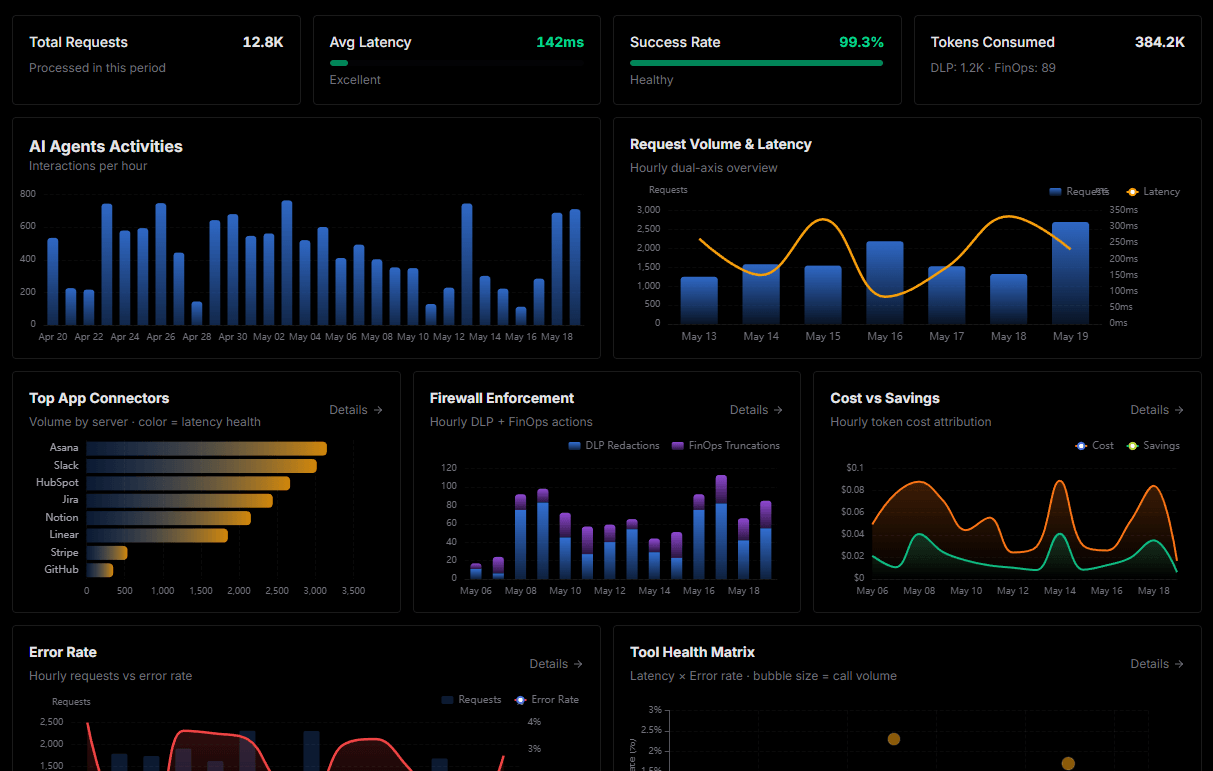
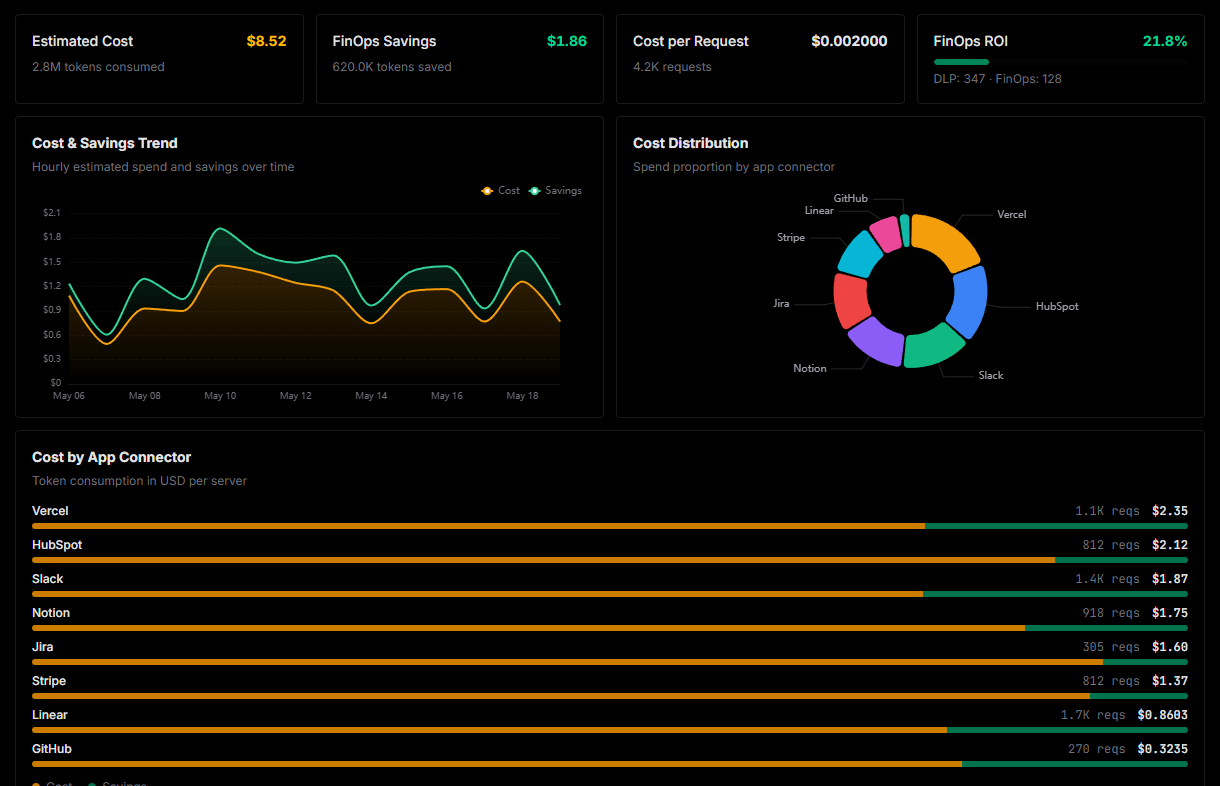
Explore our live AI Agents Analytics dashboard to see it all working
This dashboard is included when you connect Vadoo using Vinkius. You will never be left in the dark about what your AI agents are doing with your tools.
Connect Vadoo with your favorite client
Also available for these clients and frameworks:
Connect Vadoo to CrewAI
One click to install, 6 tools ready instantly. Fully managed, no API key setup required.