
Viral Loops MCP. Track referrals and rewards through conversation.
 Gemini
 Works with every AI agent you already use
…and any MCP-compatible client









Just plug in your AI agents and start using Vinkius.
Viral Loops lets your AI agent manage referral marketing campaigns directly. You can list all campaigns, track participants by email, check real-time conversion stats, and monitor reward milestones without touching a dashboard.
It's for growth teams that need to analyze referral performance instantly via natural conversation.
What your AI agents can do
Create participant
Adds a new participant record when a lead signs up through your referral form.
Get campaign
Retrieves detailed information about one specific campaign using its ID.
Get campaign stats
Pulls total referrals, participant count, and conversion rates for a specified campaign.
See all available referral campaigns in your account to find the specific ID you need.
Pull total referrals, participant count, and conversion rates for any active campaign.
Look up a user's profile and current status using only their email address.
Create the unique referral URL needed for any participant to start tracking referrals.
Get details on configured rewards and check which specific milestones a campaign is nearing or has completed.
Change information for an existing participant, like their status or contact details.
Ask AI about this MCP
Supported MCP Clients
Gemini Waiting for input…
Viral Loops MCP Server: 10 Tools for Campaign Ops
These tools let you manage every step of your referral marketing lifecycle—from creating new participants to analyzing final conversion stats—all through conversational AI.
019d761ccreate participant
Adds a new participant record when a lead signs up through your referral form.
019d761cget campaign
Retrieves detailed information about one specific campaign using its ID.
019d761cget campaign stats
Pulls total referrals, participant count, and conversion rates for a specified campaign.
019d761cget milestones
Lists reward milestones (like '5 referrals = discount') and shows the current completion status for a campaign.
019d761cget participant
Fetches all details about a single participant using their registered email address.
019d761cget referral url
Generates the unique, traceable referral URL for any given participant.
019d761cget rewards
Displays the full configuration of available rewards tied to a specific campaign.
019d761clist campaigns
Returns a list of all active and draft referral campaigns in your account for discovery.
019d761clist participants
Provides a full roster of every participant currently enrolled in a specified campaign.
019d761cupdate participant
Modifies key information for an existing participant, such as their status or contact details.
Choose How to Get Started
Build a custom MCP for your own tools, or connect a ready-made integration from our catalog.
Build Your Own
Turn any API into an MCP. Import a spec, define Agent Skills, or deploy with MCPFusion.
- Import from OpenAPI, Swagger, or YAML specs
- Create Agent Skills with progressive disclosure
- Deploy to edge with MCPFusion framework
- Built in DLP, auth, and compliance on every call
- Real time usage dashboard and cost metering
- Publish to catalog or keep private
Make Your AI Do More
Start with Viral Loops, then connect any of our 4,700+ other servers whenever your AI needs more. One click, no limits.
- Use this MCP plus 4,700+ others, all in one place
- Add new capabilities to your AI anytime you want
- Every connection is secured and compliant automatically
- Track usage and costs across all your servers
- Works with Claude, ChatGPT, Cursor, and more
- New servers added to the catalog every week
What you can do with this MCP connector
Your AI agent can run your entire referral campaign lifecycle directly through chat. You don't need to open a dashboard; you just talk to it. This server lets your agent manage campaigns, track who's participating, monitor rewards earned, and pull key performance stats—all in one conversation.
Campaign Oversight:
You can see every active or draft referral campaign using list_campaigns. If you need deep details on a specific setup, just give the ID to get_campaign. This lets your agent retrieve all the core information about that single campaign.
Tracking Performance & Participants:
The server pulls total referrals and conversion rates for any active contest with get_campaign_stats. If you want a full roster of everyone enrolled, list_participants gives you every participant in a specific campaign. You can also get details on the rewards tied to a contest using get_rewards, which shows the whole configuration.
Managing Users:
Need to find out what's going on with one user? Give their email to get_participant and your agent pulls up all their profile details. If that person hasn't signed up yet, create_participant adds a new record when they sign through the form. You can get the unique referral link needed for any participant by running get_referral_url.
Don't forget you can update key info on existing users—update_participant changes their status or contact details right away.
Monitoring Milestones & Rewards:
To check if a campaign is getting close to its goals, run get_milestones. This shows what rewards are configured (like '5 referrals = discount') and tells you the current completion status for that milestone. You've got the full picture of where the contest stands.
Basically, your agent uses these tools to give you complete control: it lets you see all campaigns (list_campaigns), grab specific campaign data (get_campaign), pull performance stats (get_campaign_stats), check user profiles by email (get_participant), generate tracking links for participants (get_referral_url), and manage the entire participant pool through creation, updates, and listing.
You're running your whole referral program without ever touching a UI.
How Viral Loops MCP Works
- 1 First, you ask your agent to run
list_campaignsto find the ID of the campaign you care about. - 2 Next, if you need stats, you pass that specific campaign ID into
get_campaign_stats. The server returns all performance data (referrals, conversions, etc.). - 3 Finally, if you need a user's link, you use their email and the campaign ID in
get_referral_urlto get the exact URL.
The bottom line is that it turns complex, multi-step dashboard navigation into a single conversational query.
Who Is Viral Loops MCP For?
This is for Growth Managers and Marketing Ops who are tired of logging into the platform just to check basic numbers or find a link. If you spend your day copy/pasting data from dashboards into spreadsheets, this server saves hours.
Uses get_campaign_stats and list_participants to analyze which referral channels are performing best in real-time.
Runs create_participant or update_participant when a new lead signs up manually, ensuring their data is immediately logged and tracked for rewards.
Uses get_referral_url to quickly look up and provide the correct tracking link to a user over chat without needing internal access rights.
What Changes When You Connect
- Instant Performance Checks: Forget digging into dashboards. You just ask for the stats, and
get_campaign_statspulls total conversions and referral counts instantly. - Zero-friction Participant Lookup: Need to know if a user is tracked? Use
get_participant(email)to pull all their data in one go. No more guessing which tab to check. - Automated Link Generation: Instead of navigating deep into the settings, running
get_referral_urlgives you the exact link needed for any participant immediately. - Clear Reward Visibility: You don't have to read dense documentation. Running
get_milestonesclearly shows if a campaign is close to hitting its next reward tier. - Full Campaign Discovery: If you forget what campaigns you ran last month, running
list_campaignsgives you the IDs needed for every other tool.
Real-World Use Cases
Onboarding a New Lead
A lead signs up off-platform. Instead of manually entering their data into the dashboard, your agent uses create_participant with their email and name. This immediately registers them in the system so they can start accumulating referrals.
Debugging a Broken Link
A participant claims their referral link isn't working. You ask the agent to run get_referral_url using their email and campaign ID, getting the clean, correct URL back instantly so you can send it over chat.
Weekly Performance Review
The CMO asks for a quick performance summary. Your agent runs get_campaign_stats on Campaign XYZ, returning metrics like 4,800 referrals and 25% conversion rate—all in one response.
Checking Reward Qualification
A manager needs to know if a participant has hit the 'free product' milestone. They run get_milestones for that campaign, confirming the required referral count and checking the current status.
The Tradeoffs
Updating data without knowing who to update
Trying to use update_participant(data) but only providing a name instead of an email. The call fails because it can't identify the target record.
→
Always start by running get_participant(email) first to verify the user exists and confirm their unique ID or data structure before attempting any updates with update_participant.
Guessing campaign IDs
Trying to call get_campaign_stats(id=12345) when you don't know if '12345' is the correct, active ID. This wastes time and returns a 404 error.
→
Use list_campaigns first. That list provides all currently available IDs, letting you confidently pass the right ID to any subsequent tool like get_campaign or get_campaign_stats.
Handling participant lists
Asking for 'all participants' without specifying which campaign they belong to. The system doesn't know where to look.
→
You must always specify the campaign ID when calling list_participants. This keeps the request scoped and ensures you get a clean roster only from that specific campaign.
When It Fits, When It Doesn't
Use this server if your workflow involves tracking complex, interconnected data points: referrals, milestones, participant status, AND performance stats. The key is when multiple pieces of information need to be gathered for one decision—like knowing a user's link and their current rewards status.
Don't use it if you just need simple CRUD (Create, Read, Update) operations on standalone data sets that don't relate to campaigns. For instance, if you only needed to send an email based on internal CRM data and had no campaign IDs involved, a dedicated messaging tool would be better.
Always remember the flow: Discovery (list_campaigns) -> Specific Data Retrieval (get_participant, get_campaign) -> Action/Calculation (get_campaign_stats, create_participant).
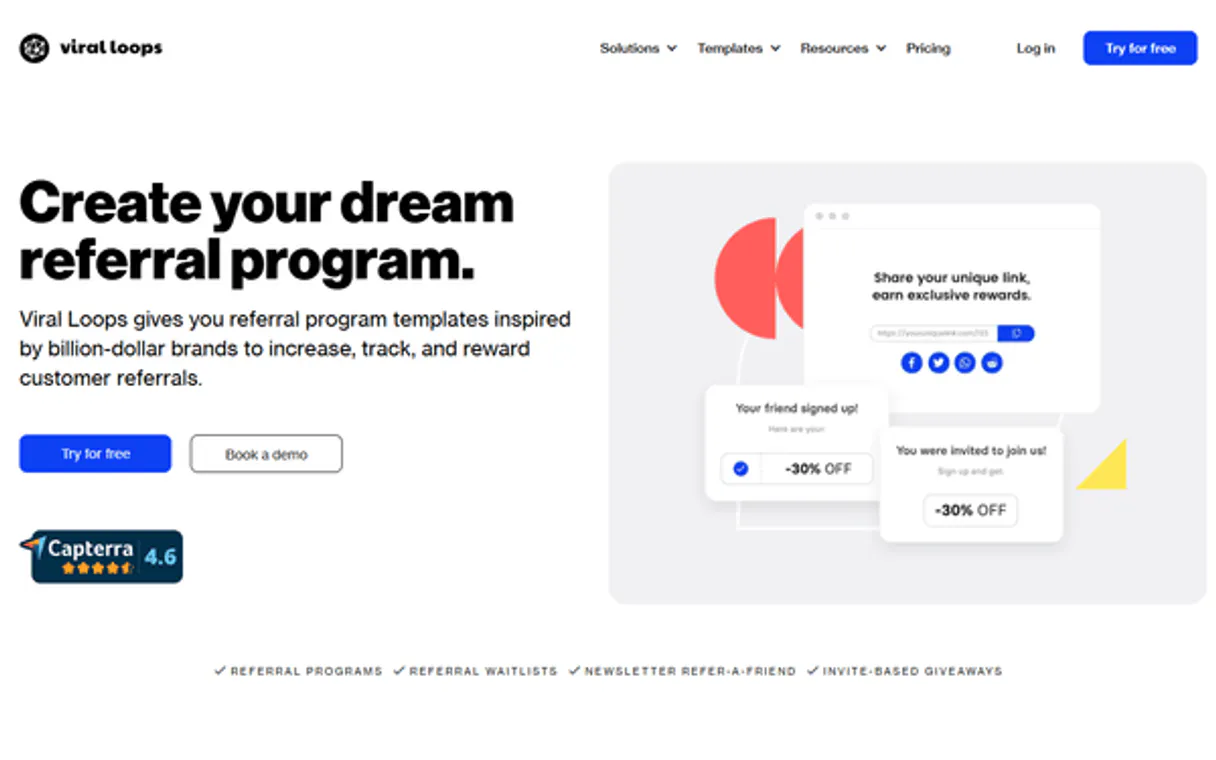
Independent Platform Disclaimer: Vinkius is an independent platform and is not affiliated with, endorsed by, sponsored by, verified by, or otherwise authorized by Viral Loops. All third-party trademarks, logos, and brand names are the property of their respective owners. Their use on this website is strictly for informational purposes to identify service compatibility and interoperability.
VINKIUS INFRASTRUCTURE
Cloud Hosted
Managed infra
V8 Isolated
Sandboxed per request
Zero-Trust Proxy
No stored credentials
DLP Enforced
Policy on every call
GDPR Compliant
EU data residency
Token Compression
~60% cost reduction
Works with Claude, ChatGPT, Cursor, and more
The Model Context Protocol standardizes how applications expose capabilities to LLMs. Instead of operating in isolation, your AI gains direct access to external platforms, live data, and real-world actions through secure, standardized connections.
This server provides 10 capabilities that interface natively with Claude, ChatGPT, Cursor, and any MCP client. No middleware. No custom integration required.
Available Capabilities
Checking campaign performance shouldn't require logging into five different dashboards.
Today, to get a full picture of your referral pipeline, you have to hop between the main dashboard, the participant list view, the stats tab, and then check the reward configuration page. You copy numbers from one screen and paste them into a spreadsheet just to calculate conversion rates.
With this MCP server, you simply ask your agent: "What's the performance for Campaign X?" The agent runs `get_campaign_stats` and hands you a single, consolidated answer with participant counts, total referrals, and conversions. It cuts out all the dashboard clicking.
Use list_campaigns to start your entire process.
When starting an analysis, the first manual step is always navigating to the campaign list to find the ID of the campaign you care about. Then, you have to copy that ID and paste it into every single subsequent tool call (like `get_campaign` or `list_participants`).
Now, your agent runs `list_campaigns`. It gives you all available IDs in plain text. You just pass that list of IDs directly to the next query. The entire setup is streamlined.
Common Questions About Viral Loops MCP
How do I find out what campaigns are currently running using list_campaigns? +
Simply call list_campaigns. It returns a complete roster of all campaign IDs and their status (active, draft, etc.) so you know exactly which ID to use for subsequent queries.
What is the best way to check if a participant earned a reward using get_milestones? +
Run get_milestones and pass in the campaign ID. The response details all configured milestones (e.g., 5 referrals) and tells you exactly what that specific participant's current status is relative to those goals.
If I update a participant, how do I know if my changes worked? +
After calling update_participant, immediately run get_participant using the same email. This validates that the data you sent was successfully written to the record.
Can I get a participant's referral link without knowing their ID? +
Yes, use get_referral_url. You only need to provide the participant's email address and the campaign ID. The tool generates the unique URL for you.
How do I calculate performance metrics like conversion rates after running `get_campaign_stats`? +
The tool provides total referrals and conversions. Calculate the rate by dividing the number of conversions by the total referrals count. This gives you a direct view of your campaign's effectiveness.
I need to find all inactive users; how do I use `list_participants` for filtering? +
You filter the output list based on status fields provided in the data. The tool returns a complete roster of every participant in that campaign, letting you sort and review their current standing.
Why should I run `list_campaigns` before calling `get_campaign`? +
You must first list the campaigns to pull valid IDs. You need one of those specific IDs when running get_campaign to ensure you retrieve detailed information for the correct active campaign.
What kind of data does the `get_participant` tool provide? +
It pulls all core details for a participant using just their email. This includes their current status, total referral count, and which specific campaign they belong to.
How do I get my Viral Loops API Key? +
Log in to your Viral Loops account, navigate to Settings > API Keys, and generate a new key. Copy it and paste it below.
Can I get referral URLs for participants? +
Yes! Use the get_referral_url tool with the campaign ID and participant email to retrieve their unique referral link.
Can I add new participants to a campaign? +
Yes! Use the create_participant action with the campaign ID and participant data (email and custom fields) to register them.
Use it with your favorite AI tools
Connect this server to Cursor, Claude, VS Code, and more.
More in this category
Mixpanel (Event Analytics & Insights)
Manage product analytics via Mixpanel — query event trends, track conversion funnels, and audit user cohorts.
Brevo
Automate marketing campaigns via Brevo — send transactional emails, dispatch SMS messages, and manage contacts natively.

Hootsuite (Social Media Management)
Manage social media via Hootsuite — schedule posts, manage social profiles, and monitor outbound messages.
You might also like

ntfy (Push Notifications)
Send and receive push notifications via ntfy topics directly from your AI agent to any device.

Dailymotion Alternative
Manage your Dailymotion account — audit videos, playlists, and followers via AI.
Cradl AI
Equip your AI agent to extract structured data from any document using Cradl AI's deep learning models.