
WeChat MCP. Manage profiles, menus, and broadcasts in WeChat.
 Gemini
 Works with every AI agent you already use
…and any MCP-compatible client









Just plug in your AI agents and start using Vinkius.
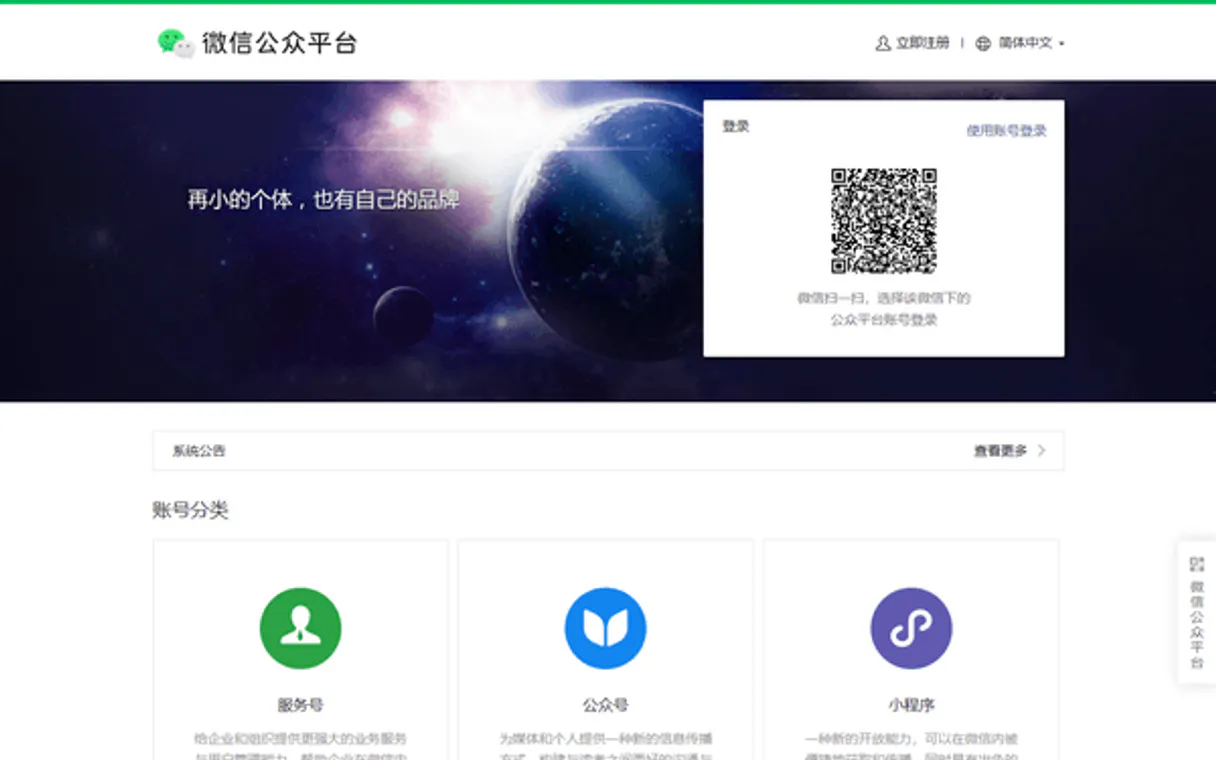
WeChat Official Accounts / 微信公众号 manages your presence on China's top messaging platform. This MCP Server lets your AI client handle everything from listing subscribers to sending structured broadcast messages, directly through the WeChat API.
Manage user profiles, build custom menus, and run customer service workflows without logging into the web portal.
What your AI agents can do
Create custom menu
Builds a custom navigation menu for your official account interface.
Delete custom menu
Removes an existing custom navigation menu from the account.
Get account status
Checks and reports on the current connectivity status of your WeChat account.
Verifies if the server can connect to your WeChat account.
Creates, retrieves, or deletes the main navigation menu for your official account.
Retrieves lists of subscribers or detailed profile information using a specific OpenID.
Sends direct custom text messages or pre-formatted template alerts to users.
Counts available material assets or lists permanent news articles.
Ask AI about this MCP
Supported MCP Clients
Gemini Waiting for input…
WeChat Official Accounts / 微信公众号: 10 Tools for Messaging Ops
Manage account status, retrieve user data, send direct messages, and control custom menus across all key WeChat functions.
019d849bcreate custom menu
Builds a custom navigation menu for your official account interface.
019d849bdelete custom menu
Removes an existing custom navigation menu from the account.
019d849bget account status
Checks and reports on the current connectivity status of your WeChat account.
019d849bget custom menu
Retrieves the details of the currently active custom navigation menu.
019d849bget material count
Returns a total count of available material assets in your library.
019d849bget user info
Fetches specific profile data for a user based on their OpenID.
019d849blist articles
Retrieves a list of permanent news articles and content pieces stored in the account.
019d849blist users
Lists all subscribed users linked to your official account.
019d849bsend custom text
Sends a personalized, non-template text message directly to a specific user.
019d849bsend template message
Dispatches structured, pre-approved template messages to users or groups.
Choose How to Get Started
Build a custom MCP for your own tools, or connect a ready-made integration from our catalog.
Build Your Own
Turn any API into an MCP. Import a spec, define Agent Skills, or deploy with MCPFusion.
- Import from OpenAPI, Swagger, or YAML specs
- Create Agent Skills with progressive disclosure
- Deploy to edge with MCPFusion framework
- Built in DLP, auth, and compliance on every call
- Real time usage dashboard and cost metering
- Publish to catalog or keep private
Make Your AI Do More
Start with WeChat Official Accounts / 微信公众号, then connect any of our 4,700+ other servers whenever your AI needs more. One click, no limits.
- Use this MCP plus 4,700+ others, all in one place
- Add new capabilities to your AI anytime you want
- Every connection is secured and compliant automatically
- Track usage and costs across all your servers
- Works with Claude, ChatGPT, Cursor, and more
- New servers added to the catalog every week
What you can do with this MCP connector
You're running a WeChat Official Account, and you need to manage it without logging into the web portal. This MCP Server lets your AI client handle everything—from listing who's subscribed to firing off structured broadcasts. It gives you direct access to the core API functions for China’s biggest messaging platform.
Account Connectivity and Status
You can check if the server is properly connected using get_account_status. This tells you right away if your WeChat account connection is up or down, letting you know what's working before you run any commands.
Managing Your User Base
When you need to know who’s on your list, you can use list_users to pull a complete roster of every subscribed user linked to the official account. To get specific details about a single person, you fetch their profile data using get_user_info, which takes an OpenID and gives you detailed information on that user.
Sending Messages and Broadcasting Alerts
Your AI agent handles all your outbound messaging needs. For highly personalized communication, use send_custom_text. This tool lets you send a one-off text message directly to any single user, perfect for follow-up or support. If you need to hit multiple people with standardized information—like alerts or promotions—you dispatch structured messages using send_template_message.
These are pre-approved templates, which keeps you compliant while ensuring your message gets delivered correctly to users or groups.
Building and Controlling the User Interface
The custom menu is key to a good user experience. You can build this navigation system for your official account interface using create_custom_menu. If you need to check what's currently active, run get_custom_menu to retrieve all its details. When the menu changes or you scrap it entirely, you use delete_custom_menu to wipe out the existing navigation structure.
Content and Asset Auditing
You can audit your content library directly through the server. To see how much material you've got stored up, run get_material_count, which returns the total count of available assets. For a list of all your permanent news articles or major published pieces, use list_articles.
Summary of Operations
- To check the health of the connection, you call
get_account_status. - You can pull user data by listing contacts with
list_users, then getting specific details for one person usingget_user_info. - For messaging, you send unique messages via
send_custom_textor structured broadcasts throughsend_template_message. - Your interface management is handled by
create_custom_menu, checking the current setup withget_custom_menu, and removing it withdelete_custom_menu. - Finally, you audit content volume using
get_material_countor list articles withlist_articles. You don't need to navigate a complex web portal; your AI client just talks directly to the server.
How WeChat MCP Works
- 1 Subscribe to the server and input your WeChat AppID and AppSecret credentials.
- 2 Instruct your AI client (Claude, Cursor, etc.) with a goal: e.g., 'Send a welcome message to all new subscribers.'
- 3 The agent executes necessary tool calls (
list_users, thensend_custom_text) and returns the success status or required data.
The bottom line is you give your AI client credentials and natural language instructions, and it runs the full WeChat API workflow for you.
Who Is WeChat MCP For?
Social media managers who get stuck clicking through five different web portals to run a simple campaign. Customer support reps who need instant user verification without switching apps. Marketing ops engineers tasked with coordinating large-scale, structured content blasts.
Uses the server to coordinate bulk actions: listing users and sending template messages to segment groups.
Runs user checks (get_user_info) and sends direct custom text to troubleshoot issues without leaving their workspace.
Uses list_articles and get_material_count to audit content libraries before scheduling a campaign broadcast.
What Changes When You Connect
- You get immediate user context. Instead of guessing who you're talking to, use
get_user_infoto pull the subscriber’s nickname, location, and gender right into your chat window. - Control the look and feel with menus. Use
create_custom_menuordelete_custom_menuto dynamically update what users see when they open your account—all from a single prompt. - Streamline outreach. Don't write manual messages for everyone; use
send_template_messageto send structured alerts that look professional and adhere to WeChat rules. - Audit content fast. If you need to know if you have enough articles, running
get_material_countgives you an immediate number, stopping pre-campaign delays. - Simplify user management. With
list_users, your agent can pull the entire roster of subscribers so you don't have to export CSVs and manually count them.
Real-World Use Cases
New subscriber welcome sequence
A marketer needs to greet every new user. They ask their agent to run list_users to get the latest list, then loop through it and use send_custom_text to send a personalized 'Welcome' message with a unique coupon code.
Updating the account menu
The product team launches a new feature. Instead of logging in, they prompt their agent: 'Create a custom menu with two buttons: Products and Support.' The create_custom_menu tool executes this instantly.
Targeted customer service
A user reports an issue. A support rep asks the agent to run get_user_info using the OpenID. This confirms the user’s details, allowing the rep to then use send_custom_text with specific account knowledge.
Broadcasting a major announcement
The company has news. The content team prompts for an alert: 'Send out our annual report link.' The agent uses send_template_message to deliver the structured update, ensuring all recipients get the correct format.
The Tradeoffs
Trying to send a message without knowing who to send it to
The user just tries to run 'Send a welcome message' and gets an error about missing recipient IDs. This is because the system needs a list of targets first.
→
First, ask your agent to run list_users to get all OpenIDs. Then, pass that resulting list back into the prompt when running send_custom_text. Always retrieve the list before sending.
Changing menu structure by guessing
A user tries to delete a menu using only its name and fails because WeChat requires precise API calls. The system gets confused.
→
Always start by running get_custom_menu first. This shows the current, exact configuration. Then, use delete_custom_menu with the confirmed details.
Overwriting content without checking status
A user tries to send a message but doesn't know if their account is active or if there are rate limits in place. The attempt fails silently.
→
Always run get_account_status first. This confirms the system is ready for writes before attempting any message sends or menu changes.
When It Fits, When It Doesn't
Use this server if your primary need is managing interactions and broadcasting within WeChat's private ecosystem in China. You need to manage user profiles, menus, or broadcast messages using the specific APIs that only WeChat provides.
Don't use it if you are building a public-facing website component (use standard webhooks/CMS tools). Don't use it just for collecting leads into a CRM database; while list_users gives data, sending that data elsewhere requires an intermediary export tool. Use this when the action must happen inside WeChat—whether it’s running send_template_message or updating the main menu via create_custom_menu. If you only need to read publicly available information (like a general directory), there are simpler, non-MCP category tools available.
Independent Platform Disclaimer: Vinkius is an independent platform and is not affiliated with, endorsed by, sponsored by, verified by, or otherwise authorized by WeChat Official Accounts / 微信公众号. All third-party trademarks, logos, and brand names are the property of their respective owners. Their use on this website is strictly for informational purposes to identify service compatibility and interoperability.
VINKIUS INFRASTRUCTURE
Cloud Hosted
Managed infra
V8 Isolated
Sandboxed per request
Zero-Trust Proxy
No stored credentials
DLP Enforced
Policy on every call
GDPR Compliant
EU data residency
Token Compression
~60% cost reduction
Works with Claude, ChatGPT, Cursor, and more
The Model Context Protocol standardizes how applications expose capabilities to LLMs. Instead of operating in isolation, your AI gains direct access to external platforms, live data, and real-world actions through secure, standardized connections.
This server provides 10 capabilities that interface natively with Claude, ChatGPT, Cursor, and any MCP client. No middleware. No custom integration required.
Available Capabilities
Manual account management is slow and requires jumping through tabs.
Right now, if your team needs to know who's subscribed or what the current menu looks like, you have to log into the WeChat MP portal. You navigate menus, click on 'User Management,' find the list endpoint, copy data, and then switch tabs to check content assets—it takes constant context switching.
With this MCP server, your agent handles all of that in one prompt. You just say, 'What users do we have?' The agent runs `list_users` and gives you a clean result. It's instant, reliable data pulled directly into your workspace.
WeChat Official Accounts / 微信公众号: Manage profiles, menus, and broadcasts.
Before this server, updating a user profile or sending a bulk message meant following strict, manual steps inside the platform's web GUI. If you missed one click or used the wrong template ID, the whole blast failed, and debugging was painful.
Now, your AI client treats the entire WeChat API like a natural conversation. You don't worry about endpoints or required parameters; you just tell the agent the goal, and it runs the sequence of tools—like using `send_template_message`—and confirms the outcome.
Common Questions About WeChat MCP
How do I get a list of all subscribers using list_users? +
You instruct your agent to run list_users. The tool returns a comprehensive list of OpenIDs and basic profiles for every subscriber linked to the account.
Can send_template_message be used for general chat? +
No. send_template_message is for structured, pre-approved notifications that comply with WeChat rules. Use send_custom_text if you need to write a free-form, personal message.
What should I do before changing the menu using create_custom_menu? +
Always run get_custom_menu first. This shows you the existing configuration, ensuring your new menu structure won't conflict with current links or buttons.
Is get_user_info reliable for customer support? +
Yes. Running get_user_info pulls verified profile data directly into your agent workspace, letting you confirm user details without leaving the chat interface.
What does running `get_account_status` confirm about my WeChat account? +
The tool confirms if your AppID and AppSecret are active and properly connected. It checks the live status of your official account, letting you know immediately if there's a connectivity issue before running other commands.
When I call `list_articles`, what types of content can I expect to find? +
You only retrieve permanent media assets and published news articles. The tool won't show drafts, private messages, or temporary posts; it focuses strictly on the public-facing material library.
If `send_custom_text` fails for a user, what specific error details will my agent receive? +
The tool returns detailed failure codes. These tell your agent precisely if the message failed because the user is blocked, or if it's due to rate limiting imposed by WeChat.
When I use `get_custom_menu`, what information does the returned data structure provide? +
The system returns a structured list of all your main buttons. This includes the button label and the specific destination—whether it's an external URL or an internal sub-menu ID.
How do I find my WeChat AppID and Secret? +
Log in to the WeChat Official Accounts Platform, navigate to [Settings] -> [Development] -> [Basic Configuration] to find your unique AppID and generate your AppSecret.
What is an OpenID? +
An OpenID is a unique identifier for a specific user relative to your Official Account. It is required for most user-specific operations like sending messages or retrieving profiles.
Can I send messages to anyone? +
Custom messages can only be sent to users who have interacted with your account in the last 48 hours. Template messages can be sent at any time but must follow specific structured formats and use-cases defined by WeChat.
Use it with your favorite AI tools
Connect this server to Cursor, Claude, VS Code, and more.
More in this category

WorkflowMax
Manage jobs, clients, and timesheets via WorkflowMax by BlueRock directly from your AI agent.

CB Insights
Research emerging technologies, track venture capital deals, and analyze market trends with AI-powered business intelligence.

Jira Software Cloud
Manage Jira Software Agile workflows — list boards, track sprints, manage backlogs, and inspect epics directly from your AI agent.
You might also like

Polaria
Unify your customer support with an AI agent that manages Polaria conversations, contacts, and FAQ retrieval.

Directus
Turn any SQL database into a powerful headless CMS with instant REST and GraphQL APIs for your custom content models.

ChatBot.com
Manage conversational AI and bot workflows via ChatBot — track stories, interactions, and user data directly from any AI agent.