
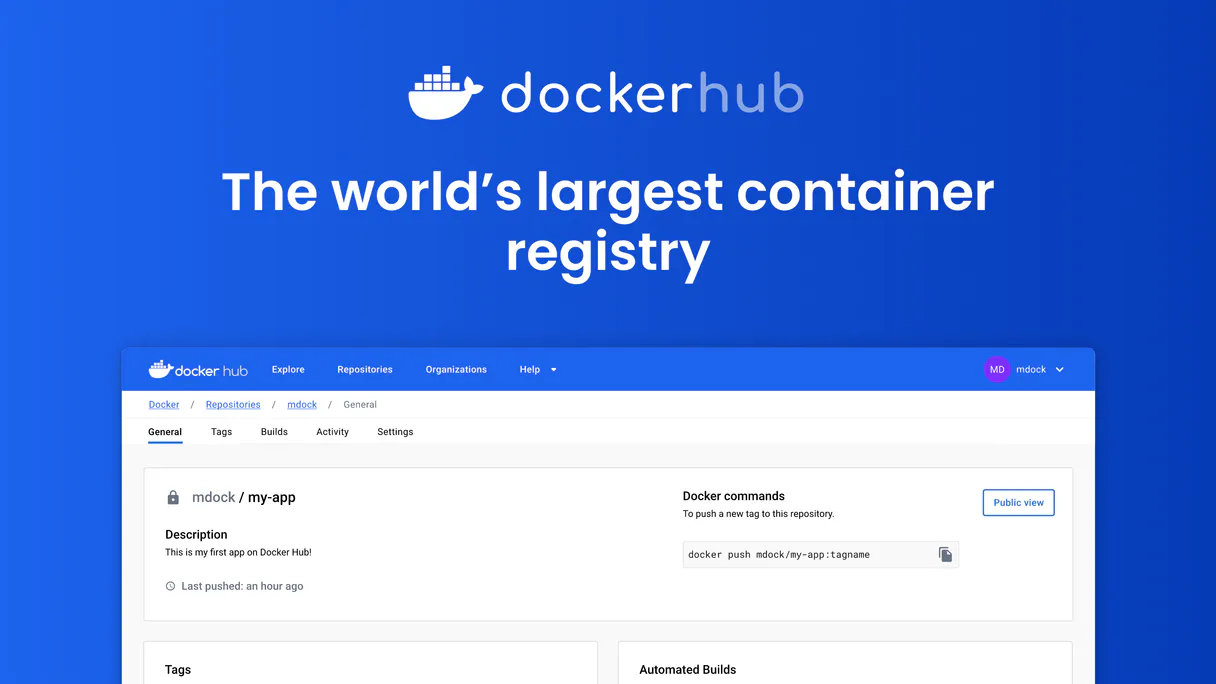
Docker Hub MCP. Manage all image versions and repositories via conversation.
 Gemini
 Works with every AI agent you already use
…and any MCP-compatible client









Just plug in your AI agents and start using Vinkius.
Docker Hub manages your container images directly through conversation. This MCP lets any AI agent list repositories, search for community images by name or description, and check specific image tags—all without opening a browser.
It's full lifecycle management for DevOps teams.
What your AI agents can do
Create repository
Creates an entirely new container image repository in your account.
Delete repository
Permanently deletes a specified container image repository. Be careful, this action is irreversible.
Get repository
Retrieves specific details about one defined container repository.
Get a full overview of every container repository you own, including star and pull counts.
Quickly check what version tags are available for any given image name (e.g., 'v1.2.3' or 'latest').
Set up brand-new, dedicated containers to hold your application images.
Find popular or official public images across the entire Docker Hub catalog by name or description.
Change details like a repo's visibility (public/private) or its main description.
Ask AI about this MCP
Supported MCP Clients
OAuth 2.0 Compatible Gemini Waiting for input…
Docker Hub: 10 Tools for Registry Management
These tools let your agent perform every necessary action on your containers, from creating a new repo to searching the entire public catalog.
Make your AI actually useful.
Add this MCP to Claude, Cursor, or Windsurf and your AI stops guessing. It gets real tools to look things up, take action, and handle the stuff you keep doing by hand.
Start using Docker Hub on Vinkius019d842fcreate repository
Creates an entirely new container image repository in your account.
019d842fdelete repository
Permanently deletes a specified container image repository. Be careful, this action is irreversible.
019d842fget repository
Retrieves specific details about one defined container repository.
019d842fget tag
Fetches all metadata for a single, specified image tag within a repository.
019d842fget user
Returns basic details about the user account connected via the access token to verify credentials.
019d842flist organizations
Shows all organizational groups that the current user has membership in.
019d842flist repositories
Provides a list of every container repository associated with your account, including visibility and pull counts.
019d842flist tags
Lists all version tags available for a specified image within one repository.
019d842fsearch repositories
Searches the entire Docker Hub catalog to find public or private repositories by keywords.
019d842fupdate repository
Modifies metadata for an existing container repository, like changing its description or privacy setting.
Choose How to Get Started
Build a custom MCP for your own tools, or connect a ready-made integration from our catalog.
Build Your Own
Turn any API into an MCP. Import a spec, define Agent Skills, or deploy with MCPFusion.
- Import from OpenAPI, Swagger, or YAML specs
- Create Agent Skills with progressive disclosure
- Deploy to edge with MCPFusion framework
- Built in DLP, auth, and compliance on every call
- Real time usage dashboard and cost metering
- Publish to catalog or keep private
Make Your AI Do More
Start with Docker Hub, then connect any of our 4,800+ other servers whenever your AI needs more. One click, no limits.
- Use this MCP plus 4,800+ others, all in one place
- Add new capabilities to your AI anytime you want
- Every connection is secured and compliant automatically
- Track usage and costs across all your servers
- Works with Claude, ChatGPT, Cursor, and more
- New servers added to the catalog every week
Independent Platform Disclaimer: Vinkius is an independent platform and is not affiliated with, endorsed by, sponsored by, verified by, or otherwise authorized by Docker Hub. All third-party trademarks, logos, and brand names are the property of their respective owners. Their use on this website is strictly for informational purposes to identify service compatibility and interoperability.
VINKIUS INFRASTRUCTURE
Cloud Hosted
Managed infra
V8 Isolated
Sandboxed per request
Zero-Trust Proxy
No stored credentials
DLP Enforced
Policy on every call
GDPR Compliant
EU data residency
Token Compression
~60% cost reduction
Works with Claude, ChatGPT, Cursor, and more
The Model Context Protocol standardizes how applications expose capabilities to LLMs. Instead of operating in isolation, your AI gains direct access to external platforms, live data, and real-world actions through secure, standardized connections.
This server provides 10 capabilities that interface natively with Claude, ChatGPT, Cursor, and any MCP client. No middleware. No custom integration required.
Finding Image Versions Is Always a Pain
Right now, if you want to know what versions of an image are available in a repo—say, if 'v1.2' or 'v1.3-beta' was pushed last week—you have to navigate the Docker Hub site. That means clicking into the repository, then finding the tags list, and scrolling until you find the version number. It's slow, and it takes too many steps.
With this MCP, your agent handles that whole flow. You just ask: 'What versions of my worker image are available?' The agent runs `list_tags` and gives you a clean, immediate list with sizes and push dates. You get the data you need in one conversation.
Getting Repository Details with get_repository
Before this MCP, finding specific repo details meant digging through account dashboards, often having to guess if the info was stored under 'Settings' or 'Overview'. You might miss key stats like the total star count or the exact visibility setting.
Now, you simply ask for the repository details. The agent runs `get_repository` and returns a single JSON object with everything—stats, ownership, visibility—without any guesswork involved.
What you can do with this MCP connector
Managing Docker containers used to mean logging into the console, clicking through dashboards just to see if the right tag existed or who had access. Now you talk to your agent about it. This MCP connects directly to your container registry so your AI client can handle all the heavy lifting—listing repositories, searching for community images, and auditing account details on demand.
You're not just viewing data; your agent acts as a dedicated registry assistant that knows exactly what image versions exist.
If you’re building complex pipelines, combining this MCP with another service, like a Git repository tracker or a CI/CD platform, allows you to chain together automations that span multiple tools through Vinkius. This means your AI agent can check the latest version tag, trigger a build, and then report on its status—all in one flow.
It’s about building complete workflows, not just calling single functions.
019d842f-2716-70d5-915f-320712f6d4b2 
How Docker Hub MCP Works
- 1 Subscribe to this MCP and provide your Docker Hub access token.
- 2 Connect the service to your preferred AI client, like Cursor or Claude.
- 3 Ask your agent a direct question, such as 'What tags are available for my web app repo?'
The bottom line is you get immediate, conversational access to container registry data without touching a browser.
Who Is Docker Hub MCP For?
DevOps engineers who spend too much time clicking around dashboards. Platform architects building complex CI/CD pipelines that need real-time image metadata. Backend developers needing instant version checks.
Needs to audit repository access, quickly check pull stats for capacity planning, and confirm if an image tag was successfully pushed before triggering a deployment.
Builds complex agent workflows that need to chain together actions—like listing organizations, then finding repos, and finally checking the tags on those repos. This MCP is key for cross-platform visibility.
Needs to search community images or confirm the exact version tag needed for a feature branch build without leaving their IDE.
What Changes When You Connect
- Never manually check tags again. With
list_tags, your agent finds every version of an image instantly, eliminating the need to click into a tag dashboard. - Audit access history easily. Use
get_userto confirm who you are connected as, which is critical when setting up new pipelines or connecting multi-service workflows. - Build and tear down environments fast. You can use
create_repositoryfor temporary testing repos, thendelete_repositoryonce the work is done, keeping your account clean. - Discover images without guesswork. The
search_repositoriestool lets you find community solutions by name or description across the entire hub catalog. - Maintain consistency with
update_repository. Need to change a repo's description or set it to private? Do it via chat instead of navigating settings menus.
Real-World Use Cases
A new developer needs to verify the latest stable image.
The dev asks their agent: 'What tags are available for the core API service?' The agent uses list_tags and reports back all versions, letting the dev pick the correct one immediately.
The platform team needs to audit who owns what.
The architect asks: 'What organizations am I part of, and how many repositories are under my name?' The agent runs list_organizations then list_repositories, giving an instant inventory.
You need to find a niche open-source library.
Instead of browsing the entire hub manually, you ask: 'Find me a Python image with logging capabilities.' The agent uses search_repositories and returns relevant matches.
A team is retiring an old application.
The lead asks the agent to delete the repo using delete_repository. The agent confirms the action, preventing accidental data loss or lingering access points.
The Tradeoffs
Checking versions manually
Opening Docker Hub in a browser, navigating to your repo, and clicking through tags one by one just to see the list of available versions.
→
Just ask your agent. Use list_tags to get all version metadata for an image instantly. It's faster and keeps you right where you are.
Updating repo details piecemeal
Going into the dashboard, finding the 'Settings' tab, then manually changing the description in a different pop-up window.
→
Use update_repository to send all changes—like setting the visibility and new description—in one single command.
Forgetting who owns the repo
Starting work, forgetting if the repository belongs to your user account or a different organization.
→
Run list_organizations first. This immediately shows you all groups you belong to, making it clear where the code lives.
When It Fits, When It Doesn't
Use this MCP if your core need is managing container images and their metadata (tags, versions, repository structure). If you only need to track source code commits or manage cloud storage buckets, don't use this; look for a dedicated Git or artifact registry type tool instead. You must be able to articulate which specific repo, tag, and version you're talking about. If your process is 'check if the image exists,' this works. If your process is 'write code and then push it,' you need an MCP that connects to your source control system first.
Common Questions About Docker Hub MCP
How do I get a Docker Hub access token? +
Log in to hub.docker.com, go to Settings > Security, click New Access Token, give it a name and copy the token immediately — it starts with dckr_pat_ and won't be shown again.
Can I create private repositories? +
Yes! Use create_repository with is_private set to "true". Note that free Docker Hub accounts have a limited number of private repositories. Check your account plan for private repo limits.
Can I search for public Docker images? +
Yes! Use search_repositories with a query like "nginx", "python" or "node". Results include the namespace, name, star count, pull count and description for each matching image. This is useful for discovering community images before pulling them.
Can I see all tags for an image? +
Yes! Use list_tags with the namespace and repository name. Returns all available tags with their image sizes, last pushed dates and digests. Useful for finding the correct version to pull.
How do I update metadata for a repository using `update_repository`? +
You can modify specific fields like description or visibility with update_repository. You just provide the namespace, repo name, and a JSON object containing only the fields you want to change.
What is the process for removing a repository using `delete_repository`? +
You call delete_repository with the required namespace and repository name. Be aware that this action is irreversible, so double-check your request before confirming deletion.
How can I use `list_organizations` to see my organizational scope? +
Running list_organizations returns a list of all organizations you belong to. This helps map out which corporate groups or teams have access to specific image repositories.
What information does the `get_user` tool return after I connect my account? +
The get_user tool provides basic profile details, including your username, email, full name, company, and location. This confirms that your access token is active and working correctly.
Multi-server workflows that include Docker Hub MCP
Deploy Containers to Production Using MCP
Code pushed, images built, tags verified, deploys triggered, status reported , ship containers from commit to production in one prompt
MCP Recipe for Container Vulnerability Scanning
Pipelines scanned, base images audited, vulnerability records created, remediation tracked , manage your container security without a CSPM tool
MCP Servers to Find Abandoned Docker Images
Your production image is 2.3GB and nobody knows why , it was 400MB two years ago but 47 engineers added 'just one more dependency' and now your deploy takes 12 minutes to pull
MCP Workflow for Container Build Monitoring
Pipelines monitored, build times tracked, image sizes audited, flaky steps flagged , keep your CI healthy without watching build logs
Use it with your favorite AI tools
Connect this server to Cursor, Claude, VS Code, and more.