
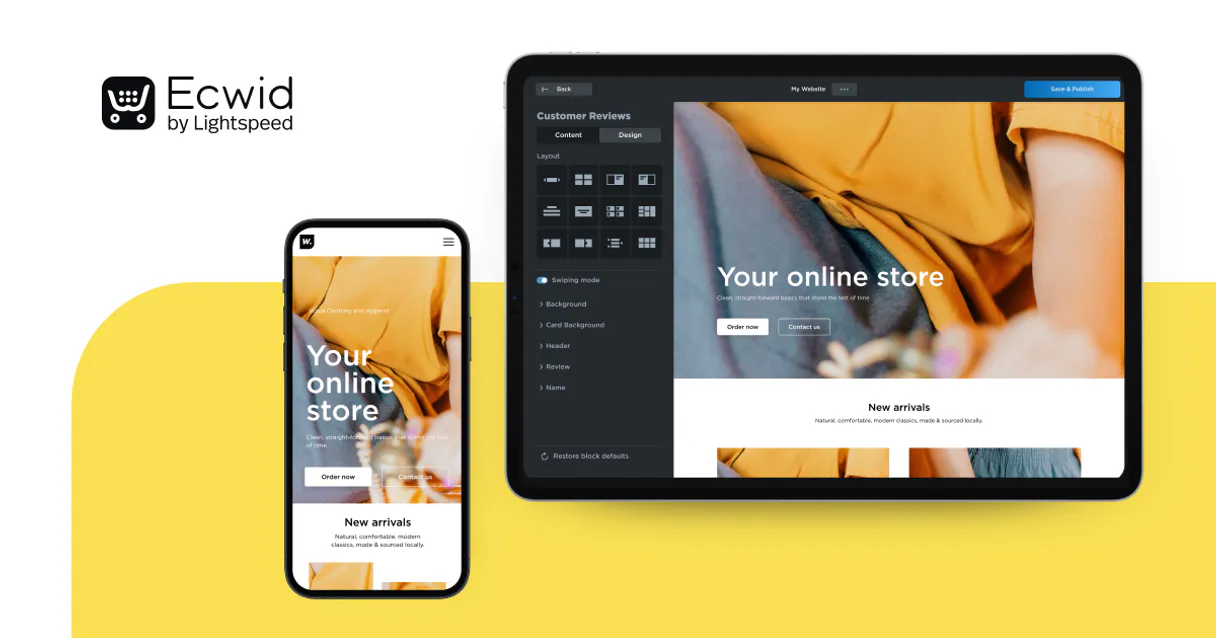
Ecwid MCP. Control your entire e-commerce catalog and sales cycle.
 Gemini
 Works with every AI agent you already use
…and any MCP-compatible client









Just plug in your AI agents and start using Vinkius.
Ecwid MCP lets your agent manage everything about your online store directly through conversation. You can search product details, update inventory counts, look up customer orders, and validate coupon rules—all without opening the Ecwid dashboard.
This connection gives AI direct control over catalog data, real-time stock levels, sales records, and customer profiles.
What your AI agents can do
Get app storage
Retrieves saved application configuration values from Ecwid using a specific key.
Get order
Fetches the full details for a single order using its ID or number.
Get product
Gets all detailed information—pricing, choices, and attributes—for one specific product ID.
Fetch full details on any product, including pricing, variations, attributes, and SEO data.
Update the physical stock count for specific products directly from natural language commands.
Search and retrieve detailed information about past orders, including payment status and fulfillment logs.
Find specific customer profiles by name or other identifying details to check their purchase history.
Check the rules and status of any discount coupon without needing an actual order number.
Ask AI about this MCP
Supported MCP Clients
OAuth 2.0 Compatible Gemini Waiting for input…
Ecwid: 10 Tools for Store Management
These ten tools give your agent granular access across every part of your store's backend—from product searching to customer history and inventory counting.
Make your AI actually useful.
Add this MCP to Claude, Cursor, or Windsurf and your AI stops guessing. It gets real tools to look things up, take action, and handle the stuff you keep doing by hand.
Start using Ecwid on Vinkius019d758cget app storage
Retrieves saved application configuration values from Ecwid using a specific key.
019d758cget order
Fetches the full details for a single order using its ID or number.
019d758cget product
Gets all detailed information—pricing, choices, and attributes—for one specific product ID.
019d758cget profile
Retrieves the general configuration settings for your entire Ecwid store profile.
019d758clist categories
Returns a list of all existing product categories in the store.
019d758clist coupons
Lists and checks details for all active discount coupons on the store.
019d758csearch customers
Searches your customer database using criteria like name or email address.
019d758csearch orders
Finds multiple order numbers and summaries, showing totals, payment status, and buyer details.
019d758csearch products
Searches the catalog for products by name or keyword, returning IDs, prices, and stock counts.
019d758cupdate inventory
Changes the available stock quantity for a specific product ID.
Choose How to Get Started
Build a custom MCP for your own tools, or connect a ready-made integration from our catalog.
Build Your Own
Turn any API into an MCP. Import a spec, define Agent Skills, or deploy with MCPFusion.
- Import from OpenAPI, Swagger, or YAML specs
- Create Agent Skills with progressive disclosure
- Deploy to edge with MCPFusion framework
- Built in DLP, auth, and compliance on every call
- Real time usage dashboard and cost metering
- Publish to catalog or keep private
Make Your AI Do More
Start with Ecwid, then connect any of our 4,800+ other servers whenever your AI needs more. One click, no limits.
- Use this MCP plus 4,800+ others, all in one place
- Add new capabilities to your AI anytime you want
- Every connection is secured and compliant automatically
- Track usage and costs across all your servers
- Works with Claude, ChatGPT, Cursor, and more
- New servers added to the catalog every week
Independent Platform Disclaimer: Vinkius is an independent platform and is not affiliated with, endorsed by, sponsored by, verified by, or otherwise authorized by Ecwid. All third-party trademarks, logos, and brand names are the property of their respective owners. Their use on this website is strictly for informational purposes to identify service compatibility and interoperability.
VINKIUS INFRASTRUCTURE
Cloud Hosted
Managed infra
V8 Isolated
Sandboxed per request
Zero-Trust Proxy
No stored credentials
DLP Enforced
Policy on every call
GDPR Compliant
EU data residency
Token Compression
~60% cost reduction
Works with Claude, ChatGPT, Cursor, and more
The Model Context Protocol standardizes how applications expose capabilities to LLMs. Instead of operating in isolation, your AI gains direct access to external platforms, live data, and real-world actions through secure, standardized connections.
This server provides 10 capabilities that interface natively with Claude, ChatGPT, Cursor, and any MCP client. No middleware. No custom integration required.
Dealing with e-commerce data means living in a dashboard maze.
Right now, to update stock or check an order's payment status, you have to log into the Ecwid panel. Then you click through 'Orders,' filter by date range; then you open each individual order, find the product name, copy its ID, and finally switch tabs to a separate inventory sheet to change the count. It’s tedious, slow, and prone to human error.
With this MCP, your agent handles all that clicking for you. You just talk to it: 'Find all orders from last week with payment status pending.' The agent pulls the data, summarizes the findings, and tells you exactly which order needs attention. You get actionable insights immediately.
Get precise control over product details using `get_product`.
The biggest time sink is usually getting all the necessary parameters—the ID, the SKU, the price variance due to options. Previously, you'd have to open the product page just to copy down those specific attributes to use in a report or another system.
Now, your agent uses `get_product`. It pulls every single detail—pricing variations, choices, and attributes—into a clean, structured output instantly. You get the full data payload you need without ever leaving your chat window.
What you can do with this MCP connector
You use this connector to give your agent complete hands-on access to your entire e-commerce backend. Whether you need a list of all current product categories or just want to check if a specific customer placed an order last week, the connection handles it. You can automatically change stock levels across multiple products, pull detailed financial logs from completed orders, and even find out what coupons are active right now by bypassing the manual controls.
Managing a store involves many moving parts—stock counts, sales statuses, pricing rules. This MCP lets you run complex queries that track down specific data points, like finding a product based on its ID or checking which customer placed an order using their email address. Because your keys pass through Vinkius's zero-trust proxy, your credentials are only used in transit and never stored, keeping the store secure while letting your agent do serious work.
019d758c-a508-7194-95e0-1eb1078f8a4e 
How Ecwid MCP Works
- 1 Subscribe to this MCP, then enter your Ecwid Store ID and the Secret Automation Token.
- 2 Connect it to your preferred client (Claude, Cursor, etc.).
- 3 Instruct your agent to perform an action, like 'Check stock for product X' or 'Find orders from last month'.
The bottom line is that you treat your entire e-commerce backend as a single conversational resource.
Who Is Ecwid MCP For?
Anyone who manages sales, product listings, or customer accounts for an online store. This isn't just for reading data; it’s for making operational changes instantly.
Needs to check order statuses and update inventory levels without logging into the Ecwid admin panel.
Spends time searching for product IDs or adjusting stock counts across multiple SKUs using only natural language.
Needs to quickly look up a customer's purchase history and current order status to resolve issues in real-time conversations.
What Changes When You Connect
- Instead of logging into the Ecwid dashboard to check stock, you can simply ask your agent to run
search_productsfor 't-shirt' and get live inventory numbers instantly. You’ll know exactly what needs restocking. - Resolving customer issues is faster because you can ask the agent to perform a search on orders or customers without needing their account credentials; just give them the name, and they find the order.
- You don't have to manually check coupon rules. Running
list_couponsallows your agent to validate if a discount code works for a specific product before the customer even checks out. - Need to fix a stock count? The ability to use
update_inventorymeans you can correct physical counts immediately, without having to navigate through multiple settings menus. - The power of this MCP is chaining: your agent can find products using
search_products, then check their pricing withget_product, and finally update the stock usingupdate_inventory, all in one conversation.
Real-World Use Cases
End-of-Day Inventory Audit
The inventory manager asks the agent to 'Check if any product category has less than 10 units of stock.' The agent runs list_categories and then checks related products, providing a prioritized list of items needing an emergency restock.
Investigating Failed Payments
Customer support gets a complaint about order #987. They ask the agent to use get_order. The agent pulls up the details, noting the payment failed due to an expired card, allowing support to give the customer immediate instructions.
Batch Product Updates
The marketing team wants to increase the stock count for all winter jackets. They ask the agent to 'Find product IDs containing 'jacket' and set their inventory to 150.' The agent runs search_products followed by multiple calls to update_inventory.
Coupon Troubleshooting
A customer claims a coupon code isn't working. Instead of asking the customer for their order, they ask the agent to run list_coupons, and the agent reports that the specific discount has expired or is restricted only to certain categories.
The Tradeoffs
Trying to get all product data at once
Asking a single, massive prompt like 'Tell me everything about your store and its products.' This results in an unmanageable block of text that mixes inventory with SEO details.
→
Break it down. First, use list_categories to get the structure. Then, use search_products to find IDs for a specific category, and finally, use get_product on those few IDs for detailed information.
Updating inventory without checking existence
Telling the agent 'Set stock for 12345 to 50.' If ID 12345 doesn't exist, the call fails and you waste time figuring out why.
→
Always use search_products first. This confirms that product ID 12345 exists and gives you its current details before running update_inventory.
Overlooking profile settings
Assuming the store uses a certain tax rate when setting up an order, only to find out later the region was changed.
→
Start by calling get_profile. This pulls in the current timezone and general store formats, ensuring any subsequent data retrieval is based on accurate base settings.
When It Fits, When It Doesn't
Use this MCP if your need involves direct manipulation or detailed reading of core transactional records: checking order status (get_order), changing stock counts (update_inventory), finding specific products by ID, or validating pricing rules. Don't use it if you only need general market trends or complex analytics that require linking to external financial systems; for those, you'll need to chain this MCP with a dedicated accounting MCP. If your goal is simply 'What are my sales totals last quarter?'—you’re better off querying your main BI tool. This MCP lives in the operational layer: it changes things and confirms what happened.
Common Questions About Ecwid MCP
How do I update inventory with `update_inventory`? +
You must first identify the correct product ID. The agent needs this specific ID to know which item's stock count to change, so always verify the ID before running the command.
Can I use `search_orders` for tax reporting? +
Yes, you can search orders and pull detailed financial logs. The agent provides payment constraints and fulfillment statuses, which are useful starting points for tax review, but always verify with your accounting software.
What is the difference between `get_product` and `search_products`? +
search_products finds multiple product IDs based on a keyword or name. get_product requires you to already have a specific ID, then returns all the deep details for that one item.
How do I check available coupons using `list_coupons`? +
Running list_coupons shows all active discount codes and their rules. If you need to test if a coupon works on a specific product, the agent can validate that rule for you.
If I need to read custom settings, how do I use `get_app_storage`? +
It retrieves specific values stored in your Ecwid application backend. This is useful when you've configured a custom payload or state variable that isn't covered by standard product or order tools.
What should I do if I only know the customer's email, and want to find them using `search_customers`? +
You can search for customers using criteria like name, email, or other identifiers. This tool returns a list of profiles, giving you enough context to verify account details before processing an order.
How do I check the global settings and timezone configuration with `get_profile`? +
This tool fetches the static configuration for your entire store. You get access to core global data, such as time zone settings or general format details, which is essential for accurate logging.
If I have an order number but not a search criteria, what does `get_order` provide? +
It pulls the full record for one specific order ID. You get all payment constraints, fulfillment status details, and buyer financial logs tied to that exact transaction.
Use it with your favorite AI tools
Connect this server to Cursor, Claude, VS Code, and more.