
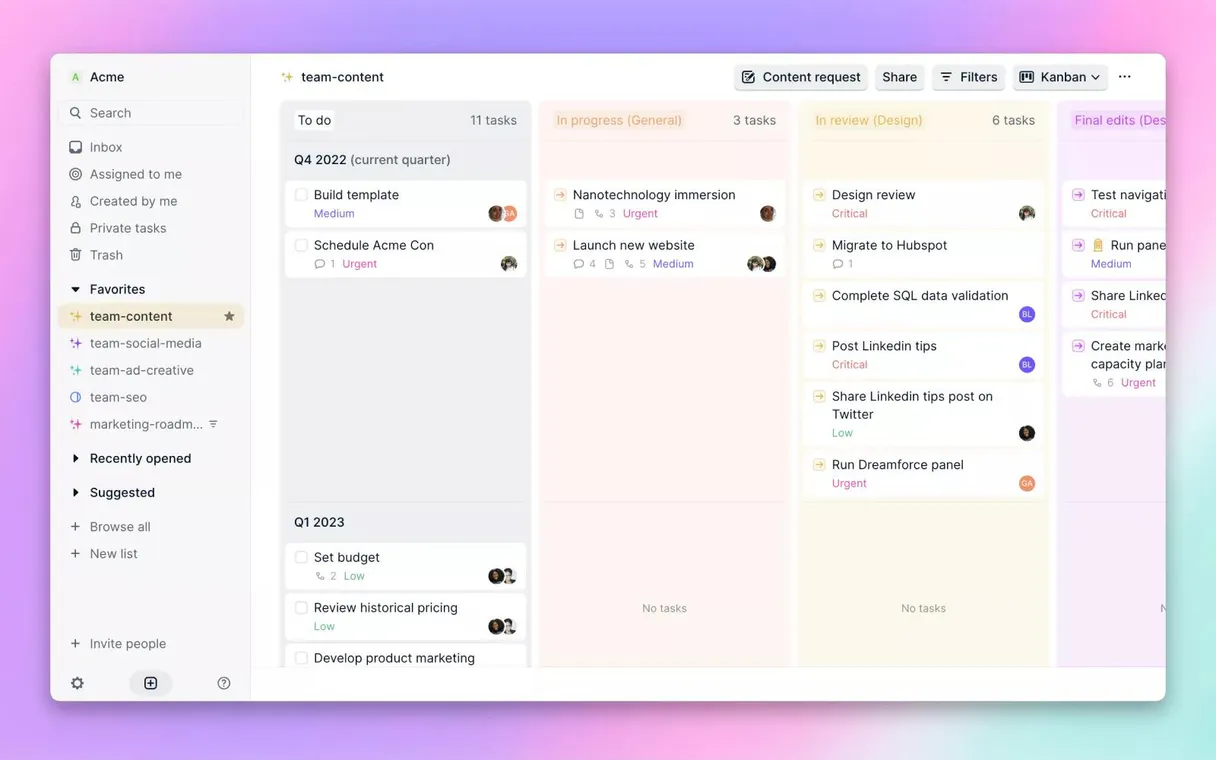
Height MCP. Manage tasks, lists, and activities via natural conversation.
 Gemini
 Works with every AI agent you already use
…and any MCP-compatible client









Just plug in your AI agents and start using Vinkius.
Height MCP Server manages your projects and tasks. Use it to list, retrieve, and track tasks, manage workspace lists, and audit project activities directly through your AI agent.
You can fetch full metadata on specific tasks, discover high-level grouping constructs, and track activity logs for any project element.
It gives your AI agent full control over your project management data.
What your AI agents can do
Get task
Retrieves the full metadata and details for a specific task.
List activities
Lists the recent activity logs and audit trail for a given task.
List lists
Retrieves the names and structures of organizational lists or grouping containers.
Retrieves the full metadata and structural details for a specific task ID.
Lists the historical activity records for a task, showing status changes and comments.
Retrieves high-level grouping structures and lists within your workspace for organization.
Fetches a list of tasks across the workspace, allowing bulk viewing and filtering.
Retrieves and maps user identities and details of registered teammates in the organization.
Gets core details about the entire workspace domain you are working in.
Ask AI about this MCP
Supported MCP Clients
OAuth 2.0 Compatible Gemini Waiting for input…
Height Project Management: 6 Tools for Task & List Management
These tools let your AI agent read and structure data from your Height workspace. Use them to track tasks, audit history, and map out your entire project structure.
Make your AI actually useful.
Add this MCP to Claude, Cursor, or Windsurf and your AI stops guessing. It gets real tools to look things up, take action, and handle the stuff you keep doing by hand.
Start using Height (Project Management) on Vinkius019d75afget task
Retrieves the full metadata and details for a specific task.
019d75aflist activities
Lists the recent activity logs and audit trail for a given task.
019d75aflist lists
Retrieves the names and structures of organizational lists or grouping containers.
019d75aflist tasks
Fetches a list of tasks, allowing you to view multiple items in a single request.
019d75aflist users
Retrieves a map of registered users and team members associated with the workspace.
019d75afworkspace
Gets core structural information about the entire workspace domain.
Choose How to Get Started
Build a custom MCP for your own tools, or connect a ready-made integration from our catalog.
Build Your Own
Turn any API into an MCP. Import a spec, define Agent Skills, or deploy with MCPFusion.
- Import from OpenAPI, Swagger, or YAML specs
- Create Agent Skills with progressive disclosure
- Deploy to edge with MCPFusion framework
- Built in DLP, auth, and compliance on every call
- Real time usage dashboard and cost metering
- Publish to catalog or keep private
Make Your AI Do More
Start with Height (Project Management), then connect any of our 4,800+ other servers whenever your AI needs more. One click, no limits.
- Use this MCP plus 4,800+ others, all in one place
- Add new capabilities to your AI anytime you want
- Every connection is secured and compliant automatically
- Track usage and costs across all your servers
- Works with Claude, ChatGPT, Cursor, and more
- New servers added to the catalog every week
Independent Platform Disclaimer: Vinkius is an independent platform and is not affiliated with, endorsed by, sponsored by, verified by, or otherwise authorized by Height. All third-party trademarks, logos, and brand names are the property of their respective owners. Their use on this website is strictly for informational purposes to identify service compatibility and interoperability.
VINKIUS INFRASTRUCTURE
Cloud Hosted
Managed infra
V8 Isolated
Sandboxed per request
Zero-Trust Proxy
No stored credentials
DLP Enforced
Policy on every call
GDPR Compliant
EU data residency
Token Compression
~60% cost reduction
Works with Claude, ChatGPT, Cursor, and more
The Model Context Protocol standardizes how applications expose capabilities to LLMs. Instead of operating in isolation, your AI gains direct access to external platforms, live data, and real-world actions through secure, standardized connections.
This server provides 6 capabilities that interface natively with Claude, ChatGPT, Cursor, and any MCP client. No middleware. No custom integration required.
Sifting through manual project updates shouldn't take half a day.
Right now, checking a project's status means jumping between the main board, the activity feed, and the user directory. You copy a task ID, open the audit log, copy the status change, open the user profile, and then compile a summary in a separate document. It's a messy, multi-tab, copy-paste process.
With the Height MCP Server, you just ask your agent, 'Give me the status of the Q3 audit.' The agent runs `get_task` and `list_activities` in the background, compiling the status, the last change, and the responsible user into a single, readable response. You get the answer, not the raw data dump.
Height MCP Server: See team rosters and task status in chat.
You used to have to navigate to the 'Team' tab to see who was on the project, and then switch back to the task board to see what they were doing. Getting a full picture of who owns what was a multi-step manual audit.
Now, running `list_users` followed by `list_tasks` allows your agent to map out the entire team structure and current task assignments. It's a single, cohesive view of ownership and progress.
What you can do with this MCP connector
Height manages your projects and tasks. You'll use this server to list, retrieve, and track tasks, manage workspace lists, and audit project activities straight through your AI agent. You can grab full metadata on specific tasks, discover high-level grouping constructs, and track activity logs for anything in the project. It gives your AI agent total control over your project management data.
Get Task Details: You'll use get_task to pull the full metadata and structural details for any specific task ID.
Track Activity Logs: list_activities lets you pull the historical activity records for a task, showing every status change and comment.
Discover Lists and Groups: You can run list_lists to pull the names and structures of organizational lists or grouping containers.
List All Tasks: list_tasks fetches a list of tasks across the workspace, letting you view multiple items in a single request.
Find Team Members: You'll use list_users to pull a map of registered users and team members in the workspace.
View Workspace Context: The workspace tool gets the core structural information for the entire domain you're working in.
019d75af-1b21-733b-b83e-235f82a5a30d 
How Height MCP Works
- 1 Subscribe to the server and input your specific Height API Key.
- 2 Your AI client initiates a request using a tool name (e.g.,
list_tasks). - 3 The server executes the tool call against your Height account and sends the structured data back to your agent.
The bottom line is, your agent talks to Height using structured API calls, and you get the data back instantly for analysis.
Who Is Height MCP For?
Project Managers who need to audit task history or generate status reports from raw data. Developers who need to list and retrieve task details without leaving their IDE. Operations teams who track workspace activity and monitor team assignments.
Uses list_activities to audit task history and generate status reports through natural conversation.
Runs list_tasks to get full task details directly inside the IDE, avoiding context switching to the web UI.
Uses list_users and list_activities to track workspace actions and monitor team member roles.
What Changes When You Connect
- See the full history of any task using
list_activities. You instantly track status changes and comments without navigating to a separate audit log page. - Build status reports instantly. By combining
list_tasksandlist_users, your agent pulls current assignments and status across the entire project roster. - Keep context local. Developers can run
list_tasksright in their IDE to inspect task details, eliminating the need to switch tabs or leave their coding environment. - Audit the setup. Use the
workspacetool to extract the explicit domain and user credentials linked to your account for quick, structured audits. - Organize the view. The
list_liststool lets you discover and map out the high-level groupings, giving you a clear picture of the entire project structure. - Map the team. Run
list_usersto fetch a secure map of all registered teammates and user identities across the organization.
Real-World Use Cases
Need a status report on a sprint.
A Project Manager needs to know if the 'API V2' task is blocked. They prompt their agent: 'What's the status of API V2 and who last touched it?' The agent runs get_task and list_activities, synthesizing the results to show the status change history and the responsible party, giving the PM a real-time summary.
Onboarding a new team member.
An Operations Analyst needs to verify who can access the workspace. They ask the agent to 'List all current users and their roles.' The agent uses list_users to pull the roster, ensuring the new hire gets access to the correct, up-to-date user group.
Investigating a project bottleneck.
A Developer finds a task ID but can't see the full context. They ask the agent to 'Show me all details for task T-108.' The agent runs get_task, pulling the full description, assigned person, priority, and due date, all in one chat response.
Mapping project scope.
A PM needs to understand the project structure. They ask the agent to 'What are the main sections of the project?' The agent uses list_lists to map out the major grouping constructs, providing a high-level view before diving into individual tasks.
The Tradeoffs
Treating it like a spreadsheet.
Trying to get all task data by listing tasks and then running get_task repeatedly for each ID. This is slow, inefficient, and fails to combine metadata with activity history.
→
First, use list_tasks to get the initial list. Then, pass the IDs to the agent so it can run list_activities for the entire set, giving you both the current state and the full audit trail in one go.
Ignoring user context.
Asking for general project status without specifying who is responsible. The agent might return data that doesn't apply to the current team or scope.
→
Always start by using list_users to filter the context. Then, use list_tasks and get_task by filtering the results by the specific user ID you need to focus on.
Forgetting the scope.
Asking about tasks without first running workspace to confirm the correct project domain. This leads to ambiguous results or irrelevant data.
→
Always check the workspace tool first. Confirm the correct workspace ID. Then, run any other tool like list_tasks or list_lists against that confirmed scope.
When It Fits, When It Doesn't
Use this server if your primary need is reading, auditing, and synthesizing structured project data (tasks, users, lists). It's perfect for generating status reports or investigating project bottlenecks. Don't use it if you need to change data—it only reads. If you need to update a task status, you'll need a different service layer. If you only need a simple list of names and don't care about roles, a basic user directory might suffice, but Height gives you the full context.
Common Questions About Height MCP
How do I use the Height MCP Server to check task history? +
You use the list_activities tool. This tool retrieves the full audit trail for a specific task, showing who changed the status and when. It's useful for accountability and debugging project flow.
Can I list all tasks in a specific list? +
Yes, you first use list_lists to confirm the list ID, and then the agent uses list_tasks to pull all tasks contained within that specific grouping.
What is the best way to find out who is on the project? +
The list_users tool gives you a complete roster of all registered teammates and their identities, which is better than just looking at the task assignment fields.
Do I need to use the `workspace` tool first? +
It's good practice. Running workspace confirms the domain context of your project. This ensures that subsequent calls to list_tasks or list_lists are scoped to the correct project area.
How do I use the `list_users` tool to check team roles? +
The list_users tool fetches user identities and roles. It shows who's on the team, including their assigned roles and credentials within the Height workspace.
What is the best way to use the `list_activities` tool for auditing? +
The list_activities tool provides a full audit trail. You can track how a task's status changed or who added a comment, giving you a complete history of state changes.
Does the `get_task` tool require specific IDs? +
Yes, the get_task tool needs the task ID to pull details. This ensures you get the precise, up-to-date metadata for a single task instance.
Can the `list_tasks` tool handle filtering by a specific list? +
The list_tasks tool supports filtering by lists. You just need to specify the target list name, and it pulls all associated tasks for you.
Can I see the full history of a task through my agent? +
Yes. Use the list_activities tool with a specific Task ID to retrieve the full audit trail, including state changes and comments, ensuring you never miss the context of a task's evolution.
How do I find a specific task ID? +
You can use list_tasks to browse tasks within a workspace or list. Your agent will display the Task IDs along with their names, making it easy to identify the exact task you need to inspect.
Can I list all members of my workspace? +
Absolutely. The list_users tool allows you to fetch all registered teammates in your Height workspace, helping you map assignments and identify collaborators in your projects.
Use it with your favorite AI tools
Connect this server to Cursor, Claude, VS Code, and more.