
LibreTranslate API MCP. Detect languages or translate strings instantly.
 Gemini
 Works with every AI agent you already use
…and any MCP-compatible client









Just plug in your AI agents and start using Vinkius.
LibreTranslate API MCP Server connects your AI agent directly to an open-source, free language service. It lets you translate text between dozens of languages and detect the primary language of any string—all without logging into a separate translation portal.
You can audit language support, check the API status, and get language codes instantly for localization projects or content research.
What your AI agents can do
Check api status
Runs a quick check to confirm that the LibreTranslate service is currently operational.
Detect language
Analyzes any text string you provide and returns its detected language code and confidence score.
List supported languages
Retrieves the complete, up-to-date list of all languages available for translation within the instance.
The agent takes source text, a source language code, and a target language code to return the translated string.
You pass any text, and the tool returns its detected language code and confidence level.
The agent retrieves the full catalog of language codes and names available in the LibreTranslate instance.
You check this tool first to confirm that the translation service is currently active and ready for calls.
Ask AI about this MCP
Supported MCP Clients
OAuth 2.0 Compatible Gemini Waiting for input…
LibreTranslate API MCP Server: 4 Tools for Localization and Translation
These four tools let you audit, detect, list, and translate text across dozens of languages using a unified, open-source connection.
Make your AI actually useful.
Add this MCP to Claude, Cursor, or Windsurf and your AI stops guessing. It gets real tools to look things up, take action, and handle the stuff you keep doing by hand.
Start using LibreTranslate API on Vinkius019d8453check api status
Runs a quick check to confirm that the LibreTranslate service is currently operational.
019d8453detect language
Analyzes any text string you provide and returns its detected language code and confidence score.
019d8453list supported languages
Retrieves the complete, up-to-date list of all languages available for translation within the instance.
019d8453translate text
Translates provided text from a source language to a target language using LibreTranslate's service.
Choose How to Get Started
Build a custom MCP for your own tools, or connect a ready-made integration from our catalog.
Build Your Own
Turn any API into an MCP. Import a spec, define Agent Skills, or deploy with MCPFusion.
- Import from OpenAPI, Swagger, or YAML specs
- Create Agent Skills with progressive disclosure
- Deploy to edge with MCPFusion framework
- Built in DLP, auth, and compliance on every call
- Real time usage dashboard and cost metering
- Publish to catalog or keep private
Make Your AI Do More
Start with LibreTranslate API, then connect any of our 4,800+ other servers whenever your AI needs more. One click, no limits.
- Use this MCP plus 4,800+ others, all in one place
- Add new capabilities to your AI anytime you want
- Every connection is secured and compliant automatically
- Track usage and costs across all your servers
- Works with Claude, ChatGPT, Cursor, and more
- New servers added to the catalog every week
Independent Platform Disclaimer: Vinkius is an independent platform and is not affiliated with, endorsed by, sponsored by, verified by, or otherwise authorized by LibreTranslate. All third-party trademarks, logos, and brand names are the property of their respective owners. Their use on this website is strictly for informational purposes to identify service compatibility and interoperability.
VINKIUS INFRASTRUCTURE
Cloud Hosted
Managed infra
V8 Isolated
Sandboxed per request
Zero-Trust Proxy
No stored credentials
DLP Enforced
Policy on every call
GDPR Compliant
EU data residency
Token Compression
~60% cost reduction
Works with Claude, ChatGPT, Cursor, and more
The Model Context Protocol standardizes how applications expose capabilities to LLMs. Instead of operating in isolation, your AI gains direct access to external platforms, live data, and real-world actions through secure, standardized connections.
This server provides 4 capabilities that interface natively with Claude, ChatGPT, Cursor, and any MCP client. No middleware. No custom integration required.
Dealing with global content usually means copy-pasting between 5 different tabs.
Today, if you need to verify a piece of documentation for international use, you're stuck. You have to manually jump into Google Translate, check the language settings, then open your CMS, maybe check an API dashboard, and finally cross-reference every single script against a list of supported locales. It’s slow, error-prone work that loses hours.
With this LibreTranslate API MCP Server, you just prompt your agent: 'Audit this content for global readiness.' The agent handles the entire sequence—it first runs `detect_language` to flag any unexpected scripts, then uses `list_supported_languages` to ensure compliance, and finally calls `translate_text` for every required locale. You get clean results in seconds.
LibreTranslate API MCP Server: Streamline localization with the LibreTranslate API.
Forget logging into separate translation portals and managing different API keys for every language pair. You keep everything contained in one conversational flow, telling your agent exactly what to do next. The workflow is unified.
It means you stop thinking about the *tool* and start focusing on the *content*. Your AI client simply executes the full localization chain—detecting, validating, and translating—without you having to manage any underlying API calls.
What you can do with this MCP connector
This server connects your AI agent straight to LibreTranslate, an open-source service you can rely on for multilingual data handling. You get direct access to translate texts across dozens of languages and pinpoint what language any string is written in—all without needing a separate login or paying fees. It's the whole kit and caboodle for localization projects right inside your agent’s conversation flow.
Before you do anything else, you should run check_api_status. This tool gives you a quick confirmation that the entire translation service is currently active and ready for calls. You gotta verify it's up and running before you waste time sending requests that might fail.
Need to know what languages you can even translate? Use list_supported_languages. This pulls the complete, current catalog of language codes and names available in the LibreTranslate instance. It’s your definitive source for ensuring your content covers every script or locale you need to support.
When you've got the list, let's talk about detection. If you pass any text string into detect_language, it analyzes that input and returns two things: its detected language code and a confidence score. That score tells you just how sure the service is about the identification—that’s crucial for reliable data pipelines.
Once you know what language you're dealing with, you can translate. The translate_text tool takes three required inputs from you: the source text, the source language code, and the target language code. It then executes the translation process and returns the translated string. You’ll pass in everything you need to get that clean output right away.
Your agent handles the whole workflow—from checking the status first, listing available languages for discovery, identifying an unknown string's primary language, all the way through translating it into a specific target script. It keeps your entire multilingual process running smoothly and without unexpected failures.
019d8453-4e2e-7381-87e7-b5426a6988d1 
How LibreTranslate API MCP Works
- 1 Subscribe to the server. You may need to provide your specific LibreTranslate API Key or custom instance URL.
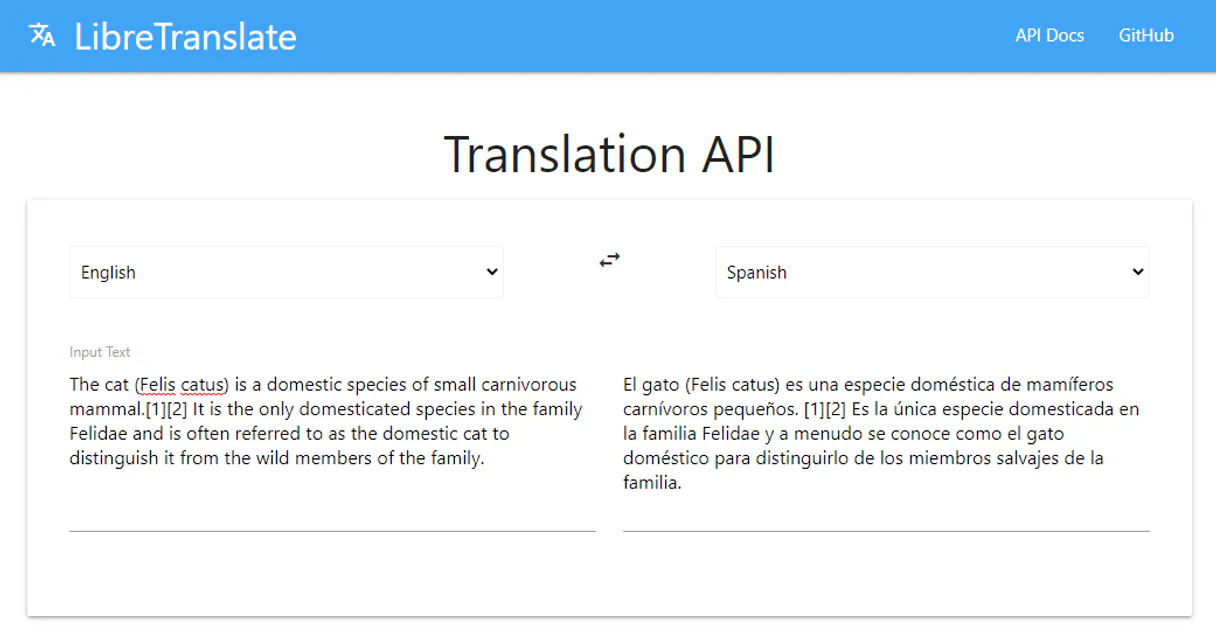
- 2 Your AI client uses a natural prompt (e.g., 'Translate X from English to Spanish'). The agent determines which tool to run and gathers necessary parameters (text, source language, target language).
- 3 The server executes the call to LibreTranslate, processes the result, and returns the clean data—be it a translated string or a confidence score—to your AI client for use.
The bottom line is: you just talk to your agent, and it handles all the language logic behind the scenes.
Who Is LibreTranslate API MCP For?
Content teams that manage global documentation or marketing copy. Developers building multi-regional applications who need reliable, open-source translation APIs. Editors working on multilingual academic texts. This is for anyone whose job requires knowing what a document says in ten different languages.
Running rapid audits to confirm if localized strings (e.g., marketing copy) are correctly formatted and supported across 10+ target markets.
Integrating language detection into a user-facing form so the client automatically identifies the input language before saving or validating data.
Checking if source documentation is written in multiple languages and ensuring consistent terminology across all localized versions.
What Changes When You Connect
- Stop manually checking language support. Use
list_supported_languagesto get the full catalog of supported scripts, ensuring your content plan covers every needed market before a single word is written. - Cut down on development guesswork. Run
detect_languageto confirm what language an incoming user string belongs to—this prevents data loss and lets you tailor the rest of the application's flow immediately. - Audit entire documents for consistency. Send high-resolution text through
translate_textto maintain a clear view of semantic distribution across multiple target languages, making content review fast. - Eliminate integration failure risk. Always run
check_api_statusfirst. This simple check confirms the translation service is up and running before your agent attempts any heavy language processing tasks. - Handle complex data flows easily. Your agent uses these tools to build a full localization pipeline: detect -> validate languages -> translate. You never have to switch between services.
Real-World Use Cases
Building a multilingual help center
A technical writer wants to ensure their documentation covers French, German, and Japanese. Instead of checking three different translation tools, they prompt their agent: 'List all languages supported.' The agent runs list_supported_languages, confirms the needed codes are available, and then uses translate_text iteratively to create localized sample content.
Processing incoming user feedback
A customer service bot receives a support ticket written in an unknown language. The agent immediately runs detect_language on the text, identifies it as Italian (it wasn't expected), and then uses translate_text to translate the issue into English for the human team to review.
Validating API translations in code
A developer needs to verify that a specific key phrase translates correctly into six different languages. They use list_supported_languages to confirm all six codes, then loop through the set, running translate_text for each pair (English -> French, English -> German, etc.) and logging the results.
Pre-flight check on a localization build
Before deploying content to 50 countries, an ops lead runs a full system audit. They first run check_api_status to make sure the translation service is stable, then use detect_language on sample strings from all target markets to confirm language detection accuracy across the board.
The Tradeoffs
Treating it as a single function call
A user prompts, 'Translate this text.' and expects the agent to magically know the source and target languages without any specific instruction.
→
You must be explicit. Always tell your agent which language you're starting with and which one you need. For example: 'Run detect_language first; then use that result in a call to translate_text.' This ensures the pipeline is robust.
Ignoring API uptime
Writing complex code that relies on translations but fails silently when the external translation service goes down for maintenance.
→
Never skip the first step. Always start your workflow by calling check_api_status. If that tool fails, you halt the process immediately and alert the user instead of letting the whole system crash.
Hardcoding language lists
Writing a function that only handles English to Spanish translations because it's easier than listing all options.
→
Use list_supported_languages first. This gives you the entire, current catalog of supported languages, ensuring your code adapts when new scripts are added by the service.
When It Fits, When It Doesn't
Use this server if your core problem is multilingual data processing—meaning you need to reliably detect what language a string is, or convert it from one known language to another. It's built for open-source localization pipelines.
Don't use this if your needs are: 1) Translating extremely specialized jargon (like medical or legal documents) that requires proprietary glossaries; those need commercial tools with domain expertise. 2) Handling massive, real-time streaming video subtitling; you'll need a dedicated media service. 3) Only dealing with a single language pair forever—you might be over-engineering the solution.
If your requirements are 'translate text,' 'detect language,' and 'list supported languages,' this is the most efficient, self-contained tool available.
Common Questions About LibreTranslate API MCP
How do I use LibreTranslate API MCP Server for basic translation? +
You tell your agent the source text, the source language, and the target language. The agent executes translate_text and returns the translated string directly.
Can LibreTranslate API MCP Server detect languages I haven't seen before? +
The detect_language tool is designed to analyze text strings against its internal model. While it has high accuracy, extreme edge cases or highly specialized jargon might require human review.
What should I do if the LibreTranslate API seems broken? +
Always run check_api_status first. This tool verifies the connection and service health. If it reports an error, you know the problem is with the server, not your code.
How do I find out all languages LibreTranslate supports? +
Simply call list_supported_languages. This gives you the full, current catalog of available language codes and names so you can plan your localization efforts accurately.
When I use the `detect_language` tool with LibreTranslate API MCP Server, what specific linguistic data do I receive? +
You get two key pieces of information: the primary language code and a confidence score. The score indicates how certain the system is about that identification. Use this metric to validate your content before passing it for translation.
If I want to translate text, should I always use `detect_language` first with LibreTranslate API MCP Server? +
It's best practice. Running detection first confirms the source language and provides a confidence score. This helps you avoid translation errors that happen when your initial language assumption is incorrect.
How can I manage request volume or potential rate limits when using LibreTranslate API MCP Server? +
The operational limits are tied to the server instance you connect to. If you hit a ceiling, you'll need to implement backoff logic in your agent code or switch to a higher-tier custom endpoint.
What happens if I configure my own API key when using `translate_text` with LibreTranslate API MCP Server? +
You connect directly to your specific, private instance. This lets you bypass default servers and route data through a dedicated endpoint URL or custom key for better control.
Is an API Key required for LibreTranslate API? +
No. LibreTranslate is open-source and many public instances allow free requests. However, some instances or the official site may require an API Key for higher limits.
Can I use a custom self-hosted instance? +
Yes. Provide the LIBRETRANSLATE_URL in the server configuration to point your agent to your own private instance.
Does it support language detection? +
Yes. Use the detect_language tool to identify the primary language of any text string along with a confidence metadata score.
Use it with your favorite AI tools
Connect this server to Cursor, Claude, VS Code, and more.