

Monitor AI Agent Performance Using Connectors.
Your agents run in production but you cannot explain why one failed at 3am , fix that
Works with every AI agent you already use
…and any MCP-compatible client









Waiting for input…
 Gemini
 How It Works
Your AI agent queries Langfuse for traces from the last 24 hours. It filters for failed or degraded traces , status errors, low evaluation scores, timeouts.
For each problematic trace, it pulls the full span tree: which tool calls ran, what the LLM was asked, what it returned, and where it stopped.
Then it hits Helicone to enrich each trace with cost data , token count, model used, latency percentile, estimated cost.
A trace that failed after 4 retries and burned $0.47 on GPT-4o looks different from one that timed out on a $0.002 Groq call.
Context matters. The agent writes everything to a Google Sheet: one row per incident. Columns: timestamp, trace ID, pipeline name, failure point, LLM model, tokens used, cost, latency p95, error message, evaluation score.
Tab two shows trends , daily cost, daily error rate, slowest pipelines, most expensive models. You open the sheet Monday morning and know exactly which agents need attention and which are silently bleeding money.
Connector Orchestration: 3 Connectors, one intelligent agent
Connect Langfuse, Helicone and Google Sheets Connectors so your AI agent pulls trace data from Langfuse, correlates it with LLM cost and latency metrics from Helicone, and builds a daily observability report in Google Sheets. Teams shipping agentic workflows to production who get a Slack message saying 'the agent broke' and then spend 45 minutes clicking between dashboards now get the full picture in one spreadsheet row: which trace failed, what the LLM returned, how much it cost, and how long the user waited.
Langfuse Llm Tracing Evals
triggerPulls traces, spans and evaluation scores from your agentic pipelines
list_traces get_trace list_observations list_scores Helicone Llm Observability
enrichmentAdds LLM cost, latency and token usage per request
query_requests query_costs query_latency query_prompts Google Sheets
actionBuilds the daily observability report and trend dashboard
append_sheet_values update_sheet_values get_spreadsheet create_spreadsheet Run This Automation Today
Connect Claude, ChatGPT, Cursor, or any AI agent to the Vinkius catalog and run this automation in minutes.
Build Your Own Connector
Convert any internal API into a Connector. Import a spec, define Agent Skills, or deploy with MCPFusion.
- Import from OpenAPI, Swagger, or YAML specs
- Create Agent Skills with progressive disclosure
- Deploy to edge with MCPFusion framework
- Built in DLP, auth, and compliance on each call
- Real time usage dashboard and cost metering
- Publish to catalog or keep private
Connect & Automate
The 3 servers this recipe uses are ready in the catalog. Connect them once, paste a prompt, and your AI runs the full workflow.
- Langfuse Llm Tracing Evals, Helicone Llm Observability & Google Sheets ready in the catalog right now
- Add more from 5,800+ servers whenever you need
- Connections are secured and compliant by default
- Track usage and costs across all your servers
- Works with Claude, ChatGPT, Cursor, and more
- New servers and recipes added weekly
Superpowers you didn't know your AI had
The Vinkius catalog gives your agent access to 5,800+ Connectors and the intelligence to combine them. Imagine never logging into another dashboard. Your AI handles the work across all tools, in one conversation. That's what this connectivity layer was built for.
Cross-Platform Intelligence
Your agent doesn't just connect to tools. It understands the relationships between them. Data flows where it needs to go, automatically, with full context preserved across all platforms.
Contextual Reasoning
Each decision your agent makes considers the full picture. It reads CRM data, checks calendars, reviews conversation history, and acts on everything at once. Not step by step. All at once.
Productivity at Scale
What used to take 45 minutes across five different dashboards now takes one sentence. Your agent runs the entire workflow end to end while you focus on decisions that actually matter.
Zero-Config Reliability
No API keys to paste. No webhooks to configure. No YAML to debug. Connect your Connectors once, and your agent handles the rest. Each time, without intervention.
Made for
exactly this
Your AI agent taps into the entire Vinkius AI Connectors to handle these for you. You describe what you need. It does the rest.
AI engineering teams running 5+ agentic pipelines in production who need a single dashboard showing failures, costs and latency across all of them
CTOs and engineering managers who need a weekly LLM cost report without asking someone to manually export data from two platforms
MLOps engineers tracking evaluation score drift across agent versions to catch regressions before users report them
Startups burning through OpenAI credits who need per-pipeline cost attribution to decide where to swap GPT-4o for a cheaper model
Frequently Asked Questions About This Connector Orchestration
Which Connectors do I need for this workflow?
Three: Langfuse, Helicone and Google Sheets. Connect all three to your AI client before running any prompt from this page.
Does this work with Claude Desktop, Cursor or Windsurf?
Yes. Any AI client that supports the Model Context Protocol works , Claude Desktop, Cursor, Windsurf, Cline and others. Connect the Connectors and paste a prompt.
Can I use this without Helicone?
Yes, but you lose cost and latency data. Langfuse alone gives you traces and evaluation scores. Helicone adds the financial dimension , which failures cost money and which models are overpriced for their task.
How far back can I query traces?
Depends on your Langfuse plan. Free tier retains traces for 30 days. Paid plans go further. The agent queries whatever your retention window allows.
Does this replace Datadog or Grafana?
No. Datadog monitors infrastructure. This monitors your AI agents , traces, LLM calls, evaluation scores and costs. They solve different problems. Run both if you have agents on top of infrastructure.
Is my trace data secure?
Connectors authenticate through API keys. Your Langfuse and Helicone data stays in your accounts. The Google Sheet lives in your Google Drive. Vinkius does not store your observability data.
MCP Recipe for AI Inference Monitoring
Your GPT-4 API takes 4 seconds per response , Groq returns the same quality answer in 180 milliseconds, Langfuse traces every call, and Sheets shows the latency-cost comparison that makes your product feel instant
Route AI Requests to the Fastest Model via MCP
You run everything on GPT-4o because choosing a model per task is hard , your agent benchmarks Groq and Mistral against your actual workloads
Track LLM Cost vs Quality Using Connectors
Your OpenAI bill grew from $200 to $2,400 in 2 months and you have no idea which feature caused it , because you track API spend at the account level, not at the prompt level
Cut AI Model Costs Without Losing Quality via MCP
Your GPT-4o bill is $4,200/month and 60% of those calls could run on Groq for $0.003 , your agent finds the waste
Benchmark Seed Valuations Using Connectors
Your portfolio valuations compared, market comps pulled, benchmark report built , know if $12M pre-money for a Seed is reasonable before you negotiate
Book Appointments via WhatsApp Using MCP
Your AI agent checks availability, sends time slots via WhatsApp and logs every booking
Connectors used in this workflow
Langfuse (LLM Tracing & Evals)
Langfuse (LLM Tracing & Evals) lets you monitor your AI apps in real-time. It connects your AI client to your Langfuse project so you can track traces, manage prompt versions, and audit evaluation scores without jumping between tabs.
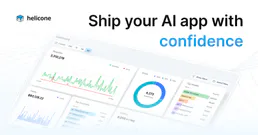
Helicone (LLM Observability)
Helicone MCP lets you monitor LLM usage, track costs, and manage prompts directly through your AI agent. It connects your Helicone account to your agent so you can see real-time data on request latency, spend, and user feedback without switching tabs. It's built for teams who need to see exactly what's happening with their AI infrastructure.

Google Sheets
Google Sheets MCP lets you read, write, and manage spreadsheet data through your AI agent. Stop wasting time on manual data entry or complex formulas. Just tell your agent to pull specific ranges, add new rows, or create entire new sheets on the fly. It handles the tedious work of keeping your data organized so you can focus on making decisions.