
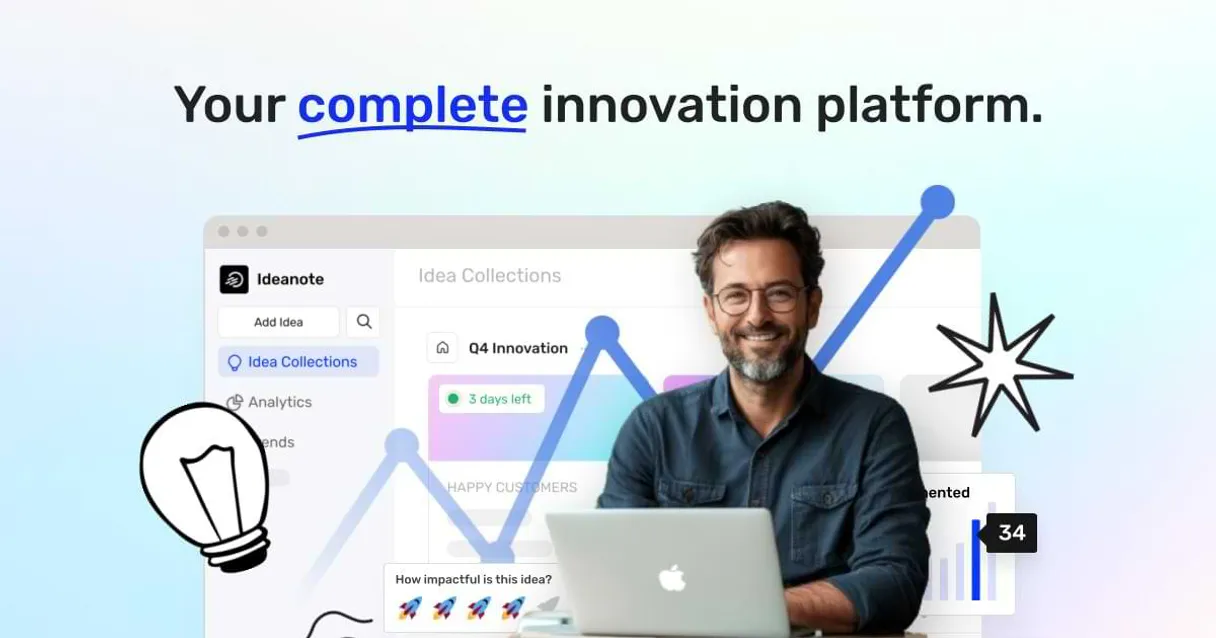
Supercharge your AI with Ideanote. Structure ideas from concept to launch.
 Gemini
 Works with every AI agent you already use
…and any MCP-compatible client









Connect to your AI in seconds.
Ideanote manages your entire innovation pipeline, allowing you to track ideas, organize missions, and map out development workspaces using a single connection.
It helps teams move concepts from rough sketches into structured, actionable projects.
What your AI can do
List ideas
Provides a list of every idea submitted to the platform.
List missions
Lists all active and historical missions defined in your workspace.
List phases
Shows a list of every official stage or phase an idea must pass through (e.g., Concept -> Prototype).
Retrieve details about specific ideas or missions by ID, or list all available projects and workspaces.
List every user in the workspace, check which teams exist, and see a breakdown of how those teams are organized.
See all defined phases an idea can pass through, helping you understand the project's current stage in the pipeline.
View a list of configured webhooks and workspaces to see what data streams are already active.
Ask an AI about this
Compatible AI Apps
OAuth 2.0 Compatible Gemini Waiting for input…
Ideanote with 10 Tools
These tools let your agent read every piece of metadata—from individual ideas to team structures—so you can automate the management of complex innovation pipelines.
Make your AI actually useful.
Add this MCP to Claude, Cursor, or Windsurf and your AI stops guessing. It gets real tools to look things up, take action, and handle the stuff you keep doing by hand.
Start using Ideanote on VinkiusList Ideas
Provides a list of every idea submitted to the platform.
List Missions
Lists all active and historical missions defined in your workspace.
List Phases
Shows a list of every official stage or phase an idea must pass through (e.g....
List Teams
Lists all the departmental teams that exist within your organization.
List Users
Returns a list of every user account in the current workspace.
List Webhooks
Lists all external system connections and webhooks that are configured.
List Workspaces
Displays a list of all separate working areas or project scopes available.
Get Idea
Pulls up all the details for one specific idea you name.
Get Me
Retrieves information about the user who is currently logged in.
Get Mission
Gets all the details for a specific, ongoing innovation mission.
Connect to your AI in seconds. Security and governance baked right in.
Pick your AI client below to get set up. Just create a Vinkius account, subscribe, and you're instantly up and running. We handle the entire backend infrastructure, delivering out-of-the-box support for HTTPS Streamable, SSE, and OAuth2—zero messy routing required.
Claude AI
Open Claude Settings
Go to claude.ai, click your profile icon, then navigate to Customize → Connectors.
Add Custom Connector
Click the "+" button and select Add custom connector. Paste your Vinkius endpoint URL:
https://edge.vinkius.com/[YOUR_TOKEN_HERE]/mcp
Replace [YOUR_TOKEN_HERE] with your token from
cloud.vinkius.com. For OAuth-protected servers, expand Advanced
settings to add credentials.
Start a conversation
Open a new chat. The Ideanote integration is available immediately — no restart needed.
Choose How to Get Started
Build a custom MCP for your own tools, or connect a ready-made integration from our catalog.
Build Your Own
Turn any API into an MCP. Import a spec, define Agent Skills, or deploy with MCPFusion.
- Import from OpenAPI, Swagger, or YAML specs
- Create Agent Skills with progressive disclosure
- Deploy to edge with MCPFusion framework
- Built in DLP, auth, and compliance on every call
- Real time usage dashboard and cost metering
- Publish to catalog or keep private
Make Your AI Do More
Start with Ideanote, then connect any of our 5,000+ other servers whenever your AI needs more. One click, no limits.
- Use this MCP plus 5,000+ others, all in one place
- Add new capabilities to your AI anytime you want
- Every connection is secured and compliant automatically
- Track usage and costs across all your servers
- Works with Claude, ChatGPT, Cursor, and more
- New servers added to the catalog every week
Independent Platform Disclaimer: Vinkius is an independent platform and is not affiliated with, endorsed by, sponsored by, verified by, or otherwise authorized by Ideanote. All third-party trademarks, logos, and brand names are the property of their respective owners. Their use on this website is strictly for informational purposes to identify service compatibility and interoperability.
VINKIUS INFRASTRUCTURE
Cloud Hosted
Managed infra
V8 Isolated
Sandboxed per request
Zero-Trust Proxy
No stored credentials
DLP Enforced
Policy on every call
GDPR Compliant
EU data residency
Token Compression
~60% cost reduction
Works with Claude, ChatGPT, Cursor, and more
The Model Context Protocol standardizes how applications expose capabilities to LLMs. Instead of operating in isolation, your AI gains direct access to external platforms, live data, and real-world actions through secure, standardized connections.
This connection provides 10 powerful capabilities that interface natively with Claude, ChatGPT, Cursor, and other compatible AI platforms. No middleware. No custom integration required.
Tracking ideas feels like detective work.
Today, tracking innovation is a nightmare. You start by dumping concepts into Notion, then move the mission scope to Jira, and when you need team input, you send it all via email chains. If you want to know how many ideas relate to Mission Alpha, you have to manually cross-reference three different dashboards and copy-paste the results into a spreadsheet just so someone can read it.
With this MCP, you tell your agent exactly what you need. It calls `list_ideas` and `get_idea` in sequence, pulling all the data points from Ideanote's core system. You get a single, synthesized answer that shows immediate relationships between ideas, missions, and users—no dashboards needed.
Ideanote MCP gives you full project visibility.
You no longer have to worry about data silos. You can ask the system to list every user (`list_users`) and simultaneously check which teams they belong to (`list_teams`), all in one go, without needing multiple API calls or manual lookups.
The difference is structure. Your agent doesn't just retrieve lists; it maps relationships between your ideas, your people, and the phases they are currently in. It makes the entire innovation process transparent.
What your AI can actually do with this
Need to turn abstract ideas into concrete plans? This MCP gives your agent the ability to manage an entire innovation lifecycle without you having to jump between tabs or copy-paste data. You can ask it to list every idea submitted for a specific mission, pull up all the people involved in that effort, or even check out what phases the company has defined for product development.
It’s about building structure into your creative chaos. Vinkius makes connecting this kind of specialized tool easy; you just connect your agent once and get access to Ideanote's full capability set.
019d75b7-95a5-72a4-900a-c199aaaff1d4 
Here's how it actually works
The bottom line is that your AI client treats Ideanote like a specialized knowledge base, giving it direct access to all your project metadata.
You prompt your agent with a high-level goal, like 'Show me all the ideas related to Q3 goals.'
Your agent calls Ideanote's tools—for example, using list_missions and then filtering results by idea status.
The system returns a clean list of structured data, letting your agent present you with the answer directly in chat.
Who is this actually for?
Product Managers who are drowning in spreadsheets of scattered concepts. R&D Leads who need to connect early ideas to corporate goals. Any operational role that has to shepherd a concept from a whiteboard sketch into a fully scoped project plan.
Uses the MCP to compare idea submissions against current mission parameters, quickly identifying which concepts are ready for prototyping.
Runs audits across all workspaces and teams to ensure no promising concept gets lost in an unmonitored silo or forgotten project phase.
Manages the overall flow by listing users and checking webhooks to map out who needs to be involved when a new mission is launched.
What Changes When You Connect
Stop searching through random documents. By using list_ideas and get_idea, your agent instantly aggregates all submission details, so you don't have to manually search for the right concept.
When a mission kicks off, your agent can pull everything together by calling list_missions and cross-referencing it with list_teams. You get immediate clarity on scope and ownership.
Need to know who signed off on what? Using list_users alongside project data lets you track engagement metrics and see exactly which team members are involved in the development cycle.
The system keeps your process clean. With functions like list_phases, you always know if a concept is stuck because it needs to move from 'Concept' to 'Validation'.
It gives visibility into the tech stack, too. Running list_webhooks means your agent knows exactly what external systems are already connected, saving integration time.
Instead of managing data manually, you let your AI client handle it. It uses functions like list_workspaces to organize everything under a clear boundary.
See it in action
We need to scope a new initiative.
A PM asks the agent: 'What are our top three ideas that align with the current Q4 mission?' The agent calls list_missions, filters by status, and then uses list_ideas and get_idea to present a prioritized list of concepts ready for review.
I suspect some ideas are abandoned.
An R&D Lead prompts the agent: 'Which ideas haven't moved past the initial concept phase in the last six months?' The agent checks list_phases and uses filtering on get_idea to flag stagnant concepts for review.
The new team needs full access.
A manager asks: 'Who is on the core product team, and what missions are they contributing to?' The agent calls list_teams, then uses list_users to list members, followed by checking all active goals via list_missions.
We're launching a new feature and need integration.
The team needs to know what data sources are available. The agent calls list_webhooks and checks list_workspaces, giving the dev team an immediate map of all connected services.
The honest tradeoffs
Asking for a 'summary' via chat.
The user just says, 'Tell me about our ideas.' The AI gets overwhelmed because it doesn't know which specific workspace or mission you care about.
Don't ask vaguely. First, let the agent run list_workspaces to narrow the scope. Then, tell it: 'Using the [Workspace Name] workspace, list all ideas related to Mission X.' This keeps the focus tight.
Copy-pasting IDs into a spreadsheet.
A person manually copies 20 idea IDs and pastes them into a tool that can't handle bulk requests. The data gets messy, and you miss context.
Let the agent use list_ideas first to get an overview, then ask it to filter or retrieve specific details for related items using get_idea. It handles the grouping automatically.
Assuming all users are visible everywhere.
The user assumes that just because someone exists in HR, they can be assigned to a development mission. The data model might separate those groups.
Always check the boundaries first. Use list_teams to see official team structures, and then use list_users for individual roles to make sure assignments are accurate.
When It Fits, When It Doesn't
Use this MCP if your primary problem is structuring creative output. You need to move ideas from 'brain dump' status into a managed pipeline involving defined missions, phases, and teams. This is ideal for product organizations that run structured innovation cycles.
Don't use it if you just need basic contact info or simple file storage. If your goal is merely to chat with people or store random documents outside of the core idea/mission structure, a general document repository tool works better. Also, if you only need to track one single concept without any mission context, this MCP might be overkill; simply using get_idea alone may suffice.
Questions you might have
How do I check if an idea exists using get_idea? +
You give it a specific ID to retrieve all details for that single concept. This tool is your best bet when you know the exact item but need more than just the title.
Can I find out which users are involved in my projects with list_users? +
Yes, list_users provides a master roster of all accounts. You can then cross-reference this list against mission data pulled by the agent to see who's assigned where.
What is the difference between list_ideas and get_idea? +
list_ideas gives you a broad overview of everything submitted. get_idea dives deep, pulling every single metric for one specific idea ID only.
Do I need to use list_missions before tracking goals? +
It's helpful because list_missions shows you all the available goal scopes. This lets your agent know which missions it can draw data from, keeping your requests focused.
How does my AI client use `get_me` to verify the authenticated user's context? +
Your agent instantly retrieves your profile details. This confirms permissions and provides necessary user identifiers for all actions, ensuring the right data is associated with you from the start.
If I have multiple projects, how does using `list_workspaces` help my agent target the correct area? +
It gives your agent a manifest of every available workspace. You can narrow down the scope before listing ideas or teams, keeping your workflow focused on the right project context.
What information does `list_webhooks` provide about my system integrations? +
This tool shows every webhook configured for your account. It lets your agent review which external systems are connected and what actions they're set up to trigger automatically.
When I use `list_phases`, how does the agent understand an idea's current stage? +
It provides a definitive list of all possible idea phases defined in your account. This lets your agent verify if an idea is stalled or ready for the next step in the innovation cycle.
How do I get Ideanote API credentials? +
You can generate an API key in your Ideanote workspace under Settings > Integrations > API. Ensure you have administrator permissions.
Can I see all submitted ideas? +
Yes, the list_ideas tool provides access to all ideas submitted across your missions and workspaces.
Are innovation missions supported? +
Yes, you can list and retrieve details for innovation missions using the list_missions and get_mission tools.
We've already built the connector for Ideanote. Just plug in your AI agents and start using Vinkius.
No hosting. No infrastructure. No complex setup.
All 10 tools are live and waiting.
You're up and running in seconds.
Gemini Vinkius gives your AI agents access to the full catalog of app connectors, all fully managed, secure, and enterprise-ready. One subscription, every tool you need.
Built, hosted, and secured by Vinkius. You just connect and go.