
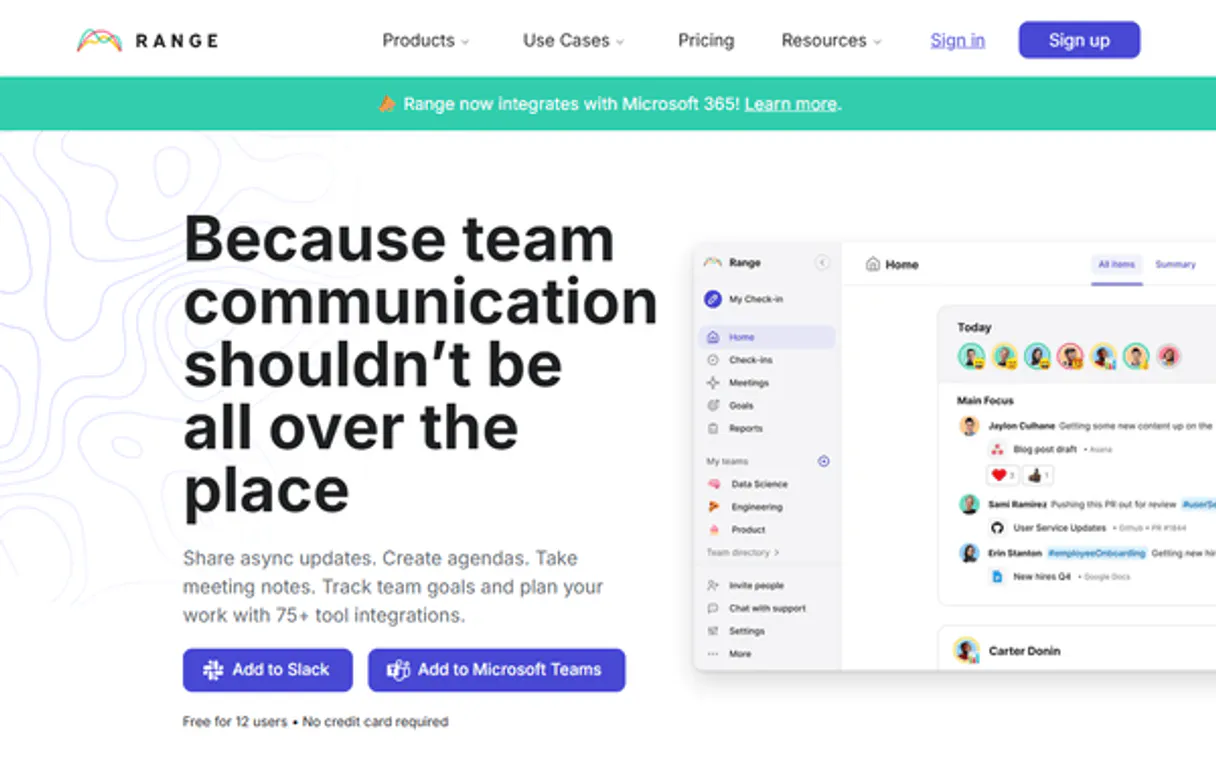
Range MCP. See team progress and updates without leaving your chat.
 Gemini
 Works with every AI agent you already use
…and any MCP-compatible client









Just plug in your AI agents and start using Vinkius.
Range MCP Server connects your AI agent to Range.co. It lets you manage team communication by retrieving user profiles, listing active teams, checking individual updates (snippets), and monitoring organizational goals directly in chat.
Stop manually reading status reports; ask your agent for the latest objectives or daily check-ins.
What your AI agents can do
Create update
Posts a new standup update record for the team.
Get objective
Retrieves all details and current status metrics for one specified organizational objective.
Get snippet
Pulls the full, detailed content of a specific check-in update snippet.
Retrieves a list of all managed teams within your Range workspace.
Pulls specific profile metadata for any individual team member by name or ID.
Retrieves a list of all recorded team check-in updates, optionally filtering results by target team or user ID.
Fetches the detailed status and progress metrics for one specific organizational objective.
Lists all active team goals or lists every defined organizational objective in the workspace.
Retrieves the specific, detailed content (snippet) from a single check-in update for review.
Ask AI about this MCP
Supported MCP Clients
OAuth 2.0 Compatible Gemini Waiting for input…
Range MCP Server: 11 Tools for Team Synchronization
Use these eleven tools to orchestrate team check-ins, track organizational goals, and manage user data all through your AI agent.
Make your AI actually useful.
Add this MCP to Claude, Cursor, or Windsurf and your AI stops guessing. It gets real tools to look things up, take action, and handle the stuff you keep doing by hand.
Start using Range on Vinkius019dd146create update
Posts a new standup update record for the team.
019dd146get objective
Retrieves all details and current status metrics for one specified organizational objective.
019dd146get snippet
Pulls the full, detailed content of a specific check-in update snippet.
019dd146get team
Fetches all details and metadata about one specified workspace team.
019dd146get update
Retrieves the general details of a specific check-in update record.
019dd146get user
Gets all available profile data and metadata for one specific team member.
019dd146list goals
Retrieves a list of every high-level strategic goal defined across the organization.
019dd146list objectives
Lists all active, tracked organizational objectives in the workspace.
019dd146list teams
Returns a comprehensive list of every team currently set up in your Range workspace.
019dd146list updates
Lists all historical and current team check-in updates, letting you filter by user or target group.
019dd146list users
Provides a complete list of every user account registered in the organization's directory.
Choose How to Get Started
Build a custom MCP for your own tools, or connect a ready-made integration from our catalog.
Build Your Own
Turn any API into an MCP. Import a spec, define Agent Skills, or deploy with MCPFusion.
- Import from OpenAPI, Swagger, or YAML specs
- Create Agent Skills with progressive disclosure
- Deploy to edge with MCPFusion framework
- Built in DLP, auth, and compliance on every call
- Real time usage dashboard and cost metering
- Publish to catalog or keep private
Make Your AI Do More
Start with Range, then connect any of our 5,000+ other servers whenever your AI needs more. One click, no limits.
- Use this MCP plus 5,000+ others, all in one place
- Add new capabilities to your AI anytime you want
- Every connection is secured and compliant automatically
- Track usage and costs across all your servers
- Works with Claude, ChatGPT, Cursor, and more
- New servers added to the catalog every week
Independent Platform Disclaimer: Vinkius is an independent platform and is not affiliated with, endorsed by, sponsored by, verified by, or otherwise authorized by Range. All third-party trademarks, logos, and brand names are the property of their respective owners. Their use on this website is strictly for informational purposes to identify service compatibility and interoperability.
VINKIUS INFRASTRUCTURE
Cloud Hosted
Managed infra
V8 Isolated
Sandboxed per request
Zero-Trust Proxy
No stored credentials
DLP Enforced
Policy on every call
GDPR Compliant
EU data residency
Token Compression
~60% cost reduction
Works with Claude, ChatGPT, Cursor, and more
The Model Context Protocol standardizes how applications expose capabilities to LLMs. Instead of operating in isolation, your AI gains direct access to external platforms, live data, and real-world actions through secure, standardized connections.
This server provides 11 capabilities that interface natively with Claude, ChatGPT, Cursor, and any MCP client. No middleware. No custom integration required.
Tracking team status shouldn't involve switching between three different apps.
Today, checking in on your remote teams is a pain. You open the comms tool to see general updates, then you switch to the project dashboard to check objectives, and finally, you jump into the user directory just to confirm who reported what. It's manual copy-pasting from three different screens.
With this server, your AI agent does the heavy lifting. You tell it: 'Give me a status report.' The agent runs `list_updates`, pulls specific details with `get_snippet` and cross-references user roles using `get_user`. You get one cohesive answer in chat.
List updates: See the actual content of team check-ins directly.
Before, if you just ran a report on 'Updates,' you'd only see the title and who posted it. The actual details—the blockers or the accomplishments—were hidden behind another click in the Range web UI.
Now, when your agent runs `list_updates`, it can also run `get_snippet` to retrieve that core content. You get the full story immediately, without navigating a single extra tab.
What you can do with this MCP connector
Range MCP Server - Sync Team Status & Objectives
Your agent connects directly to Range.co, giving you full visibility into team status and company goals right inside your chat client. You'll stop having to read through dozens of daily reports; instead, you just ask for what you need.
Managing People and Teams
You can get a complete roster of every user account in the organization’s directory using list_users. If you need specific profile data on one person, get_user pulls all available metadata by name or ID. To map out your workspace structure, list_teams returns a list of every team set up within Range.
When you select a single group, get_team fetches all the detailed metadata for that specified workspace team.
Tracking Status and Check-ins
This server lets you monitor what’s happening day-to-day. You can pull a list of every historical and current team check-in update using list_updates, filtering those results by user or target group to narrow the focus. To see the general details of any specific status record, call get_update. For deep context, get_snippet pulls the full, detailed content from one single check-in update for review.
You also can post a new standup update record for the team using create_update.
Monitoring Goals and Objectives
Keeping track of where you're headed is simple. Use list_goals to retrieve every high-level strategic goal defined across the organization. For current targets, list_objectives lists all active, tracked organizational objectives. When you need deep metrics on one specific objective, get_objective retrieves all details and the current status for that single target.
019dd146-d2d8-73c1-b64e-80c0d892f874 
How Range MCP Works
- 1 Subscribe to this server on Vinkius and enter your Range API Key in the settings.
- 2 Tell your AI client what you need—for example, 'Show me all updates for the Product Team.'
- 3 The agent uses
list_updatesand then calls specific functions (likeget_userorget_snippet) to build a complete, natural language response.
The bottom line is: your AI client handles the sequence of API calls; you just talk to it.
Who Is Range MCP For?
Engineering Managers and Operations Leads who are tired of status meetings. If you spend time every morning compiling reports from multiple dashboards, this is for you. You need a single pane of glass view into team health without the constant clicking.
Uses list_updates and get_snippet to quickly pull daily progress reports across multiple direct reports, summarizing blockers and achievements instantly.
Calls list_objectives and get_objective to track feature delivery status against quarterly goals, ensuring the team stays aligned on milestones.
Uses list_teams and get_user to audit organizational structure and confirm user roles or team memberships without accessing internal databases directly.
What Changes When You Connect
- Manage check-ins instantly. Instead of manually reading daily status reports, use the
list_updatestool to pull a list of all recent check-ins, then callget_snippeton any entry for the full context. - Keep objectives front and center. The
list_objectivestool gives you an overview of every major goal, andget_objectivelets your agent tell you exactly how far along each one is—no spreadsheet required. - Audit team structure fast. Use
list_teamsto see all active groups in the workspace. Then callget_teamto retrieve detailed metadata for any single group. - Get employee context immediately. When reviewing an update, you can use
get_userto pull a teammate's profile details without having to search HR systems or switch apps. - Automate status reporting. Your agent handles the sequence: list users -> get team -> list updates -> summarizing all that data into one clean response for your review.
Real-World Use Cases
The Quarterly Goal Review
A Product Lead needs to report progress on Q3 goals. Instead of manually gathering status reports, they ask their agent: 'What's the status of our top 5 objectives?' The agent uses list_objectives and then calls get_objective multiple times, returning a single, structured summary showing completion percentages.
The Morning Sync
An Engineering Manager needs to know who is blocked. They ask: 'What are the blockers from yesterday?' The agent runs list_updates, filters for the most recent entries, and uses get_snippet on those results to pull out specific blockage reports and assignees.
Onboarding a New Team
An Operations Team Member needs to know which teams exist and who is on them. They ask: 'List all our active departments.' The agent uses list_teams first, then for each team name, it calls get_team to give the full departmental structure.
Checking User Status
A Project Lead needs to verify a teammate's role before assigning tasks. They ask: 'Who is on the Infrastructure team and what are their titles?' The agent uses list_teams to confirm the group, then calls get_user for each member in that list.
The Tradeoffs
Copying status updates manually
Opening the Range web app dashboard, clicking into a specific user's profile, then navigating to the 'Updates' tab, and copy-pasting the summary into an email.
→
Just ask your agent: 'Show me John Doe's last three updates.' The agent handles get_user (to verify ID), then uses list_updates and get_snippet to compile the data directly in chat.
Asking for a list, then forgetting what you need
Running list_users only to get 50 names. You then have to manually check another dashboard to see which team they belong to.
→
Ask the agent: 'List all users who are currently part of the Product Team.' The agent chains list_teams, and then filters that list using user metadata retrieval.
Treating objectives as static text
Reading an objective description once, then assuming it never changes. You miss out on current progress metrics.
→
Always use get_objective when reviewing goals. This tool doesn't just give you the goal name; it gives you the live status and completion percentage.
When It Fits, When It Doesn't
Use this server if your primary workflow involves synthesizing information from asynchronous team updates, user directories, or organizational objectives. You need a single chat interface to pull data that currently lives in multiple apps (CRM, project management, internal comms). Don't use this if you are simply trying to create a new update; for posting, the create_update tool is sufficient. Also, don't rely on it if your goal is deep system administration—it focuses purely on visibility and reporting. If you need complex workflow automation (e.g., setting up triggers), use dedicated integration platforms instead of this read-heavy API gateway.
Common Questions About Range MCP
How do I list all teams using the list_teams tool? +
You simply ask your agent to 'List all my teams.' The agent executes list_teams and provides a clean, actionable list of every managed workspace group in your account.
Can I get objective details using the get_objective tool? +
Yes. You give it the goal name, and the agent uses get_objective to pull not just the description, but also the current progress percentage against the defined metrics.
How does list_updates help me with old reports? +
list_updates gives you a full chronological list of every check-in. You can then use get_snippet on any specific entry to retrieve the exact content that was posted at that time.
Do I need get_user to know who is working? +
No, not always. But if you want a user's full profile details—like their role or specific metadata—you must use get_user after finding the person via other tools.
When I use the list_objectives tool, how can I sort or filter the returned team goals? +
You specify filtering parameters within the function call. For example, you can narrow results by a specific organizational quarter or assign it to only show active objectives. The API accepts multiple criteria for precise data retrieval.
If I run into an error when calling create_update, what's the most common cause? +
Usually, the issue is either invalid authentication or insufficient permissions on the target workspace. Double-check that your API key has write access and that you are passing a valid target_id for the update.
What happens if I try to call list_updates repeatedly in quick succession? +
The system imposes rate limits to prevent abuse. If you exceed the allowed calls, your agent will receive an HTTP 429 error. For bulk operations, implement a small delay or batch requests into fewer calls.
What specific details does get_team provide beyond just the team name? +
The get_team tool returns detailed metadata, including current membership count, associated manager ID, and the date the team was created. This helps you understand the structure of your remote units.
Can my AI automatically find the recent check-ins for a specific user? +
Yes! Use the list_updates tool with the for_user_id parameter. Your agent will respond with the most recent check-in snippets and status updates in seconds.
How do I find my Range API Key? +
Log in to Range, go to Settings > Developer Settings > API Keys, and generate a new key for your account.
Can I see team objectives via the AI? +
Yes, use the list_objectives tool to retrieve all active goals and targets configured in your Range workspace.
Use it with your favorite AI tools
Connect this server to Cursor, Claude, VS Code, and more.