
Argyle MCP. Audit employment and income data instantly.
 Gemini
 Works with every AI agent you already use
…and any MCP-compatible client









Just plug in your AI agents and start using Vinkius.
Argyle. Verify employment and income data directly with your AI agent. Use Argyle's MCP Server to check user IDs, pull verified employment history, analyze income totals (YTD, monthly), and track detailed payouts.
It lets your agent pull identity, employment, and payroll data instantly, so you don't have to collect documents.
What your AI agents can do
Create user
Creates a new user ID within your Argyle account for verification purposes.
Get account check
Verifies the connection and status of the Argyle account.
Get employment
Retrieves the complete employment history for a specific user ID.
Retrieves a list of all user IDs currently stored in your Argyle account.
Generates and registers a new, unique user ID for a verification workflow.
Pulls a user's verified employment status, job title, and hire dates from the source.
Calculates and returns a user's total income breakdown, including year-to-date, monthly, and pay-period data.
Retrieves a user's verified name, address, and contact information directly from payroll sources.
Gets detailed records for specific pay periods, showing gross pay, net pay, and deductions.
Checks the Argyle connection status to ensure the service is active and ready for use.
Ask AI about this MCP
Supported MCP Clients
Gemini Waiting for input…
Argyle MCP Server: 7 Tools for Identity & Payroll Data
Use these seven tools to pull verified user identities, employment history, income totals, and detailed payout records using your AI agent.
019d7552create user
Creates a new user ID within your Argyle account for verification purposes.
019d7552get account check
Verifies the connection and status of the Argyle account.
019d7552get employment
Retrieves the complete employment history for a specific user ID.
019d7552get income
Pulls the total income totals and a detailed breakdown for a given user.
019d7552list identities
Gets the verified name, address, and contact details for a user.
019d7552list payouts
Lists individual pay periods, showing details like gross pay, net pay, and deductions.
019d7552list users
Lists all user IDs that have been created in your Argyle account.
Choose How to Get Started
Build a custom MCP for your own tools, or connect a ready-made integration from our catalog.
Build Your Own
Turn any API into an MCP. Import a spec, define Agent Skills, or deploy with MCPFusion.
- Import from OpenAPI, Swagger, or YAML specs
- Create Agent Skills with progressive disclosure
- Deploy to edge with MCPFusion framework
- Built in DLP, auth, and compliance on every call
- Real time usage dashboard and cost metering
- Publish to catalog or keep private
Make Your AI Do More
Start with Argyle, then connect any of our 4,700+ other servers whenever your AI needs more. One click, no limits.
- Use this MCP plus 4,700+ others, all in one place
- Add new capabilities to your AI anytime you want
- Every connection is secured and compliant automatically
- Track usage and costs across all your servers
- Works with Claude, ChatGPT, Cursor, and more
- New servers added to the catalog every week
What you can do with this MCP connector
You gotta connect Argyle to your AI agent. This whole thing lets your agent pull verified employment and income data straight out of the box. You won't ever have to collect documents or mess with a dashboard to run user verification checks.
When you need to run a workflow, your agent uses specific tools. You can use get_account_check to verify the Argyle connection status first. To start working with people, your agent uses create_user to generate a new, unique user ID. You can then check if you've got existing users with list_users.
To get the details on a person, your agent uses list_identities to pull their verified name, address, and contact info right from the payroll sources. If you need to know what job they had, get_employment pulls their full employment history, job title, and hire dates. For their paychecks, list_payouts gets detailed records for specific pay periods, showing gross pay, net pay, and deductions.
To track the money, get_income calculates and returns a user's total income breakdown, including year-to-date, monthly, and pay-period data.
How Argyle MCP Works
- 1 First, your agent calls
get_account_checkto confirm the Argyle connection is active. - 2 Next, you provide the user ID and ask for a specific piece of data, like 'What's their employment history?'
- 3 Argyle executes the tool (e.g.,
get_employment) and returns structured data about the user's job title, hire date, and current employer.
The bottom line is, your agent talks to Argyle and gets back verified, structured payroll and identity data, without you needing to manage API calls.
Who Is Argyle MCP For?
Lenders and underwriters who need quick, reliable income proof. Compliance officers auditing employee data. Fintech developers building automated financial products. If your job involves checking credentials against payroll records, this is for you.
Verifies an applicant's current income and employment status instantly to make a lending decision.
Audits employee records and tracks verification progress for internal compliance checks.
Integrates reliable payroll data retrieval into a new automated financial product or service.
What Changes When You Connect
- The agent pulls the full employment history using
get_employment, so you bypass manual document collection and get verified job titles and hire dates. - You get a full financial picture by running
get_incomeandlist_payoutstogether. This shows YTD totals, monthly averages, and every deduction for audit trails. - Need to check who's eligible?
list_identitiesprovides the verified name, address, and contact info, all pulled from the payroll source, not just what the user typed. - Start clean by using
create_userto generate a unique ID first. This ensures you have a dedicated, traceable ID before running any verification tools. - It checks connection status first. Running
get_account_checkensures your agent doesn't fail halfway through a critical workflow. - Listing all users with
list_usersgives you a clean roster of every single ID you've set up for verification.
Real-World Use Cases
Underwriting a new loan application
The applicant needs to prove stable income. Instead of asking for W-2s, the agent runs get_income and list_payouts using the user ID. It immediately returns the total YTD income and a list of all pay periods, giving the underwriter confidence in the numbers.
Auditing employee records for compliance
HR needs to confirm an employee's role and start date. The agent uses get_employment with the employee's ID. This pulls verified job titles and hire dates straight from the source, allowing the compliance team to build an auditable record instantly.
Integrating payroll into a financial app
A fintech developer needs reliable income data. They connect the agent to Argyle and use list_identities and get_income. The agent pulls the necessary name, address, and income totals, making the data ready to plug into the app's backend logic.
Managing a pool of applicants
A recruiting manager needs to check 50 applicants. They first run list_users to see who's already in the system, then loop through the IDs to run get_employment on each one, building a complete, verifiable status report.
The Tradeoffs
Assuming single data sources
Asking the agent to 'tell me the user's current salary and address.' The agent might run get_employment for the salary and then run list_identities for the address, requiring two separate calls and risking mismatched data.
→
Run the tools in a logical sequence: First, use get_employment to confirm the job title and dates. Then, run list_identities to get the address and name. This guarantees you get both pieces of verified data for the same user ID.
Over-relying on manual data entry
Telling the agent to 'verify the user who said they work at Acme Corp.' The agent has no way to know if the user is lying or if the data is stale.
→
Always start by running get_account_check and then get_employment. This forces the agent to use the secure, verified data source, not just what the user typed.
Skipping user setup
Trying to check a new person's history immediately by asking for their ID. The system fails because the ID doesn't exist in the Argyle record.
→
Always run create_user first to generate a unique ID. Then, use that new ID with get_employment or get_income to start the verification process.
When It Fits, When It Doesn't
Use this if you need to prove a user's financial or employment status using official payroll records. If your workflow requires knowing if a person actually works where they say they do, or how much they actually get paid, this is the tool. Don't use this if you just need to store basic contact info; use a simple CRM tool instead. If you need to process payments or manage accounts, look for a dedicated payment gateway API. Argyle handles the verification layer, not the transaction layer.
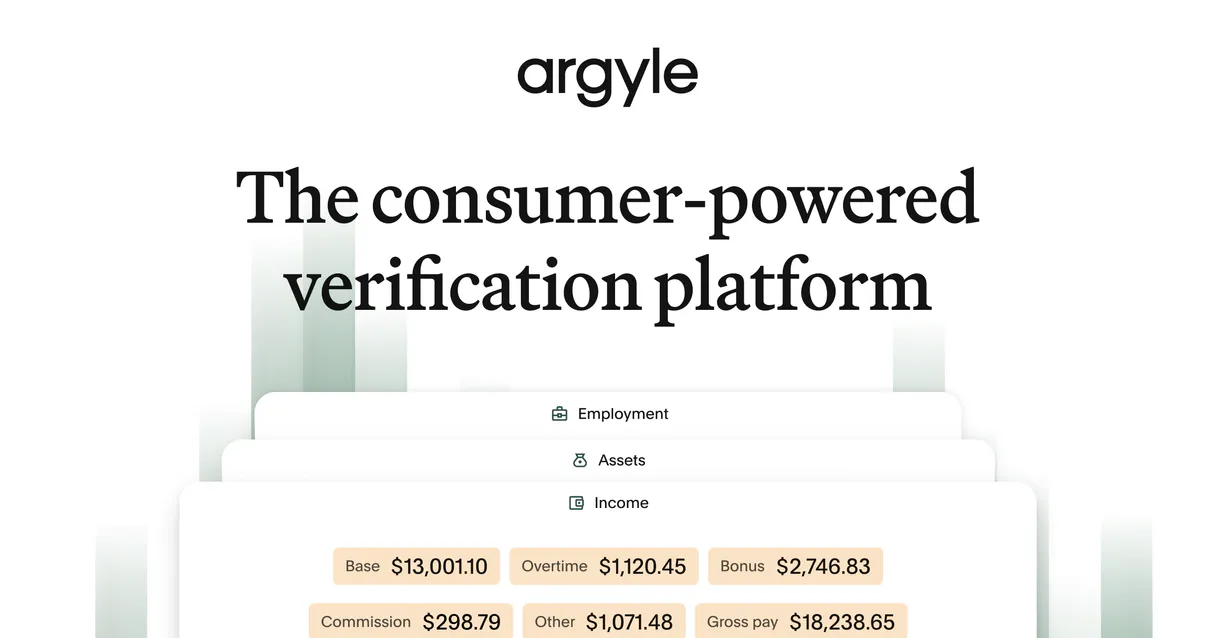
Independent Platform Disclaimer: Vinkius is an independent platform and is not affiliated with, endorsed by, sponsored by, verified by, or otherwise authorized by Argyle. All third-party trademarks, logos, and brand names are the property of their respective owners. Their use on this website is strictly for informational purposes to identify service compatibility and interoperability.
VINKIUS INFRASTRUCTURE
Cloud Hosted
Managed infra
V8 Isolated
Sandboxed per request
Zero-Trust Proxy
No stored credentials
DLP Enforced
Policy on every call
GDPR Compliant
EU data residency
Token Compression
~60% cost reduction
Works with Claude, ChatGPT, Cursor, and more
The Model Context Protocol standardizes how applications expose capabilities to LLMs. Instead of operating in isolation, your AI gains direct access to external platforms, live data, and real-world actions through secure, standardized connections.
This server provides 7 capabilities that interface natively with Claude, ChatGPT, Cursor, and any MCP client. No middleware. No custom integration required.
Available Capabilities
Manually collecting and cross-referencing employment documents takes hours.
Right now, verifying a single applicant's background means gathering pay stubs, W-2s, and employer letters. You have to upload, wait for manual review, and then manually cross-reference the dates and income figures across three different documents. It's a mess of PDFs and copy-pasting.
With Argyle, your agent runs a single tool, like `get_employment`. It pulls the verified job title, hire date, and current employer straight from the payroll source. You get the data instantly, structured and ready for use.
Argyle MCP Server: Access verified payroll and identity data.
You eliminate the need to manually check if the user's provided name matches their official address or if the stated income matches the pay period structure. The agent handles the connection and data validation.
The result is a single, auditable data payload. You're not dealing with PDFs; you're dealing with machine-readable facts. That's the difference.
Common Questions About Argyle MCP
How do I use the `list_users` tool with Argyle? +
The list_users tool retrieves all user IDs registered in your Argyle account. This is useful for generating a master list of IDs before you start running verification checks.
What does `get_employment` do in the Argyle MCP Server? +
get_employment retrieves the verified employment history for a user ID. It pulls verified data like job title and hire dates directly from the source.
Is the data from `get_income` real-time? +
The data returned by get_income is sourced directly from the payroll provider. It provides detailed totals (YTD, monthly) based on verified payouts.
Can I use `list_identities` to check a new person? +
No. list_identities retrieves verified data for a user ID that must already exist in the Argyle system. You must run create_user first.
How do I check the connection status using `get_account_check`? +
Run get_account_check to verify the Argyle account connection. This confirms the server is live and ready to process data requests.
How can I check payouts for a user using the `list_payouts` tool? +
The list_payouts tool gives you a list of individual pay periods for a user. You can see the gross pay, net pay, and what deductions were taken for each period.
What is the purpose of the `create_user` tool? +
create_user generates a unique ID for a user in your Argyle account. You must use this ID first before running any verification tools like get_employment.
Which tool should I use to see all users in my Argyle account? +
Use list_users to pull a complete list of every user ID you've created in Argyle. This helps you manage who you're running verification on.
How do I get my Argyle API Key ID and Secret? +
Log in to the Argyle Dashboard, go to Settings > API Keys, and you can generate your Client ID and Client Secret there.
What is the Argyle Link flow? +
Argyle Link is an embedded UI component where your users log in to their payroll providers. Once they connect, you can use their User ID with this server to retrieve their data.
Can I use this server for testing in Sandbox? +
Yes, configure the ARGYLE_SANDBOX environment variable to true to connect to the Argyle Sandbox environment (api-sandbox.argyle.com).
Use it with your favorite AI tools
Connect this server to Cursor, Claude, VS Code, and more.
More in this category

Checkr
Automate background checks via Checkr — screen candidates, monitor reports, and manage compliance directly from any AI agent.

LearnUpon
Manage users, courses, and enrollments via the LearnUpon LMS API.
Buddy Punch
Track employee hours with GPS-verified clock-ins, PTO management, and payroll-ready timesheet exports your team will love.
You might also like

Salt Security
Integrate Salt Security directly with your AI for comprehensive API threat vector discovery, posture management, and active remediation in real-time.

Cloud Assess
Manage vocational training and assessments via Cloud Assess — track students, monitor enrolments, and audit assessment records directly from any AI agent.

5E Arena
Automate competitive CS2 tracking via 5E Arena — fetch deep matchmaking stats, global leaderboards, and player performance scores natively from any AI agent.