
Salt Security MCP. Discover, Audit, and Block API Threats in Minutes.
 Gemini
 Works with every AI agent you already use
…and any MCP-compatible client









Just plug in your AI agents and start using Vinkius.
Salt Security provides API Threat Management via MCP Server. It connects your AI client directly to deep security tools for real-time defense.
Use it to automatically discover every API endpoint, identify unknown 'shadow' APIs, monitor active attacks (like business logic abuses), and execute immediate remediation commands like blocking a malicious actor using the `block_attacker` tool.
What your AI agents can do
Block attacker
Issues a command that assigns an internal blockade rule to a specific threat actor profile.
Get attackers
Lists known and profiled malicious threat actors detected by Salt Security.
Get attacks
Retrieves a list of all detected, specific malicious API attack events.
Get a full picture of every active and undiscovered API endpoint in your environment using get_inventory.
View real-time records of malicious attacks or suspicious activity using the get_attacks tool.
Execute immediate defense commands to assign a blockade rule against a specific threat actor via block_attacker.
Scan for design vulnerabilities and policy gaps that exist before code reaches production using get_posture_vulnerabilities.
Maintain governance by listing or uploading OpenAPI (OAS) specifications via list_oas_specs and upload_oas_spec.
Ask AI about this MCP
Supported MCP Clients
Gemini Waiting for input…
Salt Security MCP Server: 10 Tools for API Defense
These ten tools give your AI agent the ability to audit every facet of your API stack—from discovery and vulnerability scanning to real-time attack blocking.
019d7602block attacker
Issues a command that assigns an internal blockade rule to a specific threat actor profile.
019d7602get attackers
Lists known and profiled malicious threat actors detected by Salt Security.
019d7602get attacks
Retrieves a list of all detected, specific malicious API attack events.
019d7602get endpoint
Gets detailed metadata and schema information for one particular API endpoint.
019d7602get governance policies
Lists the current, active governance rules that govern your APIs.
019d7602get inventory
Retrieves a comprehensive list of all auto-discovered API endpoints in your environment.
019d7602get posture vulnerabilities
Scans and retrieves identified design flaws or vulnerabilities before they reach production.
019d7602get system health
Checks the current operational health status of data ingestion services, like traffic mirrors.
019d7602list oas specs
Lists all OpenAPI (OAS) specifications that have been uploaded to your system.
019d7602upload oas spec
Uploads a new OAS/Swagger specification file to the security platform for review.
Choose How to Get Started
Build a custom MCP for your own tools, or connect a ready-made integration from our catalog.
Build Your Own
Turn any API into an MCP. Import a spec, define Agent Skills, or deploy with MCPFusion.
- Import from OpenAPI, Swagger, or YAML specs
- Create Agent Skills with progressive disclosure
- Deploy to edge with MCPFusion framework
- Built in DLP, auth, and compliance on every call
- Real time usage dashboard and cost metering
- Publish to catalog or keep private
Make Your AI Do More
Start with Salt Security, then connect any of our 4,700+ other servers whenever your AI needs more. One click, no limits.
- Use this MCP plus 4,700+ others, all in one place
- Add new capabilities to your AI anytime you want
- Every connection is secured and compliant automatically
- Track usage and costs across all your servers
- Works with Claude, ChatGPT, Cursor, and more
- New servers added to the catalog every week
What you can do with this MCP connector
You connect your AI client directly to Salt Security's MCP Server for API Threat Management. This integration lets your agent handle deep security work—API discovery, vulnerability scanning, and real-time threat response—without you having to jump between dashboards or run manual checks.
Discovery and Inventory Mapping
You can get a full picture of every endpoint in your environment by running get_inventory. This tool pulls a complete list of all auto-discovered API endpoints, making sure you find those unknown 'shadow' APIs that might be exposed. Once you pinpoint a specific path, you use get_endpoint to pull detailed metadata and the schema for that one resource.
That lets your agent check not only what data is expected but also if sensitive info, like PII, is unnecessarily exposed.
To keep your API surface under strict control, your AI client manages governance through OpenAPI (OAS) standards. You'll use list_oas_specs to see all the OAS files already uploaded to the platform. If you find a new specification, you simply run upload_oas_spec to add it for review and governance checks. The system also tracks your ruleset using get_governance_policies, showing exactly what active rules govern how your APIs operate.
Monitoring Active Threats
When suspicious activity hits, the agent doesn't wait for an alert; it retrieves data instantly. You can get a list of every specific malicious API attack event by calling get_attacks. To understand who’s attacking you, your client pulls profiles from get_attackers, which lists all known and profiled threat actors detected by Salt Security.
These tools let you map out attacker patterns before they hit critical infrastructure.
Remediation and Hardening
If an attack is confirmed, the agent executes immediate defense commands. You don't wait for manual approval; you run block_attacker to assign a blockade rule against a specific threat actor profile using the details gathered from get_attackers. This action blocks their ability to continue exploitation immediately.
Beyond active threats, your client helps you build defenses before code even hits production. You use get_posture_vulnerabilities to scan for design flaws and policy gaps in your API structure. It’s a proactive assessment that finds weaknesses while they're still theoretical. The system also checks the operational status of its own data sources using get_system_health, letting you know if services—like traffic mirrors—are ingesting data correctly.
This setup means your agent handles everything: discovering what APIs exist, checking their schemas and governance rules, spotting active attacks or potential design flaws, and then immediately blocking the bad actors. You get full control over your API security posture without leaving your chat window.
How Salt Security MCP Works
- 1 Generate an API Token from the Salt Security console and paste it into your MCP Server configuration.
- 2 Ask your AI client a specific security question, such as 'What are our current governance policies?'
- 3 The server runs the necessary tool (like
get_governance_policies) and returns structured data that answers your query.
The bottom line is you get immediate, actionable API security intelligence without having to log into ten different dashboards.
Who Is Salt Security MCP For?
This server is for the AppSec Engineer who can't afford a single missed vulnerability. It’s for the DevOps lead drowning in audit reports and the Security Analyst who needs to go from 'alert received' to 'threat contained' in minutes, not hours.
They use it to validate API contracts (list_oas_specs) against actual runtime behavior and scan for pre-production flaws using get_posture_vulnerabilities.
They rely on it to check system health (get_system_health) and quickly assess if a newly deployed service has forgotten or 'shadow' APIs that need documentation.
They use it to prove compliance by checking active governance rules with get_governance_policies across all discovered endpoints.
What Changes When You Connect
- Find 'Shadow' APIs: Instead of missing critical endpoints, the
get_inventorytool lists every auto-discovered API—even ones nobody documented. - Instant Threat Response: When an attack hits, you don't wait for a human ticket. You run
block_attackerand deploy defenses immediately. - Proactive Flaw Finding: Run
get_posture_vulnerabilitiesto identify design flaws weeks before they cause an incident in production code. - Full Compliance View: Use
get_governance_policiesto instantly check if your APIs comply with internal rules, making audits fast and painless. - Better Documentation Flow: You can manage API contracts by uploading or listing specs using
upload_oas_specandlist_oas_specs, keeping documentation aligned with reality.
Real-World Use Cases
Auditing a Legacy Service
The compliance officer needs to know every API endpoint exposed by the old billing service. They ask their agent, which runs get_inventory. The agent returns 78 endpoints, showing exactly which ones are 'shadow' (undocumented) and need immediate policy review using get_governance_policies.
Responding to a Breach Attempt
A suspicious spike in requests hits the payment gateway. The security engineer asks, 'What attacks are happening right now?' The agent uses get_attacks, identifies an attacker profile via get_attackers, and immediately runs block_attacker to contain the threat.
Onboarding a New Microservice
The DevOps team deploys a new microservice. Before it goes live, they use upload_oas_spec to give Salt Security the API contract. The agent then runs get_posture_vulnerabilities against that spec to catch design flaws immediately.
Verifying Endpoint Details
A developer is unsure if a specific endpoint, /user/profile, handles PII correctly. They use the agent to run get_endpoint on that path, which returns the schema details and flags whether sensitive data is exposed.
The Tradeoffs
Checking everything manually
Logging into the API gateway dashboard, downloading the inventory CSV, cross-referencing it with JIRA tickets, and then checking the governance console for each entry.
→
Ask your agent to run get_inventory and compare that list against the results of get_governance_policies. The AI client handles the comparison and flags discrepancies.
Assuming documentation is enough
The team thinks because they uploaded an OAS spec, the API is safe. They forget to check for active runtime attacks.
→
Always run get_attacks after updating specs. This validates that your documented APIs aren't already being exploited in real time.
Ignoring the source of the threat
The agent tells you there are 10 attacks, but you only block the IP address without knowing who it is.
→
First, run get_attackers to profile the actor. Then, use block_attacker with the specific threat profile ID for better remediation.
When It Fits, When It Doesn't
Use this server if your API environment handles sensitive data (PII) or is mission-critical and subject to frequent audits. You need real-time visibility into both known bad actors (get_attackers) and undiscovered endpoints (get_inventory). Don't use it if you only have simple, internal APIs that never touch the outside world—the overhead isn't worth it. If your main concern is just documentation consistency, you might only need list_oas_specs. But to truly manage risk, you need the full loop: Discovery (get_inventory) -> Assessment (get_posture_vulnerabilities) -> Policy Check (get_governance_policies) -> Remediation (block_attacker).

Independent Platform Disclaimer: Vinkius is an independent platform and is not affiliated with, endorsed by, sponsored by, verified by, or otherwise authorized by Salt Security. All third-party trademarks, logos, and brand names are the property of their respective owners. Their use on this website is strictly for informational purposes to identify service compatibility and interoperability.
VINKIUS INFRASTRUCTURE
Cloud Hosted
Managed infra
V8 Isolated
Sandboxed per request
Zero-Trust Proxy
No stored credentials
DLP Enforced
Policy on every call
GDPR Compliant
EU data residency
Token Compression
~60% cost reduction
Works with Claude, ChatGPT, Cursor, and more
The Model Context Protocol standardizes how applications expose capabilities to LLMs. Instead of operating in isolation, your AI gains direct access to external platforms, live data, and real-world actions through secure, standardized connections.
This server provides 10 capabilities that interface natively with Claude, ChatGPT, Cursor, and any MCP client. No middleware. No custom integration required.
Available Capabilities
Auditing APIs shouldn't feel like a forensic archaeology dig.
Right now, finding out what APIs exist is a mess. You jump between the API Gateway console, download an inventory report that is already half-a-year old, and then you have to manually check compliance against governance policies in another tab. It's slow, and it's easy to miss those 'shadow' endpoints that nobody even knows about.
With this MCP server, your AI agent runs `get_inventory` once. It gives you a live count of every API—including the hidden ones. Then, if you ask for governance checks, it uses `get_governance_policies` to cross-reference everything instantly.
The block_attacker tool lets you stop threats before they hit your users.
Before this integration, an alert meant opening a ticket, waiting for a human analyst to confirm the attacker's pattern using `get_attackers`, and then manually escalating that confirmation into firewall rules. The gap between detection and defense was measured in hours.
Now, if your agent identifies a threat actor profile via `get_attackers` and you give the command, it executes `block_attacker`. That's instant remediation—a full blockade rule deployed directly to your integrated WAFs.
Common Questions About Salt Security MCP
How do I find all my API endpoints using get_inventory? +
Just ask the agent to run get_inventory. It pulls a complete list of every auto-discovered API in your environment, including any 'zombie' or shadow APIs you forgot about.
Can I block an attacker using block_attacker? +
Yes. You first need to profile the actor using get_attackers, and then tell your agent to run block_attacker with that specific threat ID to enforce a blockade rule.
What is get_posture_vulnerabilities for? +
It scans your API architecture for design flaws. You use it when you want to check for vulnerabilities before the code even gets deployed into production.
Does Salt Security handle OAS specs with list_oas_specs? +
Yes. Use list_oas_specs to see every OpenAPI specification currently uploaded, or use upload_oas_spec if you need to add a new contract.
What kind of malicious activity does the `get_attacks` tool track? +
It lists detected attacks, including business logic abuses and known exploit attempts. The report specifies the payload type and the exact API endpoint targeted, letting you know exactly what's happening in real time.
Can I use `get_endpoint` to check a specific API for exposed sensitive data? +
Yes. It retrieves full schema details for any given endpoint. This allows your agent to analyze the structure and flag if it exposes PII or other regulated data that needs masking.
What is the purpose of using `upload_oas_spec`? +
You use this tool to ingest updated API specifications (OAS/Swagger). Uploading a new spec allows the system to validate your existing APIs against the latest governance model and design rules.
How do I verify if real-time threat data collection is functioning using `get_system_health`? +
It checks the operational status of the traffic mirror ingestion pipeline. A successful check confirms that your system is receiving and processing live, reliable traffic data for accurate threat detection.
Can the AI forcefully block attackers or does it just view them? +
You can explicitly instruct the AI to use the block_attacker tool, which triggers a remediation event across your security infrastructure (e.g., WAF integrations). It provides both visibility and direct active response.
Does Salt Security allow me to upload spec definitions (OAS) directly from my files via chat? +
Yes, you can upload raw specification content using the upload_oas_spec tool for vulnerability testing and validation. Provide the exact OpenAPI content, and Salt will interpret it securely naturally properly successfully cleanly nicely properly natively completely optimally brightly cleanly beautifully actively quickly seamlessly efficiently correctly elegantly faithfully efficiently natively perfectly.
How frequently is the API inventory auto-discovered? +
Salt maintains a continuous discovery architecture via passive traffic monitoring. This prevents any drift and immediately identifies 'Ghost APIs' when queried using the get_inventory capability.
Use it with your favorite AI tools
Connect this server to Cursor, Claude, VS Code, and more.
More in this category

Ping Identity
Manage PingOne user identities, applications, groups, risk policies, and sign-on flows autonomously via AI.
Aikido Security
Query security vulnerabilities via Aikido — list open issues, check repositories, monitor cloud assets, and track compliance directly from any AI agent.
IBM QRadar
Connect IBM QRadar to any AI agent via MCP.
You might also like
GeTui / 个推
Massive notification push and LBS platform in China — manage campaigns, devices, and reports via AI.
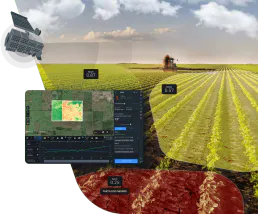
EOSDA Agriculture Satellite Data
Precision agriculture satellite intelligence — access NDVI, soil moisture, and crop health via AI.
Bridge Data Output
Access standardized real estate data via the Bridge API — browse MLS listings, property details, and agent info directly from any AI agent.