
Atlan MCP. Conversational data governance and asset discovery.
 Gemini
 Works with every AI agent you already use
…and any MCP-compatible client









Just plug in your AI agents and start using Vinkius.
Atlan MCP Server. Use your AI agent to search, govern, and catalog your entire data ecosystem. Discover data assets, review business glossaries, list security classifications, and understand data ownership (personas) directly through natural language conversation.
It lets you treat your data catalog like a conversational knowledge base, finding definitions, owners, and policies instantly.
What your AI agents can do
List classifications
Lists all data classification tags defined in Atlan for governance purposes.
List glossaries
Lists all business glossaries configured in the Atlan workspace.
List personas
Lists all configured access control profiles (Personas) in the Atlan workspace.
You query your entire connected data ecosystem using natural text to find tables, dashboards, and columns, and discover their data lineage.
You pull verified business terms and definitions from organizational glossaries, ensuring everyone uses the same language for KPIs.
You list active data classifications (like PII or Confidential tags) and determine which data points are restricted or public.
You inspect registered users and configured access control profiles (Personas) to understand who is allowed to see specific data.
You list the configured sharing purposes across the data estate to confirm compliance and usage rules.
You retrieve a list of all users in the workspace or all defined access control profiles for review.
Ask AI about this MCP
Supported MCP Clients
Gemini Waiting for input…
Atlan MCP Server: 6 Tools for Data Governance
These tools allow your AI agent to interact with Atlan's metadata layer, enabling structured queries across classifications, glossaries, assets, and user profiles.
019d7554list classifications
Lists all data classification tags defined in Atlan for governance purposes.
019d7554list glossaries
Lists all business glossaries configured in the Atlan workspace.
019d7554list personas
Lists all configured access control profiles (Personas) in the Atlan workspace.
019d7554list purposes
Lists all defined data sharing purposes (Policies) in Atlan.
019d7554list users
Lists all registered user accounts within the Atlan workspace.
019d7554search assets
Searches the Atlan Data Catalog for specific data assets using natural language queries.
Choose How to Get Started
Build a custom MCP for your own tools, or connect a ready-made integration from our catalog.
Build Your Own
Turn any API into an MCP. Import a spec, define Agent Skills, or deploy with MCPFusion.
- Import from OpenAPI, Swagger, or YAML specs
- Create Agent Skills with progressive disclosure
- Deploy to edge with MCPFusion framework
- Built in DLP, auth, and compliance on every call
- Real time usage dashboard and cost metering
- Publish to catalog or keep private
Make Your AI Do More
Start with Atlan, then connect any of our 4,700+ other servers whenever your AI needs more. One click, no limits.
- Use this MCP plus 4,700+ others, all in one place
- Add new capabilities to your AI anytime you want
- Every connection is secured and compliant automatically
- Track usage and costs across all your servers
- Works with Claude, ChatGPT, Cursor, and more
- New servers added to the catalog every week
What you can do with this MCP connector
You'll use your AI agent to search, govern, and catalog your entire data ecosystem. It lets you treat your data catalog like a conversational knowledge base. You'll find definitions, owners, and policies instantly just by talking to it. When you use the search_assets tool, your agent queries your connected data ecosystem using natural language.
You can find tables, dashboards, and columns, and you'll discover their data lineage, too. Need to know what your business means by a term? The agent uses list_glossaries to pull verified business terms and definitions from your organization's glossaries, making sure everyone uses the same language for KPIs. To check data sensitivity, the agent uses list_classifications to list all data classification tags defined in Atlan, showing you what's restricted or public.
You can map out data ownership by checking registered users using list_users or by reviewing configured access control profiles (Personas) via list_personas. The agent uses list_purposes to list all configured data sharing purposes across the data estate, so you can confirm compliance and usage rules. You can also see every single user in the workspace by calling list_users.
How Atlan MCP Works
- 1 Subscribe to the secure MCP Server and provide your Atlan API URL and API Key.
- 2 Connect your preferred AI client (Claude, Cursor, etc.) to the server.
- 3 Ask the agent a governance question (e.g., 'What are the PII classifications?') and it executes the necessary tool calls.
The bottom line is, your AI agent runs complex metadata queries against Atlan without you writing a single API call.
Who Is Atlan MCP For?
The Data Steward who needs to audit metadata completeness across multiple domains. The Data Analyst who needs to quickly find the right, verified source table before starting a project. Security teams needing to map access personas to data classifications. If you work with data definitions and governance, this is for you.
Audits metadata completeness, checks glossaries, and systematically tags PII across the data estate using conversation.
Discovers verified tables, dashboards, and data lineage quickly when starting a new project, avoiding time wasted on wrong data sources.
Inspects broad access personas and data-sharing purposes to ensure compliance and manage access control policies.
Grounds LLMs and agents in real metadata context by pulling exact, verified definitions of business KPIs.
What Changes When You Connect
- Find data lineage instantly. Instead of clicking through schema diagrams, you ask the agent to find assets related to 'churn prediction' using
search_assets. - Standardize terminology. You retrieve organizational glossaries using
list_glossaries, ensuring every team uses the exact same definition for core KPIs. - Manage data risk. You list active data classifications via
list_classificationsto see if PII or Confidential tags are applied to the right tables. - Audit access rights. You use
list_personasto inspect access control profiles, confirming who has rights to what data before a project starts. - Verify data sharing. You call
list_purposesto list all configured sharing purposes, confirming that data usage aligns with compliance policies. - Understand data ownership. You can run
list_usersorlist_personasto confirm which roles and individuals have access to the data you need.
Real-World Use Cases
A Data Steward needs to audit PII compliance.
The steward doesn't want to manually check every table for sensitive tags. They ask the agent to list all security classifications. The agent runs list_classifications, providing a complete list of tags (e.g., GDPR_Sensitive, Confidential_Tier_1) and confirming coverage across the estate.
An Analyst needs the correct KPI definition.
An analyst is starting a project on 'marketing attribution' and isn't sure which definition to use. They ask the agent about business glossaries. The agent runs list_glossaries, presenting the Marketing Attribution Rules glossary and the verified calculation metrics.
Security needs to verify access boundaries.
The security team needs to know who can access the core financial data. They ask the agent to list the access personas. The agent runs list_personas, detailing the roles and access profiles, preventing unauthorized data access.
An AI Agent needs data context for coding.
An enterprise AI team wants to ground a new LLM in business context. They connect the agent and ask it to search for data assets related to a KPI. The agent runs search_assets, returning the correct Snowflake schema and verified definitions, making the LLM reliable.
The Tradeoffs
Searching for data without context
A user simply types 'Show me data on sales.' This is too vague. The system returns thousands of assets, and the user has to manually filter by owner, classification, and date range, wasting minutes.
→
Ask your agent to search using search_assets and specify the intent: 'Search for sales assets owned by the Finance team and classified as Confidential_Tier_1.' The agent runs the search, narrowing the results immediately.
Manually checking policies
A governance team has to open the policy dashboard and manually check dozens of data-sharing purposes to ensure compliance. This is slow and error-prone.
→
Ask the agent to list all data policies by running list_purposes. This centralizes the audit process, giving you a single, clean list of configured sharing purposes.
Guessing the right user role
A developer assumes a teammate has the right access, but the system fails because the access profile isn't explicitly listed. They spend hours debugging permission errors.
→
Use the agent to run list_personas. This shows all configured Personas, allowing you to verify the correct access profile for the user before writing a line of code.
When It Fits, When It Doesn't
Use this if you need to bridge the gap between business intent and technical data location. You need to know what the data means, who owns it, and how sensitive it is before you write a query. Don't use this if your only goal is to list every single table name—use standard catalog tools for that. You should use this when you need to combine multiple pieces of metadata: For example, finding a data asset (search_assets) that is both marked as PII (list_classifications) AND owned by the Marketing team (list_personas). If you only need to list a single, isolated list (like just users), run list_users directly. The power is in the combination.
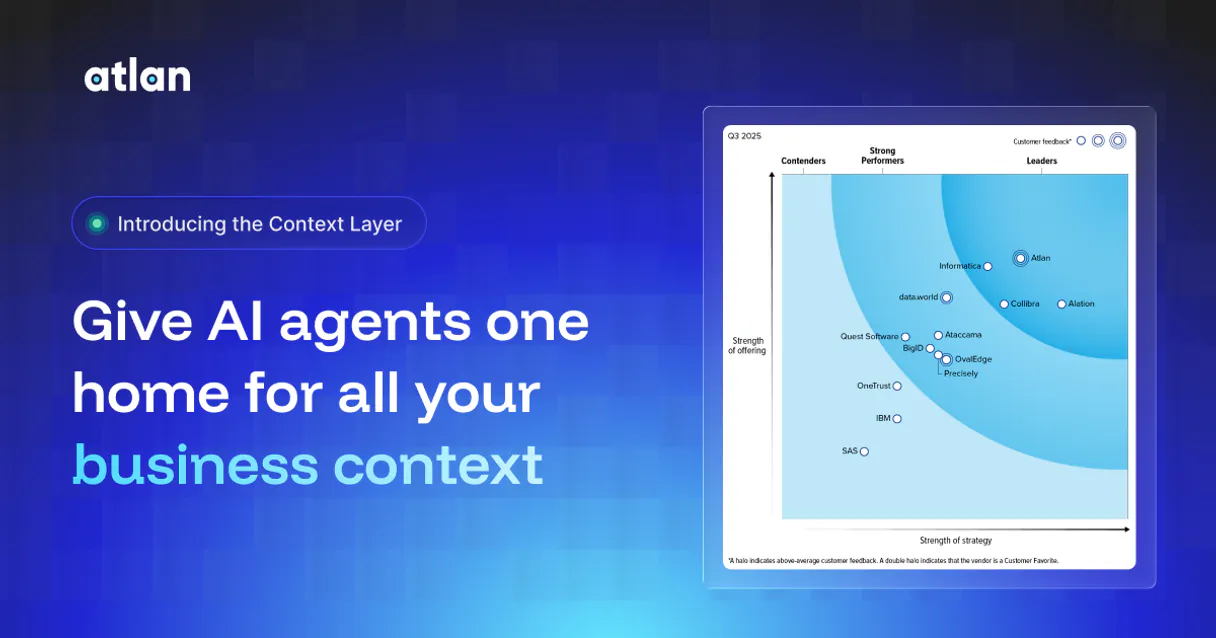
Independent Platform Disclaimer: Vinkius is an independent platform and is not affiliated with, endorsed by, sponsored by, verified by, or otherwise authorized by Atlan. All third-party trademarks, logos, and brand names are the property of their respective owners. Their use on this website is strictly for informational purposes to identify service compatibility and interoperability.
VINKIUS INFRASTRUCTURE
Cloud Hosted
Managed infra
V8 Isolated
Sandboxed per request
Zero-Trust Proxy
No stored credentials
DLP Enforced
Policy on every call
GDPR Compliant
EU data residency
Token Compression
~60% cost reduction
Works with Claude, ChatGPT, Cursor, and more
The Model Context Protocol standardizes how applications expose capabilities to LLMs. Instead of operating in isolation, your AI gains direct access to external platforms, live data, and real-world actions through secure, standardized connections.
This server provides 6 capabilities that interface natively with Claude, ChatGPT, Cursor, and any MCP client. No middleware. No custom integration required.
Available Capabilities
Finding data lineage shouldn't involve 15 clicks.
Before the Atlan MCP Server, finding out if a data point was reliable meant digging through multiple dashboards. You'd click on a KPI, navigate to the data source tab, then open the glossary link, and finally check the ownership profile—often requiring copy/pasting identifiers between five different tabs just to answer one question.
Now, your AI agent handles it. You ask, 'What is the lineage for the Q3 revenue KPI?' The agent runs `search_assets`, pulling the table, tracing its source, and showing the linked definition from the business glossary—all in one response.
Atlan MCP Server: Discover data assets and policies.
Previously, checking data policies required navigating the entire governance module and manually filtering by purpose. You had to remember which policies were active and which data sets they covered.
Now, you simply ask the agent to list all purposes. The agent runs `list_purposes`, providing a clean, consolidated list of every active data sharing policy. You get the governance status immediately.
Common Questions About Atlan MCP
How do I find a data asset using the Atlan MCP Server and `search_assets`? +
You just ask the agent directly. For instance, 'Search for data assets related to customer retention.' The agent runs search_assets and returns matching tables, dashboards, and glossaries in one go.
Does `list_glossaries` show definitions for all data assets? +
No. list_glossaries shows the defined business glossaries themselves. You then use the agent to search for assets and reference the glossary definitions found in the results.
What is the difference between `list_personas` and `list_users`? +
list_users lists the accounts in the workspace. list_personas lists the structured access control profiles (Personas), which dictate what a user can see, regardless of their actual account.
How do I check data sensitivity using `list_classifications`? +
First, run list_classifications to see all active tags (like PII). Then, ask the agent to search assets and filter the results by the tag name you just confirmed.
How do I list the policies and sharing purposes using `list_purposes`? +
The list_purposes tool returns all defined data sharing purposes. These purposes dictate how data can be used and shared across the organization, helping you understand the rules governing data access.
What data does `search_assets` return about a data asset? +
It returns core metadata for the asset, including its type (e.g., table, dashboard), owner, and lineage connections. You can use the search results to trace where the data comes from and what it feeds into.
Is there a way to list all the available Personas using `list_personas`? +
Yes, list_personas provides a comprehensive list of all configured access control profiles. These Personas define roles and permissions, letting you see who can access specific data sets.
What happens if I try to list users who don't exist using `list_users`? +
The list_users tool will return an empty list or a specific error message indicating no users were found. This confirms that the user does not exist in the Atlan workspace.
Can my AI search for a specific dashboard or data table by keyword? +
Yes. Ask the agent to perform an asset search using a natural phrase like 'Q3 revenue report' or 'customer addresses table'. The agent triggers Atlan's semantic asset search, returning linked objects across all connected BI and database sources.
Are custom Atlan Classifications and Tags exposed to the AI? +
Yes. The agent can list all organizational classifications configured in Atlan (e.g., Sensitive, Restricted, CCPA). This lets the AI contextualize whether the assets it discovers are safe to be shared globally or subject to governance restrictions.
Can the agent modify or write back metadata to Atlan? +
No. This MCP integration focuses strictly on safe discovery and organizational governance retrieval (queries). It guarantees your metadata catalogues remain pristine, acting purely as an active lookup augmentation tool for your agent.
Use it with your favorite AI tools
Connect this server to Cursor, Claude, VS Code, and more.
More in this category

Databricks
Manage lakehouse via Databricks — monitor compute clusters, track job executions, audit SQL warehouses, and explore Unity Catalog directly from any AI agent.
ClickHouse (Vector Search)
Manage vector embeddings and SQL via ClickHouse — list databases, execute SQL, and perform high-speed vector searches directly from any AI agent.

Readwise
Equip your AI to directly search, read, and retrieve your unified digital highlights, books, and Reader documents stored in Readwise.
You might also like

Monster API (Serverless GPU & AI Model Hosting)
Access powerful AI models for image generation, text-to-speech, and transcription via serverless GPU infrastructure.
Pipedrive Activities
Create and manage calls, meetings, tasks, emails, and deadlines — full activity tracking for your Pipedrive account.
Pipedrive Products
Manage your product catalog, attach products to deals, and track recurring revenue subscriptions in Pipedrive.