
Bear MCP. Query and modify your entire local knowledge base.
 Gemini
 Works with every AI agent you already use
…and any MCP-compatible client









Just plug in your AI agents and start using Vinkius.
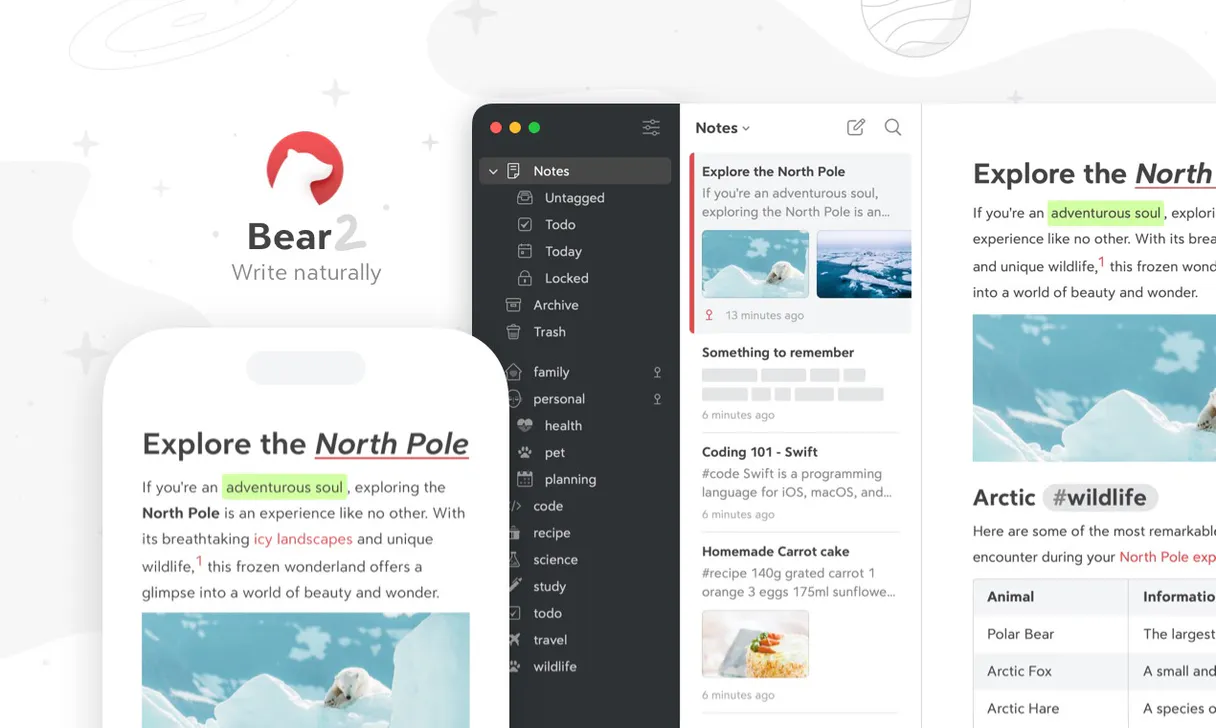
Bear MCP Server connects your private Bear knowledge base to any AI agent. It lets you manage notes—search, create, edit, and organize—using natural conversation instead of manual clicks.
You treat your entire markdown vault like an extension of your chat window.
What your AI agents can do
Add text
Adds specified markdown text chunks to the beginning or end of an existing Bear note.
Archive note
Moves a specific Bear Note into the archive, taking it out of active view.
Create note
Initializes and saves a brand new native Bear note with content you provide.
Find specific documents across your entire knowledge base using search_notes, or pull the complete text of a single note using open_note.
List, rename, delete, and query tags globally to keep your note structure clean. You use tools like list_tags, rename_tag, and delete_tag.
Generate new markdown files with create_note, or inject specific text blocks into existing documents using add_text.
Move old content to the archive using archive_note, or delete notes entirely with trash_note.
Ask AI about this MCP
Supported MCP Clients
Gemini Waiting for input…
Bear MCP Server: 10 Tools for Knowledge Management
These tools let you manage every aspect of your Bear knowledge base, from creating new documents to restructuring tags and archiving old research.
019d7559add text
Adds specified markdown text chunks to the beginning or end of an existing Bear note.
019d7559archive note
Moves a specific Bear Note into the archive, taking it out of active view.
019d7559create note
Initializes and saves a brand new native Bear note with content you provide.
019d7559delete tag
Removes a tag entirely from the system, deleting its constraint across all notes.
019d7559list tags
Retrieves a list of all tags and shows their full parent/child nesting hierarchy globally.
019d7559open note
Fetches the complete, underlying markdown content for one specific Bear note ID.
019d7559open tag
Lists every single explicit Bear note that matches a specified tag name.
019d7559rename tag
Changes the name of an existing tag globally across all notes it is attached to.
019d7559search notes
Performs a broad search query across your entire collection of Bear app notes, including filtering by tags like @todo or @today.
019d7559trash note
Moves an explicit Bear Note to the Trash folder, marking it for permanent deletion.
Choose How to Get Started
Build a custom MCP for your own tools, or connect a ready-made integration from our catalog.
Build Your Own
Turn any API into an MCP. Import a spec, define Agent Skills, or deploy with MCPFusion.
- Import from OpenAPI, Swagger, or YAML specs
- Create Agent Skills with progressive disclosure
- Deploy to edge with MCPFusion framework
- Built in DLP, auth, and compliance on every call
- Real time usage dashboard and cost metering
- Publish to catalog or keep private
Make Your AI Do More
Start with Bear, then connect any of our 4,700+ other servers whenever your AI needs more. One click, no limits.
- Use this MCP plus 4,700+ others, all in one place
- Add new capabilities to your AI anytime you want
- Every connection is secured and compliant automatically
- Track usage and costs across all your servers
- Works with Claude, ChatGPT, Cursor, and more
- New servers added to the catalog every week
What you can do with this MCP connector
Your AI agent connects right into your private Bear knowledge base. You treat that whole markdown vault like it's just another tab in your chat window, letting you manage notes through natural conversation instead of clicking buttons.
Finding What You Need
You can search across every single note in your collection using search_notes. This isn't some basic keyword match; you can scope that query right down by tags like @todo or @today. If you know the specific ID, your agent pulls the complete markdown content for that one note instantly with open_note.
Need to see everything attached to a specific concept? You use open_tag to list every single explicit Bear note linked to a certain tag name.
Building and Tweaking Content
Don't manually copy-paste stuff anymore. Your agent handles that. You can inject specified chunks of markdown text into either the beginning or end of an existing document using add_text. If you need a fresh start, it spins up a brand new native Bear note for ya with create_note, saving it right away with the content you give it.
Keeping Your Tags Clean and Tidy
Managing tags isn't just about adding them; it's about keeping the whole system from getting messy. You use list_tags to pull a complete view of every tag, showing its full parent/child nesting hierarchy globally so you always know where things fit. If you find an old tag that nobody uses anymore, you delete it entirely using delete_tag, wiping out its constraint across all notes instantly.
Sometimes a concept changes names; use rename_tag to update that tag's name everywhere it lives in your vault. You can also query the system for every single note attached to a specific tag using open_tag.
Controlling the Note Lifecycle
When research gets old, you gotta move it. Your agent moves those dusty notes into the archive using archive_note, taking them out of active sight. If a draft is totally dead weight, you send that note to the Trash folder with trash_note, marking it for permanent deletion from your view.
How Bear MCP Works
- 1 Subscribe to the Bear MCP Server and connect your private API token.
- 2 Your AI client sends a command (e.g., 'Search all notes tagged #meeting').
- 3 The server executes the tool, retrieves the data, and feeds the result back to your chat window.
The bottom line is you never have to leave your conversation interface to manage your local knowledge base.
Who Is Bear MCP For?
Anyone whose brain operates like a constantly growing, messy markdown file needs this. It's for the writer who loses track of drafts, the developer with scattered config snippets, or the researcher drowning in linked notes. If your knowledge base lives in Bear, you need this.
Uses the agent to search across dozens of old drafts and combine relevant text blocks using add_text into a single, cohesive document.
Retrieves specific configuration snippets or project notes from years ago by running an explicit open_note command. Never spends time digging through folders again.
Cleans up massive tag structures using list_tags and bulk renames old tags with rename_tag, ensuring the entire repository is consistent before starting a new project.
What Changes When You Connect
- Instant retrieval of context: Need to find that one snippet from a meeting six months ago?
search_notesfinds it, andopen_notepulls the full markdown so you can copy exactly what you need. No more skimming pages. - Structured cleanup: Don't just delete notes randomly. Use
list_tagsto see your entire tag hierarchy first. Then, userename_tagto consolidate old project tags into a clean '#archive/...' structure. - Draft assembly on demand: Instead of manually opening 10 different research notes and copying paragraphs, ask the agent. It uses multiple tools under the hood to assemble pristine drafts from fragmented thoughts.
- Atomic content modification: You don't have to re-type anything. If you find a note that needs one sentence added, use
add_textto inject it instantly without opening the app and using copy/paste. - Efficient project scoping: Use
open_tagwhen you know the topic but not the exact notes. It lists every document related to#product/v2, giving you a clean list of targets before deep diving.
Real-World Use Cases
The Researcher needs to synthesize drafts.
A researcher has dozens of scattered notes on 'Quantum Computing'. Instead of opening each note, they prompt the agent: 'Gather all markdown mentioning quantum entanglement.' The agent uses search_notes and then pulls relevant sections using multiple calls to open_note, giving you one unified draft ready for revision.
The Product Manager cleans up old projects.
A PM realizes the #project/legacy tag is messy. They prompt: 'Move everything tagged #project/legacy to archive and rename the tag.' The agent uses list_tags for safety, then executes rename_tag to change it to #archive/legacy, followed by tagging those notes.
The Developer needs a config block.
A developer is building something new and remembers a specific API key from an old note. They ask the agent to search for 'API Key' in their @todo list. The agent uses search_notes, identifies the right note, and runs open_note so they can copy the raw snippet immediately.
The Admin needs to clear out obsolete tags.
An administrator knows a tag like #temp/drafts is dead. They first run list_tags to check dependencies, then use delete_tag. This ensures no other notes rely on that tag before it's completely removed.
The Tradeoffs
Manually copying and pasting blocks.
Opening a note, finding the snippet, copying it. Opening five more notes, repeating the copy/paste process for all necessary parts of your draft.
→
Ask the agent to 'Find all sections about X' using search_notes. Then, ask it to assemble those blocks into a new document via add_text or create_note.
Deleting tags without checking dependencies.
The user gets frustrated and just deletes the tag #old-project because they don't see it often. This breaks any notes that still reference it, leaving orphaned data.
→
First, run list_tags to understand the full taxonomy structure. If you must delete a tag, confirm its usage first using open_tag on related items.
Searching without specific scope.
Running a broad search query that pulls up irrelevant notes from years ago, requiring manual filtering and context switching to find the actual relevant data.
→
Always narrow your focus. Start with search_notes filtered by date or tag (e.g., 'Search @today for X'). This keeps the result set tight.
When It Fits, When It Doesn't
Use this Bear MCP Server if your primary pain point is that your knowledge base lives in a structured, local markdown app (Bear) and you want an AI to operate on it. You need functional control over notes—the ability to create, edit specific blocks of text (add_text), or manage the metadata structure using tools like rename_tag.
Don't use this if: a) Your knowledge base is hosted in a non-API-enabled service (like local files on your desktop); b) You only need general search functionality; or c) You are trying to process images or video content. For those cases, look for specialized media processing servers instead.
Independent Platform Disclaimer: Vinkius is an independent platform and is not affiliated with, endorsed by, sponsored by, verified by, or otherwise authorized by Bear. All third-party trademarks, logos, and brand names are the property of their respective owners. Their use on this website is strictly for informational purposes to identify service compatibility and interoperability.
VINKIUS INFRASTRUCTURE
Cloud Hosted
Managed infra
V8 Isolated
Sandboxed per request
Zero-Trust Proxy
No stored credentials
DLP Enforced
Policy on every call
GDPR Compliant
EU data residency
Token Compression
~60% cost reduction
Works with Claude, ChatGPT, Cursor, and more
The Model Context Protocol standardizes how applications expose capabilities to LLMs. Instead of operating in isolation, your AI gains direct access to external platforms, live data, and real-world actions through secure, standardized connections.
This server provides 10 capabilities that interface natively with Claude, ChatGPT, Cursor, and any MCP client. No middleware. No custom integration required.
Available Capabilities
Stop manually gathering context from scattered notes.
Today, building a comprehensive draft means opening the Bear app repeatedly. You hunt down a snippet in Note A, copy it; find another piece of data in Note B, copy that; then you have to paste and format everything into your active writing document. It's slow, painful, and you lose context constantly.
With this MCP Server, you just talk to your agent. You tell it: 'Gather all details on the Q1 plan.' The agent uses its tools—like `search_notes` and multiple calls to `open_note`—to pull everything together into a single, usable block of text that appears right in your chat window.
Mastering Note Lifecycle with Bear MCP Server.
The worst part of knowledge management is the junk. You have drafts labeled `#draft` from years ago, and old research notes that are never read again. Manually going through your vault to archive or delete this clutter is a time sink; you risk deleting something important.
Now, you tell the agent: 'Clean up all abandoned projects.' The agent executes `list_tags`, identifies unused tags, uses `archive_note` on outdated content, and runs `delete_tag` safely. Your vault stays clean without you having to click through thousands of entries.
Common Questions About Bear MCP
How do I search notes using the Bear MCP Server's `search_notes` tool? +
You simply ask your agent to 'Search my Bear notes for X.' The agent uses the search_notes tool, which can filter by tags like @todo or @today, giving you a direct list of relevant document titles and IDs.
What is the difference between using `open_note` and `open_tag`? +
open_note reads one specific note by its UUID. Use it when you know exactly which file contains the data. Use open_tag when you want to list every single note associated with a given tag, like #marketing/q3.
How do I rename tags using the Bear MCP Server? +
You prompt the agent: 'Rename the tag #old-name to #new-name.' The tool runs rename_tag, which updates the name globally across every single note and preserves all content links.
Can I edit notes with the `add_text` tool? +
Yes. Instead of opening the Bear app, finding a document, and manually pasting text, you tell the agent to 'Add this paragraph to note X.' The agent uses add_text to inject the content directly into that file.
Is using `trash_note` permanent? +
It moves the note to the Trash folder, which acts as a soft delete. If you are absolutely sure it's gone forever and should be cleaned up from the system index, you would need to manually manage that within Bear itself.
What is the impact of running the `delete_tag` tool on existing notes? +
Deleting a tag removes its constraint globally. The server automatically updates every related note to prevent orphaned tags or broken links, maintaining your markdown integrity.
How does using the `archive_note` tool differ from running `trash_note`? +
Archiving moves a note into a dedicated review section. It’s for notes you want to keep but don't need active access to, making it distinct from permanent deletion via trash_note.
Is my data secure when I use the `create_note` tool? +
Yes. The server connects only through your Bear API token for your private local instance. We never expose or transmit your raw credentials, keeping all notes secured in your vault.
Can the AI precisely update a note without overwriting its entire content? +
Yes. It uses the add_text mutation tool, seamlessly attaching blocks of text to either the absolute bottom (append) or the explicit top (prepend) of the given UUID note, leaving the core intact.
Does it understand nested tags (like #work/design/logo)? +
Bear relies heavily on tagging workflows. The agent natively queries and navigates explicit sub-tag pathways exactly like the application UI, mapping out your distinct taxonomy rules efficiently.
Can it search for uncompleted action items across many notes? +
Simply ask the agent to search for the specialized string '@todo'. Bear exposes these native markers directly via the API, returning every unique UUID containing a matching string checklist efficiently.
Use it with your favorite AI tools
Connect this server to Cursor, Claude, VS Code, and more.
More in this category

Flow XO
Automate chatbots, manage end users, and trigger workflows via AI agents with Flow XO.

Robly
Automate email marketing via Robly — manage contacts, subscriber lists, and campaign stats with AI.

Mealie (Recipe Manager)
Manage your Mealie recipes, meal plans, and shopping lists directly through your AI agent.
You might also like

SambaNova (AI Inference)
High-speed AI inference for Llama 3, DeepSeek, and MiniMax models via SambaNova's ultra-fast SN40L chips.

PreciseFP
Collect client financial data digitally with compliant intake forms designed for wealth management and financial planning firms.

PagerDuty
Manage incidents, services, on-call schedules, and escalation policies via PagerDuty — trigger, acknowledge, and resolve alerts from any AI agent.