
Buk MCP. Manage payroll and HR data from any AI client.
 Gemini
 Works with every AI agent you already use
…and any MCP-compatible client









Just plug in your AI agents and start using Vinkius.
Buk. Connect your Buk organizational environment to any AI agent to manage HR and payroll data. Query employee records, list current leaves, and get company-wide statistics using natural conversation.
It lets you build structural overviews and track talent availability without logging into HR portals.
What your AI agents can do
Approve leave
Approves a pending leave request for an employee.
Create employee
Onboards a brand new employee identity into the system.
Delete employee
Removes an employee identity from the system (offboarding).
Retrieves a comprehensive list of every employee within the Buk platform.
Fetches all specific information related to a single employee identity.
Lists all planned and upcoming vacation dates for employees.
Reads the status of current or pending leave requests and absences.
Retrieves department details, allowing you to map out cost centers and reporting lines.
Gets a snapshot of an employee's salary and payroll information.
Ask AI about this MCP
Supported MCP Clients
Gemini Waiting for input…
Buk MCP Server: 14 Tools for HR & Payroll Operations
Use these tools to query employee records, manage leaves, and extract company statistics directly through your AI agent.
019d8421approve leave
Approves a pending leave request for an employee.
019d8421create employee
Onboards a brand new employee identity into the system.
019d8421delete employee
Removes an employee identity from the system (offboarding).
019d8421get attendance
Fetches a daily matrix showing employee attendance records.
019d8421get company stats
Retrieves aggregated HR statistics for the entire company.
019d8421get department
Gets detailed information about a specific organizational department.
019d8421get employee
Fetches all detailed information for a specific employee.
019d8421get payroll
Retrieves a payroll snapshot for a specific employee.
019d8421list benefits
Shows a list of corporate benefits and extras available to employees.
019d8421list departments
Lists every active organizational department (cost center) in the company.
019d8421list employees
Lists all employee accounts registered on the Buk platform.
019d8421list jobs
Retrieves the standard, registered job roles available in the company.
019d8421list leaves
Lists all recorded absences or leaves taken by employees.
019d8421list vacations
Lists all scheduled vacation periods for employees.
Choose How to Get Started
Build a custom MCP for your own tools, or connect a ready-made integration from our catalog.
Build Your Own
Turn any API into an MCP. Import a spec, define Agent Skills, or deploy with MCPFusion.
- Import from OpenAPI, Swagger, or YAML specs
- Create Agent Skills with progressive disclosure
- Deploy to edge with MCPFusion framework
- Built in DLP, auth, and compliance on every call
- Real time usage dashboard and cost metering
- Publish to catalog or keep private
Make Your AI Do More
Start with Buk, then connect any of our 4,700+ other servers whenever your AI needs more. One click, no limits.
- Use this MCP plus 4,700+ others, all in one place
- Add new capabilities to your AI anytime you want
- Every connection is secured and compliant automatically
- Track usage and costs across all your servers
- Works with Claude, ChatGPT, Cursor, and more
- New servers added to the catalog every week
What you can do with this MCP connector
Connect your Buk organizational environment to any AI agent, and it'll give you the power to manage HR and payroll data just by talking to it. You'll be able to pull data from employee directories and payroll records without logging into any web portals. You can query employee records, list current leaves, and pull company-wide stats using natural conversation.
You'll build structural overviews and track talent availability without logging into HR portals.
Employee Management
Your agent can list every employee account on the platform using list_employees. For a single worker, it can pull all specific details using get_employee, or you can get a payroll snapshot for them with get_payroll. You can also onboard a new worker identity into the system with create_employee, and if someone leaves, you can remove their identity with delete_employee.
Time Off and Attendance
It lets you list all scheduled vacation periods using list_vacations, and you can view all recorded absences or pending leaves by calling list_leaves. You'll also see a daily matrix of employee attendance records by running get_attendance. When a leave is pending, you can approve it instantly with approve_leave.
Organizational Structure and Jobs
It helps you map out the company's structure by listing every active department (cost center) with list_departments, and getting details on a specific department using get_department. You can also list all standard job roles registered in the company using list_jobs. To see what benefits are available, run list_benefits.
Reporting and Analysis
Your agent can pull a full list of every employee record on the platform using list_employees, and it can pull company-wide aggregated HR statistics with get_company_stats. It's also able to list all available corporate benefits and extras using list_benefits.
How Buk MCP Works
- 1 Subscribe to the Buk server and provide your Buk API Key and Company Domain.
- 2 Your AI client authenticates and uses the provided credentials to connect to the Buk platform.
- 3 The agent runs a tool (e.g.,
get_employee) and receives structured HR data directly into your AI client's context.
The bottom line is, you get full HR data access inside your AI client without opening a browser or logging into internal portals.
Who Is Buk MCP For?
HR Directors and Operations Leads need this. They spend too much time clicking through dashboards just to find out who is out next week or how many people are in a specific department. This server gives them immediate data access, letting them run reports and check talent availability instantly, right where they are working.
Quickly analyze department staffing levels or check team availability without logging into multiple web portals.
Dynamically retrieve specific employee IDs and current talent availability to feed into workflow planning and resource allocation.
Cross-reference active internal employee IDs against other datasets to debug or verify employee existence instantly.
What Changes When You Connect
- See who is out next week by running
list_vacationsorlist_leaves. You get immediate team capacity data without checking the HR portal calendar. - Build an organizational map using
list_departmentsandget_department. You instantly see cost center relationships and department hierarchies. - Check an employee's current status and ID with
get_employee. You get a full profile—role, department, ID—in seconds, perfect for workflow triggers. - Run a company-wide health check using
get_company_stats. You get key metrics (like active employees vs. departments) that show overall corporate scaling. - Manage the employee lifecycle. You can
create_employeefor onboarding ordelete_employeefor offboarding, executing HR actions directly via your agent. - Review payroll details using
get_payroll. You get the current salary snapshot for an employee, which is critical for budgeting or compensation checks.
Real-World Use Cases
Need to plan team coverage for next month
The Ops Lead needs to know if they can launch a new project team. They ask their agent to run list_vacations and list_leaves for the target department. The agent aggregates the time off, showing exactly who is unavailable during the critical launch window. Problem solved.
Onboarding a new hire and assigning them a department
The HR Director needs to get a new employee set up. They instruct their agent to first use list_jobs to confirm the correct role, then use create_employee with the necessary details. The agent completes the full onboarding record, linking the employee to the correct job catalog.
Auditing departmental structure changes
A SysAdmin needs to confirm if two departments (e.g., 'Engineering' and 'QA') are correctly linked. They run list_departments to get all cost centers, then use get_department to pull the detailed structure for both. This validates the current organizational architecture against engineering datasets.
Quickly checking payroll figures for a budget meeting
The Manager needs to pull salary data for three key employees in a meeting. Instead of opening three different portals, they ask the agent to run get_payroll for all three IDs. They get the necessary salary snapshots in a single response.
The Tradeoffs
Manual data gathering
The user logs into the HR portal to find a vacation date, then switches to the Payroll portal to find the salary, and finally opens the Org Chart tool to find the department ID. This takes 10+ minutes of clicking and copy-pasting.
→
Tell your agent to use list_vacations and get_employee together. The agent retrieves the schedule and the full profile in one go, giving you the data you need immediately.
Guessing employee status
The user assumes an employee is active because they see their name in the main directory, but they don't know if they've been offboarded or if their account is pending deletion.
→
Use get_employee to fetch the complete, verified record. This tool tells you the true employment status, which is better than guessing.
Adding records piecemeal
The user manually creates an employee record, but forgets to assign them a department or link them to a job role, creating an incomplete record.
→
Use create_employee as the starting point. The tool guides you through the necessary fields, ensuring the new record is fully linked to a department via get_department and a job role via list_jobs.
When It Fits, When It Doesn't
Use this server if your primary need is cross-functional HR data access. You need to combine information—like linking an employee's current department (via get_department) with their payroll history (via get_payroll) and checking their availability (via list_vacations)—all in one conversational step. Don't use it if you only need to read a single, static report (e.g., a PDF export). For single reports, stick to the native HR system. This server is for data orchestration and live queries.
It's not for accounting. If your only task is running end-of-month ledger reconciliations, use dedicated accounting software. But if you need to know who is working on the ledger reconciliation, this server is what you need.
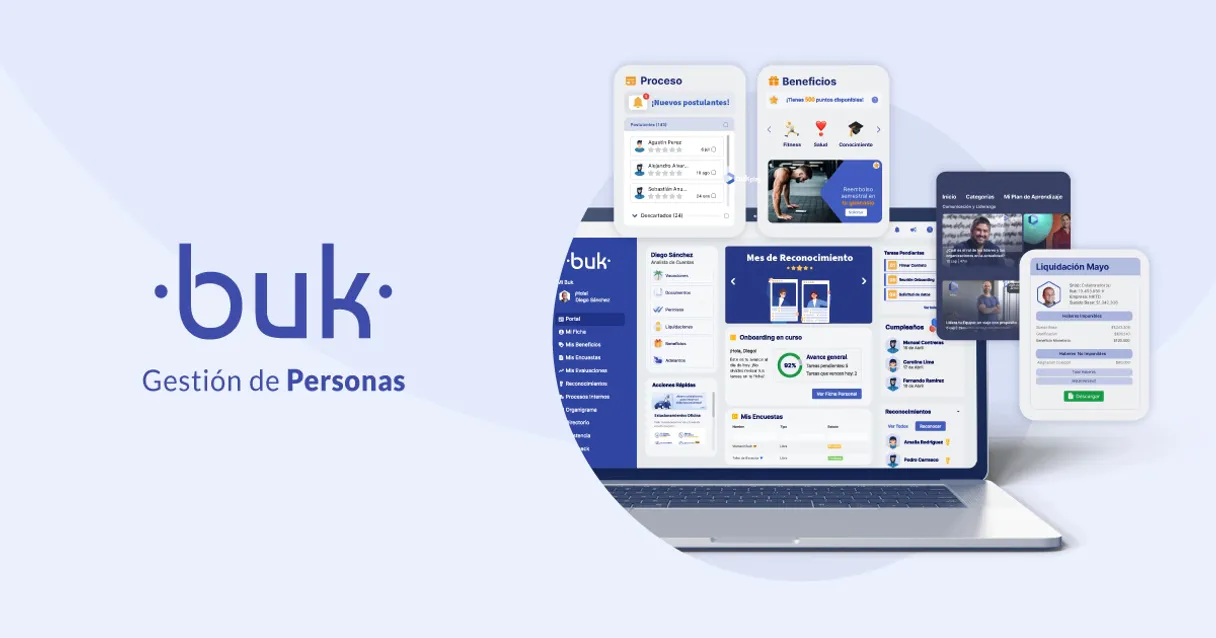
Independent Platform Disclaimer: Vinkius is an independent platform and is not affiliated with, endorsed by, sponsored by, verified by, or otherwise authorized by Buk. All third-party trademarks, logos, and brand names are the property of their respective owners. Their use on this website is strictly for informational purposes to identify service compatibility and interoperability.
VINKIUS INFRASTRUCTURE
Cloud Hosted
Managed infra
V8 Isolated
Sandboxed per request
Zero-Trust Proxy
No stored credentials
DLP Enforced
Policy on every call
GDPR Compliant
EU data residency
Token Compression
~60% cost reduction
Works with Claude, ChatGPT, Cursor, and more
The Model Context Protocol standardizes how applications expose capabilities to LLMs. Instead of operating in isolation, your AI gains direct access to external platforms, live data, and real-world actions through secure, standardized connections.
This server provides 14 capabilities that interface natively with Claude, ChatGPT, Cursor, and any MCP client. No middleware. No custom integration required.
Available Capabilities
Gathering HR data used to require jumping between five different internal portals.
Today, checking a team's capacity is a mess. You start in the HR system to find who's out, then you switch to the Org Chart tool to confirm their department, and maybe you jump to a separate time-off tracker to check if the leave was approved. You spend minutes copying IDs and cross-referencing dates across multiple tabs.
With the Buk MCP Server, you ask your agent one question: 'Who is available next month?' It runs `list_vacations` and `list_employees`, aggregates the results, and gives you a clean list of available staff and their IDs. It's done in a single chat exchange.
Buk MCP Server: Get a full employee profile instantly
Before, getting a full employee picture meant logging in, navigating to the profile page, and manually looking up their department ID, current role, and payroll status. It was a multi-step, manual detective job.
Now, calling `get_employee` gives you the complete data packet—name, ID, department, role, and status—in one go. You don't just get data; you get the definitive answer.
Common Questions About Buk MCP
How do I check an employee's vacation status using the Buk MCP Server? +
Run list_vacations or list_leaves to see the employee's scheduled time off. You can then combine this with get_employee to confirm the person's current role or department.
Can I onboard a new employee using the Buk MCP Server? +
Yes, use the create_employee tool. This tool handles the necessary steps to add the new hire identity to the Buk system.
What information does `get_company_stats` return? +
It returns aggregated HR statistics for the entire company. This is useful for high-level reports on overall headcount and department growth.
How do I get a specific department's details? +
Use get_department. This tool gives you the detailed cost center information and structural breakdown for a specific department ID.
Can I see all active job roles? +
Use list_jobs. This tool queries the official job catalog and lists all standard job positions recognized by the company.
How do I use `get_payroll` to check an employee's salary details? +
The get_payroll tool provides a snapshot of an employee's payroll. It shows current salary, deductions, and net pay for the specified period. You'll need the employee ID to run this query.
What is the purpose of the `list_departments` tool? +
list_departments retrieves all Cost Centers defined in your organization. This lets you map out the full organizational structure before querying specific departments using get_department.
If I need to update an employee's record, which tool should I use? +
There isn't a dedicated update tool; you must use a combination of get_employee and a subsequent write action. For changes, retrieve the current data first to ensure accuracy.
Can I use the agent to mass download confidential employee payroll details? +
The integration specifically blocks massive blind dumps to protect PII. You can fetch specific employees individually, maintaining the security boundary of analytical lookups versus mass-extraction vectors.
How do I filter vacations strictly for one employee? +
Just write a natural query. The AI knows to fetch the employee's ID first using get_employee or list_employees, and then invokes list_vacations passing that precise employeeId parameter in sequence.
What format is the Buk Domain parameter expected as? +
If your company logs into https://techcorp.buk.cl, your Buk Domain is simply techcorp. The engine appends the .buk.cl suffix and proper API structures internally.
Use it with your favorite AI tools
Connect this server to Cursor, Claude, VS Code, and more.
More in this category

DOJ Civil Rights Data
Access Department of Justice civil rights data, including blog entries and press releases, directly from your AI agent.

SAP Concur
Enable your AI agent to manage corporate expenses, track report statuses, and retrieve user profiles via the SAP Concur API.

PartnerPortal.io
Manage your partner and reseller programs with deal registration, lead sharing, and performance tracking for channel sales.
You might also like
Honeycomb
Automate observability via Honeycomb — manage datasets, queries, and markers directly from any AI agent.

Tailscale
Manage your Tailscale mesh network — list devices, update ACL policies, manage auth keys, and inspect users directly from any AI agent.

Anthropic
Interact with Claude models via the Anthropic Messages API — send prompts, manage batches, and monitor rate limits directly.