
BulkSMS MCP. Manage campaigns and track delivery from chat.
 Gemini
 Works with every AI agent you already use
…and any MCP-compatible client









Just plug in your AI agents and start using Vinkius.
BulkSMS MCP Server. Send, manage, and track SMS messages globally right from your AI agent. You can dispatch single texts or run bulk campaigns, check real-time credit balances, and list group members using natural conversation.
What your AI agents can do
Get account info
Retrieves core account details for the BulkSMS service.
Get message
Gets detailed information for a single, specific message ID.
Get profile
Retrieves the account profile and real-time credit balance.
Dispatch SMS messages to one or many international phone numbers.
Retrieve detailed metadata and the current delivery status for sent messages.
Access and list all defined contact groups and their individual members.
Retrieve your account profile and real-time credit balance.
List all sent messages or get specific details for a known message ID.
Ask AI about this MCP
Supported MCP Clients
Gemini Waiting for input…
BulkSMS MCP Server: 8 Tools for SMS & Contact Management
These eight tools let your AI agent handle everything from listing contact groups to sending massive bulk SMS campaigns.
019d7566get account info
Retrieves core account details for the BulkSMS service.
019d7566get message
Gets detailed information for a single, specific message ID.
019d7566get profile
Retrieves the account profile and real-time credit balance.
019d7566list group members
Lists every member belonging to a specified contact group.
019d7566list groups
Retrieves a list of all contact groups defined in your account.
019d7566list messages
Lists a history of all messages previously sent through the service.
019d7566send bulk sms
Sends multiple SMS messages to a defined list of recipients.
019d7566send sms
Sends a single SMS message to one recipient.
Choose How to Get Started
Build a custom MCP for your own tools, or connect a ready-made integration from our catalog.
Build Your Own
Turn any API into an MCP. Import a spec, define Agent Skills, or deploy with MCPFusion.
- Import from OpenAPI, Swagger, or YAML specs
- Create Agent Skills with progressive disclosure
- Deploy to edge with MCPFusion framework
- Built in DLP, auth, and compliance on every call
- Real time usage dashboard and cost metering
- Publish to catalog or keep private
Make Your AI Do More
Start with BulkSMS, then connect any of our 4,700+ other servers whenever your AI needs more. One click, no limits.
- Use this MCP plus 4,700+ others, all in one place
- Add new capabilities to your AI anytime you want
- Every connection is secured and compliant automatically
- Track usage and costs across all your servers
- Works with Claude, ChatGPT, Cursor, and more
- New servers added to the catalog every week
What you can do with this MCP connector
BulkSMS MCP Server - Send SMS & Manage Contacts
Yo, this server lets your AI agent run your whole SMS operation. You can send texts—single shots or huge blasts—to any international number. You'll also keep tabs on your contacts; it lets you list all your groups and every single member in those groups. It's got tools to check your account status and credit balance, plus it lets you check the whole history of messages you've sent.
You can even dig into the specifics of any message using its ID. You'll see the full delivery status and all the metadata for any message you want to check. If you need to check up on your account profile, you can use get_profile to get that info. To see what groups you've set up, just run list_groups.
To list the people in a specific group, run list_group_members. You can send a single text using send_sms or blast out a bunch of texts with send_bulk_sms. To see all the messages you've sent, use list_messages; if you know the message ID, use get_message to get the details. Finally, get_account_info pulls all the core account details you need.
How BulkSMS MCP Works
- 1 Subscribe to the server and provide your BulkSMS.com credentials.
- 2 Your AI agent uses natural language to call a specific tool (e.g.,
send_bulk_sms). - 3 The tool executes the request against the BulkSMS API and returns the structured result (e.g., confirmation message ID, list of members).
The bottom line is that you treat your entire SMS marketing and operations suite like a chat command.
Who Is BulkSMS MCP For?
The Operations Manager who gets tired of logging into the portal just to check credits or run a simple alert. The Marketing Coordinator who needs to blast out a campaign but hates manual list management. The Customer Support Specialist who needs to send a one-off verification code right from their workflow tool.
Runs weekly promotional campaigns, pulling contact lists via list_group_members and executing the blast via send_bulk_sms.
Sends immediate, single-use verification or status updates to a customer using the send_sms tool when a ticket is resolved.
Checks account health and contact structure by calling get_profile to verify credits or list_groups to confirm segment structure.
What Changes When You Connect
- Send bulk messages instantly. Instead of logging into the portal, your agent uses
send_bulk_smsto execute campaigns and alert hundreds of people with a single command. - Never worry about credits again. Run
get_profileto see your real-time credit balance, guaranteeing you won't interrupt a critical campaign due to an unknown balance. - Streamline contact management. Use
list_groupsandlist_group_membersto pull structured contact lists directly into your workflow, eliminating manual CSV exports. - Gain message transparency. Need to check if a message went through? Call
list_messagesto view the history, or useget_messagefor deep metadata on a specific ID. - Support rapid deployment. The system handles both simple, one-off alerts (
send_sms) and complex, large-scale deployments (send_bulk_sms) without changing your workflow logic.
Real-World Use Cases
Running a New Product Alert
The Marketing Manager needs to notify the 'Platinum Tier' group about a new feature. They tell their agent: 'Get the members of the Platinum Tier group, then send them the alert.' The agent runs list_group_members first, then uses send_bulk_sms to dispatch the alert, completing the campaign in three steps.
Onboarding a New User
A new user signs up and needs a verification code. Instead of writing it down and emailing it, the support agent asks their agent to 'Send a code to +15551234567.' The agent uses send_sms, solving the problem immediately within the support chat.
Auditing Failed Campaigns
The Operations Analyst notices a campaign failed and needs to know why. They ask the agent to 'List all messages sent last week and check the status of ID msg_xyz.' The agent calls list_messages and then get_message to pull the failure metadata.
Checking Campaign Readiness
Before a big mailing, the Admin needs to know if they have enough money and if the groups are right. They ask the agent to 'Check my credits and list the main customer groups.' This triggers get_profile and list_groups to confirm everything is ready.
The Tradeoffs
Manual Portal Work
Having to log into the BulkSMS website, navigate to the group list, copy the members, and paste them into a separate spreadsheet before starting a campaign.
→
Let your AI agent run list_groups to see available segments, then use list_group_members to pull the full contact list directly into your workflow for send_bulk_sms.
Sending one message at a time
When you need to send 50 status updates, you manually hit the send button 50 times, wasting time and effort.
→
Combine the recipient list gathering (list_group_members) with a single call to send_bulk_sms. This handles the volume in one go.
Guessing account status
Starting a campaign only to find out midway that your credits ran out, stopping the entire rollout.
→
Always run get_profile first. This confirms your current credit balance and account status before you write a line of code or start a campaign.
When It Fits, When It Doesn't
Use this server if your primary need is centralized, programmatic control over SMS communication. This is for marketing operations, support workflows, or large-scale alerts. You must have a defined list of recipients or a clear message template. Don't use this if you only need to send a single message to one person and prefer a simple, non-API UI. In that case, a basic messaging app works. If your need is managing other communication channels (like email or push notifications), you need a different service integration. This server is strictly for SMS via BulkSMS.

Independent Platform Disclaimer: Vinkius is an independent platform and is not affiliated with, endorsed by, sponsored by, verified by, or otherwise authorized by BulkSMS. All third-party trademarks, logos, and brand names are the property of their respective owners. Their use on this website is strictly for informational purposes to identify service compatibility and interoperability.
VINKIUS INFRASTRUCTURE
Cloud Hosted
Managed infra
V8 Isolated
Sandboxed per request
Zero-Trust Proxy
No stored credentials
DLP Enforced
Policy on every call
GDPR Compliant
EU data residency
Token Compression
~60% cost reduction
Works with Claude, ChatGPT, Cursor, and more
The Model Context Protocol standardizes how applications expose capabilities to LLMs. Instead of operating in isolation, your AI gains direct access to external platforms, live data, and real-world actions through secure, standardized connections.
This server provides 8 capabilities that interface natively with Claude, ChatGPT, Cursor, and any MCP client. No middleware. No custom integration required.
Available Capabilities
Sending alerts and managing contact lists shouldn't feel like running a database query.
Today, running a simple campaign means switching tabs. You check the contact database to get a list of 500 users. You export that list to CSV. Then you log into the separate SMS platform, upload the CSV, and hit 'Send.' It’s three separate systems and half an hour of copy-pasting.
With the BulkSMS MCP Server, you just ask your agent. It uses `list_groups` to find the right segment, then `list_group_members` to pull the list. Finally, it executes `send_bulk_sms`. The entire process stays inside your chat window. You get the confirmation, not a headache.
BulkSMS MCP Server: Send messages and manage contacts
No more manual balance checks. Your agent calls `get_profile` instantly, showing your remaining credits and account details. It’s immediate confirmation without opening a dashboard.
It's simple. Your AI agent treats the entire communication platform as a series of callable tools. It’s not a dashboard you navigate; it's a command you run. That’s the difference.
Common Questions About BulkSMS MCP
How do I send a single text message using the send_sms tool? +
You tell your agent the recipient number and the message text. The agent executes send_sms and confirms the message ID and delivery status right away. This is for one-off alerts.
Can I use list_group_members to get a full roster of contacts? +
Yes. You provide the name of the group (e.g., 'Gold Members'), and the agent runs list_group_members to return every contact in that group. This list is ready for campaign use.
What is the difference between list_messages and get_message? +
list_messages shows a summary list of all messages sent. Use get_message when you know the exact message ID and need deep details about that single message.
How do I check my account balance using get_profile? +
Simply ask the agent to check your profile. It executes get_profile and gives you your current credit balance and account status immediately.
When I use list_messages, what metadata can I retrieve about sent messages? +
The list_messages tool returns comprehensive metadata for batches of sent messages. This includes the message ID, the recipient's status, and the last recorded delivery attempt time.
How do I ensure my AI client can send bulk SMS using send_bulk_sms? +
You must first authenticate your AI client using your BulkSMS credentials. The send_bulk_sms tool processes the entire batch, which is efficient for large-scale notifications.
Can I use get_message to check the delivery status of a specific SMS ID? +
Yes, get_message pulls detailed status information for one message ID. This lets you confirm if the message was delivered, failed, or is still pending.
What happens if I run out of credits while calling get_profile? +
The get_profile tool reports your current credit balance instantly. If the balance is zero or too low, the subsequent send tools will fail, preventing overspending.
Can I check my remaining credit balance using the agent? +
Yes! Use the get_profile tool. Your agent will fetch your account profile, including the current total credit balance available for sending messages.
How do I send an SMS to multiple people at once? +
Simply ask the agent to send_bulk_sms and provide a JSON array of messages. Each object should include the recipient's phone number and the message body.
Does the integration support checking if a message was delivered? +
Yes. Use the get_message tool with the Message ID. It will retrieve the current delivery status directly from BulkSMS.com.
Use it with your favorite AI tools
Connect this server to Cursor, Claude, VS Code, and more.
More in this category
DoubleTick
Scale your WhatsApp sales with bulk messaging, chatbot automation, and team inbox features built for growing businesses.

Agora
Orchestrate Agora real-time engagement — manage channels, monitor usage, and handle cloud recording directly from any AI agent.

LiveKit Real-Time Rooms
Manage LiveKit voice and video rooms — create sessions, control participants, mute tracks, and broadcast data from any AI agent.
You might also like

LandTech
Research land ownership, planning applications, and property development opportunities with geospatial intelligence tools.
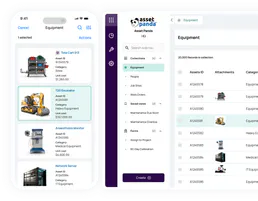
Asset Panda
Track and manage fixed assets with Asset Panda — audit groups, objects, and locations via AI.

ContextQA
Automate testing via ContextQA — manage test suites, track AI-healing executions, trigger automated runs, and audit API tests directly from any AI agent.