
Casting42 MCP. Find talent, check media, and manage projects from your chat.
 Gemini
 Works with every AI agent you already use
…and any MCP-compatible client









Just plug in your AI agents and start using Vinkius.
Casting42 MCP Server manages your entire talent database and casting projects. You can search, filter, and pull deep profiles, media, and custom attributes for any talent directly from your AI client.
It gives you full control over your talent pipeline without ever leaving your chat window.
What your AI agents can do
Get talent details
Gets complete, detailed information for one specific talent ID.
List casting projects
Lists all active and completed casting projects.
List custom attributes
Shows every unique custom data field set up in your database.
Search for talent by name, attributes, or tags and get a list of matching profiles.
Retrieve all detailed information for one specific talent ID.
See a list of active and historical casting projects in your database.
Pull all associated media—headshots, videos, and self-tapes—for a given talent.
List every unique custom attribute or field defined in your Casting42 database.
List configured talent categories or tags to narrow down your search criteria.
Ask AI about this MCP
Supported MCP Clients
Gemini Waiting for input…
019d756aget talent details
Gets complete, detailed information for one specific talent ID.
019d756alist casting projects
Lists all active and completed casting projects.
019d756alist custom attributes
Shows every unique custom data field set up in your database.
019d756alist talent categories
Lists the pre-configured categories used to group talent.
019d756alist talent media
Retrieves all headshots, videos, and media files for a given talent ID.
019d756alist talent tags
Lists the organizational tags used to classify talent profiles.
019d756alist talents
Retrieves a list of all talent profiles in the database.
019d756asearch talents
Searches for talents using criteria like name or specific attributes.
Choose How to Get Started
Build a custom MCP for your own tools, or connect a ready-made integration from our catalog.
Build Your Own
Turn any API into an MCP. Import a spec, define Agent Skills, or deploy with MCPFusion.
- Import from OpenAPI, Swagger, or YAML specs
- Create Agent Skills with progressive disclosure
- Deploy to edge with MCPFusion framework
- Built in DLP, auth, and compliance on every call
- Real time usage dashboard and cost metering
- Publish to catalog or keep private
Make Your AI Do More
Start with Casting42, then connect any of our 4,700+ other servers whenever your AI needs more. One click, no limits.
- Use this MCP plus 4,700+ others, all in one place
- Add new capabilities to your AI anytime you want
- Every connection is secured and compliant automatically
- Track usage and costs across all your servers
- Works with Claude, ChatGPT, Cursor, and more
- New servers added to the catalog every week
What you can do with this MCP connector
You connect your Casting42 account to your AI client. You take full control of your talent database and casting projects right in your chat window. You'll use your agent to search, filter, and pull deep profiles, media, and custom attributes for any talent. You manage your whole talent pipeline without ever leaving your conversation.
To find talent, you can use search_talents to look for people by name or specific attributes. You can also run list_talents to get a list of every profile in the database. When you need to check a specific person's whole file, run get_talent_details with their ID. For deeper insights, you can run list_custom_attributes to see every unique custom field set up in your database.
You can also use list_talent_tags to see the organizational tags you use to classify talent profiles, or list_talent_categories to list the pre-configured categories.
To pull all the media for a talent, run list_talent_media with their ID; that pulls every headshot, video, and self-tape. You can see all the casting projects you're working on by calling list_casting_projects, which lists both active and completed projects. You can also use list_custom_attributes to check what unique data fields you've got in your Casting42 database.
How Casting42 MCP Works
- 1 Subscribe to the server and provide your Casting42 API Key (get this from your account Settings).
- 2 Start talking to your AI client. Ask it to perform a task, like 'Find me all stunt performers with red hair.'
- 3 The agent uses the appropriate tool (e.g.,
search_talents) and delivers the results—the list of profiles, the project status, or the media links—back to you in plain text.
The bottom line is you manage your entire talent pipeline using conversational prompts, never needing to open the Casting42 dashboard.
Who Is Casting42 MCP For?
This is for casting directors and production teams who spend too much time clicking through dashboards just to find basic data points. If you need to check a talent's media or verify their custom attributes without leaving your chat, this is for you.
Searches for talent profiles, reviews media assets, and verifies custom attributes based on a project's needs.
Manages their internal database and project assignments conversationally, without navigating the main platform dashboard.
Quickly looks up talent details and project status in chat, letting them keep track of details while working on other tasks.
What Changes When You Connect
- Access deep talent data instantly. Instead of clicking through multiple screens, use
get_talent_detailsto pull a talent's entire record in one query. You get the full picture without the clicks. - Keep track of project status in real-time. Use
list_casting_projectsto see which projects are active or wrapped. This lets you manage project oversight without opening the project management module. - Classify talent by specific criteria. Use
list_talent_tagsandlist_talent_categoriesto filter the entire database down to the right group. You don't just get a list; you get a focused shortlist. - Manage media assets directly. Need a headshot or a showreel?
list_talent_mediapulls all associated media links for a talent ID. It saves you the time of downloading and re-uploading files. - Work with custom fields easily. Use
list_custom_attributesto see what unique data points your database tracks. Then, useget_talent_detailsto pull that custom data for a specific talent. - Search across everything. The
search_talentstool lets you combine criteria (name + attribute) to narrow the database fast, delivering immediate, actionable results.
Real-World Use Cases
A Director needs a quick profile review.
The director doesn't want to open the dashboard. They just ask their agent, 'Show me John Smith's full profile and all his media.' The agent runs get_talent_details and list_talent_media and sends everything back, solving the immediate need without switching apps.
A Coordinator needs to check project status.
A coordinator needs to know if the 'Summer Commercial 2024' project is still in the 'Selection' phase. Instead of navigating to the projects tab, they ask, 'What are the active casting projects?' The agent uses list_casting_projects and reports the current status instantly.
A Recruiter needs to find niche skills.
A recruiter needs talent with 'stunt' experience AND 'red hair.' They prompt the agent, asking to 'Search for stunts with red hair.' The agent runs search_talents and uses the filters to find the specific shortlist, skipping manual browsing.
A Manager needs to check database structure.
A manager wants to know what unique data fields exist before building a report. They ask, 'What custom fields do we track?' The agent runs list_custom_attributes and provides a list of every available field, letting the manager proceed with confidence.
The Tradeoffs
Trying to list everything at once
Asking the agent, 'Give me everything about talent: profiles, media, projects, and attributes.' This is too broad and forces the agent to guess which tools to run, leading to a confusing, massive data dump.
→
Break it down. First, run list_talents to get a list of IDs. Then, if you need media, use list_talent_media with a specific ID. Never ask for everything in one prompt.
Assuming one tool covers all data
Thinking that running get_talent_details gives you project status. It doesn't; that requires list_casting_projects and the talent ID to be linked to the project ID.
→
Use the correct tool for the job. If you need project status, run list_casting_projects. If you need the profile, run get_talent_details. Keep the tool purpose separate.
Searching without defined criteria
Simply saying, 'Find a good actor.' This is too vague for the system to use. It results in a generic search that likely hits the tool limit or returns useless results.
→
Be specific. Use search_talents and include attributes or tags. Example: 'Search for actors tagged 'action' who have custom attribute 'years_experience' greater than 5.'
When It Fits, When It Doesn't
Use this server if you need to manage talent data and project records conversationally. You need to pull granular data points—like specific custom attributes, media links, or tag classifications—that are scattered across your Casting42 platform. It’s perfect for quick lookups when you’re already in a chat interface.
Don't use this if you need to build a complex, live-updating front-end dashboard or if your core workflow is solely data entry. If you just need to write a script that processes raw CSVs, use a dedicated data processing tool instead. This server is for retrieval and analysis, not for creation or transformation.
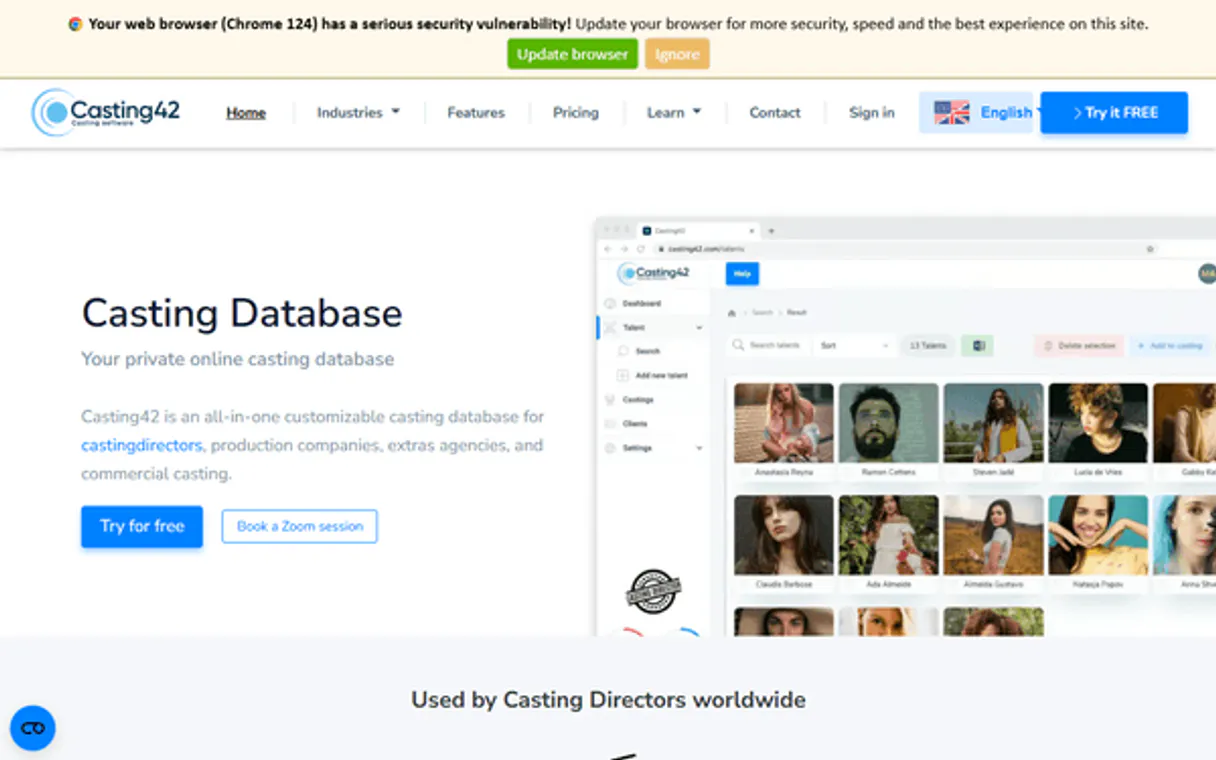
Independent Platform Disclaimer: Vinkius is an independent platform and is not affiliated with, endorsed by, sponsored by, verified by, or otherwise authorized by Casting42. All third-party trademarks, logos, and brand names are the property of their respective owners. Their use on this website is strictly for informational purposes to identify service compatibility and interoperability.
VINKIUS INFRASTRUCTURE
Cloud Hosted
Managed infra
V8 Isolated
Sandboxed per request
Zero-Trust Proxy
No stored credentials
DLP Enforced
Policy on every call
GDPR Compliant
EU data residency
Token Compression
~60% cost reduction
Works with Claude, ChatGPT, Cursor, and more
The Model Context Protocol standardizes how applications expose capabilities to LLMs. Instead of operating in isolation, your AI gains direct access to external platforms, live data, and real-world actions through secure, standardized connections.
This server provides 8 capabilities that interface natively with Claude, ChatGPT, Cursor, and any MCP client. No middleware. No custom integration required.
Available Capabilities
Checking a talent's full profile used to take a dozen clicks.
Today, finding a talent's full file means navigating from the main dashboard to the 'Profiles' tab. Then, you click the talent's name, which loads the main profile view. To see their headshots, you have to find the 'Media' sub-tab. Then, you jump to 'Custom Attributes' to see their specific skills, and finally, you check the 'Projects' tab for their assignment history. It's a rabbit hole of clicks and tabs.
With the Casting42 MCP Server, you just ask your agent: 'What are the details for ID 12345?' The agent runs `get_talent_details` and `list_talent_media` and gives you all that info right here, in the chat. You get the complete data set in seconds.
List Talent Media: Pull all headshots and videos in one command.
Manually compiling a talent's media portfolio means logging into the media section, clicking through different file types (headshots, reels, self-tapes), and tracking down the correct links. This is slow, and you often miss files.
Now, you just ask your agent to 'List the media for talent ID 12345.' The agent runs `list_talent_media` and spits out every single asset link—headshots, videos, self-tapes—in one go. It's done.
Common Questions About Casting42 MCP
How do I use the search_talents tool with multiple criteria? +
You combine criteria in a single prompt. For example: 'Search for actors who are tagged 'action' and have custom attribute 'years_experience' over 3.' The agent runs search_talents and handles the filtering.
Does list_talent_media show every file type? +
Yes, list_talent_media pulls all associated media, including headshots, videos, and self-tapes, for the specific talent ID you provide.
Can I find out what custom attributes are available? +
You run list_custom_attributes. This tool shows every unique custom field defined in your database, letting you know what data you can query.
What is the difference between list_talents and search_talents? +
list_talents gives you a general list of all profiles. search_talents lets you narrow that list down using filters like name or attributes, giving you much more specific results.
How do I use list_casting_projects to see the current status of a project? +
The list_casting_projects tool shows the active status and current phase of each project. It reports status fields like 'Selection' or 'In Production' right in the results.
What information does get_talent_details retrieve for a specific talent ID? +
It retrieves the full record for the specified talent, including all primary attributes, associated organizational tags, and a summary of custom fields.
If I run search_talents, how can I filter results by a specific talent category? +
You combine the search query with the category name. The agent handles the filtering, ensuring you only see profiles matching the criteria, like 'Models' or 'Actors'.
When should I use list_talent_tags instead of list_custom_attributes? +
Use list_talent_tags when you need to see standardized, pre-configured organizational labels. Use list_custom_attributes only to see the specific, user-defined fields in your database.
Can I search for talents with specific custom attributes? +
Yes! You can use the search_talents tool. Your agent will query the database and you can then use get_talent_details to inspect all custom fields associated with matching profiles.
How do I see the photos and videos for a talent? +
Use the list_talent_media tool with the talent's unique ID. The agent will return links to all headshots, videos, and self-tapes stored in their profile.
Where do I find my Casting42 API Key? +
Log in to your Casting42 account and navigate to the 'Settings' module. You should find your API key there for integration.
Use it with your favorite AI tools
Connect this server to Cursor, Claude, VS Code, and more.
More in this category

Culture Amp
Equip your AI agent to manage employee engagement surveys, monitor performance, and track development via the Culture Amp API.

Five9 QM
Manage agent evaluations, review recorded interactions, and track quality metrics via AI agents with Five9 QM.
WeCom / 企业微信
Enterprise communication and management platform — manage departments, users, and messages via AI.
You might also like

Callpicker
Track and analyze inbound calls with attribution data that shows which marketing channels drive your best phone leads.

Bureau of Labor Statistics Full — The Mega Server
The ultimate BLS Mega-Server: Access all 6 major datasets including CPI (Inflation), CES (Jobs), CPS (Unemployment), JOLTS (Turnover), LAUS (Local metrics), and OEWS (Wages by Profession).

Parknav
AI-powered predictive parking availability and street occupancy data via Parknav API.