
CheapShark MCP. Find the absolute lowest price for any PC game.
 Gemini
 Works with every AI agent you already use
…and any MCP-compatible client









Just plug in your AI agents and start using Vinkius.
CheapShark. Find the lowest PC game prices across Steam, Epic, GOG, and other digital storefronts. Your AI agent searches for specific titles, compares current offers, and sets price alerts so you never pay full price for a game again.
What your AI agents can do
Get deals
Retrieves a list of current PC game deals, allowing filtering by criteria like price or rating.
Get game
Gets detailed information for a specific game using its unique identifier.
Get stores
Retrieves a list of all digital stores tracked by CheapShark, mapping store IDs to names.
The agent retrieves a filtered list of available PC game deals based on criteria like price or rating.
The agent fetches specific data on a game using its unique identifier.
The agent retrieves a directory of all digital storefronts tracked by CheapShark, mapping IDs to names.
The agent manages email alerts, notifying you when a specific game hits a target price.
The agent searches the database for titles using either a common name or a specific Steam App ID.
Ask AI about this MCP
Supported MCP Clients
Gemini Waiting for input…
CheapShark MCP Server: 5 Tools for Game Deals
These tools let your agent search for games, compare prices, find current deals, and set alerts across multiple PC gaming storefronts.
019e5d06get deals
Retrieves a list of current PC game deals, allowing filtering by criteria like price or rating.
019e5d06get game
Gets detailed information for a specific game using its unique identifier.
019e5d06get stores
Retrieves a list of all digital stores tracked by CheapShark, mapping store IDs to names.
019e5d06manage alert
Sets up and manages email alerts for when a specified game's price drops below a target amount.
019e5d06search games
Searches for games using either the title name or a Steam App ID to find its unique identifier.
Choose How to Get Started
Build a custom MCP for your own tools, or connect a ready-made integration from our catalog.
Build Your Own
Turn any API into an MCP. Import a spec, define Agent Skills, or deploy with MCPFusion.
- Import from OpenAPI, Swagger, or YAML specs
- Create Agent Skills with progressive disclosure
- Deploy to edge with MCPFusion framework
- Built in DLP, auth, and compliance on every call
- Real time usage dashboard and cost metering
- Publish to catalog or keep private
Make Your AI Do More
Start with CheapShark, then connect any of our 4,700+ other servers whenever your AI needs more. One click, no limits.
- Use this MCP plus 4,700+ others, all in one place
- Add new capabilities to your AI anytime you want
- Every connection is secured and compliant automatically
- Track usage and costs across all your servers
- Works with Claude, ChatGPT, Cursor, and more
- New servers added to the catalog every week
What you can do with this MCP connector
Your AI agent talks to CheapShark, so you can find the cheapest PC games without jumping all over the place. This server lets your agent pull data from the CheapShark database, giving you the lowest prices from major digital storefronts.
Discover current deals
Your agent pulls a filtered list of available PC game deals. You can narrow down the results by price or by rating.
Find games by name or ID
Your agent searches the database for titles using either the common name or a specific Steam App ID, which gets you the game's unique identifier.
Look up game details
Your agent fetches specific data on a game using its unique identifier. You get the current best price and the game's historical lowest price.
List all monitored stores
Your agent pulls a directory of every digital storefront CheapShark tracks, mapping the IDs to their actual names.
Set price drop alerts
Your agent manages email alerts, letting you know when a specific game drops below a target price you set.
How CheapShark MCP Works
- 1 1. Subscribe to the CheapShark MCP Server.
- 2 2. Your AI client executes a function call (e.g.,
search_games) with the necessary parameters. - 3 3. The server runs the query against the database and sends back a structured JSON response with the requested game data or deals.
The bottom line is, your agent runs the query, and you get structured game data back without opening a browser.
Who Is CheapShark MCP For?
Any serious gamer or content creator who tracks PC titles and wants to buy games at the lowest possible price. This is for the deal hunter who hates checking ten different store sites, and the content creator who needs quick, verifiable pricing data for reviews.
Uses the agent to search for a game's lowest price across multiple stores, bypassing manual price checking on every platform.
Tracks price history using the server to determine the average cost of a specific asset over time.
Quickly pulls current pricing data and deal listings to back up game recommendations or review scripts.
What Changes When You Connect
- Set up price tracking with
manage_alert. You tell your agent the game ID and the target price, and you get an email when the price drops. No constant manual checking required. - Compare every store in one call. Use
get_gameto pull detailed info on a title, including its current best price and its historical lowest price ever. You get a single source of truth. - Browse deals efficiently. The
get_dealstool lets you filter massive lists of games by price or rating in one go. You get instant access to the best current deals. - Never worry about store IDs again. The
get_storestool gives you a complete directory of every store CheapShark monitors. You get a reliable map for your data queries. - Identify titles instantly. Use
search_gamesto find a game's unique ID using just its name or Steam App ID. This makes subsequent calls toget_gameaccurate. - Streamline research. By combining
search_gamesandget_deals, your agent can find a title's ID and then pull all current deals for it in two quick steps. You get a full buying picture.
Real-World Use Cases
Need the best deal for a wishlist game
You're looking at 'Elden Ring' and want to know if it's cheaper on GOG than Steam. Instead of visiting three sites, your agent uses search_games to get the ID, then runs get_game to compare the current and historical prices across all stores. You get a single, definitive price comparison.
Tracking a potential purchase over weeks
You're waiting for a game to hit $15. You run manage_alert with the game ID and your email. The agent handles the monitoring, and you get an email only when the price hits your target. You don't have to keep checking the site.
Creating a deal-based video review
You need to recommend a game and show the best current price. Your agent first runs get_deals with filters for high ratings and low cost. Then you use the results to write your script. You get a data-backed review without checking any prices manually.
Debugging a game's ID for a script
Your script needs the Steam App ID for a game. You use search_games with the title. The agent returns the unique ID, which you then paste into get_game for full details. You get the exact identifier needed to proceed.
The Tradeoffs
Manually cross-referencing stores
A user opens Steam, then Epic, then GOG, and copies the price for the same game into a spreadsheet to compare. This is slow, error-prone, and only shows prices at the moment of checking.
→
Use the get_game tool. It pulls the current and historical price comparison across every store in one shot. You get the full data set instantly, eliminating manual copy-pasting.
Ignoring price history
A user sees a $10 deal and assumes it's a good deal, but doesn't know the game was $5 last month. They pay too much.
→
Use get_game. This tool shows the game's cheapest price ever, so you know if the current deal is actually a good deal. You get the full price context.
Over-reliance on current deals only
A user only checks get_deals today and misses a critical price drop next week. They miss out on a major sale.
→
Set up a price alert using manage_alert. This tool monitors the price for you 24/7, and you get an email only when the price drops to your target.
When It Fits, When It Doesn't
Use this if you need a single, verifiable source of truth for PC game pricing and deals. You must be comparing prices across multiple digital storefronts or tracking historical low points. If your goal is simply to list games by genre, use a generic search API. If you only care about today's sales, get_deals works. But if you need to compare the best price across all time and all stores, you must use get_game. Don't use this if you just need a list of games; use search_games to get the ID first. The key is comparison and actionability.

Independent Platform Disclaimer: Vinkius is an independent platform and is not affiliated with, endorsed by, sponsored by, verified by, or otherwise authorized by CheapShark. All third-party trademarks, logos, and brand names are the property of their respective owners. Their use on this website is strictly for informational purposes to identify service compatibility and interoperability.
VINKIUS INFRASTRUCTURE
Cloud Hosted
Managed infra
V8 Isolated
Sandboxed per request
Zero-Trust Proxy
No stored credentials
DLP Enforced
Policy on every call
GDPR Compliant
EU data residency
Token Compression
~60% cost reduction
Works with Claude, ChatGPT, Cursor, and more
The Model Context Protocol standardizes how applications expose capabilities to LLMs. Instead of operating in isolation, your AI gains direct access to external platforms, live data, and real-world actions through secure, standardized connections.
This server provides 5 capabilities that interface natively with Claude, ChatGPT, Cursor, and any MCP client. No middleware. No custom integration required.
Available Capabilities
Tracking PC game prices shouldn't require checking a dozen websites.
Today, if you want to know the best price for a game, you have to open Steam, check the sale page. Then you jump to Epic Games, then GOG. You copy prices into a spreadsheet, trying to manually track the lowest cost across all those tabs. It's a massive waste of time.
With the CheapShark MCP Server, your agent runs a single query. It pulls the current best price and the historical lowest price from every tracked store. You get the definitive, cross-platform price comparison in one structured output.
CheapShark MCP Server: Get the absolute best deal.
Manually setting up price monitoring means remembering to visit the site and check the price yourself. You risk missing a flash sale or a deep drop. It's a constant, tedious chore.
Now, you set up a price alert using `manage_alert`. The server handles the monitoring, and you get an email the second the price drops below your target. It's automated, hands-off price tracking.
Common Questions About CheapShark MCP
How does the CheapShark MCP Server find the best deals using get_deals? +
The get_deals tool retrieves a list of active deals. You can filter this list by price range, minimum rating, or specific store to narrow down the results. This helps you focus on what you actually want to buy.
What do I need to use the get_game tool? +
The get_game tool requires a unique game identifier. You can get this ID first by running search_games with the game's title or Steam App ID.
How do I set up price alerts with manage_alert? +
You call manage_alert and provide the game's ID, your email, and the target price. The system then handles the monitoring and sends you an email when the price hits that threshold.
Can I find games using the search_games tool? +
Yes, search_games searches for games using either the common title name or the specific Steam App ID. This is the first step if you don't already know the game's unique ID.
How do I use the get_stores tool to map store IDs? +
The get_stores tool lists all digital storefronts tracked by CheapShark. This lets you map store IDs to readable names, which is useful when you need to know which stores are part of a specific deal.
Is there a cost or API key needed for the `get_deals` tool? +
No, you don't need an API key for public queries. You can start getting current game deals immediately after subscribing to the server.
How does the `search_games` tool handle different identifiers? +
The search_games tool accepts both game titles and specific Steam App IDs. This flexibility means you can find a game regardless of whether you know its exact title or unique identifier.
What kind of data does `get_game` return for a specific title? +
The get_game tool retrieves comprehensive details for a game by its ID. This data includes the game's cheapest recorded price and current offers across all tracked stores.
How can I find the historical lowest price for a specific game? +
Use the get_game tool with the specific game ID. It returns the 'cheapestPriceEver' metadata along with current deals across all stores.
Can I filter for only highly-rated games on sale? +
Yes! Use the get_deals tool and set the steamRating or metacritic parameters to filter for quality titles.
How do I set up a notification for when a game goes on sale? +
Use the manage_alert tool with the 'set' action, providing your email, the game ID, and your target price threshold.
Use it with your favorite AI tools
Connect this server to Cursor, Claude, VS Code, and more.
More in this category

Drip
Automate e-commerce marketing via Drip — manage subscribers, trigger workflows, track custom events, and audit campaigns directly from any AI agent.

Adrecord
Affiliate marketing network — manage programs, track transactions, and audit earnings via AI.

Klarna
Manage payment sessions, orders, and fulfillment via the Klarna REST API.
You might also like

Metaplane
Data observability via Metaplane — track monitors, incidents, and data quality metrics.

Checkbook.io
Manage digital and physical check payments via Checkbook — send money, track checks, and monitor invoices directly from any AI agent.
Smsmobile
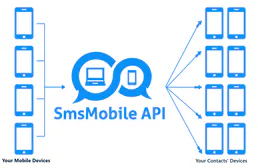
Turn your smartphone into an SMS/WhatsApp gateway — send messages, read incoming texts, and track call logs directly from any AI agent.