
Chuanglan 253 MCP. Send global SMS and manage OTPs via chat.
 Gemini
 Works with every AI agent you already use
…and any MCP-compatible client









Just plug in your AI agents and start using Vinkius.
Chuanglan 253 MCP Server gives you direct access to global SMS and voice communication tools. Send verification codes, notifications, and bulk messages to any country.
You can check account balances, manage templates, and track delivery status—all from your AI client.
What your AI agents can do
Create template
Creates a new SMS template in Chuanglan 253 for future messaging content.
Get account info
Retrieves general account details and settings for the Chuanglan 253 platform.
Get sms balance
Checks the remaining SMS credit balance to ensure you have quota for upcoming campaigns.
Sends a standard text message to a phone number anywhere in the world using the international gateway.
Sends a time-sensitive, one-time password (OTP) formatted message, typically used for login or MFA.
Initiates an automated voice call that reads a verification code, used as an alternative to text message delivery.
Retrieves the current SMS credit balance and available messaging capacity.
Looks up the delivery status (delivered, pending, failed) for a single message ID.
Creates or lists approved message templates, ensuring compliance before sending bulk messages.
Ask AI about this MCP
Supported MCP Clients
Gemini Waiting for input…
Chuanglan 253: 10 Tools for Global Messaging
These tools let your AI agent manage every aspect of SMS communication: sending messages, checking balances, managing templates, and tracking delivery status.
019d8425create template
Creates a new SMS template in Chuanglan 253 for future messaging content.
019d8425get account info
Retrieves general account details and settings for the Chuanglan 253 platform.
019d8425get sms balance
Checks the remaining SMS credit balance to ensure you have quota for upcoming campaigns.
019d8425query batch sms status
Checks the delivery status for a group of SMS messages sent together.
019d8425query sms status
Gets the specific delivery status, including timestamps, for one message ID.
019d8425query template list
Lists all existing, pre-approved SMS templates in your Chuanglan account.
019d8425send international sms
Sends a standard SMS message to a phone number outside of China, requiring a full country code.
019d8425send sms
Sends a domestic or general SMS message, requiring the recipient's country code.
019d8425send verification sms
Sends a one-time password (OTP) via SMS, typically for 1-click login or MFA.
019d8425send voice verification
Initiates an automated voice call that delivers a verification code, useful when SMS fails.
Choose How to Get Started
Build a custom MCP for your own tools, or connect a ready-made integration from our catalog.
Build Your Own
Turn any API into an MCP. Import a spec, define Agent Skills, or deploy with MCPFusion.
- Import from OpenAPI, Swagger, or YAML specs
- Create Agent Skills with progressive disclosure
- Deploy to edge with MCPFusion framework
- Built in DLP, auth, and compliance on every call
- Real time usage dashboard and cost metering
- Publish to catalog or keep private
Make Your AI Do More
Start with Chuanglan 253, then connect any of our 4,700+ other servers whenever your AI needs more. One click, no limits.
- Use this MCP plus 4,700+ others, all in one place
- Add new capabilities to your AI anytime you want
- Every connection is secured and compliant automatically
- Track usage and costs across all your servers
- Works with Claude, ChatGPT, Cursor, and more
- New servers added to the catalog every week
What you can do with this MCP connector
Chuanglan 253 MCP Server gives your AI client direct access to global SMS and voice communication tools. You can send verification codes, notifications, and bulk messages to any country. You'll check account balances, manage templates, and track delivery status—all from your agent.
Sending Messages
- You'll send a standard text message to a phone number anywhere in the world by using
send_international_sms, which requires a full country code. - For domestic or general messages, you'll use
send_sms, which needs the recipient's country code. - When you need a one-time password (OTP) for login or MFA, you'll trigger
send_verification_sms. - If text delivery fails, you'll start an automated voice call that reads the verification code using
send_voice_verification.
Managing Content and Accounts
- You'll check your remaining SMS credit balance using
get_sms_balanceto make sure you've got quota for your campaigns. - You'll get general platform details and settings by calling
get_account_info. - You'll list all existing, pre-approved SMS templates in your account with
query_template_list. - You can create new SMS templates for future messaging content using
create_template.
Tracking Deliveries
- To see the specific delivery status, including timestamps, for a single message ID, you'll use
query_sms_status. - If you sent a group of SMS messages, you'll check the delivery status for the whole batch by running
query_batch_sms_status.
How Chuanglan 253 MCP Works
- 1 First, connect your AI client to the Chuanglan 253 MCP Server and supply your API credentials.
- 2 Next, instruct your agent to perform a communication action (e.g., 'Send a code to 1-800-555-1234').
- 3 The agent calls the correct tool (
send_verification_sms), and the server returns the status and message ID.
The bottom line is you get to manage all your SMS communication workflows—sending, tracking, and managing—without ever touching a web dashboard.
Who Is Chuanglan 253 MCP For?
This is for the Ops Engineer who's tired of switching between dashboards just to check if a campaign succeeded. It's for Product Teams who need to monitor delivery rates and compliance status in real time. You're a Developer building login flows that need global, reliable messaging. If your job involves sending bulk alerts or managing user authentication, this is for you.
Runs automated post-campaign checks, using tools like query_batch_sms_status to confirm bulk message delivery success.
Defines and verifies the required messaging templates using query_template_list before development starts, ensuring compliance.
Implements two-factor authentication flows by calling send_verification_sms and send_voice_verification simultaneously.
Integrates SMS sending and account monitoring into application logic using get_sms_balance and send_international_sms.
What Changes When You Connect
- Manage templates using
query_template_listandcreate_template. You don't have to manually log into the portal to check if your compliance templates are approved or what they say. - Stop guessing if your campaign hit the quota limit. Use
get_sms_balanceto check your SMS credits instantly, preventing failed bulk sends. - Track delivery status for any message. Whether it's a single critical OTP via
query_sms_statusor a huge batch viaquery_batch_sms_status, you get the real-time feedback you need. - Cover all bases for user authentication. If SMS fails, you can immediately pivot to voice verification using
send_voice_verification, all managed through your agent. - Keep the complexity out of your code. By calling
send_verification_sms, your agent handles the necessary formatting and global routing, simplifying your integration point. - Scale messaging globally. Use
send_international_smsfor clients outside of China, whilesend_smshandles domestic needs, all through the same conversational interface.
Real-World Use Cases
Onboarding a New International User
A developer needs to sign up a user in Brazil. They instruct their agent: 'Send a verification code to 5511999999999.' The agent calls send_international_sms, confirms the code was delivered, and logs the successful message ID for later auditing.
Handling Failed Login Attempts
The system detects a login failure. The agent first calls query_sms_status for the last attempt. If the status is 'failed,' the agent automatically triggers send_voice_verification instead, calling the user on the phone until the code is received.
Running a Compliance Check
The Product Manager asks the agent: 'List all current SMS templates.' The agent runs query_template_list, showing the PM the list of approved formats and their current status, preventing them from using an outdated template.
Post-Campaign Audit
The Ops Engineer needs to know if 5,000 messages sent last night worked. They ask the agent to check the status using query_batch_sms_status, getting a summary report on delivery rates and failures immediately.
The Tradeoffs
Writing multiple manual API calls
A developer writes a script that calls send_sms for the primary message, then separately calls query_sms_status later, and then calls get_sms_balance on a different endpoint. This is brittle and requires coordinating three distinct API endpoints.
→
Use your agent to orchestrate the whole flow. Ask your agent: 'Send a message and confirm the balance.' The agent handles the sequence of calls—it checks get_sms_balance first, then runs send_sms, and finally reports the status, all in one conversation.
Ignoring template compliance
A user sends a marketing message without checking if the template is pre-approved, leading to the message failing silently or violating carrier rules.
→
Always start by running query_template_list or using create_template to ensure your message content adheres to Chuanglan's rules. This prevents failed deployments.
Assuming all messages are international
Using send_international_sms for a domestic number (e.g., sending to a Chinese number) results in a routing failure and a poor user experience.
→
Check the number type. If it's a domestic number, use send_sms. If it's a foreign number, use send_international_sms.
When It Fits, When It Doesn't
Use this if your primary need is reliable, multi-modal user communication (e.g., MFA, notifications, alerts). You need to send codes, track status, and handle fallbacks (SMS to Voice). Don't use this if you just need to send a single, non-critical alert once a month; there might be simpler, non-MCP methods. Use this if you require the ability to monitor account status (get_sms_balance) and manage message formats (create_template). Don't use this if you need real-time, bidirectional chat or streaming data—this is for one-way alerts and confirmations.

Independent Platform Disclaimer: Vinkius is an independent platform and is not affiliated with, endorsed by, sponsored by, verified by, or otherwise authorized by Chuanglan 253. All third-party trademarks, logos, and brand names are the property of their respective owners. Their use on this website is strictly for informational purposes to identify service compatibility and interoperability.
VINKIUS INFRASTRUCTURE
Cloud Hosted
Managed infra
V8 Isolated
Sandboxed per request
Zero-Trust Proxy
No stored credentials
DLP Enforced
Policy on every call
GDPR Compliant
EU data residency
Token Compression
~60% cost reduction
Works with Claude, ChatGPT, Cursor, and more
The Model Context Protocol standardizes how applications expose capabilities to LLMs. Instead of operating in isolation, your AI gains direct access to external platforms, live data, and real-world actions through secure, standardized connections.
This server provides 10 capabilities that interface natively with Claude, ChatGPT, Cursor, and any MCP client. No middleware. No custom integration required.
Available Capabilities
Checking SMS delivery status shouldn't require checking three different dashboards.
Today, if you want to know if a critical code actually got to the user, you have to jump between the campaign dashboard, the billing portal, and the specific message ID lookup page. You check the batch status there, then you check the single message status elsewhere, and finally, you check the credit balance in a third place. It's clicking fatigue.
With the Chuanglan 253 MCP Server, you just ask your agent: 'What's the status of message ID 162575412960104448?' Your agent runs the `query_sms_status` tool, gives you the answer, and provides the timestamp, all in a single chat window. That's it.
Send verification codes instantly with send_verification_sms.
Before, sending a login code meant manually picking the right API endpoint, ensuring the message matched a pre-approved template, and hoping the phone number was correctly formatted for the region. If the phone number was wrong, the whole flow broke, and you had to restart the process.
Now, you ask your agent to 'Send a verification code to X.' The agent handles the template lookup, the correct API call (`send_verification_sms`), and the necessary error handling. It just works.
Common Questions About Chuanglan 253 MCP
How do I check my SMS balance using the Chuanglan 253 MCP Server? +
Run the get_sms_balance tool. It gives you your current SMS credit balance and tells you if you have enough quota for your planned campaigns.
What's the difference between `send_sms` and `send_international_sms`? +
send_sms is for domestic messages (like China). send_international_sms handles numbers outside of the domestic region, but both require the full country code.
Can I track a message I sent using the Chuanglan 253 MCP Server? +
Yes. You can use query_sms_status for a single message ID, or query_batch_sms_status for a group of messages.
How do I send a code if the recipient can't receive SMS? +
Use send_voice_verification. It calls the recipient's phone and reads the code aloud, serving as a reliable fallback for MFA flows.
Do I have to register templates before using the Chuanglan 253 MCP Server? +
Yes. You should use query_template_list to see existing templates, or create_template if you need a new one. Messages must follow an approved format.
How do I check all available message formats using the `query_template_list` tool? +
Use query_template_list to fetch all pre-approved message formats in your Chuanglan account. This list shows the template ID, name, content, and current approval status for compliance checking.
What information do I need to use the `send_verification_sms` tool for 1-click login? +
You need the recipient's full phone number, including the country code, and the specific code to send. The tool enforces using a registered template, making it ideal for secure, standardized verification flows.
If I send a message using `send_sms`, how can I monitor its final delivery status? +
After sending, you can query the status using query_sms_status with the unique message ID. This tells you if the message was delivered, is pending, or failed, along with exact timestamps.
How do I format phone numbers for sending SMS? +
Phone numbers must include the country code without the 00 prefix. For example: China uses 86 (e.g., 8615800000000), Brazil uses 55 (e.g., 5511999999999), US uses 1 (e.g., 12025551234). The number should be 5-20 digits total. For Chinese domestic SMS, the message must start with a registered signature like [YourBrand].
What's the difference between send_sms and send_international_sms tools? +
The send_sms tool uses the standard SMS gateway (smssh.253.com) optimized for Chinese domestic messages and requires pre-registered templates and signatures. The send_international_sms tool uses the international gateway (intapi.253.com) for global delivery outside China, which supports SenderId and doesn't require Chinese-style signatures. International SMS permissions must be separately enabled in your account.
How does the MD5 signature authentication work? +
The Chuanglan API uses MD5 signature authentication for security. Your password is NEVER sent in the request body. Instead, it's combined with the request parameters and timestamp (nonce), then hashed with MD5 to generate a sign header. The server validates this signature to ensure request integrity. The framework handles all signature generation automatically — you only need to provide your account and password.
Use it with your favorite AI tools
Connect this server to Cursor, Claude, VS Code, and more.
More in this category

Webex
Manage rooms, meetings, and collaboration workflows on Cisco Webex — the leading enterprise video conferencing platform.

Reddit Intelligence
Tap into Reddit's public communities for real-time marketing intelligence — discover trending topics, monitor niches, and analyze sentiment with a free Reddit app.

WeChat Mini-Programs / 微信小程序
China's dominant mini-app ecosystem — manage users, phone numbers, and messaging via AI.
You might also like
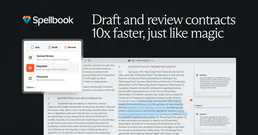
Spellbook Legal AI
AI-powered contract drafting and review — analyze contracts, draft clauses, detect risks, and compare against 2,000+ market precedents via Spellbook.

Donorbox
Collect donations and manage fundraising campaigns with recurring giving, peer-to-peer pages, and donor management for nonprofits.
NetEase BUFF
Automate digital skin trading via BUFF — monitor virtual item prices, snag global market trends, and fetch dynamic inventory values from any AI agent.