
NetEase BUFF MCP. Automate digital skin trading and market analysis.
 Gemini
 Works with every AI agent you already use
…and any MCP-compatible client









Just plug in your AI agents and start using Vinkius.
NetEase BUFF MCP Server gives your agent direct access to the massive NetEase BUFF marketplace. Use it to track virtual item prices, analyze global market trends for digital skins, and fetch current inventory values from any AI client.
It lets you read transaction logs, check active buy/sell orders, and calculate total portfolio worth by calling tools like `get_user_inventory` or running `get_price_history` against specific items.
What your AI agents can do
Cancel order
Removes an open buy or sell order from the marketplace listing.
Create buy order
Places a new purchase bid for a specific item on the market.
Get buy orders
Lists all active buy bids placed by users for a selected item.
Fetches historical sale data and current market listings for specific digital items.
Places, lists, or cancels both buy and sell orders on the platform.
Retrieves your current wallet balance, profile details, and full inventory contents.
Searches for items across the entire BUFF market to gauge supply and demand.
Determines the total monetary worth of a user's linked inventory against current market rates.
Ask AI about this MCP
Supported MCP Clients
Gemini Waiting for input…
NetEase BUFF MCP Server: 10 Tools for Digital Trading
Use these tools to orchestrate complex trading workflows, including placing orders, checking inventory, and retrieving deep historical price data directly through your AI client.
019d8421cancel order
Removes an open buy or sell order from the marketplace listing.
019d8421create buy order
Places a new purchase bid for a specific item on the market.
019d8421get buy orders
Lists all active buy bids placed by users for a selected item.
019d8421get market items
Searches and returns available game skins and items listed across the BUFF market.
019d8421get price history
Retrieves a time series of past sale prices for any given digital item.
019d8421get sell orders
Lists all active sell listings and current asking prices for an item.
019d8421get transaction history
Retrieves a log of items that have been successfully bought or sold by the account.
019d8421get user inventory
Fetches all digital assets currently held in your linked BUFF/Steam backpack.
019d8421get user profile
Retrieves the account holder's wallet balance and general user information.
019d8421sync inventory
Forces a refresh of the linked Steam backpack data with the BUFF system records.
Choose How to Get Started
Build a custom MCP for your own tools, or connect a ready-made integration from our catalog.
Build Your Own
Turn any API into an MCP. Import a spec, define Agent Skills, or deploy with MCPFusion.
- Import from OpenAPI, Swagger, or YAML specs
- Create Agent Skills with progressive disclosure
- Deploy to edge with MCPFusion framework
- Built in DLP, auth, and compliance on every call
- Real time usage dashboard and cost metering
- Publish to catalog or keep private
Make Your AI Do More
Start with NetEase BUFF, then connect any of our 4,700+ other servers whenever your AI needs more. One click, no limits.
- Use this MCP plus 4,700+ others, all in one place
- Add new capabilities to your AI anytime you want
- Every connection is secured and compliant automatically
- Track usage and costs across all your servers
- Works with Claude, ChatGPT, Cursor, and more
- New servers added to the catalog every week
What you can do with this MCP connector
NetEase BUFF MCP Server gives your agent direct access to the massive NetEase BUFF marketplace. You can use it to track virtual item prices, analyze global market trends for digital skins, and fetch current inventory values from any AI client. It's built specifically for deep asset management, letting you read transaction logs, check active buy or sell orders, and calculate your total portfolio worth.
Checking Your Assets and Balance
You can always start by getting a clear picture of what you own. Call get_user_profile to pull up the account holder's wallet balance and general user information. To see every single digital asset currently sitting in your linked BUFF/Steam backpack, run get_user_inventory. If you suspect the data might be stale, just force a refresh by calling sync_inventory; that makes sure the Steam backpack data matches up with the BUFF system records.
Tracking Value and Market Depth
To figure out what your collection is worth right now, you can pull historical sale data for any item using get_price_history. This gives you a time series of past prices so you know exactly how much an item dropped or rose. If you want to gauge the overall supply and demand in the marketplace, use get_market_items to search and return every game skin and item currently listed across the entire BUFF market.
For any specific item, you can list all current asking prices by calling get_sell_orders, or check what other users are willing to pay by running get_buy_orders. To see everything that's happened with your own account over time, call get_transaction_history and it pulls up a full log of every item you’ve successfully bought or sold.
Making Trades and Managing Orders
If you wanna make a move, your agent handles the orders. You can place a new purchase bid for an item on the market by calling create_buy_order. If you need to adjust a current listing, you can remove an open buy or sell order from the marketplace using cancel_order. To see all active listings and current asking prices, you run get_sell_orders; if you wanna check who's outbid on an item, you pull up all active user bids with get_buy_orders.
Basically, this server lets your agent manage the whole lifecycle of a digital asset. You get to read everything from checking your wallet balance and current inventory contents to placing complex buy orders and tracking every sale that's ever hit the market.
How NetEase BUFF MCP Works
- 1 First, sign up on the NetEase BUFF platform and get your API keys or session cookie.
- 2 Then, feed those credentials into your AI client's environment variables; this authenticates the connection to the marketplace.
- 3 Finally, call a specific tool—like
get_price_history—and provide the item identifier to execute the query.
The bottom line is: you pass your API credentials once, and then your agent uses those keys to run targeted market commands without needing manual UI interaction.
Who Is NetEase BUFF MCP For?
This tool targets sophisticated digital asset traders. Think high-volume skin investors or esports content creators who need constant visibility into fluctuating markets. It's for the analyst, not the casual collector—the person whose income depends on precise market data and rapid transaction execution.
Uses create_buy_order and get_sell_orders to execute high-frequency trades, constantly monitoring price shifts using get_price_history.
Runs reports by calling get_market_items and cross-referencing data from multiple sources to forecast inflation or dips in virtual goods categories.
Evaluates the total worth of team assets by running get_user_inventory followed by a valuation check, ensuring quick reporting for stakeholders.
What Changes When You Connect
- Track real-time value shifts: Use
get_price_historyto analyze how a specific item's price has changed over weeks, spotting trends that manual observation misses. This gives you the data needed for informed bids. - Execute trades instantly: Instead of navigating multiple screens, call
create_buy_orderandcancel_orderdirectly from your agent script. It manages the full order lifecycle programmatically. - Know exactly what you own: Run
get_user_inventoryto list every single asset ID in your backpack. Then, combine this withget_user_profileto instantly verify your total liquid balance against those holdings. - Monitor competitor activity: Call
get_buy_ordersandget_sell_ordersfor key items. You immediately see who is bidding high or listing aggressively, giving you an edge in negotiation. - Audit everything that happened: Use
get_transaction_historyto pull a clean log of every successful trade. This builds a complete paper trail needed for tax reporting and performance review.
Real-World Use Cases
Pricing an asset before selling
A client wants to list a rare skin, but doesn't know the current going rate. They ask their agent to run get_price_history for that item ID. The agent pulls the last 50 sales records and reports the average price range, telling them exactly what to list it at.
Identifying undervalued stock
A trader suspects a category of items is being undervalued. They use get_market_items to pull hundreds of listings, then feed those IDs into the agent which runs multiple get_price_history calls. The resulting data shows a clear pricing floor they can exploit.
Checking for stale inventory
A team manager needs an immediate total valuation of all assets across several users. They run get_user_inventory, then immediately call sync_inventory to confirm the data is fresh, finally running a custom calculation tool on the fetched list to give a final dollar figure.
Reacting to market shifts
The agent monitors a key item's price using get_buy_orders and sees that all current bids are suddenly dropping. It alerts the user, who then uses cancel_order on an existing bid immediately before the price drops further.
The Tradeoffs
Relying only on visual checks
A developer just looks at the website and tries to manually calculate portfolio value based on visible listings, which are often outdated or incomplete.
→
Always run get_user_inventory first. Then call sync_inventory before running any valuation script to guarantee the data is accurate against the live BUFF database.
Assuming immediate order status
A user calls create_buy_order, then immediately checks their orders using get_buy_orders. The call might fail or return old data due to network latency.
→
After placing an order, wait a few seconds and re-check the orders. If issues persist, use get_transaction_history later to confirm if the purchase attempt logged successfully.
Using profile for valuation
Trying to get total asset value by only calling get_user_profile. This function only gives balance and general info, not itemized inventory worth.
→
You must call get_user_inventory first. That list of assets is the input needed to calculate your true worth.
When It Fits, When It Doesn't
Use this MCP Server if your workflow requires reading live, actionable market data or executing defined transactions on BUFF. Specifically, if you need to compare current get_sell_orders against historical trends from get_price_history, this is essential. It excels at tracking the state of assets—from creation (create_buy_order) to completion (get_transaction_history).
Don't use it if your goal is general asset management outside of BUFF, or if you only need basic account info. For simple profile checks, get_user_profile works fine. But if you need itemized assets and valuation, remember that calling sync_inventory first prevents errors when reading the list from get_user_inventory. If your process involves many steps (e.g., check inventory -> sync -> get price history -> place buy order), treat it as a single, mandated transaction chain for reliability.

Independent Platform Disclaimer: Vinkius is an independent platform and is not affiliated with, endorsed by, sponsored by, verified by, or otherwise authorized by NetEase BUFF. All third-party trademarks, logos, and brand names are the property of their respective owners. Their use on this website is strictly for informational purposes to identify service compatibility and interoperability.
VINKIUS INFRASTRUCTURE
Cloud Hosted
Managed infra
V8 Isolated
Sandboxed per request
Zero-Trust Proxy
No stored credentials
DLP Enforced
Policy on every call
GDPR Compliant
EU data residency
Token Compression
~60% cost reduction
Works with Claude, ChatGPT, Cursor, and more
The Model Context Protocol standardizes how applications expose capabilities to LLMs. Instead of operating in isolation, your AI gains direct access to external platforms, live data, and real-world actions through secure, standardized connections.
This server provides 10 capabilities that interface natively with Claude, ChatGPT, Cursor, and any MCP client. No middleware. No custom integration required.
Available Capabilities
Tracking market value shouldn't require switching between four different tabs.
Right now, figuring out if an asset is worth buying involves opening the marketplace tab to check current listings; then navigating to the history section for price graphs; next, you have to switch to your inventory dashboard just to see what you own. It's a three-to-five minute click path.
With this MCP server, you feed your agent the item ID and tell it to analyze the market. The agent runs `get_price_history` and cross-references active bids using `get_buy_orders`. You get a clean markdown report showing value fluctuations in seconds—no tabs needed.
NetEase BUFF MCP Server: Get instant, verifiable inventory reports.
Manually syncing your account means clicking 'Refresh' on the Steam side, and then waiting for the marketplace UI to catch up. You spend time verifying that the visible numbers actually match what is recorded in the backend database.
Now, you just run `sync_inventory`. The agent forces a clean update with BUFF, guaranteeing your subsequent calls to `get_user_inventory` reflect the most current data available on the platform. It's reliable.
Common Questions About NetEase BUFF MCP
How do I check if an item is currently being bid on using get_buy_orders? +
To see who is bidding, call get_buy_orders and provide the exact item ID. The tool returns a list of active bids, showing the highest current bidder and their bid amount.
Can I check my total assets with get_user_inventory? +
Yes, get_user_inventory fetches every asset currently in your connected BUFF/Steam backpack. Remember to run sync_inventory first if you suspect the data might be stale.
What is the best way to see price trends? Should I use get_price_history? +
Use get_price_history. This tool provides a time series of past transaction prices, letting you analyze volatility and identify clear inflation or deflation patterns for that specific item.
Can I automate placing multiple orders with create_buy_order? +
The agent handles the execution. You can write a script loop that calls create_buy_order sequentially for several items, managing your bidding strategy in code rather than clicking one by one.
How do I check my wallet balance and account details using get_user_profile? +
The tool immediately returns your logged-in user's current wallet status. You get the total available balance and basic profile information in a single call, which is necessary before placing any trade.
If I need to pull back an open bid or listing, how do I use cancel_order? +
You just pass the specific order ID you want removed. Running this prevents you from losing capital on unwanted bids or sales that changed your mind about.
When should I run sync_inventory? Does it always work? +
Run this tool if market data feels stale, or if you suspect a mismatch between your Steam inventory and BUFF's records. It forces the backpack details to align with the current live marketplace state.
How do I filter search results when using get_market_items? +
You provide specific parameters like item type, rarity, or condition in the request. This narrows a massive search pool down to only the exact items you're interested in finding.
Can my AI automatically aggregate current floor prices of an item pulling multiple active sales dynamically avoiding website refreshes? +
Yes! Utilize the get_item_prices tool targeting a precise numeric class string. Your agent pings the ledger aggregating lowest-pings without waiting dragging visuals across the network pulling only dense JSON formats natively rendering prices instantly.
How do I easily discover what phase of float the latest sales belong to without deep-diving? +
Direct your agent to use the get_recent_sales tool checking the exact weapon ID. It spits out sequential arrays detailing raw money paired explicitly alongside float decay values saving hours of click fatigue pulling tabular lists directly.
Are there vulnerabilities enabling irreversible edits like purchasing or selling automatically draining bounds without consent? +
No. The architecture provides rigid read-only isolation fetching economy tables keeping write protocols like 'Buy' or 'Sell' totally locked off ensuring zero risk of asset drain mapping only market pulses organically natively seamlessly tracking strictly analytically permanently secured strictly completely today out of the box fully.
Use it with your favorite AI tools
Connect this server to Cursor, Claude, VS Code, and more.
More in this category

Discogs
Explore the world's largest music database — search artists, releases, labels, and marketplace listings via AI.

Mollie
Manage payments, orders, and customers via Mollie — track transactions and manage your e-commerce finances directly from your AI agent.
CloudCart
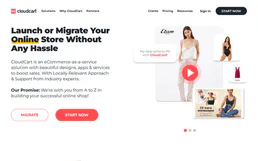
Manage e-commerce and store operations via CloudCart — track products, monitor orders, and manage customers directly from any AI agent.
You might also like

LeadsRx
Analyze marketing attribution and track conversions via LeadsRx — get campaign results and touchpoint insights directly from your AI agent.

Equixly
Automate API security testing via Equixly — manage target services, trigger autonomous AI pentests, and audit vulnerability findings directly from any AI agent.
Shoplazza
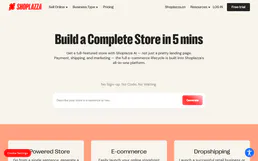
Launch your cross-border e-commerce store with a platform optimized for global selling, multi-currency, and localized checkout.