
ClientSuccess MCP, Ready to Go
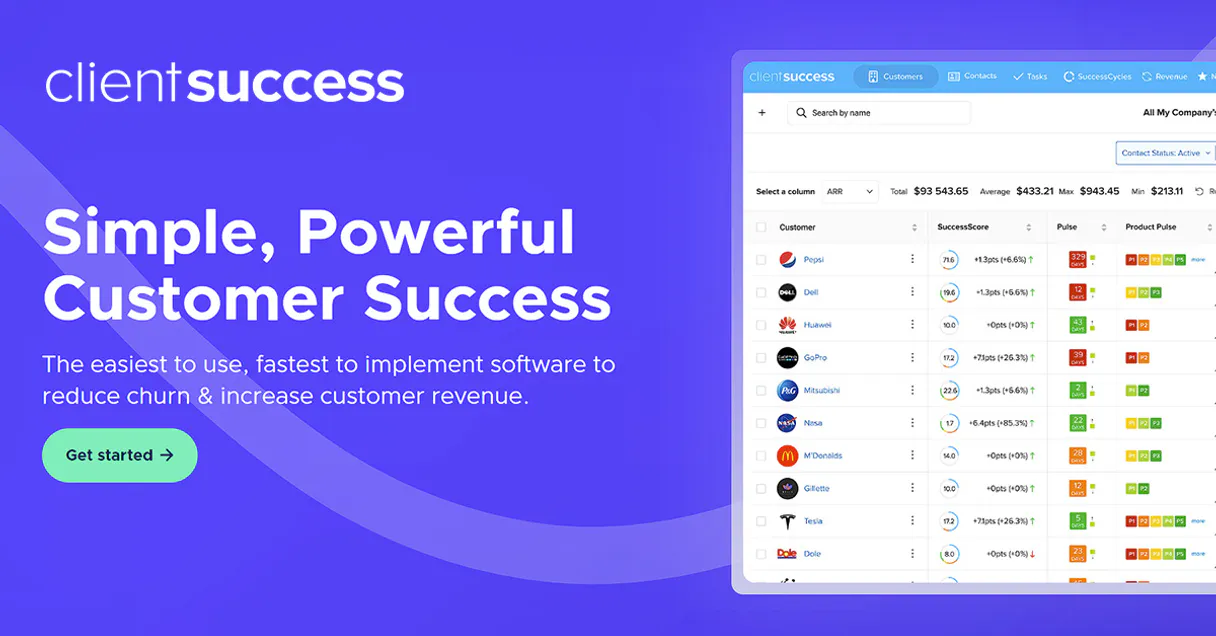
Connect ClientSuccess to your AI agents to monitor account health, track subscriptions, and manage customer success cycles from your chat interface.
No credit card required. Experience the power of this integration risk-free.
Manage customer success metrics and retention data from your chat interface.
Works with every AI agent you already use
…and any MCP-compatible client









How fast is the ClientSuccess Connector?
Average time for the server to become ready for requests over the last 14 days, measured until the initialize / tools/list handshake completes. Metrics are updated daily between 00:00 and 04:00 UTC. Create a free account, use this Connector on Vinkius Cloud, and connect it to your AI agent in seconds.
Waiting for input…
What AI agents can do with ClientSuccess 8-Tool Customer Success Integration
Use these tools to pull health scores, notes, subscriptions, and tasks from ClientSuccess directly into your AI agent's context.
Get client success details
Get the full profile and health status for a specific client. This helps you see the current state of an account at a glance.
Get my success profile
See the details of the authenticated success manager's profile. Use this to verify your own account permissions and details.
List success clients
Get a complete list of all clients in your ClientSuccess account. It's the fastest way to see your entire portfolio.
List client success contacts
Find all the people associated with a specific client account. This helps you identify key stakeholders quickly.
List client success notes
Pull every internal note ever written for a specific client. This gives you the full context of past interactions.
List client subscriptions
See all active contracts and subscription plans for a specific client. Use this to monitor renewals and plan types.
List client success cycles
View the current onboarding or success cycles for a client. This keeps you on top of new customer progress.
List client success tasks
See all to-dos and pending tasks for a specific client. This ensures your team stays on top of every action item.
A Connector is a URL. Vinkius runs it: hosting, security, governance, observability.
You're looking at one of 5,800+ managed Connectors. The real value isn't the catalog. It's the control plane that secures, governs, audits, and manages every interaction between your agents and the tools they use.
No Shadow AI
Every agent action is visible, approved, and auditable. Nothing runs outside your governance.
Absolute agent control
Fine-grained permissions for every agent, MCP, and tool. Instantly revoke access and audit every execution.
Cost control per token
Spend broken down to the token, tool, and agent. Budgets and hard limits. No surprise invoices.
Managed & monitored infra
We operate the runtime, authentication, scaling, retries, and monitoring. Your team manages AI, not infrastructure.
Data protection, DLP by design
Sensitive data is filtered before reaching the model. Access is governed so agents receive only the information they're allowed to use.
Token optimization, real savings
Lower AI costs by delivering the right context instead of unnecessary tools. Better accuracy, faster responses, and fewer wasted tokens.
ClientSuccess MCP for Tracking Customer Retention and Health
This is for Customer Success Managers who are tired of tab-switching and Success Ops leads who need to audit portfolio health across dozens of accounts quickly.
Customer Success Manager
Checks client health and notes during calls to give accurate updates without looking up data manually.
Success Ops Lead
Audits subscription data and team tasks to identify bottlenecks in the onboarding cycle.
Sales Rep
Quickly looks up client profiles and interaction history before a renewal conversation.
Frequently Asked Questions
Can the ClientSuccess MCP help me reduce churn? +
Yes. It lets your agent quickly identify clients with low health scores so you can intervene before they cancel.
How do I see my client's subscription details with ClientSuccess? +
You can ask your agent to pull the specific contract and plan info for any client in your account instantly.
Can I use ClientSuccess to track onboarding progress? +
Yes, the Connector allows you to view and monitor all success cycles to see where new customers are in their journey.
Does the ClientSuccess MCP show internal team notes? +
It does. Your agent can pull all internal notes for a specific client so you have the full history at your fingertips.
Can I find contact info for my clients using ClientSuccess? +
You can use the Connector to list all contacts associated with a specific client, making it easy to reach the right people.
Is it possible to see all my pending tasks for a client? +
Yes, you can ask your agent to list all to-dos and tasks for any specific account in your ClientSuccess dashboard.
Can I see the health score for a specific client? +
Yes! Use the get_client_success_details tool with the client ID. The agent will return the success score, health status, and other key metrics for that account.
How do I check the active onboarding cycles for my accounts? +
Use the list_client_success_cycles tool. Your agent will fetch all onboarding and success cycles, allowing you to monitor progress and identify any blocked steps.
Where do I find my ClientSuccess API Key? +
Log in to your ClientSuccess account and navigate to Global Settings > API. You can generate and copy your personal API key from that section.
Your AI, connected to everything.












No credit card required · Free tier available













Other Connectors in this category
Odoo Helpdesk Connector
Create and manage support tickets, track SLAs, organize helpdesk teams. Odoo Helpdesk through natural conversation.
Nicereply Connector
Measure customer satisfaction via Nicereply. Track survey responses, ratings, and stats directly from your AI agent.
Kayako Connector
Manage support tickets, users, and knowledge base articles via Kayako. List cases, create users, and browse help center content directly from any AI agent.
Related Connectors

Cryptographic Action Attestor Connector
Creates a tamper-proof audit trail of every agent action using SHA-256 hashing.
Knack Connector
Manage your Knack database. List objects, query records, and perform CRUD operations via natural language.
DummyImage Connector
Generate dynamic placeholder images for web development and design directly from your AI agent.