
Constructor MCP. Audit your e-commerce search and discovery paths.
 Gemini
 Works with every AI agent you already use
…and any MCP-compatible client









Just plug in your AI agents and start using Vinkius.
Constructor MCP Server connects any AI agent to your e-commerce platform's product data. Use it to run ML-ranked product searches, get personalized recommendations, and audit categories directly from natural conversation.
You can also apply advanced filtering by color, size, or brand, and navigate complex product trees without manual dashboard work.
What your AI agents can do
Autocomplete
Suggests possible category names or queries based on partial text input.
Browse brand
Lists products found by inspecting a specific manufacturer or brand's array.
Browse category
Retrieves products by navigating a defined category hierarchy.
Retrieves product records from the Headless Constructor.io Platform based on general search queries.
Narrows down product results by applying strict attributes like colors, sizes, or specific product features.
Pulls personalized product lists using collaborative filtering models.
Navigates and lists products within a specific category hierarchy.
Inspects product arrays by brand name or manufacturer taxonomy.
Retrieves pre-defined, curated marketing product clusters for display or auditing.
Suggests matching categories or product queries based on partial input.
Ask AI about this MCP
Supported MCP Clients
Gemini Waiting for input…
Constructor MCP Server: 10 Tools for Product Discovery
These tools let your AI agent run complex e-commerce queries, filter products by attributes, and retrieve personalized data without needing manual dashboard interaction.
019d757aautocomplete
Suggests possible category names or queries based on partial text input.
019d757abrowse brand
Lists products found by inspecting a specific manufacturer or brand's array.
019d757abrowse category
Retrieves products by navigating a defined category hierarchy.
019d757abrowse collection
Lists products from a pre-set, curated marketing group or collection.
019d757acustom search
Performs a general product search query across the entire catalog.
019d757aget recommendations
Retrieves personalized product suggestions based on user behavior and collaborative filtering.
019d757asearch filtered
Runs a product search and restricts the results to specific colors, sizes, or attributes.
019d757asearch pagination
Runs a search and helps manage result sets across multiple pages of results.
019d757asearch products
Identifies product records within the Headless Constructor.io Platform using a general search term.
019d757asearch sorted
Lists products using specific structured rules, such as sorting by price or relevance.
Choose How to Get Started
Build a custom MCP for your own tools, or connect a ready-made integration from our catalog.
Build Your Own
Turn any API into an MCP. Import a spec, define Agent Skills, or deploy with MCPFusion.
- Import from OpenAPI, Swagger, or YAML specs
- Create Agent Skills with progressive disclosure
- Deploy to edge with MCPFusion framework
- Built in DLP, auth, and compliance on every call
- Real time usage dashboard and cost metering
- Publish to catalog or keep private
Make Your AI Do More
Start with Constructor, then connect any of our 4,700+ other servers whenever your AI needs more. One click, no limits.
- Use this MCP plus 4,700+ others, all in one place
- Add new capabilities to your AI anytime you want
- Every connection is secured and compliant automatically
- Track usage and costs across all your servers
- Works with Claude, ChatGPT, Cursor, and more
- New servers added to the catalog every week
What you can do with this MCP connector
You connect your AI agent to the Constructor MCP Server - E-commerce Product Discovery to get deep access to your product data. You can run ML-ranked product searches, pull personalized recommendations, and audit categories just by talking to it. You'll find tools for everything from basic product searching to advanced filtering.
You'll use search_products to pull product records from the Headless Constructor.io Platform using a general search term. You can narrow down results using search_filtered by applying strict attributes like colors, sizes, or specific product features. You'll run get_recommendations to pull personalized product lists using collaborative filtering models. To find products in a specific category, you'll use browse_category; you'll get products by navigating a defined category hierarchy.
You can check out products by brand name using browse_brand by inspecting a specific manufacturer's array. You'll pull curated marketing product clusters for display or auditing using browse_collection. If you need to know what's next, you'll use autocomplete to suggest possible category names or queries based on partial text input.
You can perform a general product search query across the entire catalog with custom_search. You'll use search_sorted to list products using specific structured rules, like sorting by price or relevance. You'll manage large result sets across multiple pages using search_pagination.
How Constructor MCP Works
- 1 Subscribe to the Constructor MCP Server and enter your Constructor.io Public API Key in the Vinkius Marketplace.
- 2 Instruct your AI agent (Claude, Cursor, etc.) to perform a discovery task (e.g., 'Find me waterproof hiking boots').
- 3 The agent calls the appropriate tool (e.g.,
search_filteredorsearch_products), and the server returns the structured product data and rankings.
The bottom line is you can make your AI client act as a highly skilled e-commerce analyst, running complex queries and audits without ever needing to touch the main dashboard.
Who Is Constructor MCP For?
E-commerce Managers, Product Owners, and Developers. You're the person who needs to validate that the site search works perfectly before the big launch, or the marketing team that needs to audit how a specific collection ranks against a keyword. You need to test deep functionality without manual clicking.
Audits search rankings and recommendation pods by asking the AI agent to run specific tests against the live data.
Verifies category browsing paths and attribute filtering logic in real-time using natural language queries.
Tests and debugs search API parameters and personalized recommendation outputs by passing natural language instructions to the agent.
What Changes When You Connect
- You can audit search rankings and recommendation pods without running manual dashboard tests. Just ask your agent to run a check, and the
get_recommendationstool returns the data. - Test complex filtering logic instantly. Use
search_filteredto restrict results by specific attributes like 'blue' or 'size L', validating your rules without writing a single API call. - Bypass the standard search bar flow. Need to see everything in 'Outdoor Gear'? Use
browse_categoryto map the full category hierarchy and ensure all products are accounted for. - Validate your marketing efforts.
browse_collectionlets you pull and audit specific, curated product groups, verifying they rank correctly for promotions. - Handle large catalogs easily.
search_paginationmanages the result set flow, allowing your agent to cycle through thousands of items without timing out. - Get precise product data. The
search_productstool identifies core CRM records, giving you the raw data needed to debug complex search parameters.
Real-World Use Cases
Validating the New 'Running Shoes' Search Flow
A Product Owner wants to know if 'running shoes' work properly. They ask their agent to run a test, invoking search_filtered for 'waterproof' and 'size 10'. The agent returns the exact list of passing products, letting the PO confirm the logic is sound before deployment.
Checking Brand Navigation Accuracy
A Marketing Team member needs to ensure the 'Nike' brand page shows the right products. They instruct their agent to use browse_brand('Nike'). The agent returns all products associated with Nike, allowing the team to verify the brand taxonomy mapping is correct.
Debugging Recommendation Engines
A Developer suspects the personalized recommendations are wrong. They ask their agent to run get_recommendations for a specific user segment. The agent returns the raw list of suggested products, letting the developer pinpoint the failure point.
Mapping the Entire Product Directory
A Product Owner needs a full view of the 'Garden Furniture' category. They tell their agent to run browse_category('Garden Furniture'). The agent returns the complete, structured list of all sub-categories and products, ensuring no product is missed.
The Tradeoffs
Using only `custom_search`
Asking the agent to just 'find all products' using custom_search. This forces the system to run a massive, unconstrained query, often resulting in timeouts or incomplete data because the system can't handle the load.
→
Instead, use search_products for a broad query, then immediately follow up by applying search_filtered to limit results by a specific attribute, like color or size. This keeps the query targeted and fast.
Mixing browsing and filtering
Trying to find 'red widgets' while also browsing the 'tools' category. The agent gets confused trying to reconcile the navigational intent with the attribute filter, often returning an empty or incomplete set.
→
Keep the tasks separate. First, use browse_category to locate the correct product group. Second, use search_filtered on that result set to apply the attribute filter, ensuring the scope is correct.
Assuming a single search tool works for everything
Using only search_products when you actually need products from a specific brand. This returns general results, but misses the specific context you were looking for.
→
Always check the specialized tools first. If you're focused on a brand, use browse_brand. If you're focused on a curated set, use browse_collection. This gives you the exact context you need.
When It Fits, When It Doesn't
Use this if your goal is to test or audit the logic of your e-commerce discovery layer. You need to validate if your filtering rules, recommendation models, or category structures are working correctly. You're not using this to sell products to customers; you're using it to test the infrastructure.
Don't use this if you just need a simple, one-off search for a customer. For that, a basic search tool might suffice. If you are debugging, always start with search_products and narrow down with search_filtered to isolate the variables. If you need to check a specific brand's lineup, use browse_brand rather than relying on a general search.

Independent Platform Disclaimer: Vinkius is an independent platform and is not affiliated with, endorsed by, sponsored by, verified by, or otherwise authorized by Constructor. All third-party trademarks, logos, and brand names are the property of their respective owners. Their use on this website is strictly for informational purposes to identify service compatibility and interoperability.
VINKIUS INFRASTRUCTURE
Cloud Hosted
Managed infra
V8 Isolated
Sandboxed per request
Zero-Trust Proxy
No stored credentials
DLP Enforced
Policy on every call
GDPR Compliant
EU data residency
Token Compression
~60% cost reduction
Works with Claude, ChatGPT, Cursor, and more
The Model Context Protocol standardizes how applications expose capabilities to LLMs. Instead of operating in isolation, your AI gains direct access to external platforms, live data, and real-world actions through secure, standardized connections.
This server provides 10 capabilities that interface natively with Claude, ChatGPT, Cursor, and any MCP client. No middleware. No custom integration required.
Available Capabilities
Manual product auditing is slow and error-prone.
Right now, checking if your site search works means logging into the dashboard, typing in a query, applying filters one by one, and then clicking through dozens of results just to verify the ranking. This process takes hours and is impossible to scale.
With the Constructor MCP Server, you tell your agent what you need—for example, 'Run a search for waterproof hiking boots, filtered to size L.' The agent executes the necessary tools and returns the structured data set, letting you verify the entire logic in minutes.
Constructor MCP Server: Full Product Discovery Tools
You no longer have to manually navigate the category tree or check brand taxonomies. Instead, you instruct your agent to run `browse_category('Outdoor Gear')` or `browse_brand('Patagonia')`. The agent handles the deep navigation and returns the full, structured product list immediately.
The system gives you direct access to the underlying logic. You stop guessing about product relationships and start debugging them. It's a direct, auditable data stream.
Common Questions About Constructor MCP
How do I use the `search_filtered` tool? +
The search_filtered tool lets you apply hard constraints to your search. You pass the required attributes—like a color or a size—to get a results set that matches those exact criteria.
Can I check recommendations using the `get_recommendations` tool? +
Yes, get_recommendations pulls personalized product lists based on collaborative filtering. It lets you see what the system suggests for a given user segment or context.
What is the difference between `search_products` and `custom_search`? +
search_products targets records within the Headless Constructor.io Platform, giving you structured access. custom_search runs a more general, high-level query across the catalog.
How do I use `browse_category`? +
browse_category navigates the product directory tree. You just provide the category name, and it returns the full list of products and sub-categories within that scope.
How do I use the `browse_collection` tool to audit marketing content? +
The browse_collection tool identifies precise active arrays spanning native Gateway auth. You use it to pull data for curated marketing clusters, which is great for checking if specific collections are mapped correctly for promotion.
What happens if I get an error when running `search_pagination`? +
If search_pagination fails, check your Constructor.io API Key first. The tool routes explicit Gateway history, so an error usually points to an authentication issue or a malformed request structure.
Is `autocomplete` reliable for checking category boundaries? +
Yes, autocomplete performs structural extraction of properties driving active Account logic. It's the best way to check fast predictive typing boundaries and trace exact matched categories even with partial queries.
How do I use `search_sorted` to check product rankings? +
The search_sorted tool enumerates explicitly attached structured rules exporting active Billing. Use it to see how your products are ranked based on specific, structured rules, which is key for auditing billing logic.
Can my agent check the ML ranking for a specific product search? +
Yes. Use the 'search_products' tool. The agent will retrieve results ranked by Constructor's ML engine, allowing you to audit how products are surfaced based on specific keywords and intent signals.
How do I retrieve personalized recommendations via the agent? +
Provide the 'pod_id' to your agent and use the 'get_recommendations' tool. The agent will query the collaborative filtering models to return a list of products tailored to your specified recommendation logic.
Can I test attribute filtering like color or size through chat? +
Absolutely. The 'search_filtered' tool allows you to pass exact attribute mappings (e.g., 'color:blue,size:L'). Your agent will verify how the API restricts results to those specific structural bounds.
Use it with your favorite AI tools
Connect this server to Cursor, Claude, VS Code, and more.
More in this category

Photoroom
Remove backgrounds, retouch product photos, and generate studio-quality images with AI editing tools built for e-commerce.
Kyte
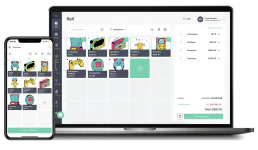
Manage your POS store — list products, track orders, and audit inventory.

GoFood
Automate GoFood merchant operations — manage outlets, menus, orders, promos, and payments directly from any AI agent.
You might also like

Traction Guest
Manage visitor operations via Traction Guest — list hosts, locations, invites, sign-ins, and group visits directly from any AI agent.
BotPenguin
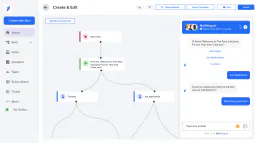
Manage your chatbots and live chat via BotPenguin — list contacts, orchestrate chats, and send messages directly from any AI agent.
MyTime
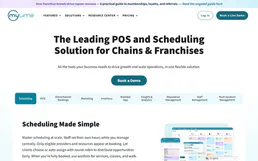
Manage business operations via MyTime — track appointments, staff, and services directly from your AI agent.