
Deezer MCP. Deep music metadata research via conversation.
 Gemini
 Works with every AI agent you already use
…and any MCP-compatible client









Just plug in your AI agents and start using Vinkius.
Deezer MCP Server gives your AI agent access to millions of music tracks, artists, and global charts. Search by title, explore playlists by mood, or check the latest global hits—all using natural language.
You can get detailed artist profiles, browse albums, and discover new music without leaving your chat window.
What your AI agents can do
Get album
Retrieves full details for a specific album.
Get album tracks
Gets the track list for a given album.
Get artist
Fetches detailed profile information for an artist.
Find specific songs across Deezer using keywords, titles, or artist names, and get a preview link for the top results.
Retrieve detailed information about a specific artist, including their fan count, top tracks, and associated radio stations.
Look up an album by name or artist to get its full track listing, release date, and cover art details.
Search and retrieve detailed information for public playlists using criteria like mood, genre, or curator.
Check the current top tracks, albums, artists, and playlists for any country or globally.
Get lists of playlists and genre information to help narrow down musical discovery based on a vibe.
Ask AI about this MCP
Supported MCP Clients
Gemini Waiting for input…
Deezer MCP Server: 14 Tools for Music Metadata
Manage music, playlists, and artist data. These tools allow your AI client to execute specific Deezer API calls, from searching tracks to fetching genre metadata.
019d842dget album
Retrieves full details for a specific album.
019d842dget album tracks
Gets the track list for a given album.
019d842dget artist
Fetches detailed profile information for an artist.
019d842dget artist radio
Retrieves radio-generated tracks associated with an artist.
019d842dget artist top tracks
Gets the most popular tracks for an artist.
019d842dget chart
Checks the current top tracks, albums, artists, and playlists for a given country or globally.
019d842dget genre
Retrieves general information about a music genre.
019d842dget genre playlists
Gets playlists that belong to a specific music genre.
019d842dget playlist
Retrieves detailed information about a specific playlist.
019d842dget track
Gets full metadata for a single song.
019d842dsearch albums
Finds albums matching criteria, returning release dates and track counts.
019d842dsearch artists
Searches for artists and returns info like fan count and album count.
019d842dsearch playlists
Finds playlists matching criteria, showing the creator and total track count.
019d842dsearch tracks
Searches for songs and returns titles, artists, albums, durations, and preview links.
Choose How to Get Started
Build a custom MCP for your own tools, or connect a ready-made integration from our catalog.
Build Your Own
Turn any API into an MCP. Import a spec, define Agent Skills, or deploy with MCPFusion.
- Import from OpenAPI, Swagger, or YAML specs
- Create Agent Skills with progressive disclosure
- Deploy to edge with MCPFusion framework
- Built in DLP, auth, and compliance on every call
- Real time usage dashboard and cost metering
- Publish to catalog or keep private
Make Your AI Do More
Start with Deezer, then connect any of our 4,700+ other servers whenever your AI needs more. One click, no limits.
- Use this MCP plus 4,700+ others, all in one place
- Add new capabilities to your AI anytime you want
- Every connection is secured and compliant automatically
- Track usage and costs across all your servers
- Works with Claude, ChatGPT, Cursor, and more
- New servers added to the catalog every week
What you can do with this MCP connector
Deezer MCP Server gives your AI agent access to millions of music tracks, artists, and global charts. You can search by title, explore playlists by mood, or check the latest global hits—all using natural language. You get detailed artist profiles, browse albums, and discover new music without leaving your chat window.
Search Tracks lets you find specific songs across Deezer using keywords, titles, or artist names; it returns titles, artists, albums, durations, and preview links for the top results. Get Artist Details lets you retrieve detailed information about a specific artist, including their fan count, top tracks, and associated radio stations. Discover Albums and Tracks lets you look up an album by name or artist to get its full track listing, release date, and cover art details. Browse Playlists lets you search and retrieve detailed information for public playlists using criteria like mood, genre, or curator. View Global Charts lets you check the current top tracks, albums, artists, and playlists for any country or globally. Explore Genre Content lets you get general information about a music genre and find curated playlists belonging to that genre.
Search Albums finds albums matching criteria, returning release dates and track counts. Search Artists searches for artists, returning info like fan count and album count. Search Playlists finds playlists matching criteria, showing the creator and total track count. Get Track Details fetches full metadata for a single song. Get Album Tracks gets the track list for a given album. Get Artist Top Tracks gets the most popular tracks for an artist. Get Artist Radio Tracks retrieves radio-generated tracks associated with an artist. Get Global Charts checks the current top tracks, albums, artists, and playlists for a given country or globally. Get Genre Playlists gets playlists that belong to a specific music genre.
How Deezer MCP Works
- 1 Subscribe to the Deezer server. No API key is needed because the Deezer public API is open for reading.
- 2 Your AI client (Claude, Cursor, etc.) runs the request, determines the needed action (e.g., finding a top track), and invokes the appropriate tool.
- 3 The tool executes the query against the Deezer catalog and returns structured metadata (e.g., track name, duration, artist) directly to your AI client for context.
The bottom line is that your AI client handles the complex API calls and data formatting, letting you focus on the conversation.
Who Is Deezer MCP For?
Music industry analysts, content curators, and media researchers. This is for the person who needs to fact-check a claim—like proving an artist's peak popularity or finding the perfect background track for a pitch deck—without opening a browser. It's for the deep dive, not the quick listen.
Verifies current chart trends, finds artists' key albums, and pulls specific track data to write a review or article.
Uses playlist exploration and genre information to suggest mood-based music options for marketing campaigns or video scores.
Gathers metadata—like album release dates and genre associations—to build a dataset for a project or presentation.
What Changes When You Connect
- Find specific songs instantly. Instead of guessing keywords on a search page, use
search_tracksto find a song by title, lyrics, or artist, and get a preview link right away. - Profile artists completely.
get_artistgives you the core info, whileget_artist_top_tracksandget_artist_radiopull in their most popular and radio-generated tracks. - Research music trends globally. Use
get_chartto check the top albums or tracks in any country, giving you instant market context for a pitch deck. - Build complex playlist ideas. You can search for mood-based playlists using
search_playlists, or narrow down options by callingget_genre_playlistsafter identifying a genre. - Get full album context. Don't just get a track—use
get_albumorsearch_albumsto get the full track list and release date, which is crucial for historical context. - Streamline metadata gathering. Instead of opening 5 tabs, your agent handles all the calls—from
search_artiststoget_track—and presents the consolidated data.
Real-World Use Cases
Writing a deep-dive article on an artist.
A journalist needs to write about an artist's career arc. They ask their agent to find the artist using search_artists, then pull their top tracks with get_artist_top_tracks, check the album details with get_album, and find associated genres via get_genre to write a complete piece.
Curating a mood-based playlist for a client.
A marketing manager needs a playlist for a 'rainy day lo-fi' vibe. They ask the agent to use get_genre_playlists (Genre: Lo-Fi), then refine the results by calling search_playlists (Mood: Chill), and finally pull track details using get_track to confirm the vibe.
Checking market performance in a new region.
A global brand representative needs to know what's trending in Brazil right now. They prompt the agent to run get_chart (Country: BR), and the agent instantly returns the top tracks and top albums, allowing for immediate market decisions.
Validating historical album data.
An academic needs to verify the track listing and release date for an album from 2005. They use search_albums to find the album, then call get_album_tracks to confirm the exact track list, all without leaving their research interface.
The Tradeoffs
Trying to find a track by partial info
Just searching a generic query like 'Daft Punk song' without specifying the artist or album. You might get 100 results, but none of them are the right one.
→
Use search_tracks and provide as much detail as possible, including the artist and album name. If you know the track name, use get_track directly for the cleanest result.
Assuming a search result is the final answer
Finding an artist via search_artists, then just accepting the basic fan count. You miss out on their best work or related content.
→
After running search_artists, always follow up by calling get_artist_top_tracks and get_artist_radio to get a complete picture of their most popular and recommended music.
Forgetting to check the global context
Thinking a song is popular everywhere, so you just check the US chart. You miss the fact that it's a massive hit in Germany but nowhere else.
→
Always use get_chart and specify the country code (e.g., DE or GB) to compare local market performance. Never assume global popularity.
When It Fits, When It Doesn't
Use this if you need structured, deep music metadata. This isn't for casual listening; it's for research. You need to compare top tracks across multiple countries, build a playlist structure based on genre, or verify an artist's discography. If your goal is simple discovery ('What's popular?'), start with get_chart. If you need to find a specific item, use search_tracks. If you're building a profile, you'll need to chain search_artists -> get_artist -> get_artist_top_tracks. Don't use this if you just want to listen to a song—it's only for data extraction.

Independent Platform Disclaimer: Vinkius is an independent platform and is not affiliated with, endorsed by, sponsored by, verified by, or otherwise authorized by Deezer. All third-party trademarks, logos, and brand names are the property of their respective owners. Their use on this website is strictly for informational purposes to identify service compatibility and interoperability.
VINKIUS INFRASTRUCTURE
Cloud Hosted
Managed infra
V8 Isolated
Sandboxed per request
Zero-Trust Proxy
No stored credentials
DLP Enforced
Policy on every call
GDPR Compliant
EU data residency
Token Compression
~60% cost reduction
Works with Claude, ChatGPT, Cursor, and more
The Model Context Protocol standardizes how applications expose capabilities to LLMs. Instead of operating in isolation, your AI gains direct access to external platforms, live data, and real-world actions through secure, standardized connections.
This server provides 14 capabilities that interface natively with Claude, ChatGPT, Cursor, and any MCP client. No middleware. No custom integration required.
Available Capabilities
Manually researching a musician's discography is a nightmare.
Today, checking an artist's full history means opening the Deezer site, scrolling through albums, clicking 'Top Tracks,' then opening a separate tab for their radio station, and manually cross-referencing genre data. It's a minimum of five tabs and half an hour of clicking just to build a profile.
With the Deezer MCP Server, your agent handles the whole workflow. You just ask, 'Give me a deep profile of Artist X.' The agent calls `get_artist`, `get_artist_top_tracks`, `search_albums`, and `get_genre` in the background, and you get the fully compiled data structure right in the chat.
Deezer MCP Server: Build music metadata pipelines.
You no longer have to manually query the API endpoints for every piece of data. The agent knows the relationship: finding a playlist requires knowing the genre, which requires checking the album details, and so on.
It's about turning complex, multi-step data gathering into a single, conversational command. You stop managing API calls and start managing insights.
Common Questions About Deezer MCP
How do I use the get_chart tool to see what's trending in a country? +
You pass the country's ISO 3166-1 code to get_chart. The tool will return the top tracks, albums, artists, and playlists for that specific region, letting you compare markets instantly.
What is the difference between search_tracks and get_track? +
search_tracks is for finding songs when you only know partial info (like 'Daft Punk song'). get_track requires you to know the specific track ID or have enough data to pull the exact, full metadata.
Can I find out an artist's associated radio songs using get_artist_radio? +
Yes. get_artist_radio pulls tracks generated by Deezer's recommendation engine, giving you a feel for the artist's current 'vibe' beyond just their top hits.
How do I find playlists for a specific genre? +
Use get_genre_playlists and specify the genre name. This gives you a list of curated public playlists that fit that specific musical category.
Does the server support finding albums by year? +
You can use search_albums and include the release date in your search criteria. The tool returns the album along with its release date and track count.
How do I use search_artists to find an artist's top tracks and fan count? +
The search_artists tool returns detailed artist profiles. You get the fan count and top tracks right in the search results, making discovery fast.
What is the difference between get_genre and get_genre_playlists? +
get_genre provides metadata about a music genre itself. get_genre_playlists, however, fetches actual curated playlists associated with that genre.
Does get_album_tracks support pagination if an album has many songs? +
Yes, the tool handles large track lists. It supports limit and offset parameters, letting you retrieve tracks in batches if needed.
Do I need a Deezer account or API key to use this? +
No! The Deezer public API is open for reading without authentication. You can search tracks, artists, albums, playlists, and charts immediately.
Can I listen to song previews? +
Yes! Every track returned by the search includes a 30-second preview URL that you can play directly in your browser.
Can I get charts for a specific country? +
Yes! Use the get_chart tool with a country code (e.g., US, BR, FR, DE) to get the top tracks, albums, artists, and playlists for that region.
Use it with your favorite AI tools
Connect this server to Cursor, Claude, VS Code, and more.
More in this category

Freesound
Search, download, and manage audio samples from the Freesound database directly within your AI agent.

Play.ht (AI Voice Generation & TTS)
Generate ultra-realistic AI voices and convert text to speech instantly using Play.ht's advanced neural engine.

Verbit
Automate professional transcription and captioning via Verbit — upload media, track job progress, and retrieve transcripts in multiple formats directly from your AI agent.
You might also like
Mosaic (Resource Planning & Workforce Management)
Manage resource planning via Mosaic — track work plans, audit budget estimates, and monitor team capacity.
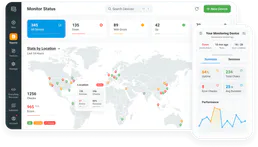
Dotcom-Monitor
Monitor website uptime, page load speed, and server health from multiple global locations with instant alert notifications.

ClearBank
Empowers algorithmic control over UK Payment Clearing. Execute massive Digital-Signature encrypted transaction structures natively.