
Ecomail MCP. Analyze campaigns and segment audiences in chat.
 Gemini
 Works with every AI agent you already use
…and any MCP-compatible client









Just plug in your AI agents and start using Vinkius.
Ecomail MCP Server manages your entire marketing automation stack. Connect your AI agent to track campaign performance, research individual subscriber profiles, and audit list volumes using natural language commands.
It lets you list all campaigns, check templates, and monitor automation results without leaving your chat window.
What your AI agents can do
Get campaign performance details
Retrieves detailed metrics and performance data for one specific email campaign.
Get ecomail account metadata
Gets usage limits and structural metadata for the overall Ecomail account.
Get subscriber profile
Retrieves the full profile and history of a single subscriber using their email address.
Retrieve usage limits and metadata for the entire Ecomail account.
Retrieve a list of all active and past email marketing campaigns.
Get detailed performance metrics (open rates, clicks) for a specific campaign ID.
Search the subscriber database using a keyword or an email address.
Get the full profile and activity history for a specific subscriber using their email.
List all subscribers belonging to a specific address list.
List all available, saved email message templates for reuse.
Ask AI about this MCP
Supported MCP Clients
Gemini Waiting for input…
Ecomail MCP Server: 10 Tools for Marketing Ops
Use these 10 tools to run reports, audit account limits, and manage subscriber data through your AI agent.
019d758cget campaign performance details
Retrieves detailed metrics and performance data for one specific email campaign.
019d758cget ecomail account metadata
Gets usage limits and structural metadata for the overall Ecomail account.
019d758cget subscriber profile
Retrieves the full profile and history of a single subscriber using their email address.
019d758clist address list subscribers
Lists all subscriber records contained within a specific address list.
019d758clist email marketing campaigns
Provides a list of all existing email marketing campaigns.
019d758clist email templates
Lists all the saved email message templates available for use.
019d758clist latest marketing campaigns
Identifies and lists the most recently created or sent marketing campaigns.
019d758clist marketing address lists
Lists all contact address lists configured in the Ecomail account.
019d758cquick marketing volume audit
Generates a high-level summary of current campaign and list activity for quick review.
019d758csearch marketing subscribers
Searches the subscriber database using either a keyword or a specific email address.
Choose How to Get Started
Build a custom MCP for your own tools, or connect a ready-made integration from our catalog.
Build Your Own
Turn any API into an MCP. Import a spec, define Agent Skills, or deploy with MCPFusion.
- Import from OpenAPI, Swagger, or YAML specs
- Create Agent Skills with progressive disclosure
- Deploy to edge with MCPFusion framework
- Built in DLP, auth, and compliance on every call
- Real time usage dashboard and cost metering
- Publish to catalog or keep private
Make Your AI Do More
Start with Ecomail, then connect any of our 4,700+ other servers whenever your AI needs more. One click, no limits.
- Use this MCP plus 4,700+ others, all in one place
- Add new capabilities to your AI anytime you want
- Every connection is secured and compliant automatically
- Track usage and costs across all your servers
- Works with Claude, ChatGPT, Cursor, and more
- New servers added to the catalog every week
What you can do with this MCP connector
This MCP Server lets your AI client handle your whole marketing automation stack. You don't have to jump between tabs or APIs; you manage campaigns and subscribers right from your chat window. get_campaign_performance_details pulls detailed metrics for any single email campaign. You can list_email_marketing_campaigns to see every campaign you've ever run, and list_latest_marketing_campaigns shows what you just sent out.
For quick checks, quick_marketing_volume_audit gives a high-level summary of your campaign and list activity. You can also get_ecomail_account_metadata to check your account's usage limits and structural data. When it comes to your contacts, you can list_marketing_address_lists to see all your configured address lists, and list_address_list_subscribers pulls every subscriber from a specific list.
Need to find someone? Use search_marketing_subscribers with a keyword or an email address. If you have an email, get_subscriber_profile pulls that person's full profile and history. You can also search_marketing_subscribers to find people by keyword. For saved content, list_email_templates shows every template you've got ready to use. Finally, list_marketing_address_lists lets you check your account's overall structure.
How Ecomail MCP Works
- 1 Connect the Ecomail integration to your AI client and provide the API key.
- 2 Ask your agent to perform a specific marketing task (e.g., 'What was the open rate for the May newsletter?').
- 3 The agent executes the necessary tool (e.g.,
get_campaign_performance_details) and returns the data directly in the chat.
The bottom line is you tell your agent what you need, and it runs the specific Ecomail API calls to get the data back.
Who Is Ecomail MCP For?
Marketing Operations specialists who spend too much time jumping between the Ecomail dashboard, CRM, and spreadsheet. This is for the person who needs to know campaign metrics, subscriber status, and account limits without logging into a web portal.
Needs to quickly check open rates or list volumes on the go, comparing campaign results against subscriber totals.
Needs to research specific subscriber profiles or segment list memberships via chat during a campaign planning session.
Needs to monitor campaign execution status and retrieve marketing metadata to confirm proper tool usage.
What Changes When You Connect
- Audit account limits instantly. Use
get_ecomail_account_metadatato check your current list volume, campaign usage, and account restrictions without navigating to the settings page. This saves time when planning large sends. - Get deep campaign metrics on demand. Instead of waiting for reports, ask the agent to run
get_campaign_performance_detailsand get the open rate, click-through rate, and delivery stats for any specific campaign ID. - Quickly vet subscriber history. Need to know if a prospect is a repeat customer? Use
get_subscriber_profileto pull the full history and activity log for any email address in seconds. - Manage list segmentation. Use
list_address_list_subscribersto pull a list of every person in a segment, orsearch_marketing_subscribersto narrow down the list based on a keyword. - Maintain content consistency. Run
list_email_templatesto see all available templates and confirm you're using the correct, up-to-date branded design before launching a new campaign. - See all campaign activity at a glance. The
quick_marketing_volume_audittool provides a high-level summary of list sizes and campaign activity, giving you a macro view without deep diving.
Real-World Use Cases
Reviewing a Poorly Performing Campaign
The marketing team launched a big sale, but the open rates were low. Instead of manually cross-referencing the dashboard, the manager asks their agent to run get_campaign_performance_details. The agent returns the open rate, bounce count, and click metrics instantly, pinpointing whether the issue was delivery or subject line appeal.
Auditing a New Campaign Plan
Before sending anything, the ops engineer needs to know if the account can handle the volume. They run get_ecomail_account_metadata first. The agent confirms the remaining list capacity and alerts the user if they're nearing a sending limit, preventing a costly failure.
Segmenting a Niche Audience
A specialist needs to find all users who signed up through a specific landing page. They use search_marketing_subscribers with the landing page keyword. The agent returns a list of matching emails, which can then be used for targeted follow-up campaigns.
Preparing for a Customer Onboarding Flow
A campaign manager needs to see what content is available for a new user series. They run list_email_templates to confirm the 'Welcome' and 'How-To' templates exist. They then use list_marketing_address_lists to confirm the target list is ready for deployment.
The Tradeoffs
Manual Dashboard Cross-Referencing
Open the Ecomail dashboard, click 'Campaigns,' find the ID. Then open 'Subscribers,' filter by the list name. Then open 'Reports' to find the performance. This takes 5-10 minutes of clicking and copy-pasting.
→
Just ask your agent. Tell it, 'What was the performance for the Q3 campaign?' The agent runs get_campaign_performance_details and pulls the required metrics in one go.
Forgetting Account Limits
Launching a massive, unscheduled campaign run and getting a hard error message stating, 'Quota exceeded.' The team loses time troubleshooting the billing/limit issue.
→
Always run get_ecomail_account_metadata first. This checks your current usage and alerts you to quotas before you launch the campaign.
Manually Listing All Assets
Needing to know what templates or lists exist, so the user manually navigates through three different sections of the web UI just to get a count.
→
Use list_email_templates to see all content templates, and list_marketing_address_lists to see all target lists. It takes two prompts instead of 15 clicks.
When It Fits, When It Doesn't
Use this if your job requires cross-referencing marketing data points quickly—specifically, linking a campaign's performance to a segment's list size or an individual's history. You need to answer questions like, 'Why did Campaign X fail for Segment Y?'
Don't use this if you just need to build a simple, single-step report (e.g., 'Show me the list of all templates'). Those simpler needs are still better handled by dedicated reporting tools. This server is for complex, contextual analysis. If you only need to retrieve a list of IDs, you're probably better off using a dedicated list retrieval tool, like list_email_templates.
If you need to understand the relationship between data points (Campaign -> List -> Subscriber), this server is essential.
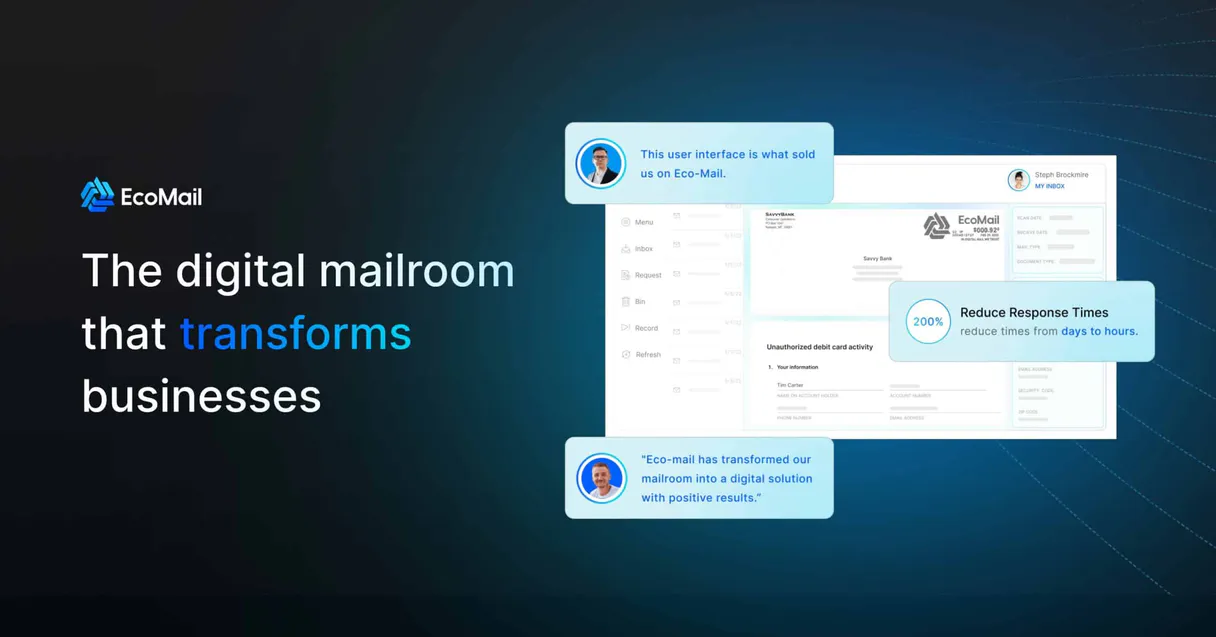
Independent Platform Disclaimer: Vinkius is an independent platform and is not affiliated with, endorsed by, sponsored by, verified by, or otherwise authorized by Ecomail. All third-party trademarks, logos, and brand names are the property of their respective owners. Their use on this website is strictly for informational purposes to identify service compatibility and interoperability.
VINKIUS INFRASTRUCTURE
Cloud Hosted
Managed infra
V8 Isolated
Sandboxed per request
Zero-Trust Proxy
No stored credentials
DLP Enforced
Policy on every call
GDPR Compliant
EU data residency
Token Compression
~60% cost reduction
Works with Claude, ChatGPT, Cursor, and more
The Model Context Protocol standardizes how applications expose capabilities to LLMs. Instead of operating in isolation, your AI gains direct access to external platforms, live data, and real-world actions through secure, standardized connections.
This server provides 10 capabilities that interface natively with Claude, ChatGPT, Cursor, and any MCP client. No middleware. No custom integration required.
Available Capabilities
Marketing Ops: Juggling 10 Tabs Just to Get One Answer
Today, to figure out if a campaign hit its target audience, you open the campaign dashboard. Then you switch to the 'Audience' tab to see the list size. Then you open the 'History' tab to check the last time anyone interacted with the emails. Finally, you copy-paste three different numbers into a spreadsheet to see if the math works.
With the Ecomail MCP Server, you just ask your agent: 'How did Campaign X perform against the Master List?' It runs the necessary calls (`get_campaign_performance_details` and `list_address_list_subscribers`) and gives you one consolidated answer right here. It's all in the chat.
Ecomail MCP Server: Get Campaign Insights from Chat
Forget clicking through campaign IDs, segment lists, and then manually checking the account quota. The server lets you check all three—the performance (`get_campaign_performance_details`), the list size (`list_address_list_subscribers`), and the account capacity (`get_ecomail_account_metadata`)—in a single, fluid conversation.
The difference is the cognitive load. Instead of remembering which tab you were on, you just talk to your agent. It handles the sequence of calls and delivers the data you need, precisely when you need it.
Common Questions About Ecomail MCP
How do I check the performance of a specific campaign using get_campaign_performance_details? +
You pass the campaign ID to the agent. It runs get_campaign_performance_details and returns the metrics like open rate and click count. You don't have to navigate to the campaign's report page.
What is the difference between list_address_list_subscribers and search_marketing_subscribers? +
Use list_address_list_subscribers when you know the name of the list and want everyone in it. Use search_marketing_subscribers when you only know a keyword or an email address and need to find a specific person.
Can I see the total count of subscribers in my Ecomail account using get_ecomail_account_metadata? +
Yes, get_ecomail_account_metadata retrieves high-level data, including current list volume and account usage limits, giving you an immediate audit.
How do I find out what templates I can use for a new email? +
Run list_email_templates. This shows all available, saved message templates, so you can ensure your new campaign uses the correct branding and structure.
How do I use list_marketing_address_lists to find all my contact groups? +
It lists every configured contact address list. You'll see the name and ID for each list, which lets your agent know exactly what groups you manage.
What does quick_marketing_volume_audit provide with get_ecomail_account_metadata? +
It provides a high-level summary of your current campaign and list activity. This quick view gives you metrics on list volumes and account limits without needing a deep dive.
If I need to find a specific contact, should I use search_marketing_subscribers or get_subscriber_profile? +
Use search_marketing_subscribers first. It lets your agent search the entire database using a keyword or email address. get_subscriber_profile requires you to already have the subscriber's email.
Can I find the most recent marketing campaigns using list_latest_marketing_campaigns? +
Yes, this tool identifies the campaigns that were most recently created or sent. It's useful for quickly reviewing your current marketing activity timeline.
How do I get an Ecomail API Key? +
Log in to your Ecomail account, navigate to Manage account > Integration, and you can find your unique API Key under the API Key section.
Can the agent send new email broadcasts? +
This integration currently focuses on listing and auditing campaigns, lists, and subscribers. Scheduling or sending actual email broadcasts should be managed via the Ecomail campaign builder.
Does the integration support subscriber custom fields? +
Yes, you can use the get_subscriber_profile tool to retrieve full profile details which include any custom data fields you have defined in Ecomail.
Use it with your favorite AI tools
Connect this server to Cursor, Claude, VS Code, and more.
More in this category
Gelato
Manage print-on-demand orders, track fulfillment, and get shipping quotes via AI agents with Gelato.

WooCommerce
Manage products, orders, and store analytics on WooCommerce — the most customizable open-source eCommerce platform.
Afosto
Retail and e-commerce engine — manage orders, inventory, products, and customers via AI.
You might also like

Met Museum
Explore the Metropolitan Museum of Art's collection—search for artworks, list departments, and retrieve detailed object metadata and images.

Argyle
Verify employment and income with Argyle — track users, employments, and payouts via AI.

Affinity
Relationship intelligence and CRM — manage lists, contacts, and interactions via AI.