
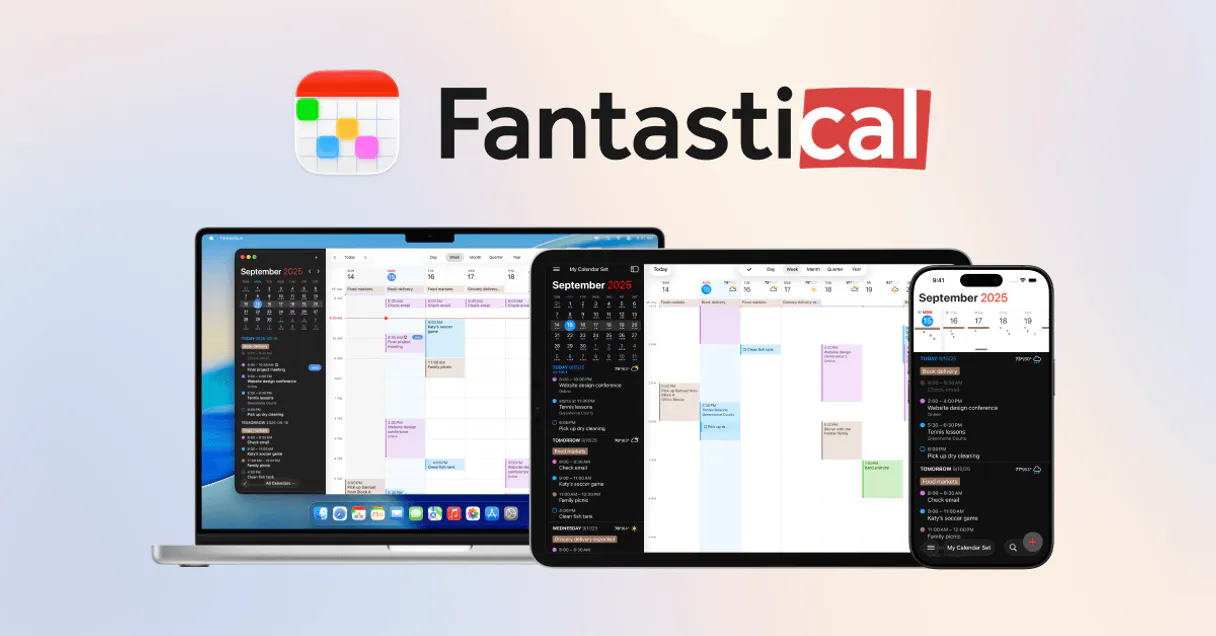
Fantastical MCP. Manage every meeting across all your connected calendars.
 Gemini
 Works with every AI agent you already use
…and any MCP-compatible client









Just plug in your AI agents and start using Vinkius.
Fantastical manages your entire calendar stack. Create events, read schedules, and handle reminders across Google, iCloud, Exchange, and Microsoft 365—all from a single chat.
You can also manage booking links and suggest meeting times without opening a separate calendar app. It centralizes your scheduling data and lets your agent act on your behalf.
What your AI agents can do
Create event
Creates a new event in Fantastical by parsing natural language descriptions like 'Lunch with Bob tomorrow at noon'.
Create reminder
Creates a new task or reminder that syncs with Apple Reminders or Todoist.
Delete event
Permanently removes an existing event from Fantastical.
Your agent creates a calendar event by parsing simple phrases like 'Lunch with Bob tomorrow at noon' and adding it to the necessary accounts.
Your agent pulls a single view of all events from multiple providers (Google, iCloud, Exchange, M365) into the chat interface.
Your agent suggests several potential times for a meeting and tracks replies until a final slot is confirmed for all attendees.
Your agent lists and manages your shareable booking links, showing when you are free to meet.
Your agent creates task-like items with due dates and syncs them with services like Apple Reminders or Todoist.
Your agent updates details—like the time, location, or title—of any existing event across all connected calendar services.
Ask AI about this MCP
Supported MCP Clients
Gemini Waiting for input…
Fantastical MCP Server: 10 Tools for Scheduling
These 10 tools let your agent read, write, and manage every detail of your calendar, from creating single events to tracking complex scheduling proposals.
019d7596create event
Creates a new event in Fantastical by parsing natural language descriptions like 'Lunch with Bob tomorrow at noon'.
019d7596create reminder
Creates a new task or reminder that syncs with Apple Reminders or Todoist.
019d7596delete event
Permanently removes an existing event from Fantastical.
019d7596get event
Retrieves all details for a single Fantastical event using its unique ID.
019d7596get opening
Gets specific details about a single Fantastical booking opening.
019d7596list calendars
Lists all calendar accounts connected to Fantastical, showing their status and color coding.
019d7596list events
Lists all calendar events within a specified start and end date range.
019d7596list openings
Retrieves a list of all active scheduling pages or booking links.
019d7596list proposals
Retrieves a summary of all meeting proposals, including suggested times and current responses.
019d7596update event
Modifies the title, time, location, or notes of an existing event across all connected calendars.
Choose How to Get Started
Build a custom MCP for your own tools, or connect a ready-made integration from our catalog.
Build Your Own
Turn any API into an MCP. Import a spec, define Agent Skills, or deploy with MCPFusion.
- Import from OpenAPI, Swagger, or YAML specs
- Create Agent Skills with progressive disclosure
- Deploy to edge with MCPFusion framework
- Built in DLP, auth, and compliance on every call
- Real time usage dashboard and cost metering
- Publish to catalog or keep private
Make Your AI Do More
Start with Fantastical, then connect any of our 4,700+ other servers whenever your AI needs more. One click, no limits.
- Use this MCP plus 4,700+ others, all in one place
- Add new capabilities to your AI anytime you want
- Every connection is secured and compliant automatically
- Track usage and costs across all your servers
- Works with Claude, ChatGPT, Cursor, and more
- New servers added to the catalog every week
What you can do with this MCP connector
Fantastical handles your whole calendar stack. Your agent lets you create, read, and manage events and reminders across Google, iCloud, Exchange, and Microsoft 365—all from a single chat. You'll never have to jump into a separate calendar app again.
create_event lets you schedule new events just by talking to your agent. If you tell it something like, 'Lunch with Bob tomorrow at noon,' it automatically creates the event in Fantastical and adds it to the necessary accounts.
create_reminder makes new tasks or reminders that sync up with Apple Reminders or Todoist. delete_event permanently removes an existing event from Fantastical. get_event pulls all the details for one specific event using its unique ID. list_calendars shows you all the calendar accounts connected to Fantastical, telling you their status and color coding.
Need to know what's on the books? list_events lists all calendar events for a date range you specify. update_event lets your agent modify an existing event—it handles the title, time, location, or notes across all connected calendars. You'll never have to worry about keeping your schedule consistent across multiple services again.
Managing time slots is simple. list_openings retrieves a list of all your active scheduling pages or booking links, and get_opening gets specific details about one of those booking openings. list_proposals summarizes all meeting proposals, showing suggested times and who's responded to get a final slot confirmed. list_openings also lets you see your current availability to meet.
That's it. You've got your whole schedule view in one place, and your agent acts on your behalf.
How Fantastical MCP Works
- 1 Subscribe to this server and provide your Fantastical API Key (find it in your Flexibits Account Hub).
- 2 Start the conversation in your preferred AI client (Claude, Cursor, etc.) and ask your agent to perform a scheduling action.
- 3 Your agent calls the necessary tools, gathers the data from all connected calendars, and presents the final, confirmed schedule details in the chat.
The bottom line is, you tell your agent what you need done, and it handles the connection, data retrieval, and writing to all your calendar services.
Who Is Fantastical MCP For?
Anyone who deals with more than one calendar app is going to love this. It's for the busy professional who hates switching between Google Calendar, Outlook, and Apple Calendar just to book a meeting. It’s for the executive assistant who needs to manage 10 different people’s schedules without ever leaving their chat window.
Manages proposals and booking openings for teams. They use the agent to check multiple calendars, suggest three times, and finalize the booking without manual email chains.
Needs to audit the unified schedule across multiple team members' accounts. They ask the agent to list all events for the week to spot conflicts or gaps.
Needs to provide quick booking links to clients. They ask the agent to list open slots so they can send a direct booking link.
What Changes When You Connect
- Audit your entire schedule instantly. Instead of opening five different calendar apps, your agent uses
list_eventsto pull every event across Google, iCloud, Exchange, and M365 into one view. - Book meetings without back-and-forth. Use
list_proposalsto suggest multiple times to attendees and track replies until the meeting is finalized, saving hours of email ping-pong. - Always look available. Use
list_openingsto check and manage your shareable booking links. You can let people book time with you without you ever having to give them a direct link. - Keep tasks synced. Don't use a separate to-do list.
create_reminderhandles task-like items and syncs them to Todoist or Apple Reminders alongside your actual calendar entries. - Fix event details fast. If a meeting moves, don't manually update it everywhere. Use
update_eventto change the title, time, or location across every provider simultaneously. - Build events from plain text. Use
create_eventto tell your agent, 'Coffee with John tomorrow at 2 PM.' It handles the date parsing and creation across all accounts automatically.
Real-World Use Cases
The Quarterly Review Coordination
The Project Manager needs to schedule a review with five people across three time zones. They ask the agent to check availability. The agent runs list_calendars first, then uses list_openings to check common availability, and finally uses list_proposals to suggest three optimal slots, solving the coordination mess in one go.
The Out-of-Office Scheduler
The Sales Rep is going on vacation and needs to set up availability. They tell the agent to check their status. The agent runs list_openings to list their active booking links and ensures all calendar providers are correctly linked via list_calendars.
The Quick Follow-Up Meeting
A team member needs to schedule a quick 30-minute follow-up call with a client. They prompt the agent with, 'Book a quick call with Sarah tomorrow morning.' The agent uses create_event to parse the intent and adds the event to the correct calendar.
The Historical Audit
The Operations Lead needs to see everything that happened last month. They ask the agent to list all events for the last 30 days. The agent executes list_events using the date range, providing a unified view of the past month's activities.
The Tradeoffs
Juggling multiple calendar apps
Opening Google Calendar, logging into Outlook, switching to iCloud, and manually copying and pasting event details just to see if everyone is free.
→
Ask your agent to check availability. It uses list_calendars to unify the view, then runs list_proposals to suggest slots and confirm the booking in one go.
Forgetting to update event details
A meeting location changes, so the user manually updates it in Google Calendar but forgets to change it in Outlook.
→
Use update_event to change the location or title. This tool ensures the modification syncs across all connected calendar providers simultaneously.
Using a separate to-do app for tasks
Creating a reminder in Todoist and then manually entering the same date and time into Outlook just so it shows up with the meeting.
→
Use create_reminder. This tool handles task-like items and ensures they sync with the calendar ecosystem, keeping your to-do list and schedule aligned.
When It Fits, When It Doesn't
Use this if you need to coordinate schedules across different platforms (Google, Apple, Microsoft) or if you need to book meetings without sending multiple emails. It's best for complex, multi-party coordination. Don't use this if you just need to check one calendar source—you'll use a simpler single-service API. If your primary need is just simple data retrieval without any write capabilities, check the list_events tool first, as it's read-only. But if you need to schedule, this is the right choice.
Independent Platform Disclaimer: Vinkius is an independent platform and is not affiliated with, endorsed by, sponsored by, verified by, or otherwise authorized by Fantastical. All third-party trademarks, logos, and brand names are the property of their respective owners. Their use on this website is strictly for informational purposes to identify service compatibility and interoperability.
VINKIUS INFRASTRUCTURE
Cloud Hosted
Managed infra
V8 Isolated
Sandboxed per request
Zero-Trust Proxy
No stored credentials
DLP Enforced
Policy on every call
GDPR Compliant
EU data residency
Token Compression
~60% cost reduction
Works with Claude, ChatGPT, Cursor, and more
The Model Context Protocol standardizes how applications expose capabilities to LLMs. Instead of operating in isolation, your AI gains direct access to external platforms, live data, and real-world actions through secure, standardized connections.
This server provides 10 capabilities that interface natively with Claude, ChatGPT, Cursor, and any MCP client. No middleware. No custom integration required.
Available Capabilities
Coordinating a schedule shouldn't feel like logging into five different apps.
Today, scheduling means clicking through tabs. You check Google Calendar for morning availability, then switch to Outlook to check with the finance team. If that's clear, you open Apple Calendar to check with your boss. Then, you copy the details and paste them into a separate tool to create the event.
With this MCP server, you just tell your agent the goal: 'Schedule a review with John, Sarah, and me next Tuesday.' The agent runs `list_calendars` to see what's connected, and then uses `list_proposals` to suggest three slots that work for everyone, all from the chat.
Fantastical MCP Server: Schedule events from plain text.
Manual event creation requires specific formatting: 'Event Title' must go in one field, 'Start Time' in another, and 'End Time' in a third. This is tedious and easy to mess up.
Now, just ask your agent: 'Schedule a follow-up call with the client tomorrow afternoon.' The agent uses `create_event` to parse the natural language, figuring out the time, title, and necessary accounts without you having to structure a single field.
Common Questions About Fantastical MCP
How do I use the `create_event` tool with Fantastical? +
Just ask your agent in natural language. Example: 'Set up a meeting with Jane next week on Tuesday.' The tool handles the date parsing and creates the event across all your connected calendars.
Can I check my availability across Google and Apple using `list_calendars`? +
Yes. The agent uses list_calendars to list all connected providers, giving you a single structural view of every account you use for scheduling.
What does the `list_proposals` tool do? +
It returns a summary of all proposals. You can see suggested times, who has responded, and which slots have been finalized, letting you track meeting coordination without leaving the chat.
Is `update_event` safe for all my accounts? +
Yes. The tool modifies an event and transmits the change synchronously across every underlying calendar provider, ensuring your schedule stays consistent everywhere.
Can I set up recurring tasks using `create_reminder`? +
Yes, the tool creates a new reminder. While the listing focuses on single tasks, the underlying sync with services like Todoist/Apple Reminders supports recurring patterns.
How do I use the `list_events` tool to find all my meetings in a specific date range? +
You pass the start and end dates to list_events. This function retrieves every calendar event within that exact date range from all connected accounts. You specify the boundaries, and the server pulls the full schedule for you.
What information does the `get_opening` tool provide about my booking links? +
The get_opening tool returns full details for a specific booking link. It shows the name, the duration, and the current status of the opening. This helps you manage and share your real-time availability.
Is the `update_event` tool limited by the original event creator or only by me? +
No, you update the event regardless of who created it. As long as your AI client has permission, you can modify titles, times, locations, or notes across all connected providers. It syncs the change directly.
Can my agent create events using natural language phrases like in the Fantastical app? +
Yes. Use the 'create_event' tool. Fantastical's engine is designed to parse phrases like 'Lunch with Bob at 1pm next Tuesday'. The agent will transmit the string and return the structured event data flawlessly.
How do I see my available scheduling links (Openings) via chat? +
Use the 'list_openings' tool. Your agent will retrieve all your active scheduling pages, providing the booking link URLs and duration settings so you can share them with others easily.
Can I suggest multiple meeting times to someone through the agent? +
Absolutely. Use the 'list_proposals' tool to monitor existing suggestions. Fantastical Proposals allow you to offer several slots to attendees, and your agent can help you track their responses and finalize the event.
Use it with your favorite AI tools
Connect this server to Cursor, Claude, VS Code, and more.
More in this category

Requirement Decomposition Prover
AI generates the happy path but omits error handling, edge cases, security, and observability — the '80% Problem'. This tool forces complete requirement decomposition BEFORE code generation: specify inputs/outputs, map failure modes, cover boundary conditions, validate OWASP, plan logging.

Bitly
Shorten and manage links via Bitly — track clicks, analyze metrics, and manage groups directly from any AI agent.

MagicBell
Manage notifications and broadcasts via MagicBell — list, retrieve, and trigger multi-channel alerts directly from your AI agent.
You might also like

Cisco Meraki
Cloud-managed IT via Cisco Meraki — track networks, devices, and client connectivity.
AcademyOfMine
Manage AcademyOfMine LMS — orchestrate courses, register learners, and track enrollments directly from any AI agent.

MiiTel Alternative
Automate MiiTel voice intelligence — list export queues, generate CSVs, and import call or meeting records via AI.