
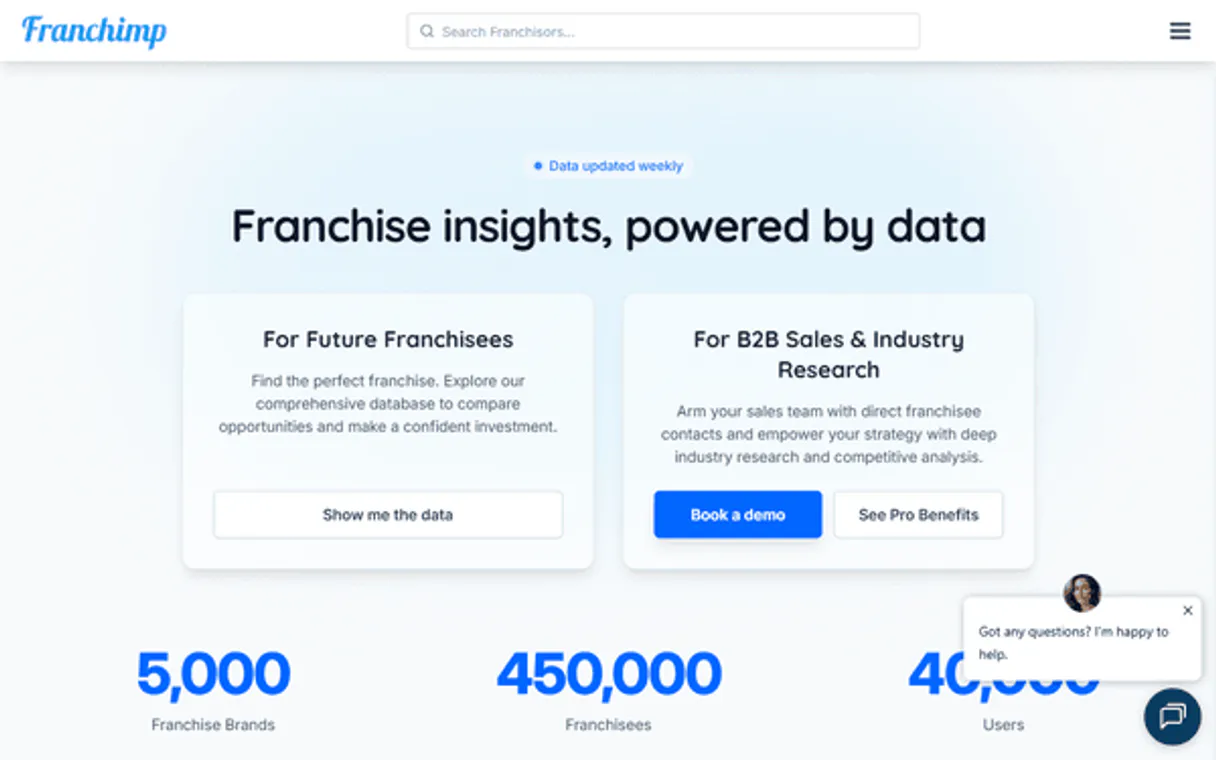
Franchimp MCP. Get B2B lead data and franchise financials in chat.
 Gemini
 Works with every AI agent you already use
…and any MCP-compatible client









Just plug in your AI agents and start using Vinkius.
Franchimp connects your AI agent to a massive database of franchise intelligence, lead data, and legal documents. Use it to search for franchisors by name, find specific franchisee contact details (email, phone), or check financial requirements and FDD metadata.
It gives you deep access to over 450,000 franchise units for market research and B2B lead generation.
What your AI agents can do
Find franchisee by email
Searches the database to find a franchisee's record using only their email address.
Get account info
Retrieves general information and attributes about your connected Franchimp account.
Get fdd metadata
Gets specific metadata related to Franchise Disclosure Documents (FDDs).
Search the database for a specific franchisee using their email address.
Retrieves information about your current Franchimp account attributes.
Retrieves the metadata for Franchise Disclosure Documents (FDDs).
Retrieves detailed metadata for a specific franchisor.
Retrieves full contact details for a specific franchisee, like phone numbers and emails.
Retrieves financial data, including total investment ranges and net worth requirements.
Checks how many document downloads you have left on your account.
Ask AI about this MCP
Supported MCP Clients
Gemini Waiting for input…
019d759efind franchisee by email
Searches the database to find a franchisee's record using only their email address.
019d759eget account info
Retrieves general information and attributes about your connected Franchimp account.
019d759eget fdd metadata
Gets specific metadata related to Franchise Disclosure Documents (FDDs).
019d759eget franchise details
Retrieves general metadata and details for a specific franchisor.
019d759eget franchisee details
Retrieves detailed contact information for a specific franchisee.
019d759eget investment stats
Fetches specific financial data, such as total investment ranges, for a franchisor.
019d759elist available credits
Checks how many document downloads you have remaining on your account.
019d759elist fdd documents
Lists all available Franchise Disclosure Documents for a given brand or franchisor.
019d759elist franchisees
Retrieves a list of specific franchisees based on provided criteria.
019d759elist franchises
Lists all franchisor records available in the database.
019d759elist multi unit operators
Identifies and lists franchisors who manage several units across different brands.
019d759esearch franchisors
Searches the main database of franchisors using keywords or names.
Choose How to Get Started
Build a custom MCP for your own tools, or connect a ready-made integration from our catalog.
Build Your Own
Turn any API into an MCP. Import a spec, define Agent Skills, or deploy with MCPFusion.
- Import from OpenAPI, Swagger, or YAML specs
- Create Agent Skills with progressive disclosure
- Deploy to edge with MCPFusion framework
- Built in DLP, auth, and compliance on every call
- Real time usage dashboard and cost metering
- Publish to catalog or keep private
Make Your AI Do More
Start with Franchimp, then connect any of our 4,700+ other servers whenever your AI needs more. One click, no limits.
- Use this MCP plus 4,700+ others, all in one place
- Add new capabilities to your AI anytime you want
- Every connection is secured and compliant automatically
- Track usage and costs across all your servers
- Works with Claude, ChatGPT, Cursor, and more
- New servers added to the catalog every week
What you can do with this MCP connector
Franchimp connects your AI agent to a massive database holding franchise intelligence, lead data, and legal documents. You can use it to automate market research and B2B lead generation by pulling granular data on over 450,000 franchise units. Your agent can search for franchisors by name, pull specific franchisee contact details, or check financial requirements and FDD metadata.
search_franchisors lets you search the main database for franchisors using keywords or names.get_franchise_details pulls general metadata and details for a specific franchisor.list_franchises gives you a list of all franchisor records available in the database.list_multi_unit_operators identifies and lists franchisors who manage several units across different brands.get_investment_stats fetches specific financial data, like total investment ranges, for a franchisor.list_available_credits checks how many document downloads you've got left on your account.
When you need to find a specific franchisee, list_franchisees lets you retrieve a list of franchisees based on provided criteria, and find_franchisee_by_email searches the database using only an email address.get_franchisee_details pulls detailed contact info for a specific franchisee, including phone numbers and emails.
For legal documents, list_fdd_documents lists all available Franchise Disclosure Documents for a given brand or franchisor, and get_fdd_metadata gets specific metadata related to Franchise Disclosure Documents (FDDs).
get_account_info retrieves general information and attributes about your connected Franchimp account.
How Franchimp MCP Works
- 1 Subscribe to the server on the Vinkius Marketplace and get your Franchimp API key.
- 2 Input the API key into your preferred AI client (e.g., Claude or Cursor).
- 3 Ask your agent a question like, 'What are the investment stats for 7-Eleven?' and the agent runs the necessary tools to deliver the answer.
The bottom line is, you talk to your agent, and the agent handles the complex database lookups, giving you structured, actionable data.
Who Is Franchimp MCP For?
This is for B2B marketers and business consultants who need reliable, deep data without leaving their main agent chat. If your job involves researching competitors, qualifying leads, or writing advisory reports based on industry financials, this server is a massive time saver. It cuts out the hours spent cross-referencing spreadsheets and visiting dozens of industry websites.
Pulls large contact lists of franchisees using list_franchisees to fuel cold outreach campaigns, or verifies lead emails using find_franchisee_by_email.
Benchmarks franchise opportunities by running get_investment_stats for multiple brands and compiling a comparative financial report.
Automates the gathering of legal and operational data by listing and retrieving FDD metadata using list_fdd_documents for client reports.
What Changes When You Connect
- Eliminate manual lead sourcing. Use
list_franchiseesorsearch_franchisorsto pull validated contact lists directly into your agent chat, bypassing spreadsheet exports and manual data cleanup. - Benchmark investment opportunities instantly. Run
get_investment_statsfor multiple brands to compare financial requirements (e.g., $37K vs $1.6M) side-by-side, without switching tabs. - Automate legal research. Instead of downloading multiple FDDs, use
list_fdd_documentsandget_fdd_metadatato retrieve and summarize the necessary legal structure data. - Verify leads in real-time. If you suspect an email is old, run
find_franchisee_by_emailto confirm the record and enrich your CRM data immediately. - Understand market structure. Use
list_multi_unit_operatorsto identify large, multi-brand franchisors, saving time spent manually tracking corporate ownership. - Stay in control of costs. Use
list_available_creditsto monitor your document download limit directly from the chat interface, preventing unexpected billing issues.
Real-World Use Cases
Building a Target List of Competitors
A market researcher needs to know the investment hurdles for top competitors. They ask their agent to run search_franchisors for 'Fast Food Chain A'. The agent returns the full metadata, and then the user runs get_investment_stats to get the exact financial range, all in one conversation.
Cold Outreach Campaign Prep
A B2B marketer needs 50 valid contacts. They use list_franchisees with specific filters. The agent returns a list of names and then the user runs get_franchisee_details on each one to grab the phone number and email for their outreach sequence.
Legal Due Diligence Check
A business consultant is preparing a report. They first use list_fdd_documents to see which legal documents are available for a client's brand. Then they use get_fdd_metadata to extract the specific legal structure details needed for the report.
Checking a Suspicious Lead Email
A sales rep gets an email from a potential client. They don't want to guess if the email is real. They ask the agent to run find_franchisee_by_email. The agent confirms the record exists and provides the owner's full details, saving the rep from wasting time on dead leads.
The Tradeoffs
Manually cross-referencing data.
Looking up a franchise's investment stats on one website, checking their contact info on a second site, and then trying to find their legal documents on a third portal. This process takes hours and the data is often outdated.
→
Use your agent to orchestrate the process. Start by running search_franchisors to find the brand, then get_investment_stats for financials, and finally get_franchisee_details to get the contact info. It all happens in one chat session.
Assuming all data is centralized.
Thinking that simply listing all franchises (list_franchises) will give you everything you need, without checking for specific details like the franchisee's phone number.
→
After running list_franchises, you must use get_franchisee_details or list_franchisees to drill down. The list only gives the overview; the detail tools give the usable contact data.
Forgetting to check document credits.
Running multiple document lookups using get_fdd_metadata until the agent throws a 'Credit Exceeded' error, forcing you to stop and manually check your account balance.
→
Always check your budget first. Run list_available_credits at the start of your research session. That keeps you from hitting a wall halfway through.
When It Fits, When It Doesn't
Use this server if you need to gather structured, multi-domain data about franchise systems and B2B leads. This is perfect for market research, sales qualification, and consulting reports. You should use search_franchisors and get_investment_stats when your goal is comparing financial metrics across multiple companies. Use list_franchisees and find_franchisee_by_email when your goal is building or verifying contact lists. Don't use this if you just need to know the general industry trends—you need specific data points. If you only need to know the name of a franchisor, list_franchises is enough. But if you need their financial status, you must use get_franchise_details or get_investment_stats.
Independent Platform Disclaimer: Vinkius is an independent platform and is not affiliated with, endorsed by, sponsored by, verified by, or otherwise authorized by Franchimp. All third-party trademarks, logos, and brand names are the property of their respective owners. Their use on this website is strictly for informational purposes to identify service compatibility and interoperability.
VINKIUS INFRASTRUCTURE
Cloud Hosted
Managed infra
V8 Isolated
Sandboxed per request
Zero-Trust Proxy
No stored credentials
DLP Enforced
Policy on every call
GDPR Compliant
EU data residency
Token Compression
~60% cost reduction
Works with Claude, ChatGPT, Cursor, and more
The Model Context Protocol standardizes how applications expose capabilities to LLMs. Instead of operating in isolation, your AI gains direct access to external platforms, live data, and real-world actions through secure, standardized connections.
This server provides 12 capabilities that interface natively with Claude, ChatGPT, Cursor, and any MCP client. No middleware. No custom integration required.
Available Capabilities
Finding franchise details shouldn't feel like a scavenger hunt.
Right now, getting a complete picture of a franchise opportunity means juggling at least three different websites: one for corporate info, one for financial metrics, and another for franchisee contact details. You spend time copying names, pasting emails, and jumping between tabs just to build one basic profile.
With the Franchimp MCP Server, you tell your agent what you need—say, 'Find me the financial stats and the contact details for XYZ.' The agent runs the required tools (`get_investment_stats` and `get_franchisee_details`) and returns a clean, structured record in your chat. No copy-pasting required.
Franchimp MCP Server: Get deep data using `get_fdd_metadata`
Before, understanding a brand's legal structure meant downloading and reading bulky, multi-hundred-page Franchise Disclosure Documents (FDDs). You had to find the right section, copy the key clauses, and manually summarize them for your client.
Now, you just ask your agent to get the FDD metadata. The agent retrieves the necessary legal framework data using `get_fdd_metadata` and presents the actionable summary. You skip the reading and go straight to the insights.
Common Questions About Franchimp MCP
How do I use the `find_franchisee_by_email` tool? +
You give the agent the full email address. The agent runs the tool and returns the specific franchisee record associated with that email, confirming if the lead is active and providing additional contact data.
What is the difference between `list_franchisees` and `get_franchisee_details`? +
list_franchisees provides a list of matching franchisees based on search criteria. get_franchisee_details takes a specific record and returns all the available contact and profile details for that one franchisee.
Can I check my credit limit with `list_available_credits`? +
Yes. Running list_available_credits tells you exactly how many document downloads you have left. This is crucial before running large-scale reports to avoid unexpected service interruptions.
How do I find a multi-unit operator using the MCP Server? +
Run the list_multi_unit_operators tool. This specifically filters the database to show you franchisors who manage several units across different brands, which is hard to find otherwise.
What information does `get_investment_stats` provide? +
get_investment_stats pulls key financial data, including the total investment range and the required net worth for a franchisor, helping you benchmark opportunities.
How do I use `get_franchise_details` to find out about a franchisor? +
This tool retrieves core metadata about a franchisor. You can use it to check basic details, including status and investment requirements, for any known brand.
What is the purpose of the `list_fdd_documents` tool? +
This tool lists available Franchise Disclosure Documents (FDDs). It helps you see which specific legal or operational documents are associated with a franchisor.
Do I need to use `list_franchises` before I can `search_franchisors`? +
How do I get an API Key for Franchimp? +
You must request an API key by emailing the Franchimp administrative team at admin@franchimp.com.
What data is available for franchisees? +
The database includes emails, phone numbers, and mailing addresses for over 450,000+ individual franchisee units.
Can I download FDDs through the agent? +
The MCP server allows you to retrieve FDD metadata. Downloading the full document typically requires document credits which you can monitor via the agent.
Does it support multi-unit operators? +
Yes! The 'list_multi_unit_operators' tool specifically identifies entities that manage multiple franchise units across one or more brands.
Use it with your favorite AI tools
Connect this server to Cursor, Claude, VS Code, and more.
More in this category

Shopify Discount Creator
This MCP does exactly one thing: it creates unique percentage discount codes in your Shopify store on the fly. Incredible for giving your AI agent the power to prevent cart abandonment during a chat.

HubSpot Operations Hub
Manage workflows, CRM properties, pipelines, owners, and property groups through natural conversation.
Upzelo
Reduce subscription churn with personalized retention offers that intercept cancellations and win back customers at the exit point.
You might also like
ClickBid
Manage auction events, bidders, items, and donations directly via AI.

Tenable
Manage Tenable Vulnerability Management scans, inspect cloud assets, and triage CVEs natively via your AI agent.

SleekFlow
Manage omnichannel customer conversations — read messages, check contacts, and send replies across WhatsApp, Instagram, and more directly from your AI agent.