
Getty Images MCP. Search, discover, and download millions of assets from chat.
 Gemini
 Works with every AI agent you already use
…and any MCP-compatible client









Just plug in your AI agents and start using Vinkius.
Getty Images MCP Server gives your AI agent full control over stock media. Search over 500M creative and editorial photos and videos, find visually similar assets, and download high-res media directly from chat.
It's your single source for visual asset discovery and procurement.
What your AI agents can do
Download image
Pass an asset ID to get a download URL and consume your corporate quota limit for a Getty image.
Get image
Retrieves the full metadata and details for a specific Getty image using its ID.
Get images batch
Gets full details for multiple specified Getty images in a single request.
Search across 500M images using natural language, returning asset IDs, titles, captions, and preview URLs.
Input a source asset ID, and the agent finds related compositions and aesthetic matches.
Browse video libraries and retrieve technical details like aspect ratio and resolution without needing the video file.
Filter searches to only show images cleared for commercial, advertising, and marketing use.
List and organize your saved assets across multiple projects within your lightboxes.
Execute direct download requests using an asset ID, consuming your quota and getting a high-resolution URL.
Ask AI about this MCP
Supported MCP Clients
Gemini Waiting for input…
Getty Images MCP Server: 10 Tools for Media Discovery
Search stock images, find visual matches, retrieve video specs, and manage your entire media pipeline using these ten specialized tools.
019d75a3download image
Pass an asset ID to get a download URL and consume your corporate quota limit for a Getty image.
019d75a3get image
Retrieves the full metadata and details for a specific Getty image using its ID.
019d75a3get images batch
Gets full details for multiple specified Getty images in a single request.
019d75a3get similar
Finds and returns a list of Getty images that share similar visual properties with a given source asset ID.
019d75a3get video
Retrieves the full metadata and technical details for a specific Getty video using its ID.
019d75a3list collections
Lists all the Lightbox collections you've created or saved within Getty Images.
019d75a3search creative
Searches the Getty library, limiting results to images cleared for commercial and advertising use only.
019d75a3search editorial
Searches the Getty library for editorial images, which are not approved for commercial use.
019d75a3search images
Searches Getty Images stock photos using a phrase and page number, returning IDs, titles, and preview URLs.
019d75a3search videos
Searches Getty stock video libraries using a specified search phrase.
Choose How to Get Started
Build a custom MCP for your own tools, or connect a ready-made integration from our catalog.
Build Your Own
Turn any API into an MCP. Import a spec, define Agent Skills, or deploy with MCPFusion.
- Import from OpenAPI, Swagger, or YAML specs
- Create Agent Skills with progressive disclosure
- Deploy to edge with MCPFusion framework
- Built in DLP, auth, and compliance on every call
- Real time usage dashboard and cost metering
- Publish to catalog or keep private
Make Your AI Do More
Start with Getty Images, then connect any of our 4,700+ other servers whenever your AI needs more. One click, no limits.
- Use this MCP plus 4,700+ others, all in one place
- Add new capabilities to your AI anytime you want
- Every connection is secured and compliant automatically
- Track usage and costs across all your servers
- Works with Claude, ChatGPT, Cursor, and more
- New servers added to the catalog every week
What you can do with this MCP connector
You've got full control of your stock media right from your chat client. Connect your AI agent to this server, and you can manage your entire visual asset pipeline through natural conversation.
Search Stock Media: You can search over 500 million images using natural language. The agent returns asset IDs, titles, captions, and preview URLs for results found by search_images and search_creative. You can search the general Getty library using search_images with a phrase and page number. You can also search for images cleared only for advertising and commercial use using search_creative or for historical or non-commercial content using search_editorial.
Find Similar Visuals: Give the agent a source asset ID, and it finds related compositions and aesthetic matches using get_similar.
Manage Video Metadata: You can browse video libraries and get technical details for specific clips using get_video. This includes the aspect ratio and resolution for a video identified by its ID. You can also get the full details for multiple videos at once with get_images_batch.
Manage Lightbox Collections: You can list all the Lightbox collections you've saved or created within Getty Images using list_collections.
Download Assets: The agent executes direct downloads for a Getty image using an asset ID, consuming your corporate quota limit and providing a high-resolution URL via download_image. You can also get the full metadata and details for a single image with get_image, or get the full details for multiple images in one go using get_images_batch.
How Getty Images MCP Works
- 1 1. Subscribe to the Getty Images server and provide your API Key (from the Getty Developer Portal).
- 2 2. Tell your AI agent what you need. For example: 'Find a creative image of a modern office kitchen.'
- 3 3. The agent runs the appropriate tool, returns asset IDs and preview URLs, and lets you proceed to download or refine the search.
The bottom line is you talk to your AI agent, and it does the heavy lifting of searching, filtering, and downloading the media for you.
Who Is Getty Images MCP For?
This is for the content professional who gets stuck clicking through 10 different tabs—the marketer who needs 50 images for a campaign by lunch, or the journalist who has to cross-reference historical photos against current news. If your job involves finding, organizing, or downloading visual assets, you need this.
Needs to quickly find commercially-safe images for ad campaigns and manage project lightboxes in real-time.
Searches for high-quality stock photos and videos using natural language without leaving the document workflow.
Searches archival and editorial photography to verify historical events or track global trends using conversational queries.
What Changes When You Connect
- Search for visuals without leaving your chat. Instead of switching between your AI client and a media site, you just tell the agent what you need. The agent handles the search across 500M assets, and you get the IDs and preview links right in your conversation.
- Stay commercially safe. Use
search_creativeto guarantee that every image you find is cleared for ad campaigns and marketing use. You avoid the manual check for rights clearance, which is a huge time saver. - Manage your assets effortlessly. Use
list_collectionsto see all your project lightboxes. You can organize and pull assets from different projects right from the chat, instead of navigating a web UI. - Advanced visual matching. Give the agent a source ID and run
get_similar. It doesn't just search by keywords; it finds assets that look like the source, which is crucial for maintaining a specific aesthetic style. - Video and photo in one place. You don't need separate workflows. Use
search_imagesfor photos andsearch_videosfor clips. The agent handles both types of media search through natural language prompts. - Automated downloading. Once you find the perfect shot, use
download_image. It consumes your quota and gives you the direct, high-resolution URL—no clicking through download pages necessary.
Real-World Use Cases
Need images for a new ad campaign.
The marketer needs 20 lifestyle shots for a Q3 campaign. Instead of keyword searching and manually checking rights, they ask the agent to search for creative images of 'modern sustainable architecture' using search_creative. The agent delivers a list of IDs and preview URLs, letting the marketer select and download the best shots using download_image.
Verifying historical content for a deep dive article.
A journalist needs to prove a sequence of historical events. They ask the agent to search editorial archives using search_editorial for 'protests in 1968'. The agent finds the relevant photos, allowing the journalist to verify the context and source material without leaving their research workflow.
Finding a specific video style match.
A video editor has a reference clip but can't find the right shot. They give the agent the ID of the reference clip and run get_similar. The agent returns several video IDs that match the composition and aesthetic, drastically narrowing the search scope.
Gathering all project assets in one spot.
A creative director has assets saved across multiple projects. Instead of logging into the web portal, they ask the agent to list their lightboxes using list_collections. The agent shows them all available collections, allowing them to pull assets from different sources instantly.
The Tradeoffs
Searching only by keyword
A user types 'beach photo' and only gets generic results. They don't realize they need to filter by commercial use or find something visually similar.
→
Start by using search_images with a specific phrase, then immediately follow up by running search_creative to filter results for guaranteed commercial use. If that fails, use get_similar with a reference ID to narrow the style.
Trying to download everything at once
A user tries to manually download 50 images by clicking 50 separate download buttons, leading to session timeouts and quota confusion.
→
Use the get_images_batch tool to get details for multiple assets at once. Then, use download_image sequentially with the specific IDs you need, keeping track of your quota.
Mixing up content types
A user searches for a video using search_images, getting nothing but photos, wasting time and effort.
→
Use the dedicated tools: search_images for photos, and search_videos for video clips. If you need a video's technical specs, use get_video.
When It Fits, When It Doesn't
Use this server if your primary need is media procurement: you need to find, organize, and download high-resolution photos or videos. It’s best when your workflow involves multiple steps—for example, finding a concept (search_images), checking the video specs (get_video), and then downloading the result (download_image). Don't use it if you just need to write a blog post; that’s a pure text task. If you only need to verify metadata for a single file, get_image works, but you might find get_images_batch more efficient if you have a list of IDs already.
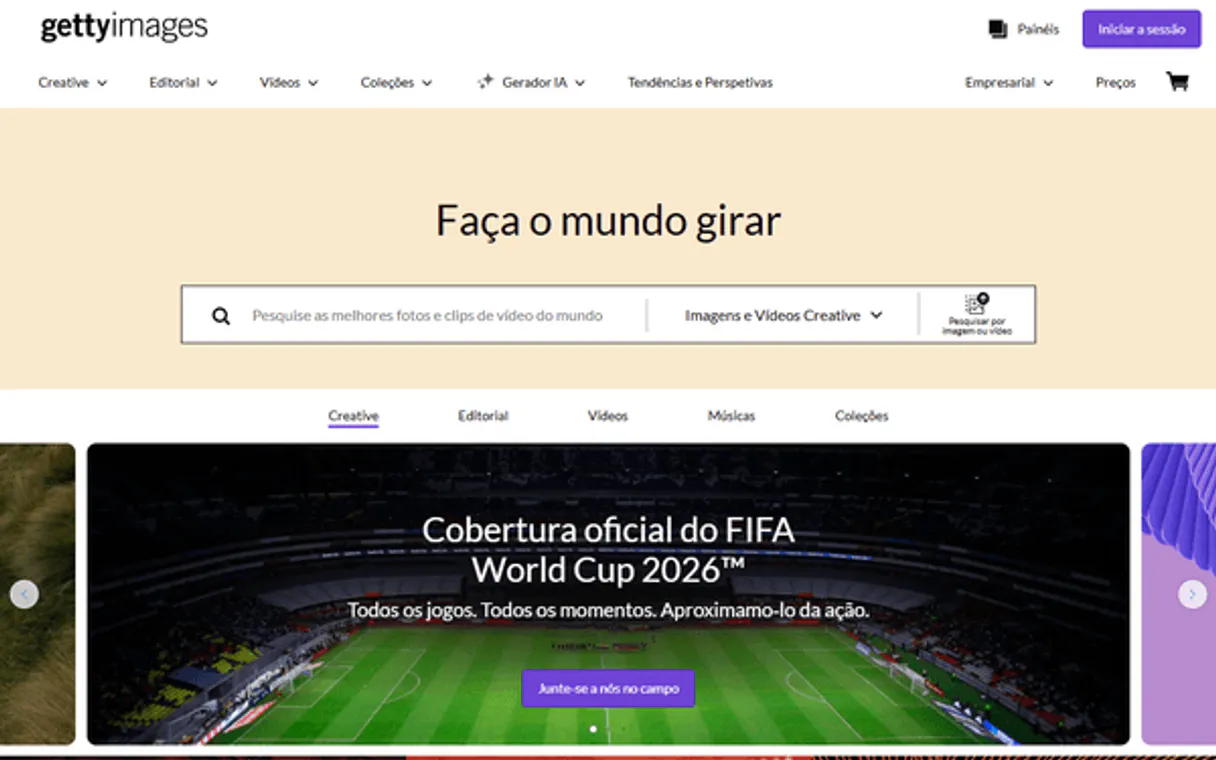
Independent Platform Disclaimer: Vinkius is an independent platform and is not affiliated with, endorsed by, sponsored by, verified by, or otherwise authorized by Getty Images. All third-party trademarks, logos, and brand names are the property of their respective owners. Their use on this website is strictly for informational purposes to identify service compatibility and interoperability.
VINKIUS INFRASTRUCTURE
Cloud Hosted
Managed infra
V8 Isolated
Sandboxed per request
Zero-Trust Proxy
No stored credentials
DLP Enforced
Policy on every call
GDPR Compliant
EU data residency
Token Compression
~60% cost reduction
Works with Claude, ChatGPT, Cursor, and more
The Model Context Protocol standardizes how applications expose capabilities to LLMs. Instead of operating in isolation, your AI gains direct access to external platforms, live data, and real-world actions through secure, standardized connections.
This server provides 10 capabilities that interface natively with Claude, ChatGPT, Cursor, and any MCP client. No middleware. No custom integration required.
Available Capabilities
Sourcing high-quality stock media shouldn't involve 15 different tabs.
Today, finding a usable visual asset means jumping between the search page, the rights management panel, the video library, and the download queue. You spend time copy-pasting IDs, switching between 'Creative' and 'Editorial' tabs, and hoping the right file type is available. It's a massive context switch just to find a single picture.
With this MCP server, you talk to your agent. You tell it the concept—'I need a high-res, commercial image of a rainy city street.' The agent runs the search, confirms the rights, and spits out the IDs and URLs. You get the asset details right where you're already working.
Getty Images MCP Server: Manage all your visual assets from chat.
Previously, managing your work required listing lightboxes in the web UI, then manually checking metadata for video duration, and finally initiating a separate download request. This process was linear, slow, and prone to human error.
Now, the agent handles the whole sequence. You list your collections with `list_collections`, check video specs with `get_video`, and then execute the download using `download_image`—all in a single, conversational flow. The process is non-linear and immediate.
Common Questions About Getty Images MCP
How do I use the `search_creative` tool for ads? +
The search_creative tool only searches images cleared for commercial use. This means the assets you find are pre-vetted for advertising and marketing campaigns, saving you rights clearance time.
What is the difference between `search_images` and `search_editorial`? +
search_images handles general stock photos, while search_editorial is for news, sports, and archival photos. Remember, editorial content is not for commercial use.
Can I find images that look like a reference photo using `get_similar`? +
Yes. The get_similar tool takes a source ID and finds assets that match the composition and aesthetic patterns of the original photo, which is great for style continuity.
Does `download_image` consume my quota? +
Yes. The download_image tool executes the download and consumes your corporate quota limit. It returns the high-resolution download URL.
How do I manage my selected assets using the `list_collections` tool? +
The list_collections tool shows you all your current Lightbox folders. You can then use these collections to organize and revisit specific assets across multiple projects.
What is the difference between `get_images_batch` and calling `get_image` multiple times? +
Using get_images_batch retrieves details for several assets in a single API call. This is much faster and more efficient than running individual get_image calls.
What kind of metadata does `get_video` provide for stock footage? +
The get_video tool provides metadata like the video's duration, aspect ratio, and available resolutions. This helps you select the right clip for your project.
If I search for videos, what tool should I use instead of `search_images`? +
You must use the search_videos tool. This tool is specifically designed to search the Getty stock video library and returns video-specific results.
Can my agent search only for commercially safe images in Getty? +
Yes. Use the 'search_creative' tool. It pre-filters results for commercial, advertising, and marketing use, ensuring the assets you discover are commercially safe natively.
How do I download an image through the agent? +
Use the 'download_image' tool. Provide the Asset ID. Note that this requires an active subscription and will consume your corporate quota. The agent will return a secure download URL synchronously.
Can I find images similar to one I already liked through the agent? +
Absolutely. Use the 'get_similar' tool. Provide the ID of your source image, and the agent will analyze its visual properties to find related compositions and aesthetic patterns within Getty's library.
Use it with your favorite AI tools
Connect this server to Cursor, Claude, VS Code, and more.
More in this category

Pika
Equip your AI agent with Pika Labs native video generation. Create text-to-video, animate images, generate sound effects, and lip-sync programmatically.
Alai
Generate professional headshots and profile photos with AI that transforms selfies into studio-quality business portraits.

Google Fonts API
Manage web fonts — audit families, variants, and categories via AI.
You might also like

GorillaDesk
Manage field service operations — schedule jobs, invoice customers, and update notes via AI.

FreeAgent
Manage accounting, track invoices, and oversee bank transactions via AI agents with FreeAgent.

Goodreads
The world's largest site for readers and book recommendations — search books and audit reviews via AI.