
Habitify MCP. Automate logging and analyze progress from chat.
 Gemini
 Works with every AI agent you already use
…and any MCP-compatible client









Just plug in your AI agents and start using Vinkius.
Habitify. Manage personal habits, logs, and growth metrics directly from any AI agent. Use this server to list all habits, check today's completion status, log reps or minutes, and pull performance statistics for custom date ranges.
It's an automated way to track progress without opening the mobile app.
What your AI agents can do
Add habit log
Records progress (reps, minutes, or completion) for a specific habit.
Create habit
Establishes a new habit for tracking in your account.
Delete habit
Permanently removes a habit from your tracking list.
Get a full roster of habits and create, update, or delete specific habit entries.
Record progress for a habit by specifying the activity type (reps, minutes) and the date.
Retrieve a daily summary of which habits are pending or completed for a specific date.
Pull statistical data and historical logs for any habit over a user-defined time period.
View and organize your tracked habits by predefined focus areas (e.g., Health, Work).
Ask AI about this MCP
Supported MCP Clients
Gemini Waiting for input…
Habitify MCP Server: 10 Tools for Habit Tracking
These tools let you manage, log, and analyze every aspect of your personal habits and growth data.
019d75adadd habit log
Records progress (reps, minutes, or completion) for a specific habit.
019d75adcreate habit
Establishes a new habit for tracking in your account.
019d75addelete habit
Permanently removes a habit from your tracking list.
019d75adget habit
Retrieves detailed information about a single, existing habit.
019d75adget habit stats
Pulls performance statistics for a habit based on a defined date range.
019d75adget journal
Gets a summary of habits and their completion status for a specific day.
019d75adlist areas
Returns a list of all habit focus areas (categories) you have set up.
019d75adlist habit logs
Retrieves all recorded progress entries for a single habit.
019d75adlist habits
Lists every habit currently active in your Habitify account.
019d75adupdate habit
Modifies the details of an existing habit entry.
Choose How to Get Started
Build a custom MCP for your own tools, or connect a ready-made integration from our catalog.
Build Your Own
Turn any API into an MCP. Import a spec, define Agent Skills, or deploy with MCPFusion.
- Import from OpenAPI, Swagger, or YAML specs
- Create Agent Skills with progressive disclosure
- Deploy to edge with MCPFusion framework
- Built in DLP, auth, and compliance on every call
- Real time usage dashboard and cost metering
- Publish to catalog or keep private
Make Your AI Do More
Start with Habitify, then connect any of our 4,700+ other servers whenever your AI needs more. One click, no limits.
- Use this MCP plus 4,700+ others, all in one place
- Add new capabilities to your AI anytime you want
- Every connection is secured and compliant automatically
- Track usage and costs across all your servers
- Works with Claude, ChatGPT, Cursor, and more
- New servers added to the catalog every week
What you can do with this MCP connector
Got a bunch of habits you gotta track? Connect your AI agent to this server and you're all set. You can manage all your personal tracking stuff—logging, checking progress, pulling stats—right from your chat window. You'll never have to open the mobile app again.
List and Modify Habits
You've got a full roster of habits you can see using list_habits, and you can grab the deep details on any single one with get_habit. If you need to change something—like updating the name or goal—you can use update_habit. Need to start tracking a new thing? create_habit gets a new habit set up, and if you mess up, delete_habit clears it out for good.
Log Daily Progress
Logging progress is a snap. You can record how many reps you did or how many minutes you spent on a habit using add_habit_log. You can also get a summary of what's up for the day with get_journal, which shows you the completion status for a specific date.
Need to check out your whole history? list_habit_logs pulls every single progress entry for any habit.
Analyze Performance Trends
Want to know how you're really doing? get_habit_stats pulls performance stats for any habit over a custom date range. You can also see all the progress entries recorded for a habit by running list_habit_logs.
Categorize Goals
You can see all the different focus areas—like Health or Work—by using list_areas. You can manage your habits using the full set of tools, keeping everything organized by those focus areas.
How Habitify MCP Works
- 1 First, subscribe to the Habitify MCP Server and input your API Key. The connection authorizes your AI client to interact with your account.
- 2 Next, you prompt your agent with a request, like 'What did I do last week?' or 'Log 30 minutes of reading.'
- 3 The agent invokes the appropriate tool (e.g.,
get_habit_statsoradd_habit_log) and returns the structured, actionable data directly into your conversation or code.
The bottom line is, you treat your habit tracker like a backend service, letting your AI agent handle all the API calls and data formatting.
Who Is Habitify MCP For?
This is for high performers, productivity enthusiasts, and anyone serious about self-improvement. If your goal is tracking consistent personal metrics (workouts, reading, study time), this server puts the data management process into your digital workflow, eliminating the need to switch between apps and manually enter data.
Runs weekly reports using get_habit_stats to present clients with measurable, long-term progress trends.
Uses the agent to check daily goals (get_journal) and log immediate progress (reps/minutes) right from their terminal or IDE.
Creates new tracking goals (create_habit) and organizes them by area using list_areas to maintain focus.
What Changes When You Connect
- Eliminate app switching. You log progress directly from your IDE or chat. Instead of opening the mobile app to record a run, just prompt your agent to run
add_habit_log. - See your whole picture instantly. Use
get_journalto check today's status. You don't have to open the calendar to see which goals are pending. - Track long-term trends easily. Need to know your average workout volume? Run
get_habit_statswith a date range, and the agent gives you the numbers. - Build your goals in context. Need a new habit? Run
create_habitand get it added to your account without touching the web portal. - Keep things organized. Use
list_areasto see all the categories you're tracking (Health, Work, Mindset), making it easy to scope your queries. - Deep dive into history. If you want to review every time you logged 'Meditation,' use
list_habit_logsto pull every entry.
Real-World Use Cases
Checking daily readiness
You open your agent and ask, 'What habits do I need to complete today?' The agent runs get_journal and immediately lists your 4 pending tasks. You don't have to open the mobile app to check off your morning routine.
Logging a sudden achievement
You just finished a 45-minute study session. You tell your agent, 'Log 45 minutes for my Reading habit.' The agent runs add_habit_log and confirms the entry. Done. No manual logging required.
Reviewing quarterly performance
Your boss asks for your consistency data on 'Meditation'. You prompt the agent to run get_habit_stats for the last quarter. The agent calculates and presents your 92% completion rate instantly.
Cleaning up old goals
You stopped tracking 'Running'. Instead of going through the app and finding the habit, you simply ask the agent to delete_habit, removing it from your active list.
The Tradeoffs
Manual data entry
Remembering to open the mobile app, navigate to the habit, and manually input '30 minutes' every single day. This is slow and prone to forgetting.
→
Keep your agent open. When the workout is done, run add_habit_log directly from your chat. It writes the data instantly and keeps your flow going.
Checking status manually
Having to open the Habitify website, select the date, and scroll through multiple tabs to compile a list of what you missed.
→
Ask the agent to get_journal for today's date. It runs the query and gives you a clean list of pending items, nothing more, nothing less.
Over-complicating habit setup
Trying to manually edit a habit's description or name in the web app, only to realize you need to update multiple fields.
→
Use update_habit to modify the details. It handles the update cleanly, letting you focus on the goal, not the interface.
When It Fits, When It Doesn't
Use this server if your primary need is turning personal data logging into a background process. If you constantly track metrics—reps, minutes, completions—and hate switching apps, this is for you. You need this if you want your AI agent to act as your dedicated data entry point.
Don't use this if you just need a simple list of habits; use list_habits or list_areas. But if you need to act on that list (log data, get stats), this server is essential. If your data is mostly qualitative (e.g., 'felt tired'), you'll need a separate journaling system; this focuses on quantitative metrics.
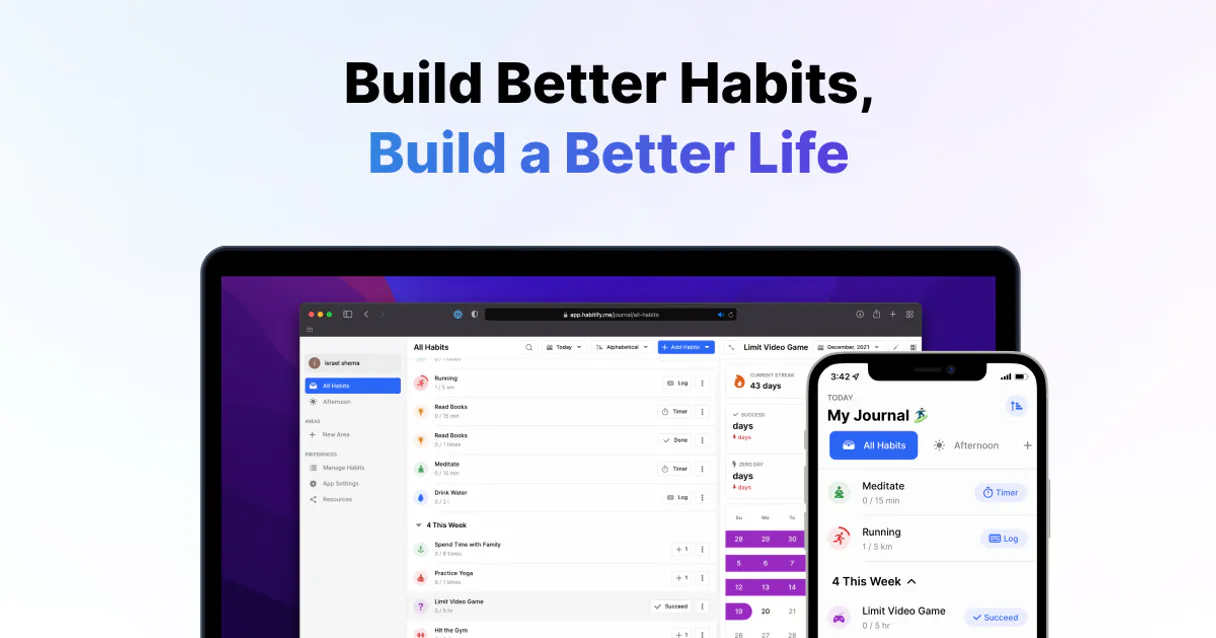
Independent Platform Disclaimer: Vinkius is an independent platform and is not affiliated with, endorsed by, sponsored by, verified by, or otherwise authorized by Habitify. All third-party trademarks, logos, and brand names are the property of their respective owners. Their use on this website is strictly for informational purposes to identify service compatibility and interoperability.
VINKIUS INFRASTRUCTURE
Cloud Hosted
Managed infra
V8 Isolated
Sandboxed per request
Zero-Trust Proxy
No stored credentials
DLP Enforced
Policy on every call
GDPR Compliant
EU data residency
Token Compression
~60% cost reduction
Works with Claude, ChatGPT, Cursor, and more
The Model Context Protocol standardizes how applications expose capabilities to LLMs. Instead of operating in isolation, your AI gains direct access to external platforms, live data, and real-world actions through secure, standardized connections.
This server provides 10 capabilities that interface natively with Claude, ChatGPT, Cursor, and any MCP client. No middleware. No custom integration required.
Available Capabilities
Logging habit data shouldn't feel like opening a separate app.
Today, tracking progress means opening the Habitify app. You navigate to the specific habit, select the date, and manually input the number of reps or minutes. You're interrupted, you're in another app, and you're forced to copy/paste data or remember to do it later.
With the Habitify MCP Server, you simply tell your agent what happened. The agent runs `add_habit_log`, writes the data, and you get an immediate confirmation. The whole process stays in your chat or IDE, keeping your focus on the task at hand.
Get the full picture with Habitify MCP Server
Manual review means opening the app, checking the calendar, and running through the data yourself to see what was missed or what the average was. You are manually compiling the report.
Now, ask the agent to run `get_habit_stats` or `get_journal`. It pulls the metrics and presents the summary directly. You get the insight, not just the raw data.
Common Questions About Habitify MCP
How do I find my Habitify API Key? +
Open the Habitify mobile app, go to Settings > API Credentials (or Settings > Account > API), and tap Generate New Key. Note that API access may require a premium subscription.
Can I record progress for my habits via the AI agent? +
Yes! Use the add_habit_log tool. You can specify the habit ID and the value you want to record (e.g., '10 reps' or '30 minutes').
Does the integration support viewing statistics? +
Yes, you can use the get_habit_stats tool to retrieve performance data for any habit within a specific date range, helping you analyze your consistency.
Can I create new habits through this integration? +
Yes! The create_habit tool allows you to add new habits to your Habitify account directly from your conversational interface.
How do I use the `get_journal` tool to check my daily progress? +
The get_journal tool checks your completion status for a specific date. It shows you which habits you were supposed to complete and whether you logged progress for them.
Can I list all my habits using the `list_habits` tool? +
Yes, the list_habits tool fetches a complete list of every habit you have set up in your account. This lets you see everything you're tracking in one place.
What if I need to change an existing habit's details? Should I use `update_habit`? +
Yes, the update_habit tool handles changes to existing habits. You can use it to modify the details of a habit without having to delete and recreate it.
How does the `add_habit_log` tool record different types of progress? +
The add_habit_log tool accepts various metrics, including reps, minutes, or general completion status. Just tell your AI agent what you did, and it logs the progress for you.
Use it with your favorite AI tools
Connect this server to Cursor, Claude, VS Code, and more.
More in this category
Tettra
Search, read, and create internal wiki pages on your Tettra knowledge base directly from your AI agent.

Plane Alternative
Manage projects, issues, and product roadmaps via Plane — create projects, toggle features, and organize workspaces directly from your AI agent.

Capsule CRM
Manage your CRM via Capsule — track contacts, opportunities, and tasks directly from any AI agent.
You might also like

Hexomatic
Automate web scraping and worklfows via Hexomatic — manage workflows, recipes, and automation logs directly from any AI agent.

Chess.com Global Intelligence
The definitive server for Chess.com — track player ratings, historical games, and daily puzzles via AI.

Eden AI
Equip your AI agent to manage unified AI workflows, track providers, and monitor API usage via the Eden AI platform.